

App credits are what a site on Uncanny Automator Lite uses to run app integrations: the integrations that connect a recipe to an external service, such as Google Sheets, Slack, or Mailchimp. Recipes that only work with plugins on your own site, such as WooCommerce or LearnDash, never use them. This article explains who needs app credits, how they are counted, and where to see how many you have left.
Who uses app credits
If you have Uncanny Automator Lite, you’ll first need to connect your site to a free Uncanny Automator account, which gives you app credits to use with app integrations. On a paid plan, app integrations are included, so credits are not counted. Connecting your site with a free Uncanny Automator account walks through the connection, and the pricing page shows what each plan includes.
How app credits are counted
Each time a recipe passes data to an external service, such as adding a row to a Google Sheet or registering someone for a Zoom webinar, it uses an app credit. Credits belong to your free account rather than to one site: if you connect several sites to the same account, they share its credits. When you need more, upgrade to a paid plan, which includes app integrations.
Track your app credits
In your WordPress dashboard, go to Automator > Dashboard. The Usage card shows App credits. On a paid plan, with Uncanny Automator Pro active, the row reads Unlimited with a Pro badge. On Lite, it shows the credits used out of your account’s total, with a bar that fills as you use them, and a Get unlimited with Pro button.
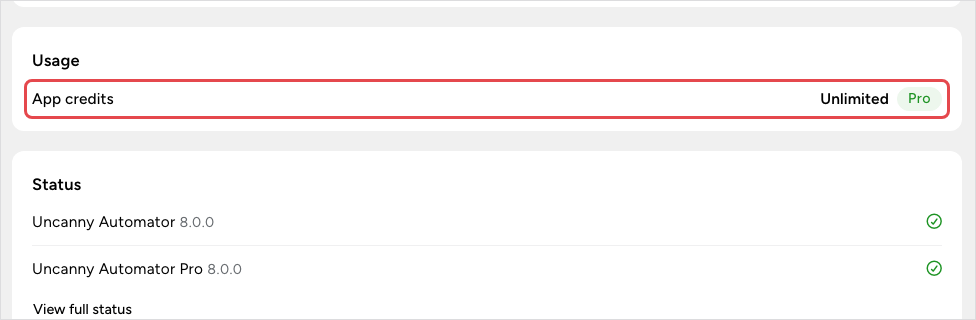
Your App credits page on automatorplugin.com shows the same balance.
Integrations that use app credits
App credits are used by app integrations, which connect to an external service through its API. You usually sign in to the service to authorize Uncanny Automator, and you connect each one at Automator > Settings > App integrations. Some examples:
New app integrations are added regularly, so treat this list as a sample. In the recipe builder, the picker’s Ready-to-use only switch hides app integrations that are not connected yet; see Finding integrations in the recipe builder.
App credits, tool uses, and Uncanny Agent usage
App credits count app integrations in recipes and nothing else. Two other allowances are counted separately, and using one has no effect on the others:
- Tool uses — counted when an AI app such as ChatGPT or Claude is connected to your site from Automator > Connect your AI. A tool use is one thing your AI does on your site through Uncanny Automator. Once an AI is connected, the Usage card adds an AI tool uses today meter for administrators. From 70% of the daily limit it shows when the count resets, and at the limit it reads Daily limit reached: “Your AI can continue at midnight.”
- Uncanny Agent usage — the built-in AI assistant’s monthly and anytime usage; see Monthly Usage vs. Anytime Usage, Explained.
Staging and development sites
Activate your license key on each live site so that app integrations run without credits. Uncanny Automator Pro also runs on staging and development copies of a site, where recipes run without limit; app integrations are the exception. On a copy without an activated license, they use the app credits of a free account, as on Lite. Download your plugins and get license keys lists the addresses treated as development sites.
Related: Connecting your site with a free Uncanny Automator account, Setup wizard and dashboard, Finding integrations in the recipe builder


Comments (0)