

AI website management is changing WordPress: AI page builders, AI assistants, and MCP servers that…
Automate WordPress Admin Tasks: 75+ New Site Management Triggers and Actions in Uncanny Automator
Automate WordPress admin tasks with Automator 7.3: schedule plugin updates, automate site health reports, and hand off the day-to-day of site maintenance to AI.
TLDR? Get the highlights:
- WP Admin actions (Pro): install, activate and update plugins, switch themes, clear caches, manage cron events, and more—all from within recipes.
- WP Multisite (Pro, Plus tier and up): 11 triggers and 16 actions for creating subsites, managing network plugins and monitoring super admin access
- 23 new WordPress Core actions in Automator Lite: menus, media library, taxonomy terms, comments, post meta, and password reset links—automated for free
- Generator and QR Code actions (Pro): UUIDs, random numbers, slugs, and Wi-Fi/vCard/calendar QR codes on demand
- One recipe can now run your entire weekly maintenance routine
Every WordPress site charges a quiet tax. Plugin updates. Cache clears. Menu edits. Comment moderation. Media cleanup. None of that is necessarily hard—it’s just constant and relentless, and it scales with every site you manage.
Uncanny Automator 7.3.0 is the update that eliminates that hidden tax on your time. This release adds more than 75 triggers and actions aimed squarely at WordPress site management, making WordPress the easiest CMS to automate and run day to day.
It’s time to start automating the WordPress admin tasks you’ve been doing by hand for years.
Automate WordPress Admin Tasks with the New WP Admin Actions (Pro)
The new WP Admin actions in Automator Pro read like a site manager’s to-do list:
- Install, activate, deactivate and update plugins
- Switch the active theme
- Clear a cache type
- Schedule and unschedule cron events
- Get, set and delete site options
- Resave permalinks
- Get the site health info
- Set the site name, tagline, reading settings, date/time formats, search engine visibility and customizer CSS
Combine these with Automator’s Schedule integration (recipes that run on recurring intervals) and your maintenance routine becomes an automated workflow. Plugin updates run on your schedule, the cache clears itself afterward, and a site health report lands in your inbox—while you do literally anything else.
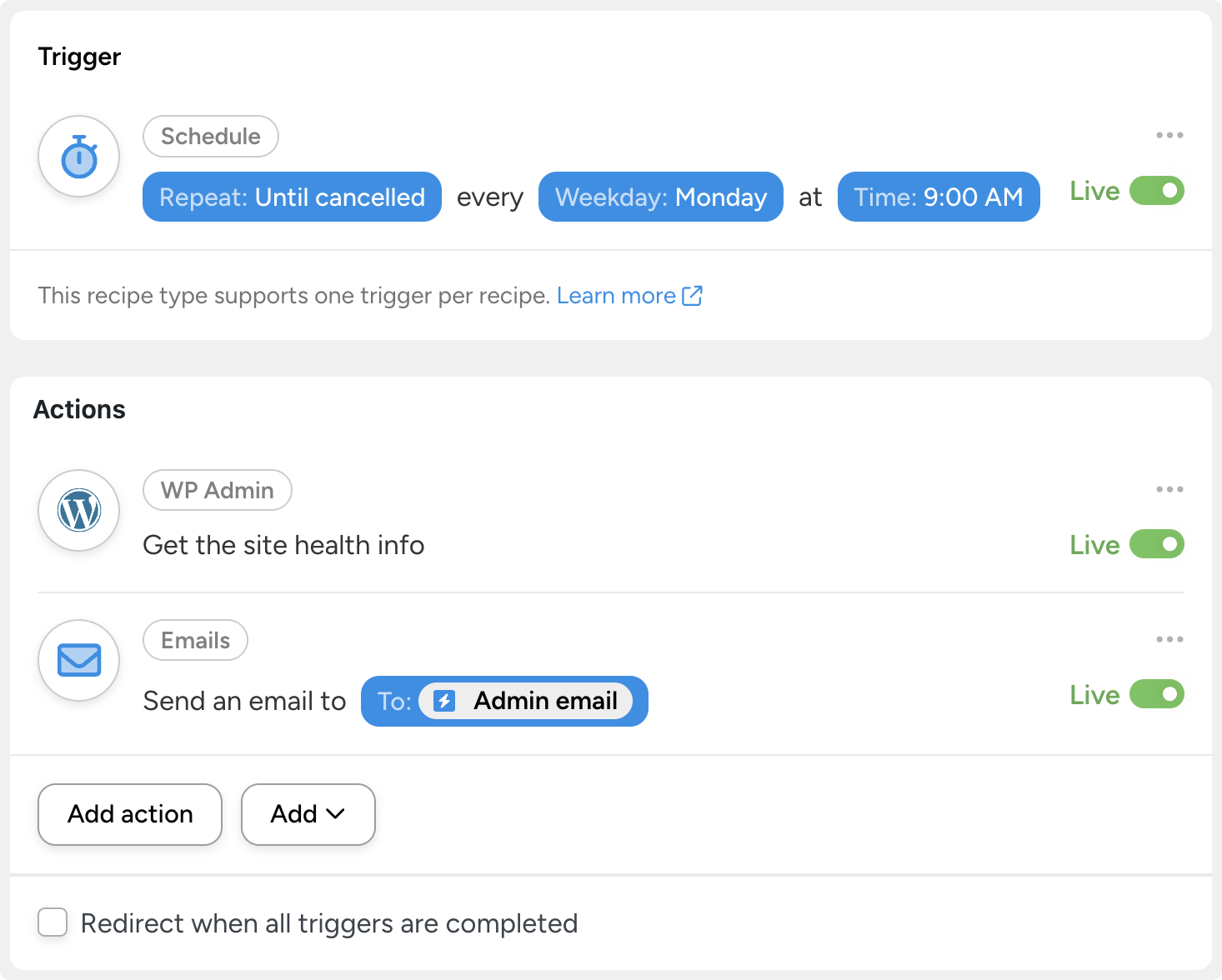
(Note: actions that modify plugins and themes are powerful. We recommend testing recipes like these on a staging site first.)
WP Multisite: Network Automation (Pro, Plus Tier and Up)
If you run a network, 7.3.0 is a milestone: 11 triggers and 16 actions for WP Multisite.
Triggers can now fire when:
- a site is created or deleted,
- a subsite is activated, archived or deactivated,
- a plugin is network-activated, or
- a user is granted—or stripped of—super admin privileges.
And the actions you can now automate let you:
- create subsites with a domain path,
- activate and archive subsites,
- manage network plugins,
- set options on specific subsites,
- change user roles on subsites, and
- grant or revoke super admin access.
Two use cases we think users will love:
- Site-as-a-service (perfect for whitelabeling): a customer completes a purchase → Automator creates their subsite, assigns their role and sends a welcome email with their login link. A storefront that provisions itself.
- Network security watch: a user is granted super admin privileges → your team gets an instant Slack alert. If that grant wasn’t planned, you’ll know in seconds.
(Note: Multisite support requires the Multisite addon, included with Automator Pro – Plus and Elite plans.)
Automate your whole network with Automator Pro – Plus >>>
23 New WordPress Core Actions — Free in Automator Lite
Not a Pro user yet? This release still has lots to help you manage your WordPress site. Automator Lite gains 23 new WordPress Core actions, including:
- Menus: add a menu, add/update/delete menu items, rename menus, assign a menu to a location
- Media library: add, get, update and delete media items
- Taxonomies: create, update and delete terms
- Comments: set a comment’s status or delete it
- Post meta: get values, delete keys, set post passwords, restore posts from trash
- Users: generate a password reset link
These new actions unlock workflows that used to require custom code or lots of tedious clicking and tab hopping.
Published a new page? Improving your internal linking? Having a sale? Automatically update your primary navigation menu. Did AI flag a comment as spam? Set a recipe to automatically delete it.
Generator and QR Code Actions (Pro)
Two small integrations with outsized usefulness round out the 7.3.0 release.

Generator actions produce a UUID, a random number between a minimum and maximum, or a URL-friendly slug from text—handy for reference codes, giveaway draws, and clean URLs inside any recipe.

Since the 5.6 release, Automator’s QR Code generator has been one of the most flexible integrations. With the 7.3 release, however, it’s getting even more flexible to match your needs. You can now generate QR codes that encode:
- calendar events
- contact links
- wi-fi
- vCards
Someone registers for your event? Their confirmation email can include a calendar QR code that adds the event to their phone in one scan. New team member added to your staff directory? Get them onboarded with a vCard QR code, generated automatically.
And for the power users: Automator Pro can now execute a shortcode as a recipe action—if a plugin exposes functionality through a shortcode, your recipes can run it.
What You Can Build: The Self-Maintaining Site
Automating your WordPress site doesn’t mean creating one giant recipe that handles everything. Instead, to get the most out of the 7.3 release, we recommend creating lots of small, focused recipes that each handle a chore you’d otherwise do by hand.
We’ve already looked at scheduled site health reports and AI-moderated comment approvals. Here are just a few more recipes to help you get more out of this latest release:
1. Cache that clears itself when content changes.
Clear your cache to keep your site’s content fresh and relevant.
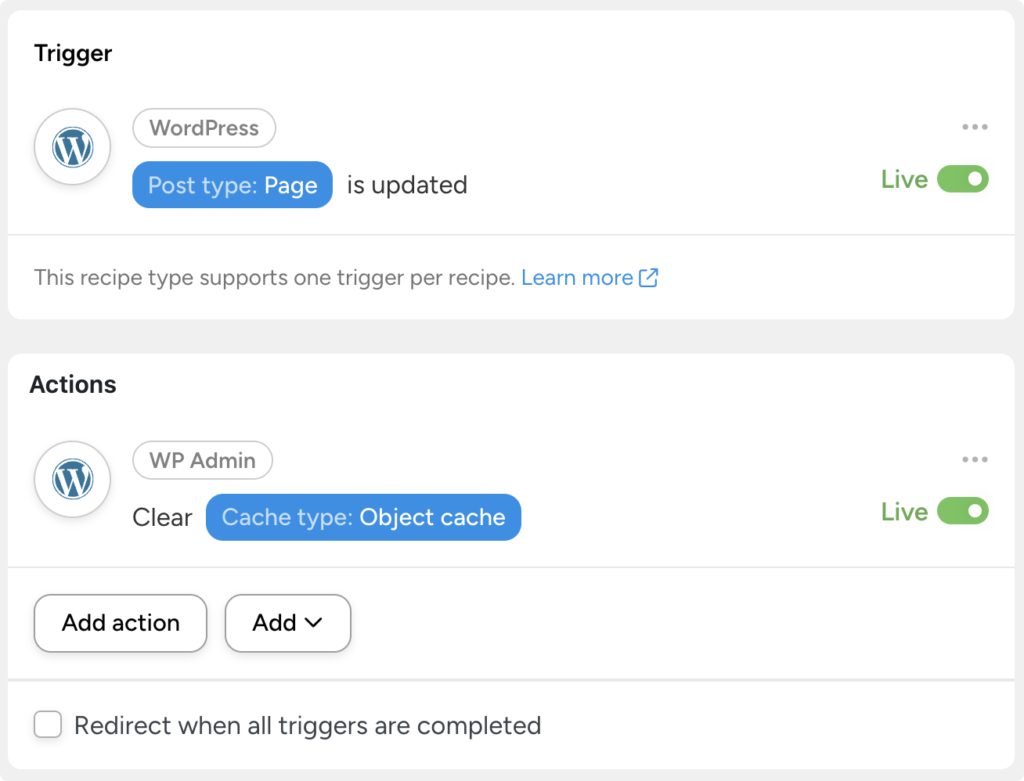
Visitors see your latest content the moment you hit “Update” so they get the latest and most accurate information—and so they don’t see that typo you missed!
2. Keep your site nav fresh with menu actions
Site navigation is one of those small changes that can make big differences to your site’s health and user experience. It’s also one of those tasks that’s easy to forget about.
Automator’s new menu actions, however, can turn your site’s menus into powerful marketing, SEO, and even operational tools.
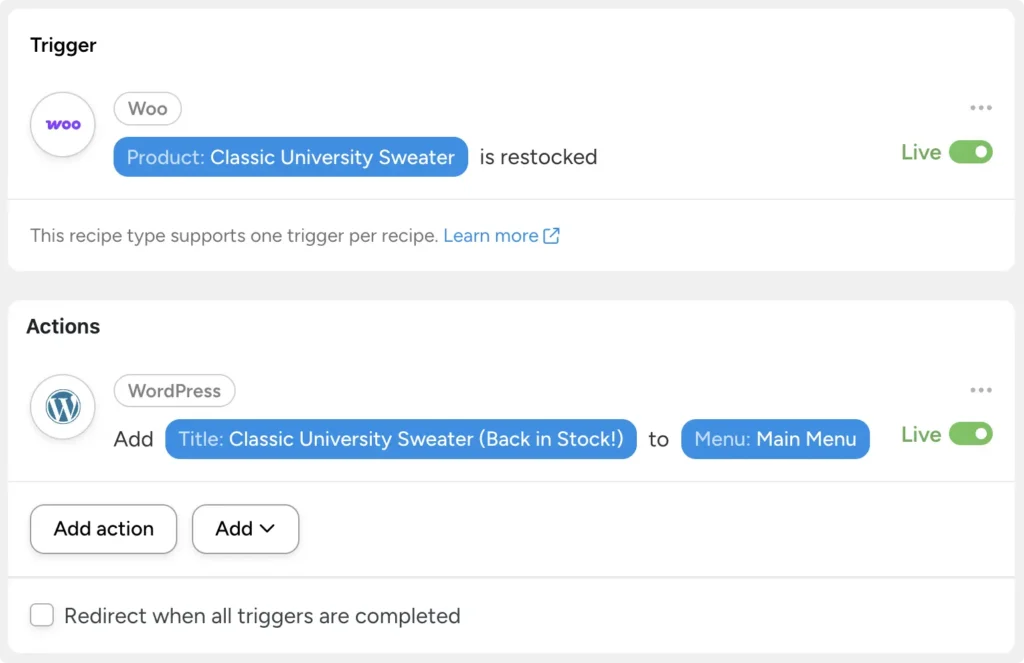
Got an item back in stock? Have Automator add the product link to your main menu to let returning customers know. Planning a new event or conference? Create an entirely new menu from the pages you create for your event and add it to a new location.
The possibilities are endless—the navigation just got easier.
3. Get AI to help with WordPress site maintenance
Not sure where you should start? AI can help even non-developers with WordPress site maintenance.
Ask Uncanny Agent, “What recipes should I build with the new WP Admin triggers and actions from the 7.3 release? Which ones would benefit my site most?”
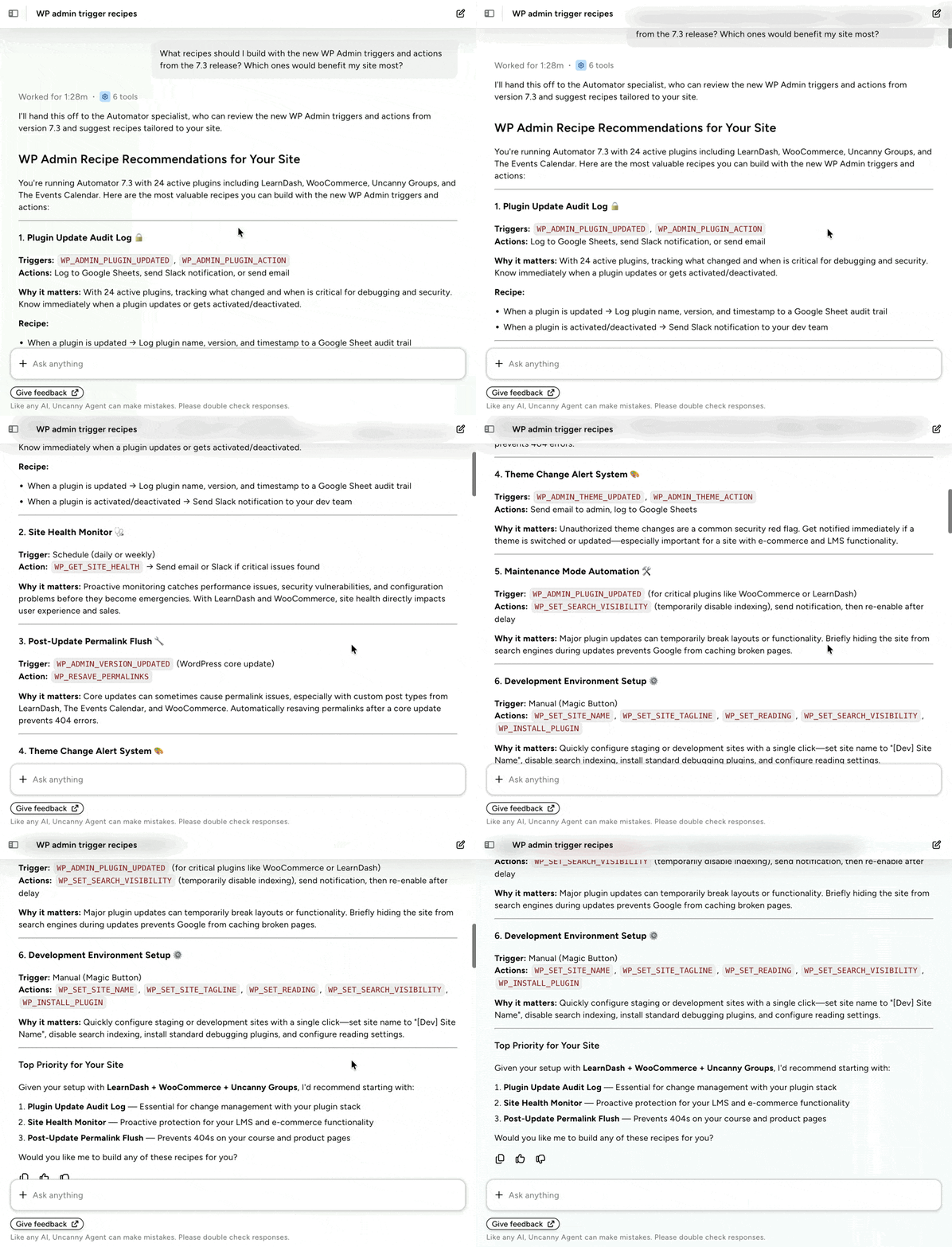
Agent will take a look at your site—your active plugins, your existing recipes, your most common workflows—and give you some personalized recommendations.
Available Now
The WordPress Core actions are in Uncanny Automator 7.3.0. The WP Admin, Generator, QR Code and shortcode actions ship with Automator Pro, and Multisite automation is included with Pro – Plus and Elite plans.
Your wp-admin has been waiting for this.
Stop managing WordPress by hand. Get Automator Pro >>>
What will you do with more time?

Related Posts


















































Comments (0)