

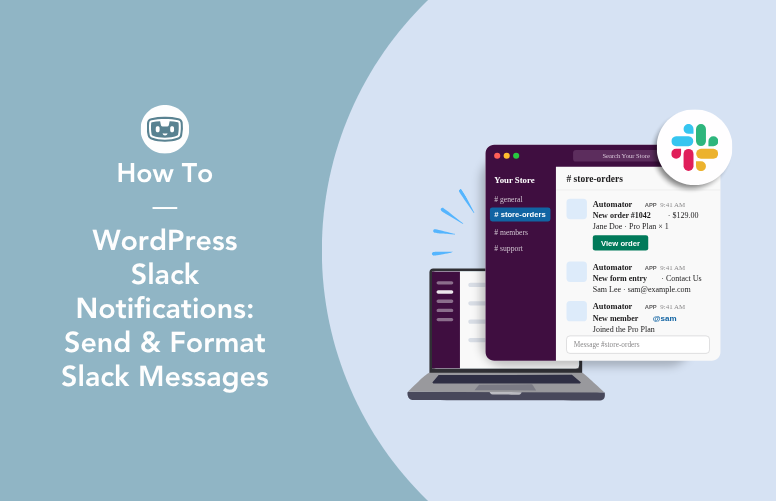
Send WordPress Slack notifications with Uncanny Automator and format them so they get read. Includes…
AI for WooCommerce: What You Can Automate, Create & Optimize
Wondering what WooCommerce AI can actually do? See what you can automate, create, and optimize with AI — from product pages to sales reports.
TLDR? Get the highlights:
- AI can handle five jobs for a WooCommerce store: product content, storefront experience, marketing workflows, store operations, and sales analysis.
- The ecosystem is fragmented. Most tools do one job — a content generator, a chatbot, a recommendation widget — and most need a separate AI subscription.
- There are three ways to add AI to your store: stack single-purpose tools, wire up an AI assistant yourself, or use one plugin that covers most of the jobs.
- Uncanny Automator is the plugin that spans the most jobs in one plan: Agent, unlimited recipes, and Page Builder, with no separate AI subscription.
It’s the end of another long day running your WooCommerce store. Your coffee went cold just before noon and your to-do list has only gotten longer since: fourteen product descriptions still waiting to be written, three abandoned carts nobody followed up on, and a nagging question — how did last month actually compare to the month before? — that means an hour of spreadsheet spelunking you keep putting off.
I bet that it was a to-do list similar to that one that prompted you to search for “WooCommerce AI”. And you’re not looking for a science lecture on machine learning. You’re asking: can AI actually take some of this off my plate?
The honest answer is yes — more of it than you might think. But “AI for WooCommerce” covers a lot of ground, and no tool does every job. In this guide, I’ll walk through what AI can genuinely do for your store today. I’ll name the tools that do each job, with real pricing and real caveats. Then I’ll help you choose between them. Let’s dive in.
What Can AI Actually Do for Your WooCommerce Store?
Let’s map the territory first. For a WooCommerce store, AI is genuinely useful for five big jobs:
- Product content: writing descriptions, generating product images, and improving titles, tags, and SEO copy — for one product or a whole catalog.
- Storefront experience: chatting with shoppers and recommending products while they browse.
- Marketing workflows: building automations like cart recovery, follow-up emails, review requests, and coupons.
- Store operations: routing orders, watching inventory, reacting to refunds and failed payments.
- Sales analysis: compiling and analyzing your store’s data so you get answers instead of spreadsheets.
In practice, “AI for WooCommerce” means AI that produces content for your store, answers questions from your store’s own data, and works alongside automations that run around the clock.
That naturally raises the question: is there an AI plugin for WordPress that can actually do all (or at least most) of that?
For the most part, no. The WooCommerce AI ecosystem is made up of single-purpose tools, each with its own pricing and setup. So that’s how we’ll take it: job by job. For each job, I’ll name the tools that do it and what they cover. At the end, I’ll help you pick a stack that fits your store.
Create & Optimize Product Content with AI
Product content (uploading new products, writing product descriptions, generating product images, updating tags and categories) is where most store owners feel AI’s impact first. Here are the tools for the job.
GetGenie AI for SEO Product Descriptions
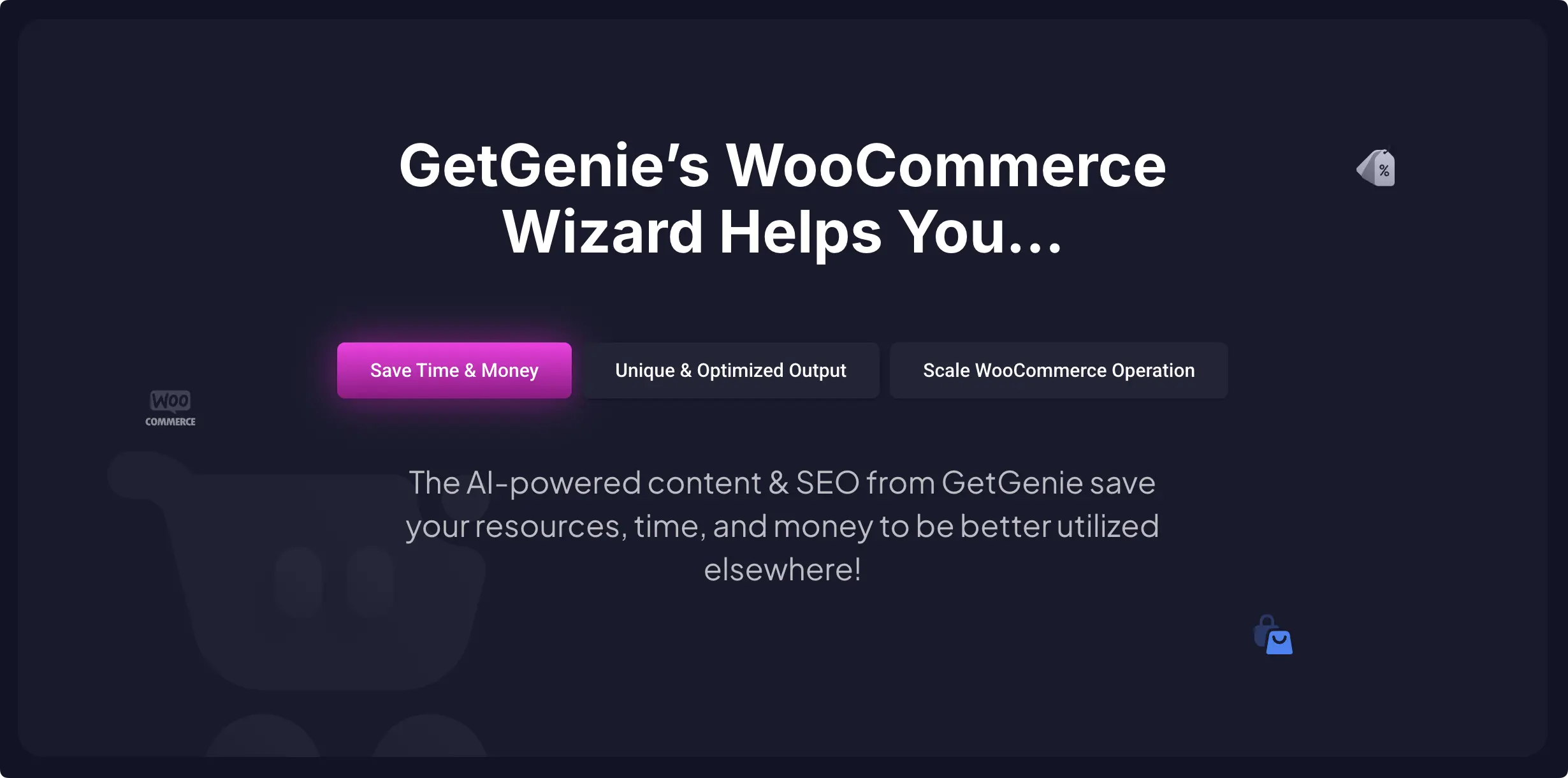
GetGenie AI is a WordPress content plugin. It writes product descriptions and SEO content, starting at $9.99/month for 20,000 words. Content is the one job it does — it can’t touch anything else in your store.
AI Addons for WooCommerce for Product Images and Review Replies
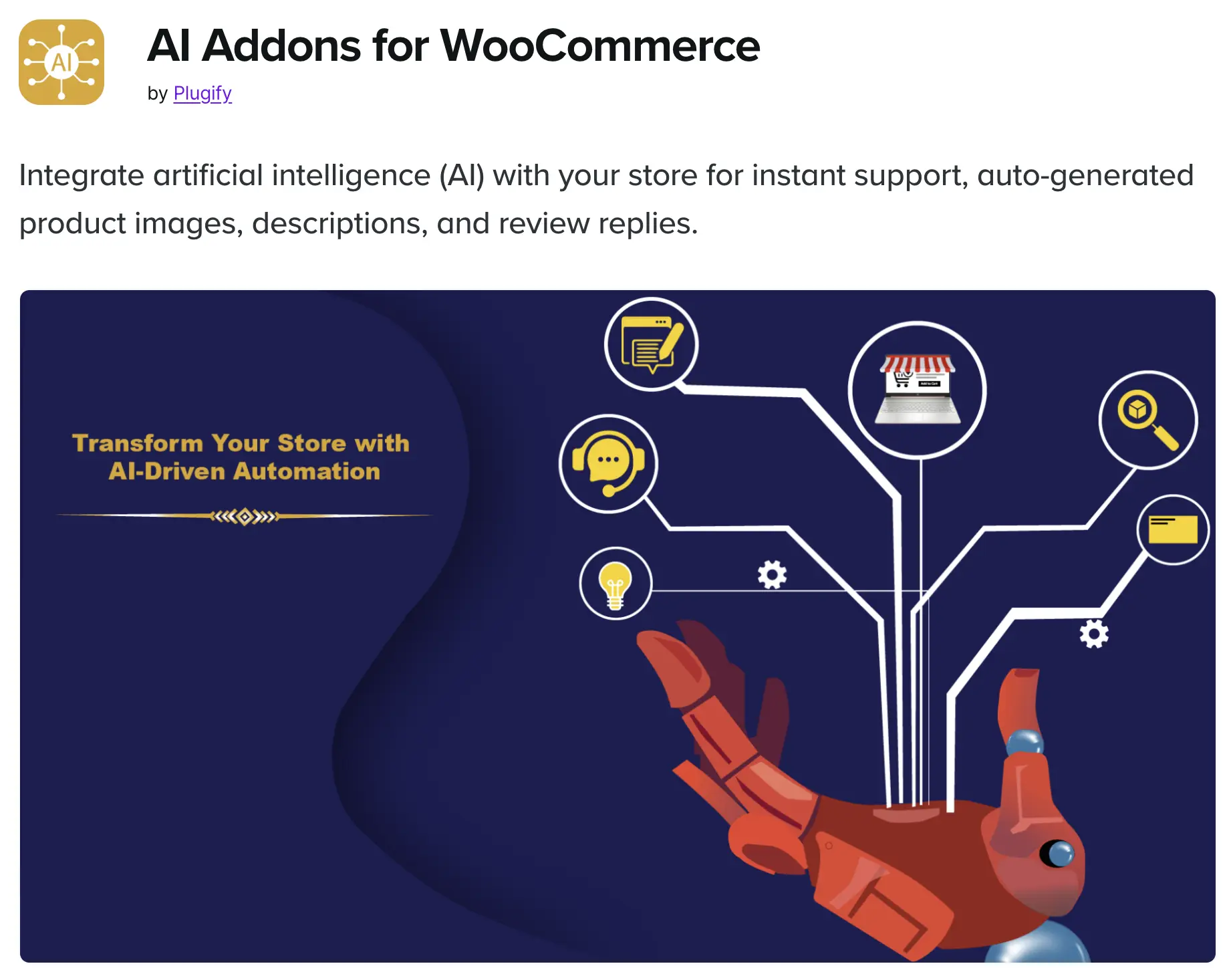
AI Addons for WooCommerce (from Plugify, $59/year) reaches deeper into WooCommerce. It writes descriptions, generates product images, and drafts review replies. The catch: it needs a separate AI subscription — your own OpenAI account and API key (developer credentials that connect one piece of software to another).
AI Product Advisor for Catalog Suggestions
WooCommerce has a first-party option too. AI Product Advisor analyzes your catalog and flags products that need work. Then it suggests improvements to titles, descriptions, categories, and tags.
Uncanny Automator for Descriptions, SEO Copy, and Landing Pages
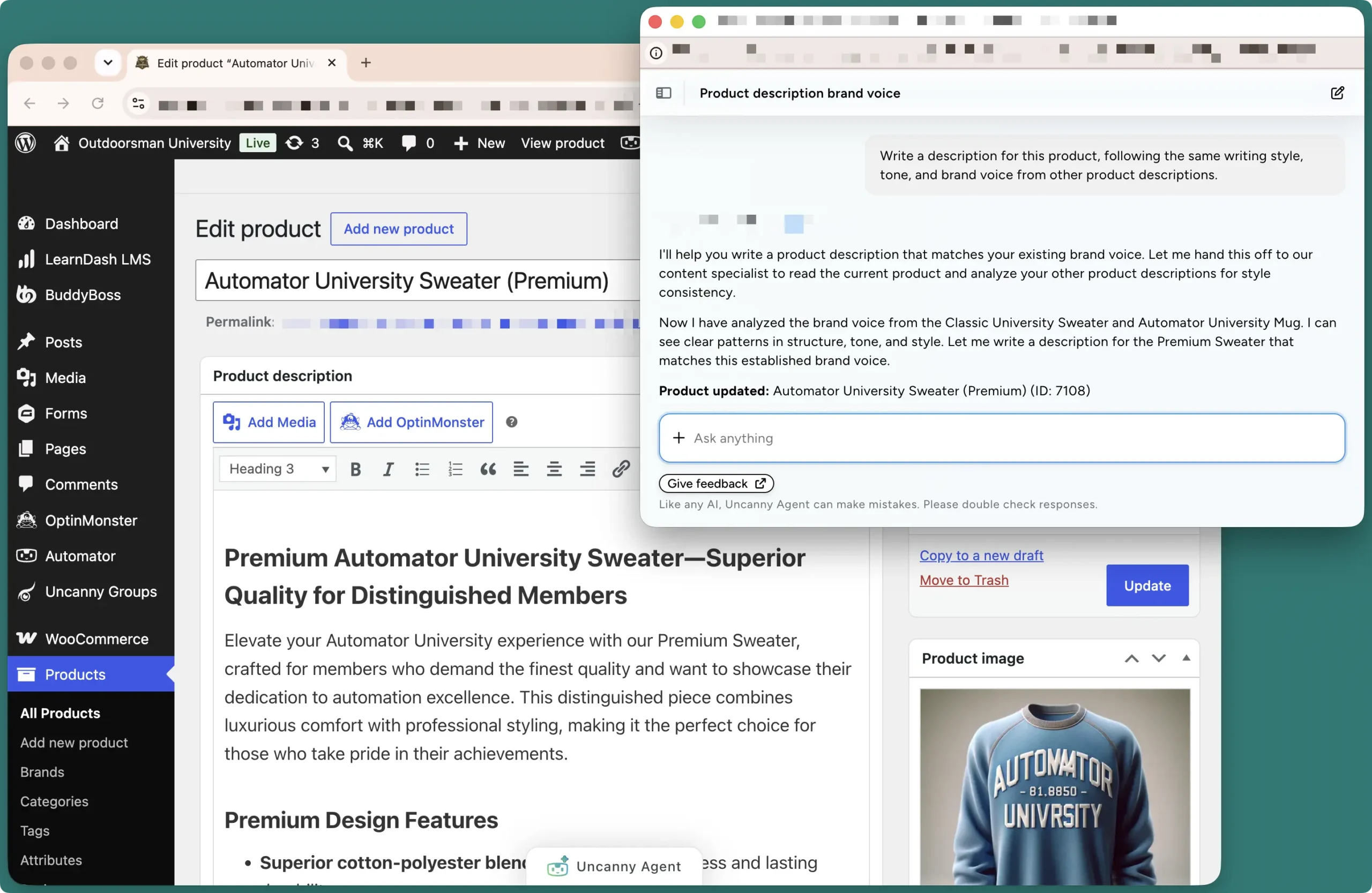
Uncanny Automator is the AI + automation plugin for WordPress. Its built-in AI assistant, Uncanny Agent, works from a chat panel in your dashboard. Ask it to write a description for one product — “warm tone, coffee-nerd audience, under 150 words” — and it drafts one against your real product data. Ask it to draft descriptions across your whole catalog, and it queues them for your review in a consistent brand voice. We cover both workflows in our guide to generating WooCommerce product descriptions with AI.
Learn more about Uncanny Agent >>>
Automator can also make content generation automatic. Recipes (what Automator calls workflow automations) can call AI services like OpenAI, Anthropic, and Google Gemini as actions. That means new products can get draft copy the moment they’re created — no prompt needed. See how to connect OpenAI to WooCommerce for setups. For catalog-wide passes, recipes support loops (automations that run across many products or users at once).
AI product content goes beyond descriptions and images, too. Say you’re launching a new running shoe and need a landing page for the campaign. Tell Agent: “Build a product landing page for my new trail running shoe.” Uncanny Page Builder (Automator’s AI-first page builder) generates the page — hero section, feature highlights, call-to-action. The output is clean HTML and CSS with no proprietary shortcodes, so the page stays editable and portable. You review the draft, adjust what you’d like, and publish. The full workflow is in our guide to creating a landing page in WordPress with AI.

The short version of this job: content tools generate. Automator generates and acts — it creates the product, builds the page, and runs the bulk pass.
Add AI to Your Storefront: Chatbots & Recommendations
Chatbots and product recommendations are some of the most useful applications of customer-facing AI in WooCommerce stores. A chat window answers shoppers’ questions in real time. Recommendation widgets suggest the right products while they browse. Here are the tools for the job.
AI Shopping Assistant for ChatGPT-Powered Product Chat
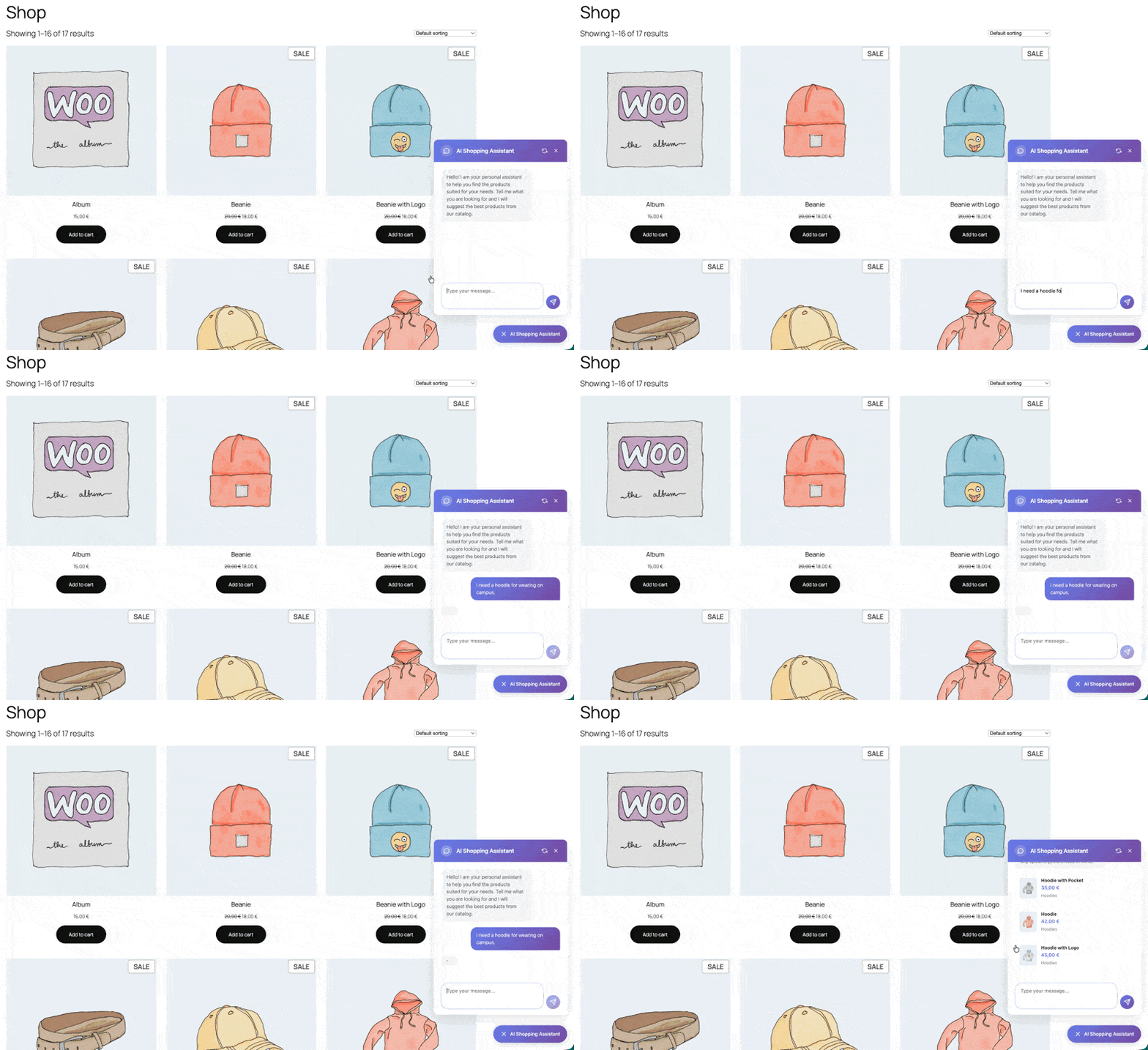
AI Shopping Assistant (from JUVENTIN, $39/year) puts a ChatGPT-powered chat window on your storefront. It answers product questions and suggests items from your catalog in 8+ languages. It needs a separate AI subscription (your own OpenAI API key). And note one quirk: shoppers get product links in chat, not a checkout — they still buy on the product page.
Tidio for Live Chat with an AI Chatbot
Tidio combines live chat with its Lyro AI chatbot, so a human can pick up where the AI leaves off. There’s a free plan, and Lyro starts at $39/month with caps on conversations.
AI Product Recommendations for Upsells and Cross-Sells
AI Product Recommendations (from Azent Labs, $39/year) handles the widget side: upsells, cross-sells, and suggestions on product, cart, and checkout pages. It works rule-based out of the box, with OpenAI-powered suggestions as an option.
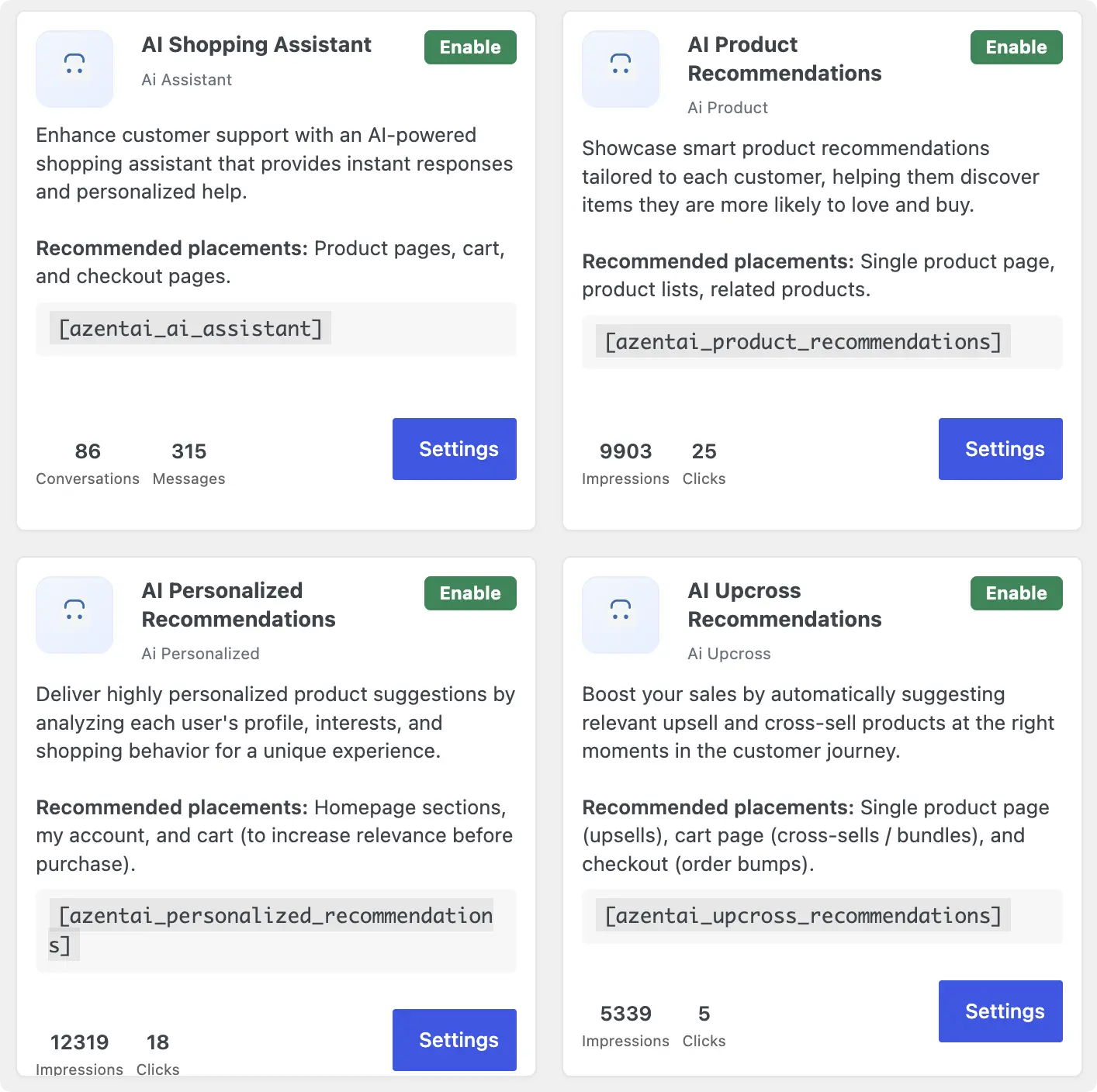
AI Auto Sales Booster for a Storefront AI Bundle
AI Auto Sales Booster (from softPHP Limited, $99/year) bundles several of these features in one extension: chat, recommendations, urgency messages, and exit-intent coupons. It also needs a separate AI subscription.
Automate Sales & Marketing Workflows with AI
Marketing automations are the follow-ups you know you should send but rarely have time for. AI helps here in two ways. It builds the workflows for you, and it helps you decide which workflows are worth building. Here’s who does what.
Prebuilt Workflows from AI Auto Sales Booster and CRM Tools
AI Auto Sales Booster, from the last section, ships fixed versions of some of these workflows. Cart recovery and exit-intent coupons come as built-in features. Many email and CRM tools now add AI campaign features of their own. The trade-off is the same everywhere: fixed features do what they ship with, nothing more.
Uncanny Automator for Custom Marketing Workflows
Automator takes the other approach: describe the workflow, and Agent builds it. Take abandoned cart recovery. With Automator Pro, tell Agent:
“When someone adds a product to their cart but doesn’t check out within an hour, send them a recovery email with a coupon.”
Agent assembles the recipe from real building blocks. The trigger “A user adds a product to their cart” starts it. A delay waits the hour. A filter (conditional logic that controls when actions run) checks whether the purchase went through. If it didn’t, the email goes out — sent straight from WordPress with Automator’s native email action, no third-party email service needed. You review the recipe, switch it to Live, and it runs from there. Timing and personalization tips are in our abandoned cart recovery guide.
You can use the same “describe-and-review” approach for building other sales and marketing workflows:
- Follow-ups: thank-you emails and post-purchase surveys after every order.
- Review requests: the trigger “A user purchases a product” plus a delayed email — see automating product review requests.
- Win-backs: re-engage lapsed customers with win-back campaigns.
- Upsells: order-total and lifetime-value triggers spot your best customers — see these WooCommerce upsell automations.
- Coupons: the “Generate and email a coupon code” action makes one-off codes, as in automated birthday coupons.
With Automator, you can personalize these emails with tokens (dynamic data from your site and from within recipes), such as a shopper’s first name, the product they bought, or their billing country. For bigger lists, connect a CRM — our Mailchimp and WooCommerce guide shows how to segment audiences by purchase behavior.
Not Sure What to Build? Ask
Here’s the part most store owners don’t expect. Agent can help you figure out which automations your store is missing. It can see your site’s setup, plugins, and sales data. So you can ask: “Which automations would help me recover more revenue?” or “Look at my store — what should I automate first?”
Maybe no review requests are going out. Maybe your repeat-purchase numbers point to a win-back campaign. Agent can flag the gap and build the recipe in the same conversation. You review what it proposes.
Get Automator’s AI + Automation plans >>>
Manage & Understand Your Store with AI
Two jobs share this section because the same tools do both. There’s the invisible daily work — routing orders, logging sales, watching inventory. And there are the questions behind it — how are sales trending, who are my best customers.
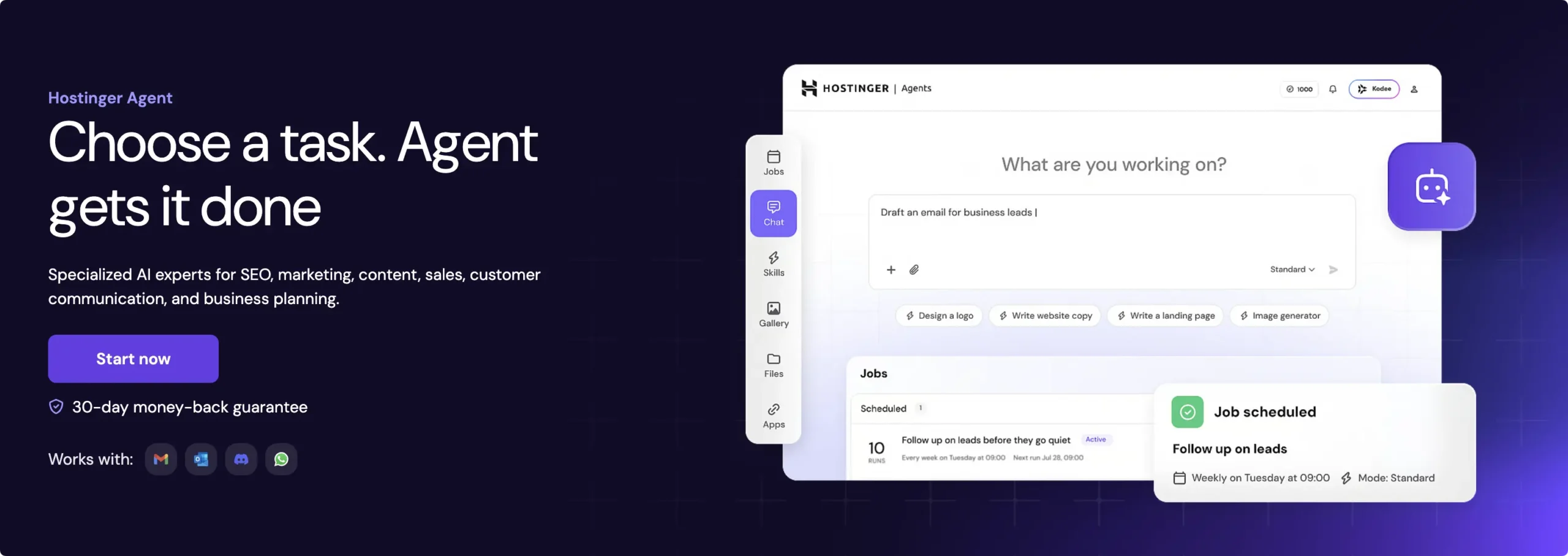
Hostinger Agent for Chat-Based Store Management
Hostinger Agent is the closest thing to a dedicated AI store manager. It’s a chat-based assistant that can create product pages, update prices, and surface store analytics. It’s included with Hostinger’s Business and Cloud hosting plans. That’s also the catch: it only exists on Hostinger hosting. General assistants like ChatGPT and Claude can reach a store too — the developer way. More on that in the next section.
Uncanny Automator for Operations and Reporting
With Automator, each operations workflow is one plain-English request away:
- Team notifications: “Post every new order to our Slack channel” — here’s the WooCommerce-to-Slack setup.
- Order logging: every order, customer, and total synced to Google Sheets in real time.
- Fulfillment tracking: each order becomes a card on a Trello board.
- Accounting sync: sales flowing into QuickBooks Online without copy-paste.
- Money watchdogs: triggers like “A payment fails on an order” and “An order is refunded” start finance follow-ups.
- Inventory alerts: “A product is restocked” and “A product variation is out of stock” triggers power restock alerts.
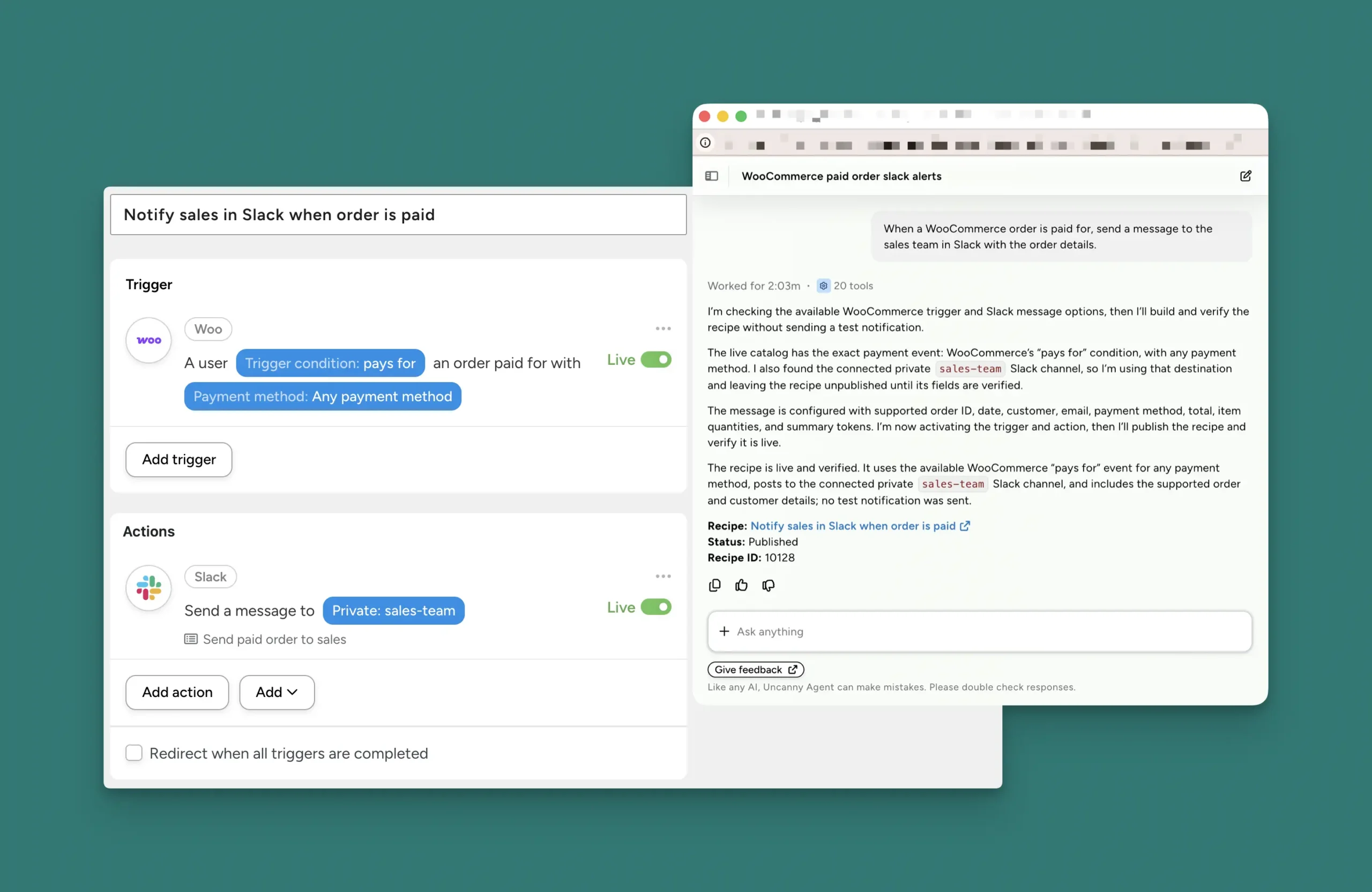
For questions that don’t need a standing automation, just ask Agent. It compiles and analyzes your store’s data right in the chat panel:
- “How are sales trending month over month? Year over year?”
- “Who are my top five customers by lifetime value?”
- “Which products are most frequently purchased together?”
No exports, no pivot tables. Agent is site-aware, so it’s analyzing your store’s numbers — not offering generic advice. And it works on any WordPress host. Want the numbers on a schedule instead? Pair a scheduled recipe with loops to create automated WooCommerce reports in Google Sheets.
The full operations playbook, including what to automate first, is in The Complete Guide to WooCommerce Automation.
What AI Can’t Do for Your WooCommerce Store
An honest guide needs this part too. Two limits worth knowing before you spend anything:
It won’t replace your judgment. Good AI tools draft content, build workflow automations, and enhance your operations. They can complete tasks for you, but they don’t replace you. The strategy, the insights, the direction — that still requires a human. However you use AI in your WooCommerce store, keep a human in the loop. Someone has to decide where to deploy the AI, review the work it completes, and connect with customers when AI isn’t enough.
It can’t automate what it can’t see. AI models only work with the context they’re given. That’s true whether you use an LLM like ChatGPT or Claude with an MCP server, or a WordPress-native AI plugin like Uncanny Automator. For ChatGPT, the context is limited to what you explicitly share with it. For a WordPress-native plugin like Automator, the context is your entire WordPress site by default. Even then, there are limits. If nothing on your site tracks page visits, SEO scores, or customer lifetime value, the AI can’t automate tasks based on them.
With the jobs and the limits on the table, the real question is how to assemble your stack.
Choosing Your WooCommerce AI Stack
There are three realistic ways to bring AI into a WooCommerce store. Which one fits depends on how many of the five jobs you want covered — and how hands-on you want to be.
Path 1: Stack Single-Purpose Tools
Pick one tool per job. Here’s the landscape from this guide, side by side:
| Tool | What it covers | Pricing | Worth knowing |
|---|---|---|---|
| GetGenie AI | Product description and SEO content | From $9.99/mo | Content only |
| AI Addons for WooCommerce (Plugify) | Descriptions, images, review replies, chatbot | $59/yr | Separate AI subscription required |
| AI Shopping Assistant (JUVENTIN) | Storefront chat with product suggestions | $39/yr | Separate AI subscription; no in-chat checkout |
| AI Product Recommendations (Azent Labs) | Upsells, cross-sells, recommendation widgets | $39/yr | Rule-based by default |
| AI Auto Sales Booster (softPHP) | Chat, recommendations, cart recovery, AI SEO | $99/yr | Separate AI subscription required |
| Tidio (Lyro AI) | Live chat + AI chatbot | Free plan; Lyro from $39/mo | Conversation caps |
| Hostinger Agent | Chat-based store management and analytics | Included with hosting | Hostinger hosting only |
| Uncanny Automator | Agent assistant + unlimited recipes + Page Builder | $25/mo | No separate AI subscription; any host |
The trade-off is visible in the table. Each tool covers exactly what it ships with. Covering several jobs means several subscriptions — and for most of these tools, a separate AI subscription on top.
Path 2: Wire Up an AI Assistant Yourself
The do-it-yourself route is also a possibility with WooCommerce MCP. It’s WooCommerce’s own MCP server, now in developer preview. It lets AI assistants like Claude manage a store through natural language: “Show me low-stock products,” or “Create a product called Winter Hoodie for $39.99.”
It’s a promising direction. But look at what it takes today: WordPress 6.9+, WooCommerce 10.7+, a Node.js proxy tool, REST API credentials, and WooCommerce’s own advice to try it on a staging site first. It ships with nine built-in abilities so far. You’ll also need the assistant itself — ChatGPT Business or Claude Team runs $20 per user per month, billed annually (about $240/year). And at the far end of this path, tools like Relevance AI let developers build fully custom AI agents.
The honest read: this is where DIY is headed, and it’s worth watching. It just isn’t a store-owner tool yet.
Path 3: Use an All-in-One Plugin
If you want most of the five jobs covered without the setup, this is Uncanny Automator’s case. One plan ($25/month for Basic) spans four of the five: product content, marketing workflows, operations, and analysis. There’s no separate AI subscription, and it works on any WordPress host. The one job it hands off is storefront chat — a Path 1 tool covers that, and the two coexist fine.
Here’s the cost comparison at a glance:
- Path 1: $39–$99/year per tool, plus a separate AI subscription (about $240/year) — over $300/year across multiple dashboards.
- Path 2: about $240/year for the AI assistant, plus your own developer time.
- Path 3: $300/year ($25/month) flat, in one dashboard.
So here’s the decision rule. Need one job done? Pick the single-purpose tool for it. Comfortable with code? Keep an eye on WooCommerce MCP. Want most of the list handled today? Use the plugin that covers it in one plan.
Getting Started with AI for Your WooCommerce Store
The best on-ramp costs nothing. Uncanny Automator Lite is free, and setup takes a couple of minutes:
- From your WordPress Admin Dashboard /wp-admin/, navigate to Plugins > Add New.
- In the search bar, enter “Uncanny Automator.”
- Click Install Now, then Activate.
Don’t forget to register your account to get 250 app credits (credits for using third-party cloud integrations like OpenAI or Anthropic) and a limited amount of Uncanny Agent usage. For a more detailed walkthrough, see the installation guide.
From there, a first recipe takes about five minutes: trigger on “A user purchases a product,” add a thank-you email with a review link, and switch it to Live. For more ideas of what to build with Lite, see free eCommerce automation for small businesses.
When you’re ready for the full toolkit — the Pro trigger and action library, unlimited app credits, and full Agent usage — the AI + Automation plans start at $25/month.
Claim your AI + Automation plan. Reclaim your evenings >>>
Conclusion
Let’s rewind to that late-night to-do list. The fourteen product descriptions? Agent drafted them while you made dinner, in your brand voice, waiting for your review. The three abandoned carts? A recipe emailed each shopper an hour after they wandered off — two came back. And the “how did last month compare” question took one sentence to answer.
That’s what AI for WooCommerce looks like when it’s real. Not a robot running your store — an assistant completing tasks, automations that never clock out, and a clear view of the limits. Whichever path you pick, pick for the jobs you actually have. Then start with the one that stings the most.
Ready to hand off the busywork? Get started with Automator’s AI + Automation plans >>>
What will you do with more time?
Frequently Asked Questions
What’s the best AI plugin for WooCommerce?
It depends on the job. For content alone, GetGenie AI is a solid pick. For storefront chat, look at AI Shopping Assistant or Tidio. For recommendations, AI Product Recommendations covers the widgets. If you want one plugin that spans product content, marketing automations, operations, and sales analysis, that’s Uncanny Automator.
What can AI do for a WooCommerce store?
Five big jobs. AI can create and optimize product content, power storefront chat and recommendations, and build marketing automations like cart recovery and review requests. It can also run operations (order routing, inventory alerts, accounting sync) and analyze your sales data on demand.
Can AI write my WooCommerce product descriptions in bulk?
Yes. Uncanny Agent can draft descriptions across your catalog in a consistent brand voice and save them as drafts for your review. Our step-by-step guide covers single and bulk workflows.
Can AI tell me which automations my store needs?
Yes. Uncanny Agent can see your site’s setup, plugins, and sales data. Ask it what to automate first, and it can flag gaps and build the recipes it recommends — subject to your review.
Is Uncanny Agent an AI chatbot for my customers?
No — and that’s by design. Agent works for store owners and admins inside the WordPress dashboard. It builds automations, creates content, and analyzes your data, but it doesn’t chat with shoppers. For a storefront chatbot, tools like AI Shopping Assistant or Tidio do that job, and they run alongside Automator — which automates the support work behind the scenes. See our guide to WordPress customer support automation.
What is WooCommerce MCP?
WooCommerce MCP is WooCommerce’s official MCP server, currently in developer preview. It lets AI assistants like Claude manage a store through natural language. It requires WordPress 6.9+, WooCommerce 10.7+, a Node.js proxy, and REST API credentials — so for now, it’s aimed at developers working on staging sites.
Does Uncanny Automator need a separate AI subscription?
No. Agent usage is included in Automator’s AI + Automation plans. Recipe-based AI integrations run on app credits (credits for using third-party cloud integrations), which are unlimited on paid plans. There are no API keys or metered AI bills to manage.
Is there a free way to start automating WooCommerce?
Yes. Uncanny Automator Lite is free and includes unlimited recipe runs and native email actions. Register your free account to get 250 app credits and a limited amount of Uncanny Agent usage.
How is Uncanny Agent different from ChatGPT for my store?
ChatGPT is a capable generalist, but it can’t see your store without technical setup like WooCommerce MCP. Agent is site-aware and built into WordPress, so it can answer from your real data and act on it. We’ve written a full comparison in Uncanny Agent vs. ChatGPT.

Related Posts
























































Comments (0)