

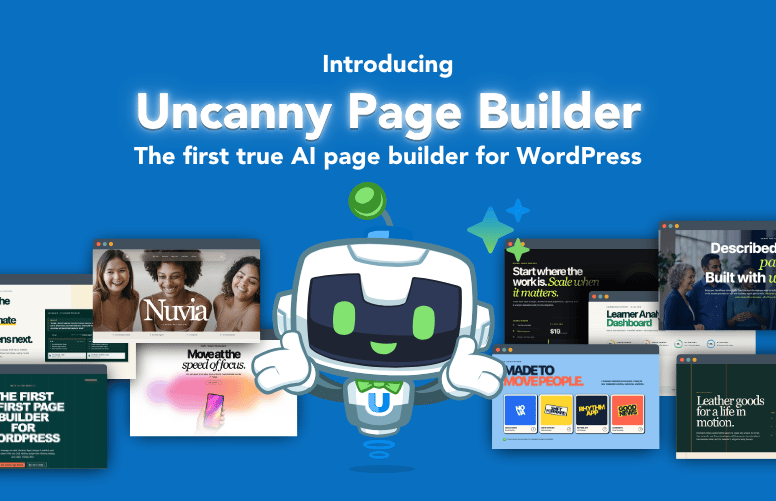
Meet Uncanny Page Builder, the AI page builder for WordPress. Describe your page and Uncanny…
Uncanny Automator 7.5 and 7.6: FluentCart, FluentBoards, Site Kit by Google, and Free Agent Usage for Lite
Uncanny Automator 7.6 adds FluentCart, FluentBoards, All-in-One WP Migration, and Really Simple Security. 7.5 brought Site Kit and free Agent usage for Lite.
TLDR?Get the highlights
- 1FluentCart joins Automator with order and subscription triggers in Lite, plus license triggers and customer conditions in Pro
- 2FluentBoards brings Kanban-style project management into your recipes: create tasks, assign users, and react when work gets done
- 3All-in-One WP Migration and Really Simple Security let you automate backups, restores, and vulnerability scan follow-ups
- 4Site Kit by Google is now an integration, with triggers and actions for activating and deactivating modules
- 5Automator Lite users get free starter usage of Uncanny Agent, and Uncanny Page Builder is live for AI + Automation plans
Ready to put your newest plugins on autopilot? Get Automator Pro →
Two releases, one post. Uncanny Automator 7.5 landed in early August with Uncanny Page Builder, a new Site Kit by Google integration, and a change we’re especially happy about: free starter usage of Uncanny Agent for everyone on Automator Lite.
Then 7.6 followed a few weeks later with four brand-new plugin integrations. FluentCart and FluentBoards round out our support for the Fluent family. All-in-One WP Migration and Really Simple Security extend the site management work we started in 7.1 and 7.4.
As WordPress site owners ourselves, we know the plugins you rely on change over time. Our job is to make sure Automator keeps up.
Let’s dig into what’s new.
New Integration: FluentCart
FluentCart is a modern eCommerce platform for physical products, digital downloads, and subscriptions. If your WordPress business is powered by FluentCart, you can now supercharge it with Automator.
In Automator Lite, recipes can fire when:
- A user’s order changes to a status
- A user’s order for a product is paid
- A user’s subscription changes to a status
- A user’s subscription to a product is activated
- A user’s subscription to a product is cancelled
- A user’s subscription to a product is renewed
Lite also includes three actions: add a note to an order, cancel a subscription, and set an order to a status.
Automator Pro adds triggers for digital retailers selling software and licenses:
- A user’s license for a product expires
- A user’s license for a product is disabled
- A user’s license for a product is renewed
- A user’s license for a product is upgraded
Pro also brings FluentCart conditions. You can check whether an order contains a product, whether an order’s total meets a threshold, and whether a customer’s purchase count or lifetime value meets a condition.
That last one is how you treat your best customers differently without lifting a finger.
Automate your FluentCart store with Automator Pro >>>
New Integration: FluentBoards
FluentBoards runs Kanban boards right inside WordPress. Now your boards can run themselves — at least partly.
Automator Lite includes eight triggers:
- A board is created
- A task is created on a board
- A task on a board is completed or reopened
- A task on a board’s due date is set or changed
- A comment is added to a task on a board
- A label is added to or removed from a task on a board
- A user is assigned to a task on a board
- A user is unassigned from a task on a board
And six actions: create a board, create a task on a board, add a user to a board, assign a user to a task, add a comment to a task, and update a task’s properties.
Pro adds two more triggers: a board’s title or description is updated, and a subtask is added to a task on a board. It also adds two more actions: delete a task, and remove a user from a task. And Pro includes six conditions, so recipes can check a task’s board, stage, status, priority, label, or assignee before acting.
Think about what this means for a small team. A client submits a form, and a task appears on your board with the details already filled in. A WooCommerce order needs manual fulfillment, and it lands in the right column, assigned to the right person. A task gets marked complete, and the customer gets an email. No copying and pasting between tabs.
New Integration: All-in-One WP Migration
Backups are the kind of thing you only think about when something goes wrong. With our new All-in-One WP Migration integration, Automator can help prevent those “uh oh,” moments before they occur.
Lite triggers fire when:
- A site backup is created
- A site backup fails
- A backup file is deleted
Lite actions let you delete a backup file and set a backup file’s label to a specific value.
Pro adds triggers for when a site restore is completed or fails, plus an action to remove the label from a backup file.
The obvious recipe: a backup fails, so you get a Slack message, a Telegram message, or a plain old email before you’ve even noticed. The less obvious one: a backup is created, so Automator labels it with the date and a note about what changed. Six months from now, you’ll thank yourself.
New Integration: Really Simple Security
Really Simple Security protects your site with SSL, hardening, two-factor authentication, vulnerability detection, and login protection. In 7.6, it gets one trigger in Lite: a vulnerability scan is completed.
That single trigger does a lot of work. Pair it with a notification action and you have a standing security report that arrives without anyone remembering to run it.
Pro adds a condition that checks whether a user has two-factor authentication enabled. Use it to nudge admins who haven’t turned it on, or to gate access to sensitive content until they do.
Site Kit by Google (7.5)
Site Kit is Google’s official WordPress plugin. It surfaces Search Console, Analytics, AdSense, and PageSpeed data in one dashboard.
Automator 7.5 added Site Kit as an integration in Lite with two triggers (a module is activated, and a module is deactivated) and two matching actions (activate a module, and deactivate a module).
Agencies managing many sites will get the most out of this one. Log every module change to Google Sheets for an audit trail, or turn modules on and off as part of a larger site setup recipe.
Free Starter Usage of Uncanny Agent for Lite
This is the change we’re most excited to share.
As of Automator 7.5.1, everyone on Automator Lite gets free starter usage of Uncanny Agent. No API key. No separate AI subscription.
Agent is the AI assistant built into Automator. Ask it a question about your site and it answers with real answers about your actual setup. Ask it to complete a task, like drafting a post or building a recipe, and it gets to work alongside your automations.
We also rebuilt the setup wizard in 7.5.1, so new sites get a smoother first five minutes.
If you’ve been curious about Agent but never tried it, now’s the time. Update to the latest version of Automator Lite and say hello. When you’re ready for more, every AI + Automation plan includes Monthly usage plus Anytime usage for Agent.
Already an Automator Lite user but don’t have Uncanny Agent usage? If you created your Automator Lite account before the 7.5.1 release, you may need to register your account to claim your Agent usage >>>.
Uncanny Page Builder Is Here
Automator 7.5 also introduced Uncanny Page Builder, the AI-first page builder for WordPress. Describe the page you want and Agent designs and builds it in clean, portable HTML and CSS.
Page Builder has its own launch post, so we won’t repeat it all here. What’s worth knowing from these releases: 7.5.1, 7.5.1.1, and 7.6 shipped a steady stream of Page Builder improvements. Saving, undo and redo, and canvas refreshes are more reliable. Reusable sections keep their styling. Working across multiple browser tabs behaves. Your last published page content is also preserved if Automator is ever deactivated or deleted.
Page Builder is included in every AI + Automation plan at no additional cost.
Also in 7.5 and 7.6
A few more items worth knowing about:
- Gravity Forms submission triggers now include consolidated checkbox field tokens, and the Form title and ID tokens have been fixed
- Recipe Builder fixes for sentence pills showing outdated values and for recipes with custom-value actions failing to load or save
- App integrations no longer reset webhook keys when you save integration settings
- HubSpot Create/Update a contact now handles enumeration fields whose token values match option labels
- Fixes for Discord connection status and Facebook account avatars in settings
What You Can Build with 7.5 and 7.6
The fun starts when these pieces combine:
- Subscription rescue: a FluentCart subscription is cancelled → add a note to the order → tag the customer in FluentCRM → send a win-back email a week later
- Fulfillment board: a FluentCart order is paid → create a task on a FluentBoards board with the order details → assign it to your fulfillment lead → when the task is completed, set the order to a status and email the customer
- Backup watchdog: a site backup fails → post to Slack → create a FluentBoards task to investigate → when a restore is completed, close the loop with a notification
- Security digest: a Really Simple Security vulnerability scan is completed → add a row to Google Sheets → email the site owner a summary
- License lifecycle: a FluentCart license expires → send a renewal reminder → if the license is renewed, update the customer’s tag and log it
That’s just a quick sampling of what’s now possible inside of WordPress.
Available Now
Uncanny Automator 7.6 is available now. Update from your WordPress dashboard under Plugins, or grab the latest Pro version from your Automator account. As always, we recommend updating Lite and Pro together.
Still on Automator Lite? The license triggers, customer conditions, restore triggers, and two-factor check above are waiting in Pro, along with generous Agent usage and Uncanny Page Builder.
Claim your Pro license. Reclaim your time >>>
For the complete list of changes, see the changelogs for Uncanny Automator and Uncanny Automator Pro.
What will you do with more time?

Related Posts
























































Comments (0)