

Comparing Make.com alternatives for WordPress? See how Uncanny Automator delivers unlimited, instant automations with no…
The Complete Guide to WordPress Membership Automation — From Signup to Superfan
WordPress membership automation lets you focus on serving your community—not your website. Automate every stage of the member lifecycle—from signup to superfan.
TLDR? Get the highlights:
WordPress membership automation uses behavior-driven workflows to manage every stage of the member lifecycle from the moment new members register to the day they become lifelong subscribers.
This guide covers what membership automation actually does, how to set up Uncanny Automator as the engine behind your membership website, and where to start for maximum impact.
- Signup & onboarding automations: payment-triggered membership levels, welcome sequences, group placement, and first-value delivery.
- Engagement & community automations: BuddyBoss community integration, gamification with GamiPress and myCred, content dripping, multi-channel notifications, and event-driven member experiences.
- Retention & churn prevention automations: failed payment dunning, loyalty rewards, birthday and anniversary offers, and proactive at-risk member identification.
- Recovery & growth automations: win-back campaigns for canceled members, tier upgrade workflows, referral program enrollment, and expired trial conversion sequences.
- Pro tips & frameworks: access revocation, dunning before you need it, first-value delivery, engagement-based churn prediction, and the R.I.C.H. Framework (FREE download!) for identifying your next automation opportunity.
Introduction: WordPress membership automations that help you “Work Less. Retain More.”
You built a membership site because recurring revenue was supposed to mean predictable income. Instead, it’s given you nothing but a predictable avalanche of manual work.
Hand-holding new members through the onboarding process. Manually managing access levels. Chasing down failed payments. Answering, “Where do I find [insert easily searchable item here]?” support tickets. Tearfully watching members cancel their subscriptions because they never found what they signed up for.
That’s not running a membership site—it’s babysitting one.
WordPress membership automation changes that.
Instead of manually managing every member touchpoint, automation handles the operational work so you can focus on creating value for the people who pay you every month.
- New members are instantly onboarded at the right access level, given admission to the groups they signed up for, and handed resources that get them off on the right foot.
- Content drips on schedule, unlocking progressively as members engage.
- Failed payments trigger dunning sequences that recover revenue automatically.
- Milestone celebrations, loyalty rewards, and personalized offers keep members feeling valued.
- Win-back campaigns re-engage members who canceled or whose memberships simply expired so they never forget you exist.
Uncanny Automator—a no-code AI and automation plugin for WordPress—makes this possible.
Automator connects your membership plugin, your community platform, your payment tools, and all of your other plugin and app integrations into workflows that manage your members while you focus on creating the content and community they’re paying for.
That’s what “Work Less. Retain More.” actually looks like: retaining members, retaining revenue, and reclaiming your time.
This guide aims to show you what that looks like in practice and gives you the actionable first-steps for making it your reality.
Let’s get started.
WordPress membership automation: the economics of keeping your members
Here’s a stat that should inform every decision you make about your membership site: acquiring a new member costs 5-7 times more than retaining an existing one.
Here’s another stat that might reshape your business model: a 5% improvement in retention can increase profits by 25–95%.
For subscription-based businesses and membership models, that math is even more compelling. Every retained member isn’t just one more payment—it’s twelve more payments per year, compounding over years of membership.
But every manual process in your membership operation is a threat to that math.
A delayed onboarding email means a member who never finds the value they signed up for. A missed milestone means one less moment to forge a lasting relationship. A failed payment without a dunning sequence means money walking out the door.
Automation ensures that none of that ever happens. For your members, it means a consistent, frictionless, responsive experience that maximizes engagement. For you, it means fewer headaches, fewer opportunities for human error, and increased lifetime value from your subscribers.
Member-facing automation: the experience that keeps them subscribed
From the member’s perspective, automation makes your site feel responsive, polished, and worth the recurring fee.
They sign up and instantly gain access—no waiting for a manual approval or a delayed confirmation email. Their first login leads to a guided onboarding sequence that shows them exactly where to start. New content unlocks on a schedule that matches their membership tier. Their engagement is acknowledged, appreciated, and celebrated.
Every touchpoint feels intentional. Every response is immediate. And none of it requires you to sit at your computer, eyeing every update on your dashboard.
Operations automation: the work your site does for you
Automating your WordPress membership doesn’t just deliver a better experience for your loyal subscribers. It also delivers a better experience to you.
WordPress membership sites typically span multiple plugins: your membership plugin, your payment processor, your community platform, your CRM, your email tools, your reporting spreadsheets, your databases… to name a few. And the admin work spills across all of them.
Granting and coordinating access, group management, payment reconciliation, churn tracking, content scheduling, reporting, etc.
Automation connects those moving parts so that data flows and synchronizes between tools, notifications reach the right people, and workflows run without intervention.
Your CRM stays current without CSV exports. Access levels sync with payment status in real time. Churn risk alerts arrive in Slack before cancellations hit your bottom line in QuickBooks Online. And your Monday morning starts with a report of progress, not a backlog of chores.
The Member Lifecycle: automation at every stage
Member-facing and operations automations work together across the full member lifecycle—from the moment they discover your site to the moment they become your biggest advocate.
Here’s what automation can do at each stage.
Acquisition + Signup
A visitor clicks “Join Now”. Payment processes through WooCommerce Subscriptions or Memberships, MemberPress, EDD Recurring Payments, or Stripe. In the same second, Automator creates a CRM contact, tags them by acquisition source and membership tier, and initiates the onboarding sequence. No manual data entry. No delay between payment and access.
Onboarding + First-Value
The window for first-value delivery is narrow. Automated welcome emails deliver login credentials and a direct link to your highest-value content. Group placement happens instantly—the right BuddyBoss group or Discord server, the right content tier, the right introductory resources. The goal: make every new member feel at home before they have a chance to wonder what they’re paying for.
Engagement + Community
Engaged members renew. Disengaged members cancel. It’s that simple—but that hard to deliver manually at scale. Automation drips content on schedule, celebrates milestones in BuddyBoss activity streams, awards GamiPress or myCred points for participation, sends WhatsApp notifications for new content and events, and keeps your community feeling alive and active. Engagement isn’t a nice-to-have—it’s the infrastructure of retention.
Growth
Anniversary and birthday offers deliver personalized rewards on exactly the right day. Engaged members are automatically invited into referral or affiliate programs. High-engagement members receive tier upgrade offers based on their usage patterns.
Retention + Recovery
At-risk members receive proactive re-engagement sequences before they ever click “Cancel”. When all else fails, dunning sequences fire automatically with retry instructions and alternative payment options.
But the lifecycle doesn’t end at cancellation. Automated win-back campaigns target lapsed members with time-limited incentives. Expired trial users receive follow-up sequences that address common objections.
The lifecycle is cyclical—recovered members and referrals feed directly back into acquisition.
What you need to automate your WordPress membership site
As we discussed before, a WordPress membership site is an ecosystem of apps and plugins. And the bigger your ecosystem gets, the more gaps appear between tools.
- Your payment layer handles billing—MemberPress, EDD – Recurring Payments, or Stripe and PayPal directly.
- Your access control layer manages who sees what—MemberPress, Restrict Content Pro, WooCommerce Memberships, or Automator’s own Restrict Content Addon.
- Your community layer keeps members engaged—BuddyBoss, Discord, wpForo.
- Your gamification layer rewards participation—GamiPress, myCred, Advanced Coupons.
- And your data layer tracks everything—CRMs, Google Sheets, Airtable.
Each plugin does its job. The problem is they don’t know about each other. A payment fails in Stripe, but BuddyBoss doesn’t know to revoke community access. A member upgrades their tier in MemberPress, but they’re still sitting in the basic BuddyBoss group. A subscription expires in WooCommerce, but the member is still sitting in your Mailchimp list for active members.
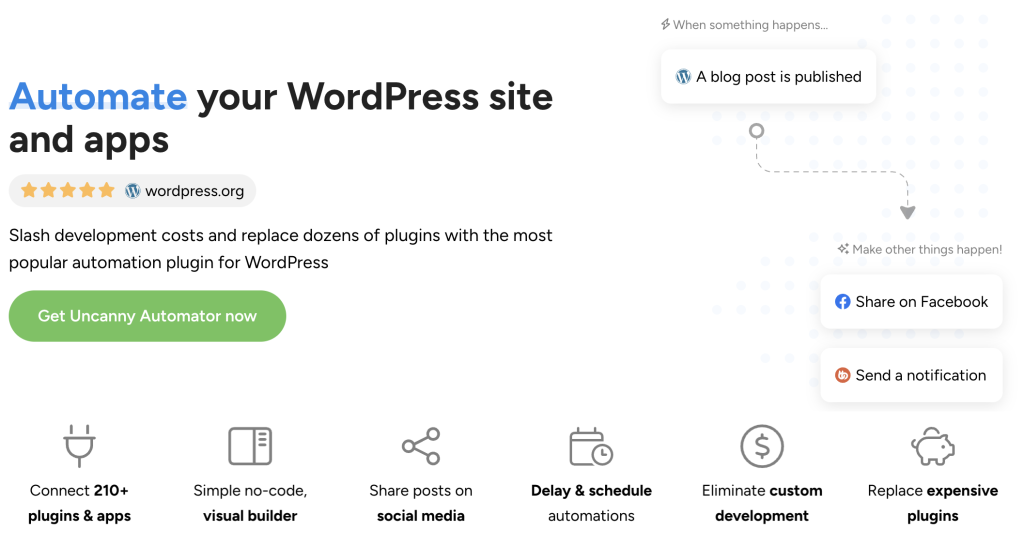
Uncanny Automator is the layer that makes your membership ecosystem work together. It’s an AI and automation plugin for WordPress with 200+ plugin and app integration.
Purpose-built to connect your membership tools, Automator ensures that every signup, cancellation, renewal, and engagement event triggers the right response across your entire stack.
What makes Automator essential for membership sites?
Most WordPress automation tools offer a handful of membership triggers and call it a day. Automator goes deeper—and wider—than any other option.
- Deep integration with every popular membership plugin: MemberPress, WooCommerce Memberships, WooCommerce Subscriptions, EDD – Recurring Payments, Restrict Content Pro, Paid Memberships Pro, and the list goes on. No other WordPress automation tool supports this many membership plugins with this depth of integration.
- Subscription lifecycle triggers that cover every event: Signup, renewal, cancellation, expiry, failed payment, trial start, trial end, tier change, coupon redemption, and more. Build workflows that respond to every billing and access event, not just the initial purchase.
- Flat pricing, no matter your member count: Per-operation or per-automation pricing punishes growth. Automator Lite is free forever, and Automator Pro comes at a flat annual fee. Whether you have 50 members or 50,000, the cost doesn’t change. For membership businesses running dozens of concurrent workflows across every stage of the member journey and thousands of members, the math speaks for itself.
- Plugin and app integrations for every membership type: Whatever your membership stack looks like, Automator connects it. Whether your membership site offers groups, events, paywalled content, exclusive products, or extensive directories, there’s an integration for you. Check out the full list of Automator’s integrations >>>
- Addons for creating your own lightweight membership site: Uncanny Automator’s addons—Restrict Content, User Lists, and Custom User Fields—make it easy to create your own customizable membership site. Just add a payment method like Stripe or PayPal, and you’re ready to create your own digital walled garden.
The result: a membership site where every signup, renewal, cancellation, and engagement event is handled automatically—and the only manual work left is creating the content and community your members are paying for.
Get started with Uncanny Automator
There’s an automated future filled with all of the benefits that we’ve been talking about just a few short clicks away.
But, just before we get into the details, let’s get you set up with Uncanny Automator.
Claim your Pro license. Reclaim your time >>>
- From your WordPress Admin Dashboard /wp-admin/, navigate to Plugins > Add new. In the search bar, enter “uncanny automator” and click Install and Activate. (This installs the free version of Uncanny Automator which must be active to use Automator Pro features.)
- Purchase your Automator Pro license from the Automator pricing page.
- Once purchased, you can download the latest version of Uncanny Automator Pro inside your Automator account.
- After downloading the .zip file, navigate to Plugins > Add New in /wp-admin/. Click the Upload Plugin button, select the Pro .zip file then install and activate the plugin.
- Once activated, be sure to visit Automator > Settings in /wp-admin/ to enter your license key (in your purchase confirmation email).
For a more detailed walkthrough, click here.
Where to start & the membership automations that keep your members subscribed
Automator is live on your WordPress site. Now the question is: which workflow do you build first?
That depends on your membership model.
If you’re selling content subscriptions through WooCommerce or EDD, start with signup and granting access. If you’re running a community-first membership site powered by BuddyBoss, start with engagement and group management. If your biggest problem is churn, skip straight to retention and failed payment recovery.
The automations below cover every stage of the member lifecycle to help you get started. They’re organized by function, not by difficulty, so jump to whichever section matches your most pressing need.
Signup, Onboarding & Access Management
Automations that turn signups into active, engaged members from the first minute.
The Best WordPress Membership Plugins for Any Website
Choosing the right membership plugin is the foundation of your entire operation. This comprehensive comparison covers MemberPress, WooCommerce Memberships + Subscriptions, BuddyBoss + LearnDash, Restrict Content Pro, ARMember, and more. Automator integrates with all of them so whichever platform you choose as the foundation of your site, you’ll be able to automate building the rest of it.
How to Make a Free WordPress Membership Website
You don’t need a premium stack to launch. This guide shows you how to build a fully automated membership site using only free plugins. This guide covers everything from registration, content restriction, payment processing, to automated onboarding. Start free, then scale to premium when your membership justifies the investment.
How to Automate New Customer and User Onboarding
The first week determines whether a new member stays or cancels. This guide walks you through building automated onboarding sequences that deliver login credentials, orientation content, first-value resources, and CRM enrollment the moment someone signs up. Build automations that make every new member feel at home.
Community, Engagement & Gamification
Automations that keep members active, connected, and invested in your platform.
The Best BuddyBoss WooCommerce Integration to Boost Member Engagement
Connect subscriptions to community access and keep both in sync. This guide shows you how to auto-add members to BuddyBoss groups on signup, sync group membership with subscription status, build dunning workflows for failed payments, and reward loyalty with automated messages and coupons. It’s the full lifecycle from purchase to active community member.
Top 10 Automation Hacks for BuddyBoss Sites
If BuddyBoss powers your membership community, these ten automations will keep it thriving. Gamification with myCred and GamiPress, CRM tagging from community activity, email list building from group participation, and member engagement workflows that reward the behaviors that matter most.
Gravity Forms BuddyBoss Integration: A Comprehensive Guide
Gate community access behind a paywall, create custom registration forms for groups, automate forum subscriptions based on form submissions, and monetize BuddyBoss groups through Gravity Forms. Turn your community from a free perk into a revenue-generating asset.
Retention, Renewals & Churn Prevention
Automations that protect your recurring revenue and keep members from leaving.
6+ Automated Membership Retention Strategies to Keep Members Coming Back
The definitive retention playbook for WordPress membership sites. Automated onboarding sequences, engagement campaigns, loyalty programs, proactive churn prevention workflows, feedback collection, and multi-channel win-back campaigns. Every strategy is built with Automator so it runs without adding a single item to your to-do list.
How to Automate Birthday and Anniversary Offers
Birthday emails generate 179% more clicks and 342% more revenue than standard marketing messages. Learn how to track member milestones and automatically deliver personalized coupons, loyalty points, or tier upgrades on exactly the right day, turning a routine date into a retention event.
Make the Most of Your WordPress Membership Plugin with Automator
Four hands-on automations for membership sites: free trial conversion sequences with WooCommerce Subscriptions, member data logging with Ultimate Member and Google Sheets, webinar enrollment with LearnDash and Zoom, and real-time member notifications with Restrict Content Pro and Slack.
Subscription Management & Revenue Operations
Automations that handle the billing, access, and data side of running a subscription business.
8 Smart Ways to Automate EDD and Reclaim Your Time
Running a digital subscription business with Easy Digital Downloads? These eight automations cover the full subscription management workflow. Save hours every week on the operations that keep your subscription revenue flowing.
7+ Proven Drip Automations That Will 3X Your Revenue
Your email campaigns are only as good as the data behind them. This guide covers automated email marketing workflows for subscription businesses: welcome sequences, CRM sync and behavioral tagging, re-engagement campaigns for inactive subscribers, and list hygiene automations that keep your deliverability healthy and your segments accurate.
Create Social Proof Notifications & Build Trust With the Dynamic Content Addon
Prospective members want to know your community is active before they commit to a subscription. Automated social proof notifications display real-time signup, purchase, and engagement activity on your site. Capitalize on “FOMO” and show visitors that people are joining and participating.
Everything else
Not sure what to automate next? Here at Uncanny Automator, we developed the R.I.C.H. Framework to help businesses like yours identify opportunities for automation.
The concept is pretty simple. Any task that satisfies one or more these criteria is ready to be automated:
- Repetitive: Tasks, particularly unavoidable ones, that you perform over and over again.
- Iterative: Tasks that you can and/or do perform across any measurable number of records (customers, products, etc.).
- Costly: Tasks that consume significant resources, namely time and money.
- Hard: Tasks that are complex and prone to human error.
Here’s a freebie to help you: Preview and use the R.I.C.H. Framework template.
Pro tips for automating your WordPress membership site
We’re sure you’re eager to start automating your WordPress membership site. But before you go too far, here are seven hard-learned lessons to make the transition from manual workload to automated workflow as smooth as possible.
1. Don’t forget about revoking access
Most membership sites begin with automating access to membership tiers and content. However, few remember to automate the reverse process. Revoking access needs to happen as smoothly as granting it for cancellations and expirations. An ex-member still sitting in your premium BuddyBoss group or reading your paywalled content degrades the value of your subscriptions.
2. Build dunning before you need it
Failed payments are the number one cause of involuntary churn—and they’re almost entirely preventable. Set up automated payment retry reminders via email, SMS, or even WhatsApp before failed payments start causing cashflow crunches. By the time you realize you need dunning, you’ve already lost revenue you could have saved.
3. Deliver first-value within minutes, not days
Members who don’t experience value in their first week are significantly more likely to cancel within 90 days. Don’t send them to a generic dashboard. Automate immediate access to your highest-value content, a quick-start orientation, and a direct link to the most active part of your community. Make the first five minutes feel like the subscription was worth it.
4. Use engagement data to predict churn before it happens
Login frequency, content consumption, community participation—these are leading indicators. Tag members as “at-risk” when engagement drops below a threshold and trigger a re-engagement sequence automatically. Don’t wait for the cancellation to arrive. By then, the decision was made weeks ago.
5. Separate transactional notifications from marketing emails
Renewal confirmations, payment receipts, and access updates should come from your site. Promotional campaigns, new content announcements, and milestone celebrations should come from your email platform. Mixing them kills deliverability and annoys members who want the receipt but not the upsell.
6. Gate your best content, not all your content
Give non-members enough free content to demonstrate value, then use Automator’s Restrict Content Addon to gate the premium material. The conversion from free reader to paying member is significantly easier than the conversion from complete stranger to paying member. Let your content do the selling.
7. Log everything to Google Sheets, Airtable, or your CRM
Signups, cancellations, failed payments, tier changes, engagement milestones—log them all. When you need to calculate churn rate, identify your highest-value acquisition channel, or report to stakeholders, the data is already there. Searchable, shareable, and independent of any single plugin’s dashboard.
Final steps: Work less. Retain more.
Every membership site reaches a point where the manual work of managing members starts competing with the creative work of serving them.
Onboarding emails that should have gone out yesterday. Community engagement that’s declining because nobody has time to nurture it. Revenue leaking through failed payments that nobody noticed.
Automation solves those problems and gives you the power to do a lot more to get and retain the members you value.
And unlike a one-time efficiency gain, every automation you build compounds. The onboarding sequence you set up today will welcome every future member. The dunning workflow will recover failed payments for as long as you run subscriptions. The engagement automations will celebrate milestones, reward participation, and re-engage at-risk members—continuously, for every member, without your involvement.
Start with the one workflow that’s costing you the most members or the most time right now. Build it. Let it run. Then build the next one.
That’s how a membership site stops being a second job and starts being a business that runs itself.
Get started with Uncanny Automator >>>
Until next time, happy automating!
Frequently asked questions about WordPress membership automation
What is WordPress membership automation?
WordPress membership automation uses tools like Uncanny Automator to connect your membership plugin, payment processor, community platform, and external apps so that member management tasks happen automatically. Instead of managing every touchpoint manually, automation handles the repetitive work so you can focus on creating value for your members.
What’s the best WordPress membership automation plugin?
Uncanny Automator stands out for membership automation because it integrates with more membership plugins than any other WordPress automation tool. Additionally, Automator has a depth of integration that most other tools don’t offer, with more triggers and actions and features for data synchronization. With no per-automation fees, it’s also the most cost-effective.
Can I automate MemberPress with Uncanny Automator?
Yes. Automator has deep MemberPress integration with triggers and actions for membership signup, renewal, cancellation, expiry, coupon redemption, payment failure, and more. You can automate granting access, CRM sync, community group placement, and win-back campaigns, and more.
Can I automate WooCommerce Subscriptions with Uncanny Automator?
Yes. Automator supports WooCommerce Subscriptions as well as WooCommerce Memberships. With a depth of integration that covers triggers and actions for subscription creation, renewal, cancellation, expiry, status changes, and failed payments, you can build flexible workflows for every stage of the member journey.
How do I automate failed payment recovery for WordPress memberships?
Uncanny Automator has failed payment triggers for all of the most popular WordPress membership plugins and payment platforms. From there, you can either tag a customer in your email platform such as Mailchimp or use Automator’s native Emails integration to launch dunning sequences.
Can I connect BuddyBoss to my membership plugin?
Yes. Automator connects BuddyBoss to MemberPress, WooCommerce Memberships, WooCommerce Subscriptions, EDD, Restrict Content Pro, and more. You can auto-add members to BuddyBoss groups based on their membership level upon payment. You can further customize group engagement access based on engagement and milestones.
Is membership automation worth it for small sites?
Absolutely. Solo membership site owners and small content creators benefit the most because they handle signups, onboarding, content delivery, community management, and billing, all on their own. Even simple automations—like granting access on signup, creating drip campaigns, and dunning sequences—can save hours every week and prevent the silent revenue leaks that kill small subscription businesses.

Related Posts























































Comments (0)