

AI website management is changing WordPress: AI page builders, AI assistants, and MCP servers that…
Introducing Uncanny Page Builder: The First True AI Page Builder for WordPress
Meet Uncanny Page Builder, the AI page builder for WordPress. Describe your page and Uncanny Agent builds it—clean HTML and CSS, no lock-in.
TLDR? Get the highlights:
- Uncanny Page Builder is available now: the first true AI page builder for WordPress that replaces blocks, widgets, and modules with natural conversation
- Describe the page you want and Uncanny Agent (Automator’s AI assistant) builds it: layout, content, and styling
- Every page is clean HTML and CSS—no proprietary shortcodes, no lock-in, ever
- Pages can keep themselves current with 91 live elements at launch: latest posts, member greetings, menus that stay in sync
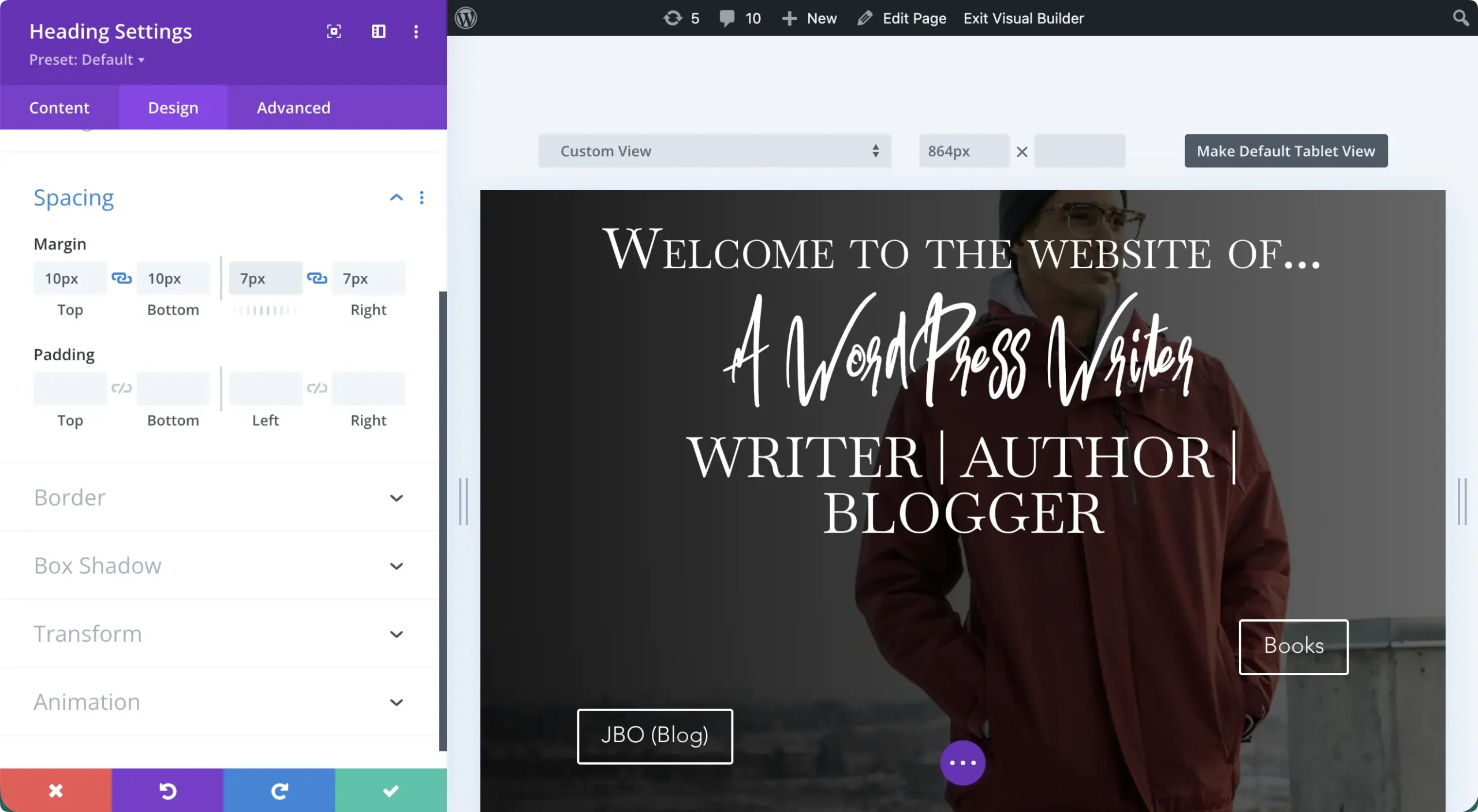
You know the routine. You drag a widget or module onto the page; that part takes two seconds. Then come the settings: three tabs, forty options, margins here, padding there, a separate panel for mobile. And after all that, you still need a third-party add-on for your specific type of carousel. Multiply that process by every element on the page, and “I just need a landing page for my new product” quietly becomes your Friday evening—and then your entire weekend.
For years, we’ve all accepted that as the price of a good-looking WordPress site that didn’t cost thousands of dollars. As of today, that changes.
Meet Uncanny Page Builder, available now in Uncanny Automator. If you’ve been searching for an AI website builder for WordPress, this is it: a text-to-build page builder where Uncanny Agent turns a plain-language request into a finished page, in clean HTML and CSS.
Building pages in WordPress used to look like this…
But from now on, it can look like this…
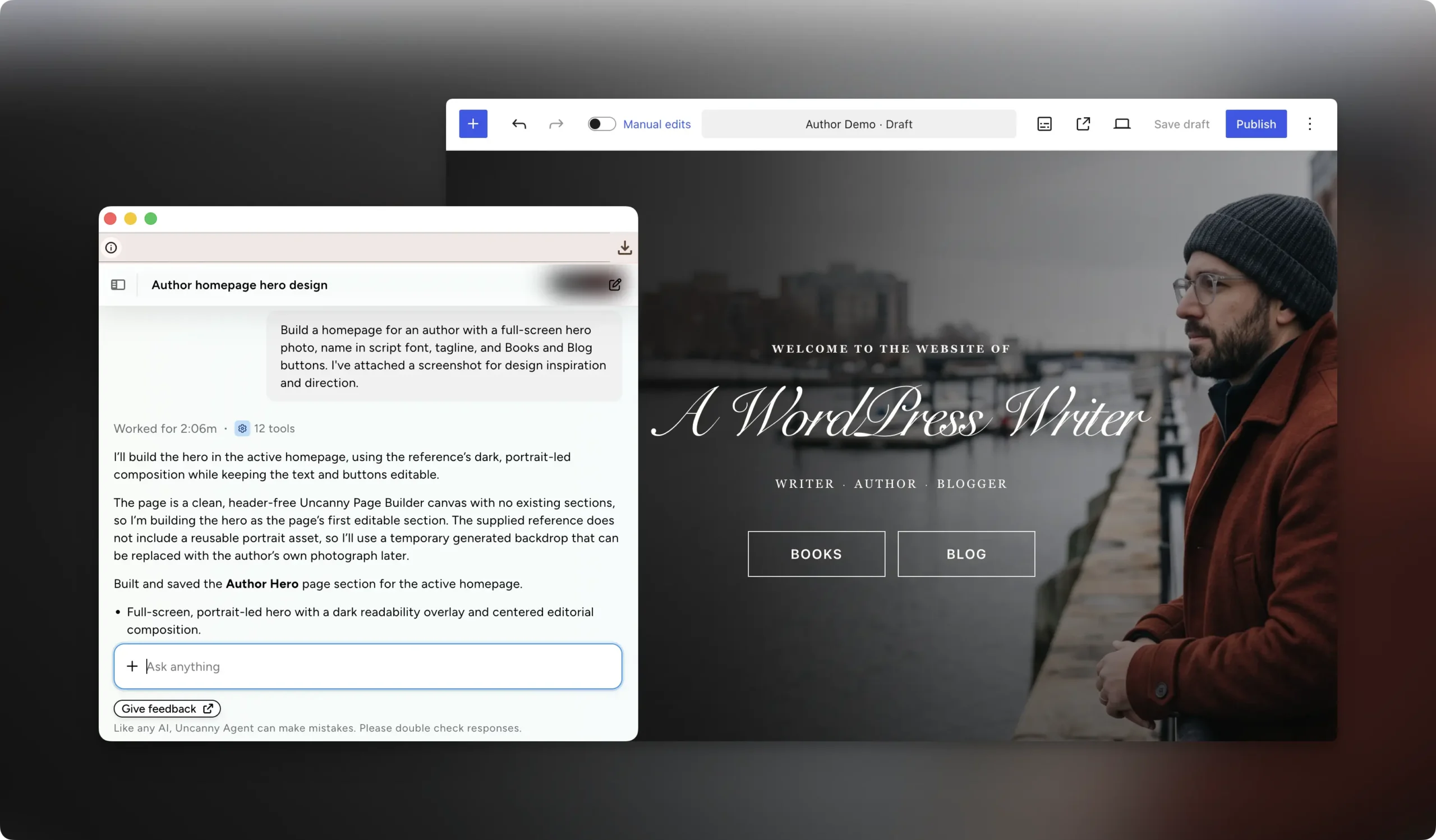
No blocks to learn. No settings panels to navigate. No plugin lock-in. And no more weekends lost to a landing page.
Here’s how the first true AI page builder for WordPress works.
Why WordPress Needed an AI Page Builder
Search for an AI page builder today and you’ll find two kinds of results: hosted site builders that take you out of WordPress entirely, and traditional WordPress page builders with AI features added on top, like Elementor and Divi.
Uncanny Page Builder is neither. Uncanny Agent (that’s Automator’s AI assistant for WordPress) constructs the whole page from your description: layout, content, and styling together, not element by element. AI isn’t a feature layered on top of a builder; it’s the architecture.
Why does that AI-first architecture matter, you ask? Because of everything drag-and-drop builders have saddled you with over the years:
- A learning curve that keeps growing. Every builder presents you with an interface to master (Kadence is different from Elementor which is different from Divi, etc.), and as the builders have gotten bigger, so have the tabs, toggles, and terminology.
- Total plugin dependency. Deactivate a traditional builder and every page built with it, headers and footers included, effectively breaks.
- Bloat that costs you visitors. Layers of proprietary CSS and JavaScript ship with every page, so even a page that looks amazing loses the visitors who bounce before the first load finishes.
- Paywalled elements. The advanced modules and elements you actually want are usually paid third-party add-ons.
- Custom CSS for a premium feel. Getting past the “built with a page builder” look means writing the code these tools promised you’d never touch.
Uncanny Page Builder clears the whole list in one move. Conversation replaces the learning curve, clean HTML and CSS removes the dependency and the bloat, and Uncanny Agent handles the sliders, animations, and styling decisions that used to mean add-ons and custom code.
Describe Your Page, Uncanny Agent Builds It
Here’s the whole workflow. Open a page and tell Uncanny Agent what you want: “Create a landing page with a hero section, three feature cards, a testimonial slider, and a call-to-action.” Agent builds it while you watch, taking you from prompt to page.
Refining your new page works the same way. “Make the hero section taller and change the background to blue.” “Add an FAQ section below the testimonials.” “Swap the feature cards for a two-column layout.” No hunting through style tabs; just say what you want changed.
For example, I told Uncanny Agent, “Give the buttons a subtle red accent on hover that matches the red from the coat in the background image.” About 45 seconds later, my buttons went from this…
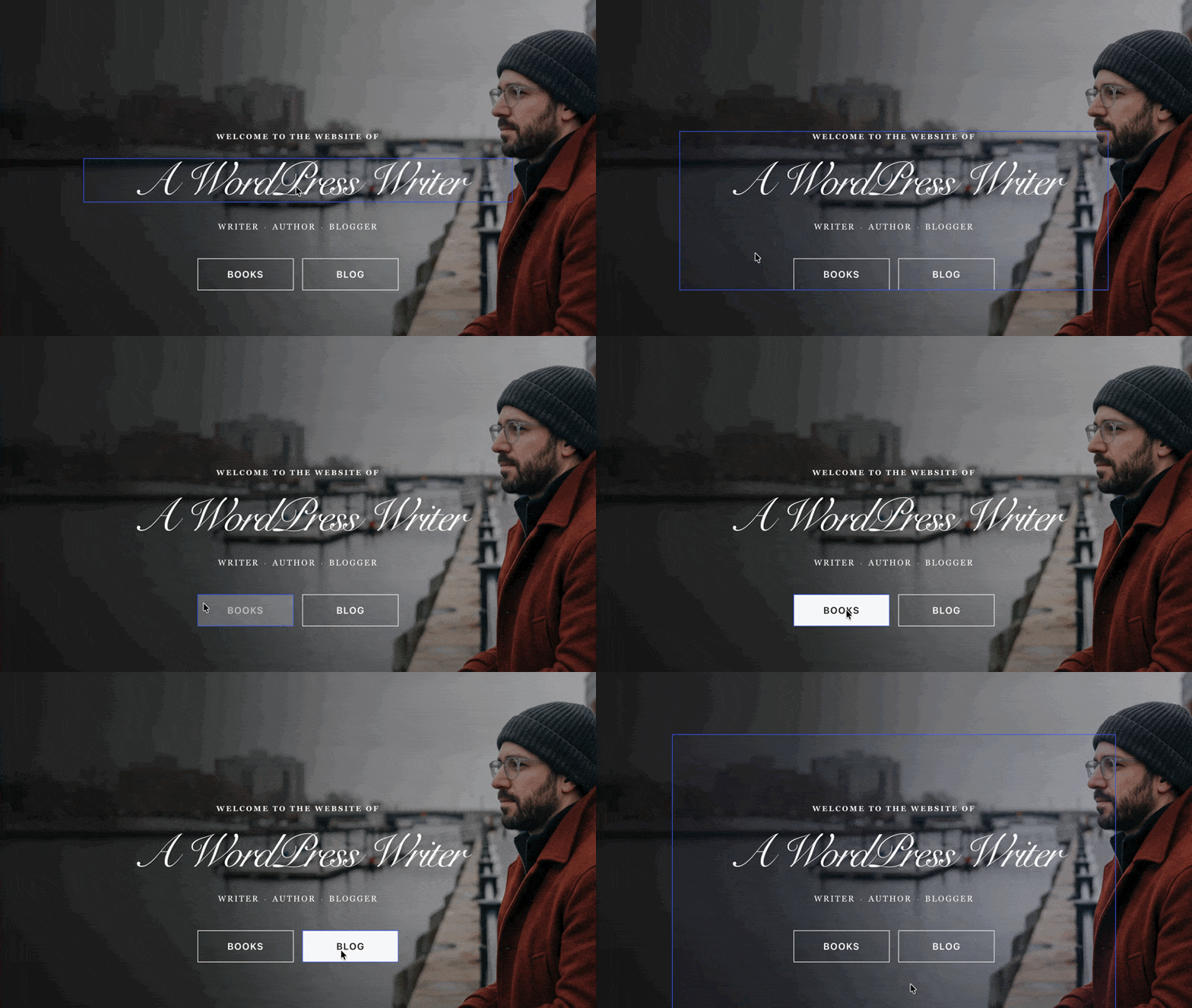
to this…
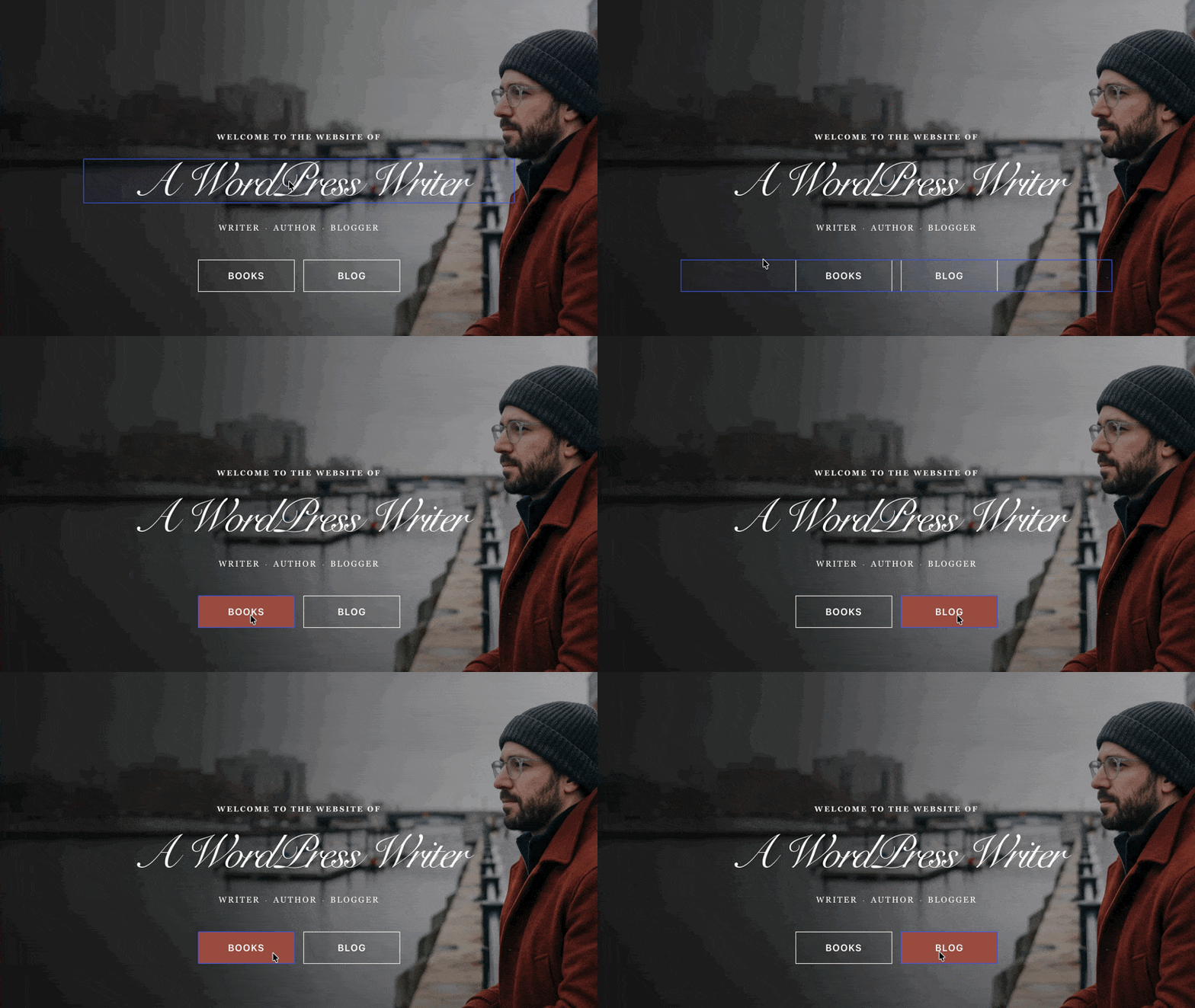
And all I had to do was ask.
That’s not where Uncanny Agent stops, though. It handles the whole job—not just the page build. Need your navigation menu updated with your new page? It happens in the same conversation.
Styling is just as granular, right down to responsive design: tell Agent to make the buttons bigger on mobile or darken them on hover, and it tweaks the styles for each device and state.
More Than an AI Page Builder: Uncanny Agent Has Design Intelligence
Traditional page builders hand you a blank canvas and a user manual, along with a long list of to-dos. You have to be the copywriter, the graphic designer, and the self-taught developer writing snippets of custom CSS.
Uncanny Agent, on the other hand, does all of that for you: the only thing it hands you is a completed page. Tell Agent the goal of your new page, and it builds something optimized for that purpose: layout, content, and styling handled. It’s less like another page builder plugin and more like having a web designer on call.
Seen a design you love? Upload a screenshot, and Uncanny Agent will build a page in that style. And if you’re not sure a page is working, ask Agent for feedback: it applies that same built-in design intelligence to critique the page and suggest improvements, like a designer reviewing your draft.
Ready to describe your first page? Get Uncanny Page Builder >>>
You Stay in Control
Letting an AI touch your pages (far less, build them) might sound risky, which is why Uncanny Agent works on a short leash. Its edits land on an unsaved draft (your live page doesn’t change until you say so), and every edit, yours or Agent’s, can be undone.
Uncanny Agent can also learn your brand so every page comes out looking like it belongs to your site. Set your logo, colors, fonts, and styles once, and every page Agent builds follows them automatically.
You can even give Agent standing design direction (“clean and minimal, generous white space, friendly tone”) and it applies to every page from then on.
Uncanny Page Builder also fits the site you already run. Keep your theme—each page can use your theme’s header and footer, or Page Builder can design the entire page from scratch—and the plugins you already use.
And there’s no risk in trying it on a page you already have. The moment Uncanny Page Builder takes over an existing page, your original is saved automatically. Redesign it, publish it, and let the new version run for as long as you like. If you ever want the old version back, restore it exactly as it was, at the same address.
Clean HTML and CSS—No Lock-In, Ever
Remember the dependency problem? Uncanny Page Builder solves it at the root. Every page it builds is clean, standard HTML and CSS: no proprietary shortcodes, no builder-specific markup. Deactivate the plugin, and your page designs stay intact.
Your pages are portable, too. Download any page as a complete, standalone web file and host it anywhere, even outside WordPress. You can also move page source between sites from the Pages list. Your pages are yours. Always.
The same clean output settles the bloat problem. With no builder engine doing work on every visit and no layers of proprietary CSS and JavaScript in the first load, pages stay lean and lightweight, built for speed and strong Core Web Vitals.
Pages That Keep Themselves Current
The day you publish a page, it starts falling behind. Your latest blog post isn’t on it, and the copyright year in the footer quietly gives away the last time you had the time to update it.
Uncanny Page Builder pages can look after themselves instead: add live elements (sections and details that update themselves) and the page stays current without you.
Ask Uncanny Agent for “a section showing my three latest posts,” and every new post you publish appears on the page automatically, with no editing or re-publishing on your part. There are 91 live elements at launch, from navigation menus that stay in sync with your site to copyright years that update themselves, author boxes, and related-post grids.
Live elements can be visitor-aware, too. Welcome logged-in members by name, show a login prompt to guests, or reveal entire sections only to the people who should see them, so a single page can serve every audience you have.
Three Capabilities, One Platform
Uncanny Page Builder is one of Uncanny Automator’s core capabilities, running alongside Uncanny Recipe Builder, the no-code automation engine powering thousands of WordPress sites, and Uncanny Agent, the AI assistant for WordPress helping site admins and businesses get through their daily to-dos.
All three come in one platform and one subscription, so there’s no separate automation tool, AI subscription, or page builder bloatware. It’s everything you need to integrate your tech stack, automate your workflows, and build your pages, all packaged together and ready to work right out of the box.
Uncanny Page Builder Is Available Now: How to Get Started
Uncanny Page Builder is included in every AI + Automation plan at no additional cost. Building with Uncanny Agent requires Agent to be enabled, and page building draws on your plan’s Agent usage, the same usage behind everything else Agent does for your site.
The requirements are simple: WordPress 6.0 or higher and PHP 8.1 or higher, with multisite networks supported. If you’re already on an AI + Automation plan, Uncanny Page Builder is waiting in your dashboard right now. Open a page and describe what you want.
New to Uncanny Automator? Visit the Uncanny Page Builder page to see the workflow in action, then pick the plan that fits.
Get Uncanny Page Builder >>>
Your Next Page Is a Conversation Away
For years, building a WordPress page meant learning someone else’s blocks, widgets, or modules, then spending your evening in their settings panels. Uncanny Page Builder replaces all of that with an interface you already know: plain language.
So describe something awesome. The landing page for your next big sale. A sleek, modern homepage. The members-only section you’ve been putting off for months. Uncanny Agent will handle the layout, the styling, and every last setting, then hand you clean HTML and CSS that’s yours forever.
Get Uncanny Page Builder and describe your first page >>>
What will you build first?
Frequently Asked Questions
Is there an AI page builder for WordPress?
Yes. Uncanny Page Builder is an AI-first page builder built directly into WordPress as a core capability of Uncanny Automator. Instead of assembling pages with blocks and widgets, you describe the page you want and Uncanny Agent (Automator’s AI assistant) builds it, outputting clean HTML and CSS.
How is Uncanny Page Builder different from Elementor AI or Divi AI?
Elementor AI and Divi AI add AI assistance inside a traditional drag-and-drop builder: the AI helps with individual elements, but you still assemble and configure the page by hand through settings panels. With Uncanny Page Builder, Uncanny Agent constructs the entire page from your description: layout, content, and styling together.
What happens to my pages if I deactivate Uncanny Page Builder?
Your content and design stay intact, because Uncanny Page Builder outputs standard HTML and CSS rather than proprietary markup. Live elements (content that updates automatically, like a latest-posts section) pause until the plugin is active again. You can also download any page as a standalone web file and host it anywhere.
Do I need design skills to use Uncanny Page Builder?
No. Uncanny Agent has built-in design intelligence—i.e., it works like an actual web designer and applies web design fundamentals to everything it builds for you. Describe the goal, and it makes the layout, hierarchy, and styling decisions. You can also upload a screenshot of a design you admire and Agent will build a page in that style, or ask it to review an existing page and suggest improvements. You can always make tweaks with the Manual editor.
Is Uncanny Page Builder free?
Uncanny Page Builder is a core capability of Uncanny Automator, included in every AI + Automation plan at no additional cost. Building and editing with Uncanny Agent draws on your plan’s Agent usage.
Does Uncanny Page Builder work with my existing WordPress theme and plugins?
Yes. Each page can use your theme’s header and footer, or Uncanny Page Builder can design the entire page—your choice, page by page. It runs alongside plugins like WooCommerce, LearnDash, and MemberPress, and you can adopt it gradually, starting with a single page.

Related Posts
























































Comments (0)