

The WooCommerce integration has dozens of triggers, and they do not all run a recipe the same number of times. There are two kinds:
- Product-based triggers run the recipe once per product in an order.
- Order-based triggers run the recipe once per order.
In the recipe builder’s picker, the WooCommerce integration is listed as Woo. This article explains the difference with an example of each, and how to choose a refund trigger. Knowing which kind you picked tells you how many times your actions will run, which matters as soon as an order holds more than one product.
Product-based triggers
A product-based trigger is started by the products in an order, not by the order itself. When an order contains several products, a recipe with a product-based trigger runs once for each of them.
Product-based triggers are available only in recipes of the Everyone type, because they capture product information whether or not the buyer is logged in (see Recipe types: logged-in users and everyone), and they require Uncanny Automator Pro. Their sentences start with the product. As the picker lists them:
- A product has its associated order completed, paid for, thank you page visited
- A product has its associated order refunded
- A product’s inventory status is set to a specific status
A product-based trigger that is not tied to an order, such as the inventory status trigger, runs once per event. To act on several products from one event, put the actions inside a Loop block. The WooCommerce integration page lists every WooCommerce trigger.
Example: one row per product
This Everyone recipe uses the first trigger above with any product and the paid-for status, so its sentence reads Any product has its associated order paid for. It is followed by the Google Sheets action Create a row in a Google Sheet.
To test it, we paid for one order containing three products. Each product ran the recipe, so Automator added three rows to the sheet.
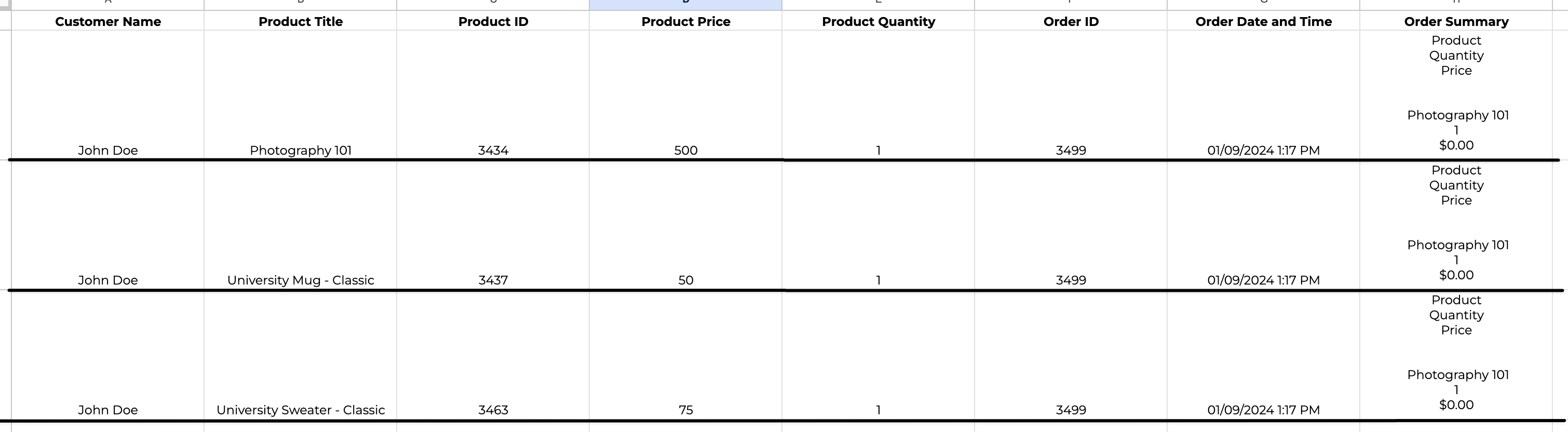
The order ID, order date and time, and order summary columns are the same in all three rows. That is not duplication: the three products were paid for in the same order, so they share the order’s data.
The recipe’s logs make it clearer still: the recipe ran three separate times, once for each product, in quick succession.
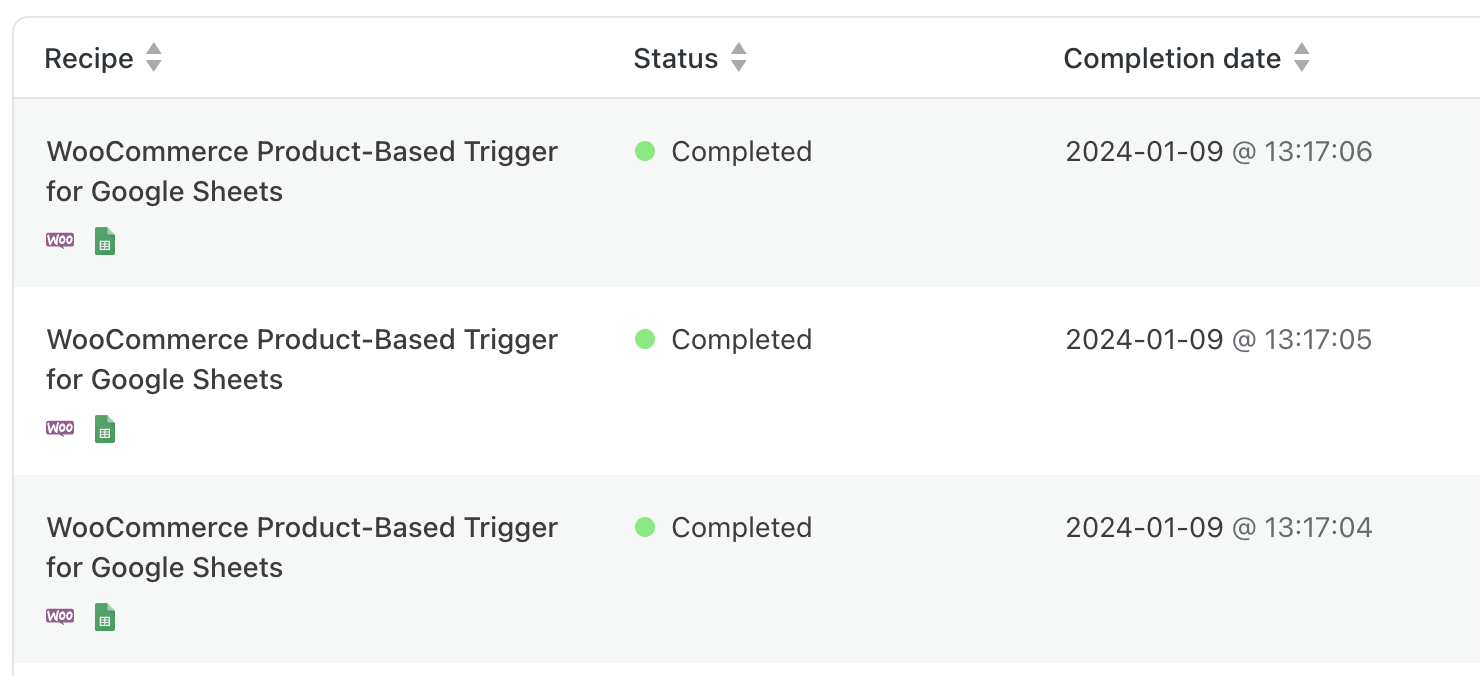
Whatever action follows it, a product-based trigger runs the recipe once per product.
Order-based triggers
An order-based trigger is started by the order itself, so the recipe runs once however many products the order contains. Most WooCommerce triggers, in both recipe types, are order-based. Their sentences start with the user, the order, or the payment. As the picker lists them:
- A user completes, pays for, lands on a thank you page for an order with a product a number of time(s)
- A guest order’s status is changed to a specific status
- A payment fails on an order
All WooCommerce Memberships, WooCommerce Subscriptions, and WooCommerce Bookings triggers also run once per event. The WooCommerce integration page lists every trigger.
Example: one row per order
This recipe is the same as the previous example except for the trigger: it uses the first order-based trigger above set to pays for and any product, so its sentence reads A user pays for an order with any product, again with the Google Sheets action Create a row in a Google Sheet.
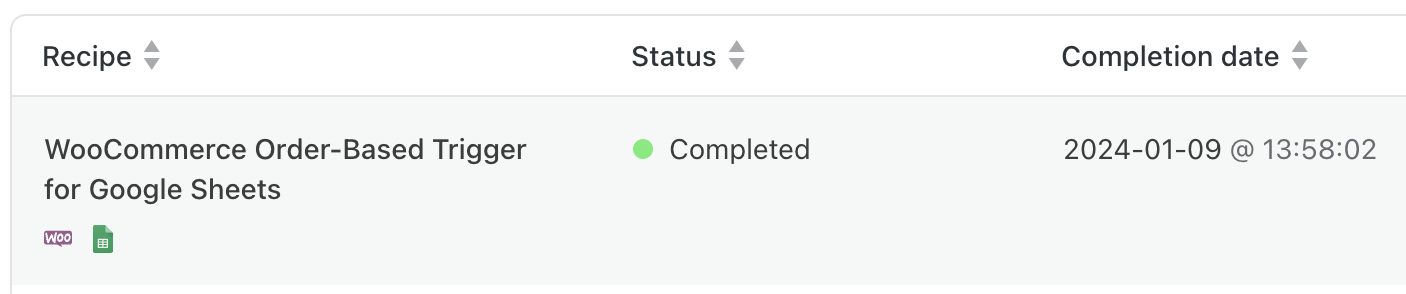
For the same three-product order, Automator added a single row: the recipe ran once for the order, not three times.

The logs confirm a single run.
Refund triggers
The right refund trigger depends on how the order is refunded and what you want to act on:
- An order is refunded — the full order is refunded by an admin or by the merchant. This covers changing the order’s status, or refunding the whole order with the refund option at the bottom of the order screen in the admin without entering a quantity or price for any item.
- An order is partially refunded — only part of the order is refunded by an admin or by the merchant, for example the item’s price but not the shipping.
- A product has its associated order refunded — a full or partial refund of a specific product, by an admin or by the merchant. It relies on the merchant’s data, or on the quantity and price entered against the product’s line in the order screen’s refund.
Related: WooCommerce, Managing triggers, Loop block: users, posts and tokens, Google Sheets

Comments (0)