

TLDR? Get the highlights ▾ 1No-code automation lets your WordPress site run workflows and carry…
AI Website Management: How AI Is Changing WordPress Sites
AI website management is changing WordPress: AI page builders, AI assistants, and MCP servers that connect your website to your AI subscription.
Most of the work of running a WordPress site is small. Update your hours of operation on the Contact page. Approve three comments. Add the new landing page to the menu. Draft a new post from your recent podcast appearance and share it to your socials.
None of it is hard. All of it adds up.
That’s why WordPress site owners and developers turn to automation. Until recently, automation simply meant “automated workflows”. But AI has drastically changed that picture. Today, the smartest WordPress users are automating their sites with AI.
For a while, AI website management meant one thing: AI wrote your drafts or gave you general advice, and you did the rest. That has changed. AI now builds pages, answers specific questions about your site, and makes the changes you ask for.
That last part — what most people call “agentic AI” — became possible because of a new kind of connection: an MCP server.
An MCP server is how AI apps such as ChatGPT or Claude connect to other software. Uncanny Automator’s MCP server for WordPress, launching soon, will connect your AI to your WordPress site, with a built-in automation engine, so you can manage and automate the site through AI chat. (MCP, or Model Context Protocol, is the open standard AI apps use to connect to other software.)
In this post, I’ll map the five ways AI is changing WordPress site management, from AI steps inside automations to AI that works on your whole site. Then I’ll cover which jobs you can hand off today, which ones still need a person, how Uncanny Automator brings all of this to a WordPress site, and how to stay in control the whole time.
Let’s dive in.
What Is AI Website Management?
Handing the routine upkeep of a WordPress install (publishing, updating, tagging, answering “what changed this week?”) to a language model such as ChatGPT or Claude, which carries out each job when you describe it in plain English.
AI website management covers the full range of day-to-day tasks involved in running a site after it launches. Through a connection, the AI works directly on your site instead of giving you “copy and paste” instructions. You still decide what gets done, it’s that AI does the doing.
It’s worth separating this from AI website builders. A builder generates a new site from a prompt. Management is everything that comes after: the small, repeat jobs that keep a site current. Most of the tools sold as “AI website” tools are really builders.
5 Ways AI Is Changing WordPress Site Management
AI website management has emerged in various forms. Broadly speaking, all of the current technologies fall into one of five categories: AI steps in automated workflows, AI writing and content tools, page builders, general agents/assistants, and MCP servers.
For each, I’ll say what it does, what it can do, what it can’t do, and tell you where you can learn more.
1. AI Inside Your Automations
AI first showed up on WordPress sites as a step inside a workflow, not as something you chat with.
A form gets submitted, an order comes in or a post is published. That event starts the workflow. Somewhere along the way, an AI step writes, summarizes, translates, classifies or fills in a field.
Uncanny Automator was early to this. It added OpenAI as an integration in February 2023, with Automator 4.10. Since then it has added every other major AI platform: Anthropic, Google Gemini, Perplexity, xAI, and others. Each one runs on your own API key, inside a recipe (what Automator calls workflow automations).
Here’s what that looks like in practice: whenever you publish a new product on your website, get an AI platform (such as ChatGPT) to write a promotional excerpt then publish that excerpt to your preferred social media platform(s).
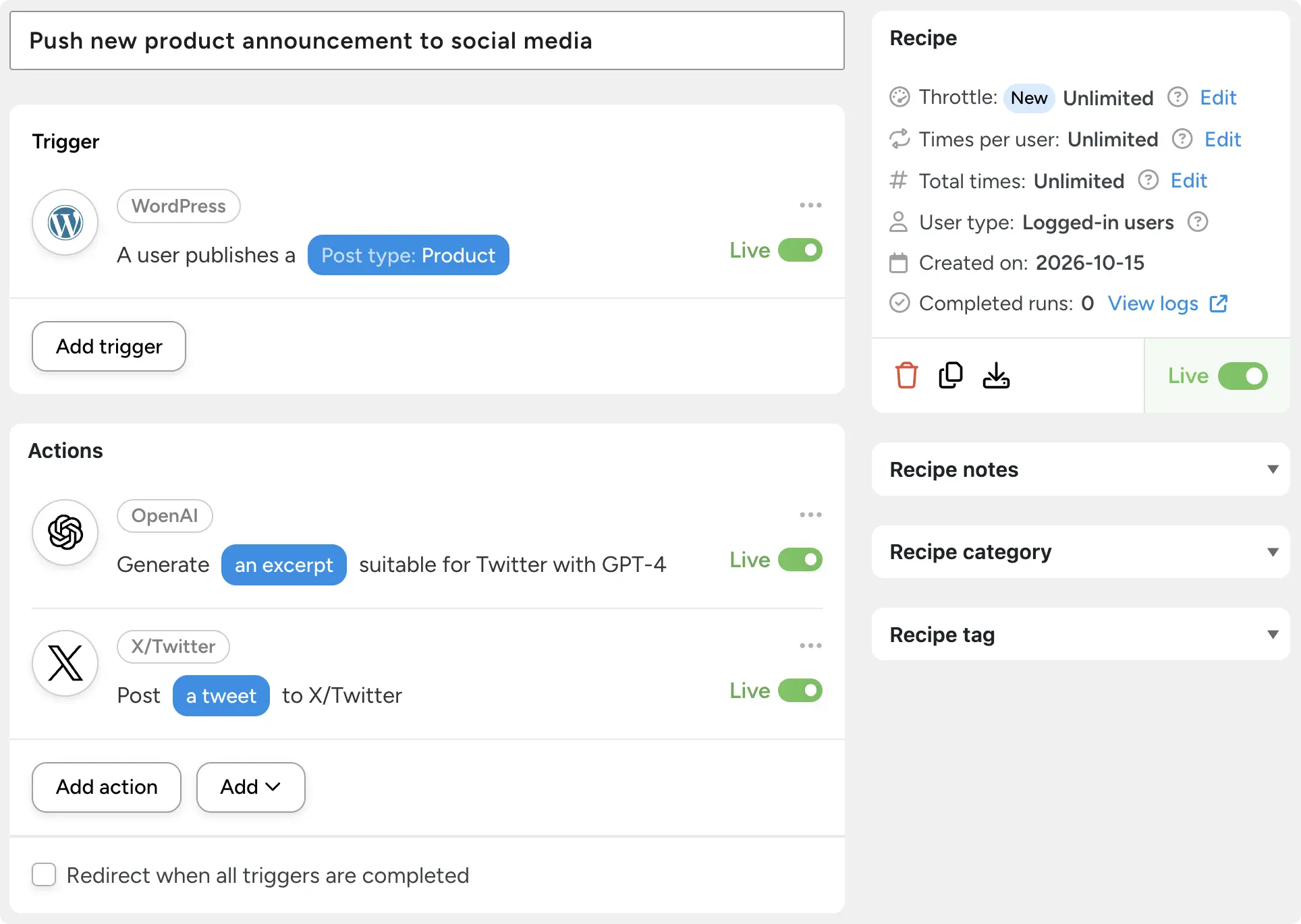
This is how AI first became a part of workflow automations—as a step inside of a predetermined process.
Automations like these are still good for generative steps inside of otherwise predictable and standard workflows. They can help with personalization, some forms of content, and quick analysis at scale.
Read more: What is AI automation, and how to use it in WordPress >>>
2. AI Writing and Content Tools
This is where most site owners started using AI in their day-to-day operations. Drafting posts, product descriptions, excerpts and meta descriptions with an AI writing tool.
It’s good for first drafts, but the gap has been the “copy-paste” problem and/or what happens next.
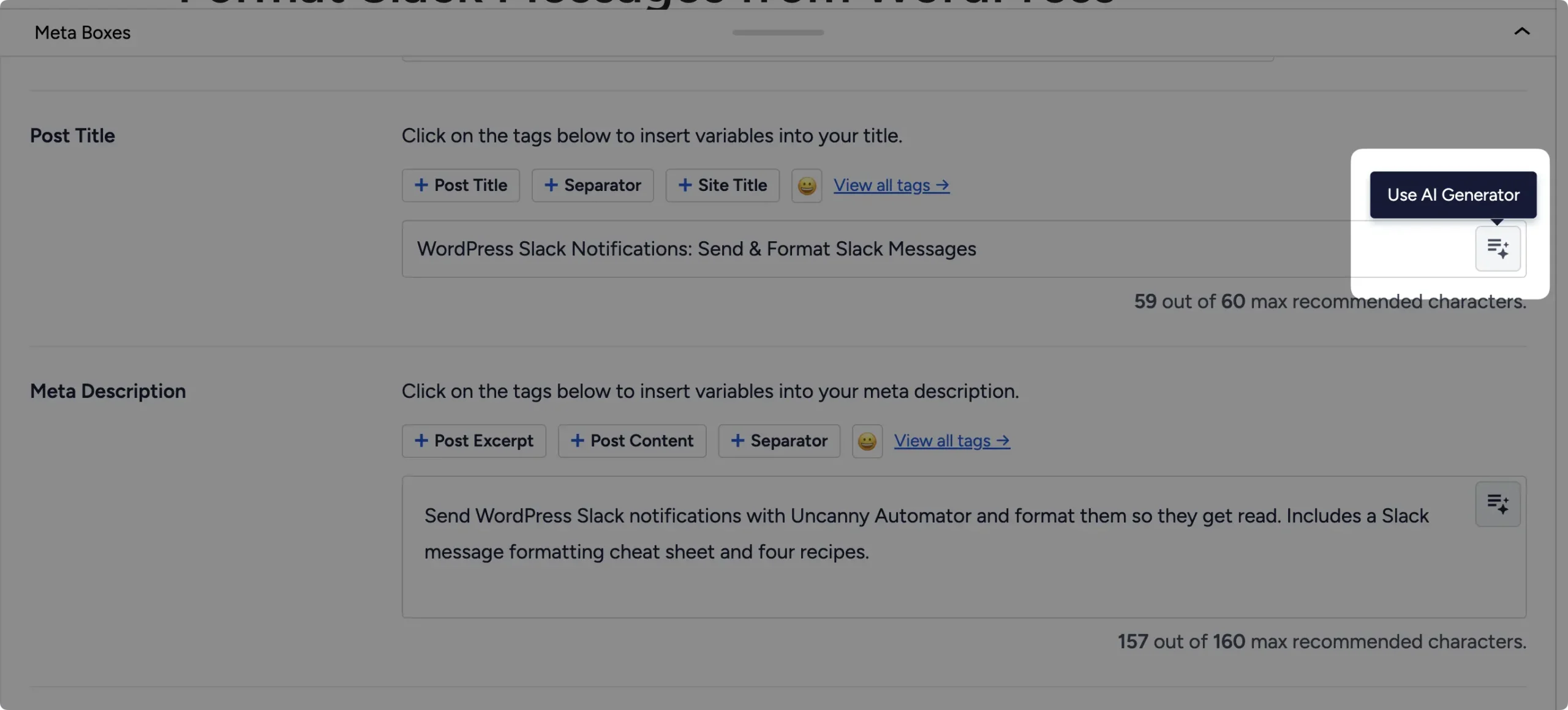
External AIs generally don’t know your site, so using AI for things like product descriptions usually entails a lot of copying and pasting back and forth — context and information one way, output the other way.
Even plugins that have built-in AI features for content generation don’t know your writing style, business context, etc.
Read more: The best AI writing plugin for WordPress >>>
3. AI Page Builders
The next step was building pages by describing them instead of dragging blocks around. Traditional builders such as Divi and Elementor have added type-to-build capabilities alongside their drag-and-drop interface.
However, there are true AI-first page builders such as, Uncanny Page Builder, that do away with the page design learning curve and “drag-and-drop” tedium altogether.
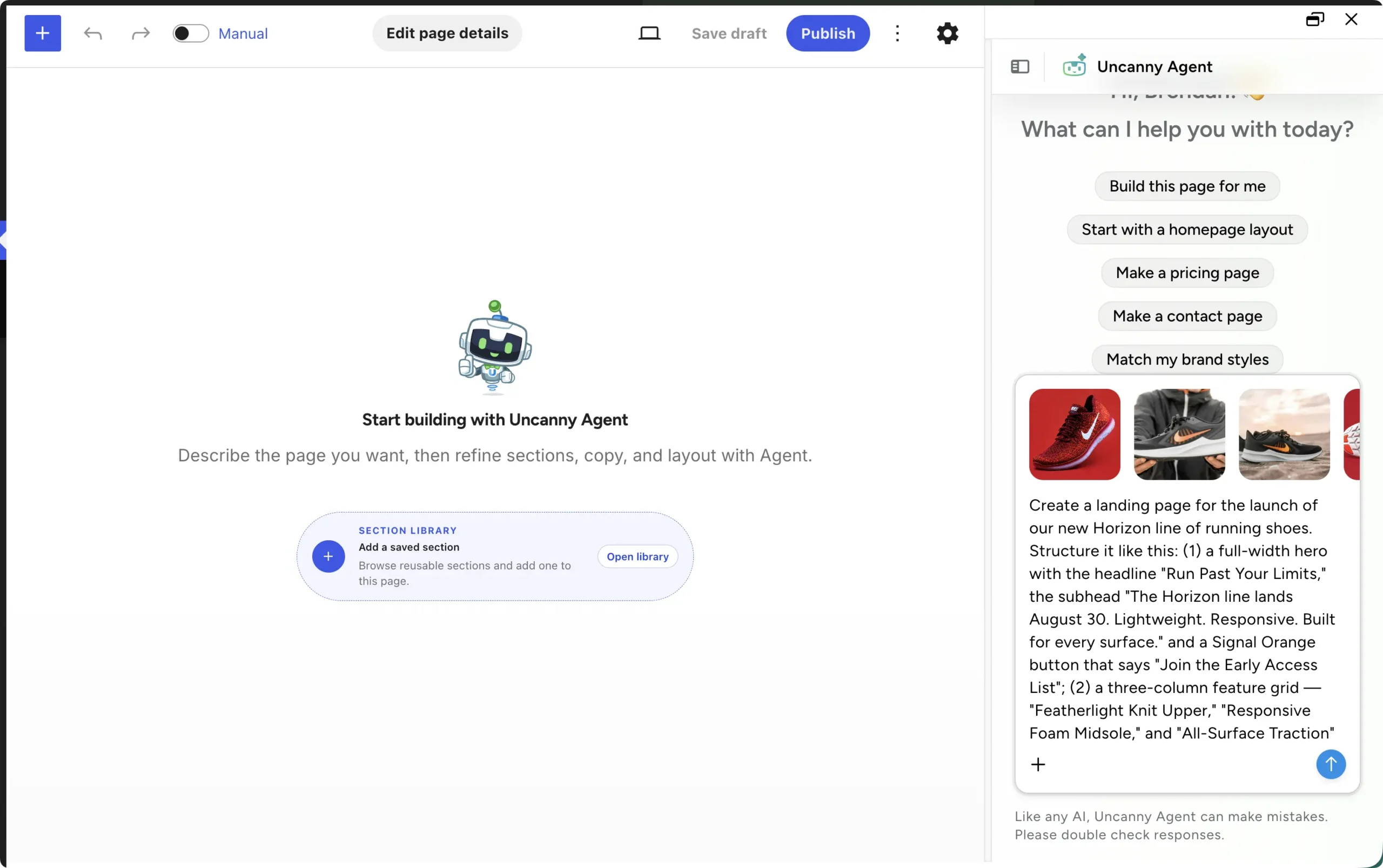
With AI-first page builders, you describe the page you want or drop in screenshots of pages you want to emulate and AI handles the build. You still stay in control with a manual editor and brand guides for everything from colors and fonts to spacing and button styles.
The added advantage of AI-first builders like Uncanny Page Builder is that you get back lightweight HTML and CSS. In other words, your pages are free from code-heavy blocks and totally exportable, even outside of WordPress.
AI page builders represented a significant leap forward in AI website management and development.
Read more: Uncanny Page Builder >>>
4. AI Agents and Assistants for WordPress
Building off of the growing list of AI-capabilities such as page building, agentic AI — or AI agents — came next.
“AI agents” is just the name the market has settled on for AI software that takes real actions on a site. The category covers a lot of ground: agents built into page builders, agents offered by hosts, and assistants built into plugins.
When comparing AI agents and virtual assistants, three questions matter more than the specific algorithms behind them:
- What can it reach: content only, or plugins, users, orders and apps too?
- Where does it run?
- And what controls do you have over what it does?
Uncanny Automator introduced its own AI assistant, Uncanny Agent, specifically to address this shift in AI website management.
Agent allows Uncanny Automator users, particularly those without a separate AI subscription, to manage their site through natural language conversations. Build recipes without having to hunt for the right trigger and action. Get sales summaries simply by asking. Even troubleshooting plugin conflicts — all from simple prompts.
Read more: Uncanny Agent >>>
5. MCP Servers: Connect the AI You Already Use
This is the newest shift, and the one the rest of this post is about.
Until you connect it, your AI’s best answer to any question about your site is a summary of general advice and a list of steps. You still have to determine whether what the AI is saying applies to your situation and then implement the solution yourself. Connect it through an MCP server, however, and the answer becomes the change you were looking for.
The idea is simple. A WordPress MCP server runs on your site. You approve a connection as an administrator. From then on, ChatGPT, Claude, Gemini, Copilot, Perplexity or any AI app that supports remote MCP servers can read your site and act on it.
You type “Publish the draft about the fall sale and post the link to #marketing in Slack,” and that’s what happens. One prompt, no pasting.
Any WordPress MCP server lets your AI manage the site from a chat window. What sets them apart is what the AI can reach once it’s connected, and what happens to the work after the chat ends.
Can AI Be Your WordPress Virtual Assistant?
For the routine, rules-based jobs a WordPress virtual assistant usually handles, yes.
An AI working on your site can do a growing share of that work from a single message. For judgment calls, relationships and work outside the site, a person still does it better.
The assistant here can be Uncanny Agent, the AI assistant built into Uncanny Automator, or, once Uncanny Automator’s MCP server launches, the AI you already use connected to your site. More on both below.
Here’s how the two compare, task by task. The middle column shows what AI can do today on a site running Uncanny Automator.
The practical difference comes down to this. A virtual assistant needs a brief and a time slot, and builds up context about your business over months. Your AI needs one message, and starts from what’s on your site plus what you tell it. Either way, you check the result.
What Still Needs a Person (Keeping the Human-in-the-Loop)
AI website management is good for the mundane, repeatable tasks that eat up your day. The rest (the strategizing, the insights, the planning) stays with you, a developer or your host.
- Judgment and taste. What to publish, how the brand sounds, whether a design is right. Your AI can draft and build; you decide.
- Relationships. Customer conversations, refunds, partner emails. These need a person who can read the room.
- Files, themes and servers. Theme edits, broken code and server settings stay with a developer or your host. AI on your site never edits files or runs shell commands.
- Updates, backups and uptime. Keep these with your host or your maintenance routine. Your AI can start a backup when you ask. It doesn’t run updates, and it doesn’t watch the site between messages.
And one habit worth keeping: check the work. Your AI acts on what you ask, so review the results the first few times, the way you’d check a new hire’s first week.
How Uncanny Automator Brings AI Website Management to WordPress
Uncanny Automator is the #1 automation plugin for WordPress sites. As such, it’s the natural fit for bringing AI to WordPress site management.
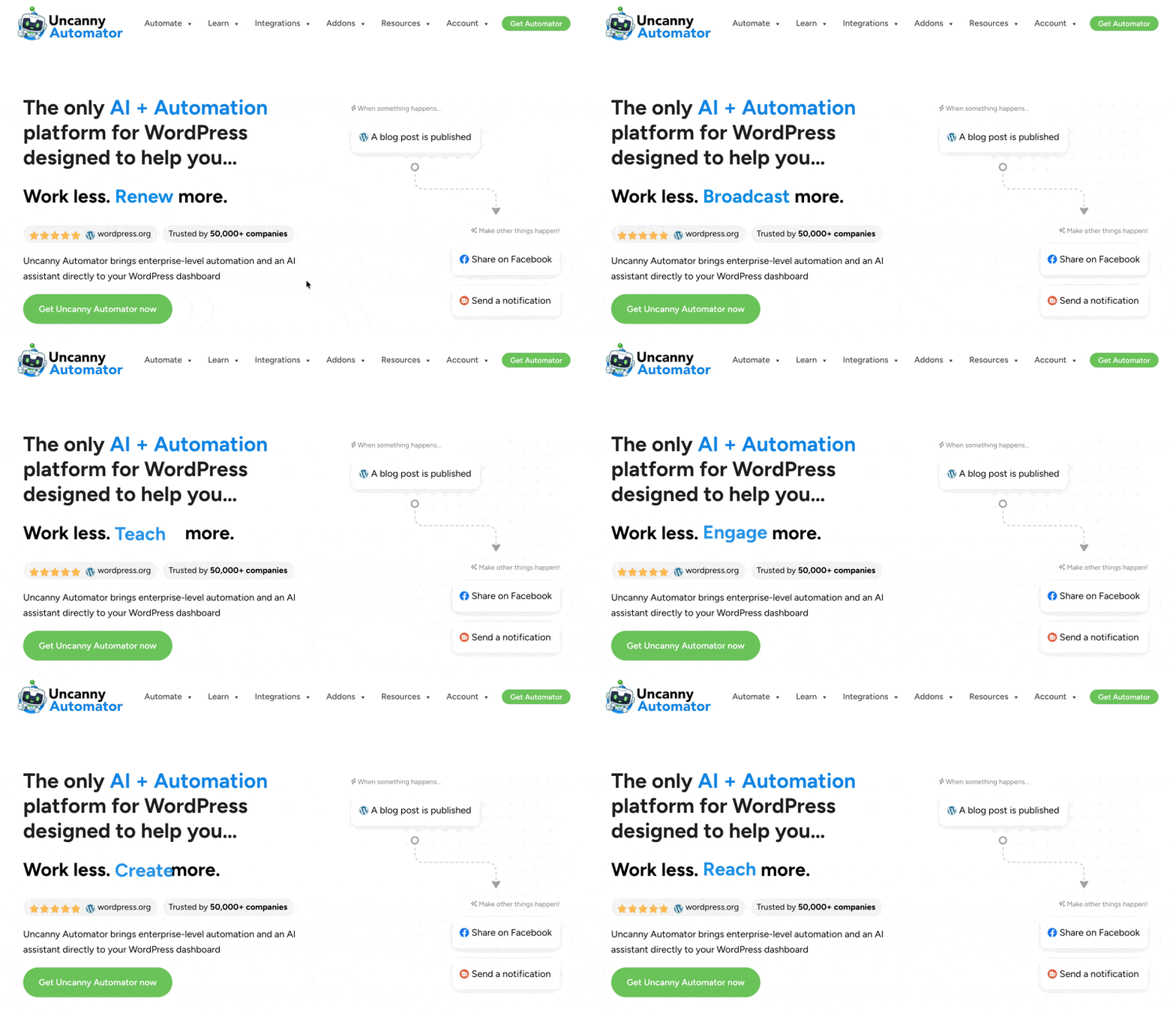
Its MCP server for WordPress is launching soon, and it will give any AI three things most WordPress MCP servers don’t:
- An action library across the plugins and apps your site already runs. Your AI won’t just edit posts. It will enroll learners, tag contacts, purge caches, post to Slack and more. It’s the same automation engine that thousands of WordPress sites trust every day, driven from your AI platform.
- Recipes your AI builds that keep running without it. Ask once, or make it a rule. Automator will be the only WordPress MCP server with a built-in automation engine, so “do this every Monday” becomes a recipe you can open, edit and audit.
- Controls you can see. Read-only or read-and-write, switches for every tool and action, and a short list of things no AI can ever do.
No AI Subscription? Uncanny Agent Is Built In
You don’t have to wait for the MCP server, and you don’t need a ChatGPT, Claude or Gemini subscription.
Uncanny Agent is the AI assistant built into Uncanny Automator for people who don’t have an AI subscription, or would rather not set one up. Open it from your dashboard and ask. It answers questions about your site, completes tasks, acts across your plugins and apps, and builds pages and recipes.
Nothing to set up, and free to start.
Read more: Uncanny Agent >>>
Get Uncanny Automator Lite for free and meet Uncanny Agent >>>
Is It Safe to Connect AI to WordPress? Best Practices for AI Website Management
Yes, as long as you set the limits. An AI connected to WordPress can only use the access, tools and actions you approve, so how safe it is comes down to how you set it up and how closely you check its work.
In other words, the robots haven’t taken over… yet.
If you’re worried about a runaway AI agent on your site, randomly breaking pages and connections, don’t. At least for now, AI can only do what you let it.
Even so, when it comes to letting AI manage some or most of your tasks, there are some standard practices that ensure everything continues running smoothly:
- Start read-only. Let the AI answer questions about your site for a week before you let it change anything. Most MCP servers let you choose read-only or read-and-write permissions as you approve each app.
- Hand over one job at a time. Give the AI a single small task, check the result, then widen the brief. Treat the first few days the way you’d treat a new hire’s first week.
- Limit what it can reach. Switch on only the tools, integrations and actions you actually use. If there’s something sensitive you’d rather handle yourself, don’t give the AI access to it.
- Keep a person in the loop for anything that goes live. Publishing, emailing a list, changing an order: these are the moments to look before the AI leaps. Humans should always be part of AI processes.
- Keep your secrets out of the chat. Never paste passwords, API keys or customer data into a prompt. Your AI platform(s) should always prompt you to enter passwords yourself.
- Know the hard limits. Some things should never be available to any AI. Theme files, custom code and server settings stay with a developer or your host.
- Know how to pull the plug. Keep your backup routine with your host, and know where the off switch is.
Conclusion
AI website management started with drafts. It now reaches every part of running a site: pages, people, orders, apps and the rules that tie them together. What changed isn’t the AI. It’s the connection.
You don’t have to hand over everything at once. Open Uncanny Agent and ask it one question about your site. Then hand it one small job and check the result. When Uncanny Automator’s MCP server launches, you’ll be able to do the same with the AI you already use, starting read-only.
Start free · See plans
What will you do with more time?
Frequently Asked Questions
What is AI website management?
It’s handing the routine running of your site, such as publishing, updates, user tasks and quick questions, to an AI that does the work when you ask in plain language. On WordPress, you do that by connecting the AI you already use to your site, or by using an AI assistant built into a plugin.
Is Uncanny Automator a WordPress MCP server?
It’s about to be. An MCP server is how AI apps such as ChatGPT or Claude connect to other software. Uncanny Automator’s MCP server for WordPress is launching soon, with a built-in automation engine: it will connect your AI to your WordPress site, so you can manage and automate the site with your AI. Join the Automator newsletter to get access the minute it lands.
Do I need an AI subscription?
No. Uncanny Agent is built into Uncanny Automator: it answers questions about your site, completes tasks and builds recipes with nothing to set up, and it is free to start. When Uncanny Automator’s MCP server launches, you’ll also be able to connect the AI you already pay for (ChatGPT, Claude, Gemini, Copilot, Perplexity or any AI app that supports remote MCP servers).
Can an AI manage my WordPress site on its own?
No. Whether it’s Uncanny Agent or an AI connected through an MCP server, it acts when you ask and only with the access and the tools you’ve allowed. What does run on its own is a recipe you’ve published, and it runs the same way every time without the AI.
Is AI website management the same as an AI website builder?
No. An AI website builder creates a new site from a prompt. AI website management covers the work after launch: updating content, handling users and orders, and keeping your plugins and apps in step. On WordPress, building pages by describing them is one of the things AI can do for you.
Can AI replace a WordPress virtual assistant?
It can do much of the routine work a VA handles, such as publishing posts, setting SEO fields, enrolling users and purging the cache, from a single message. Work that needs judgment, relationships, or file and server access is still a job for a person.
Is it safe to connect AI to WordPress?
An AI can only do what you let it. Uncanny Agent acts only when asked, checks with you before important actions and keeps your passwords and keys out of the AI. When Uncanny Automator’s MCP server launches, you’ll approve every connection as an administrator, choose read-only or read-and-write, and be able to switch off any tool, integration or single action for every connected AI in one click. Some things will never be available to any AI: raw database changes and deleting users. AI works through Automator’s actions and plugin abilities, never shell commands, file edits or direct database writes.
Which AI apps can I connect?
Once Uncanny Automator’s MCP server launches: ChatGPT, Claude, Gemini, Copilot, Perplexity or any AI app that supports remote MCP servers. Until then, Uncanny Agent is built in and needs no AI subscription. Join the Automator newsletter to get access the minute the MCP server lands.

Related Posts
























































Comments (0)