

Wondering what WooCommerce AI can actually do? See what you can automate, create, and optimize…
How to Generate WooCommerce Product Descriptions with AI
Turn Uncanny Automator into your AI product description generator—draft, edit, and publish product descriptions in bulk, right from WordPress.
TLDR? Get the highlights:
- Uncanny Agent (Automator’s AI assistant) writes WooCommerce product descriptions right inside WordPress—no separate AI platform subscription, API keys, or configuration needed
- Because Agent runs on Automator’s stable, fixed pricing, you can generate more copy without racking up per-token AI charges
- Draft descriptions one at a time from the product editor, or bulk-write every missing description in your catalog with a single request
- Agent can read your existing product copy first, so new descriptions match your brand voice instead of sounding like generic AI filler
Get Automator Pro and put your product pages on autopilot >>>
You know the moment. The photos are uploaded, the price is set, the variations are sorted—and then you land in the description box. Blank. White. Waiting.
Writing one product description is easy enough. Writing 50 is a lost afternoon. Writing 500 is the reason “finish the catalog” has been on your to-do list since last quarter.
In this guide, I’ll show you how to use Uncanny Automator as your AI product description generator for WooCommerce.
Why Use an AI Product Description Generator for WooCommerce?
Let’s do some quick math—the uncomfortable kind. If a decent product description takes you 10 minutes to write, a 100-product catalog is more than 16 hours of writing. That’s two full workdays spent describing scented candles instead of selling them.
And the manual approach costs you more than time:
- Inconsistent brand voice. Descriptions written across weeks (or by different people) drift in tone. One product sounds like a luxury brand, the next like a hardware manual—and your customers notice.
- Blank boxes that quietly cost you sales. A thin or empty product page gives shoppers less reason to buy and search engines less reason to rank you. Every missing description is a small leak in your sales funnel.
- Catalogs that never get finished. When every new product means another writing session, “finish the descriptions” stays parked on the to-do list as the backlog only grows.
Okay, but couldn’t you just copy-paste your way through ChatGPT? You could, but here’s why generating those descriptions inside WordPress wins:
- Your real product data does the talking. Titles, categories, and attributes flow straight into the AI’s descriptions, saving you from retyping product details into a chat window or uploading reams of product files.
- The copy publishes itself. No shuttling text back into WordPress one paste at a time, with every paste a chance for something to go wrong.
- It scales. One product or your entire catalog—the workflow is the same.
Ready to stop staring at blank description boxes? Get Automator Pro >>>
Uncanny Automator Is Your AI Product Description Generator for WooCommerce
If you haven’t met it yet, Uncanny Automator is the #1 AI + automation plugin for WordPress. It connects the plugins and apps you already use—253+ of them, WooCommerce included—so your site can handle the repetitive work while you handle the interesting parts.
Uncanny Agent—Automator’s AI assistant that lives right inside your WordPress dashboard—is the AI product description generator that can do it all.
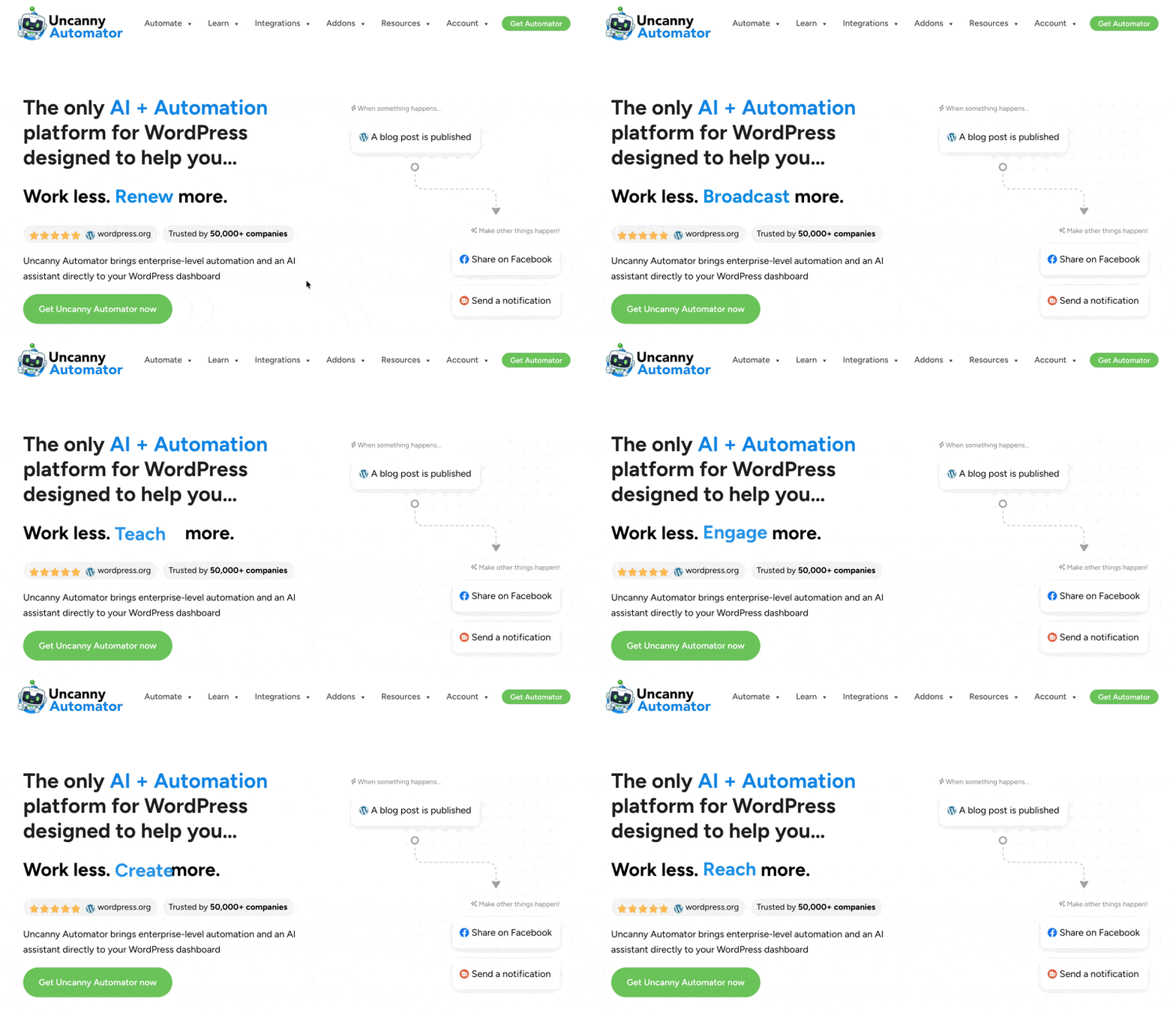
Agent reads your store’s actual data, writes wherever you need copy, and takes requests in plain English. No API keys to configure, no external AI platform to subscribe to, and no usage-based billing—Agent is included in Automator Pro’s fixed pricing.
Get started with Uncanny Automator
To start generating product descriptions and other forms of WordPress content with AI, you’ll need an Automator Pro license.
Getting started with Automator only takes a few minutes. In a few dozen clicks of your mouse, you could have an AI assistant doing your product copywriting while you reheat your coffee.
Claim your Pro license. Reclaim your time >>>
- From your WordPress Admin Dashboard /wp-admin/, navigate to Plugins > Add new. In the search bar, enter “uncanny automator” and click Install and Activate. (This installs the free version of Uncanny Automator which must be active to use Automator Pro features.)
- Purchase your Automator Pro license from the Automator pricing page.
- Once purchased, you can download the latest version of Uncanny Automator Pro inside your Automator account.
- After downloading the .zip file, navigate to Plugins > Add New in /wp-admin/. Click the Upload Plugin button, select the Pro .zip file then install and activate the plugin.
- Once activated, be sure to visit Automator > Settings in /wp-admin/ to enter your license key (in your purchase confirmation email).
For a more detailed walkthrough, click here.
The Fastest Way to Generate WooCommerce Product Descriptions? Just Ask Agent
So what does asking Agent for product descriptions actually look like? Let’s take a look at how Agent drafts, edits, and updates your product copywriting:
- Drafting one description at a time, right from the product editor
- Bulk writing or rewriting every product description with a single request
- Editing and updating existing descriptions—rewrites, refreshes, and catalog-wide changes
Let’s walk through each one, with the exact requests you can type into Agent’s chat window.
Draft AI Product Descriptions One at a Time
Open the editor for the product you’re working on, click the Uncanny Agent tab at the bottom of the screen, and an Agent chat window will appear.
Uncanny Agent can detect what page of your WordPress site you’re on so it already knows what you want to work on.
Simply tell Agent:
“Write a description for this product, following the same writing style, tone, and brand voice from other product descriptions.”
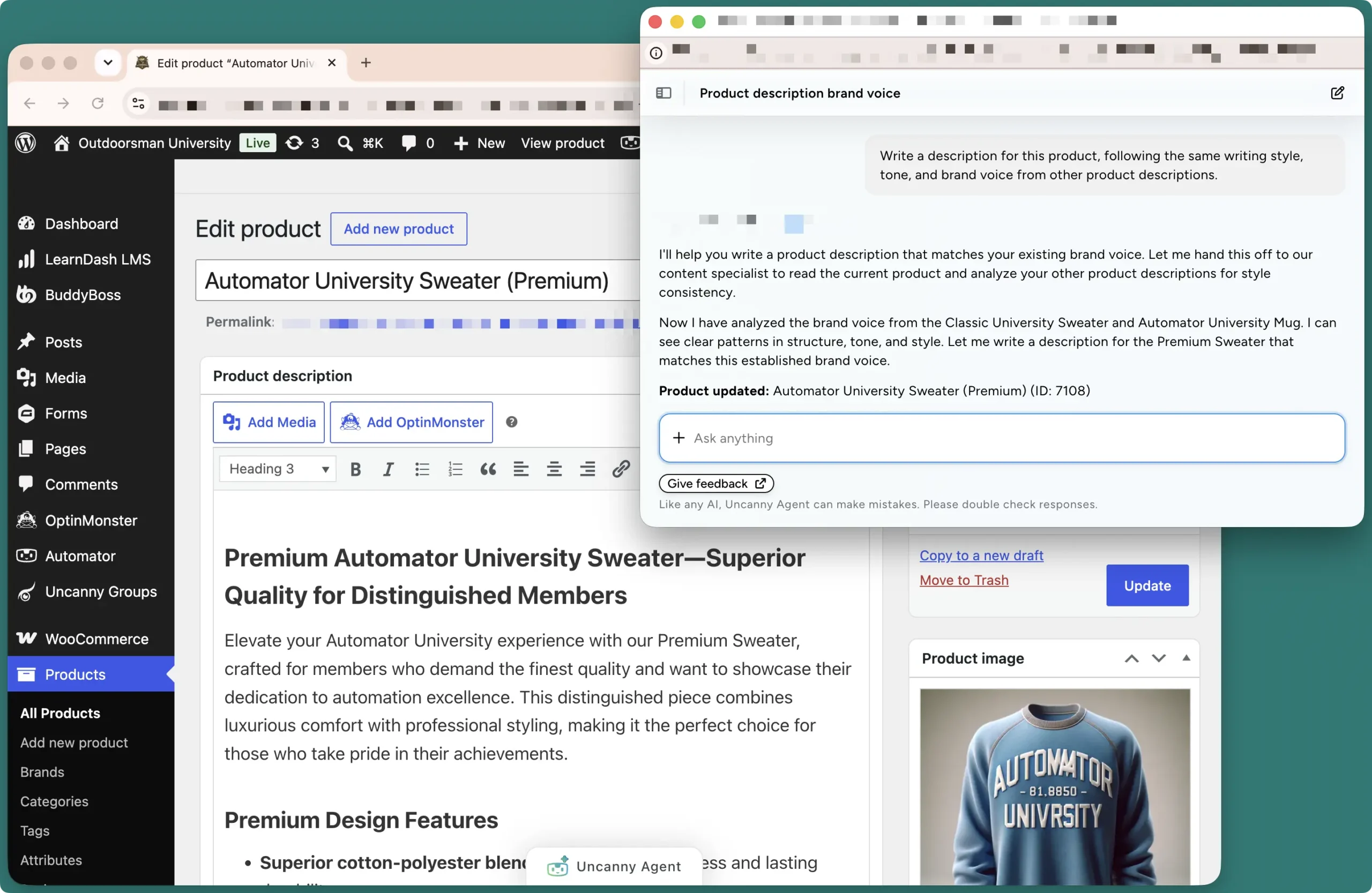
Agent already knows the product’s title, categories, attributes, and all of the other information you’ve already put into the editor, so the copy it drafts is grounded in your real catalog data—not generic filler. Review, tweak if you like, and save.
The blank box problem, solved in one sentence.
Draft AI Product Descriptions in Bulk
If you’re missing dozens (or even hundreds) of product descriptions, or if you would like to update more than one product description at a time, just ask Agent.
“Write a description for every product in my product catalog that doesn’t already have one. Follow the same writing style, tone, and brand voice from other product descriptions.”
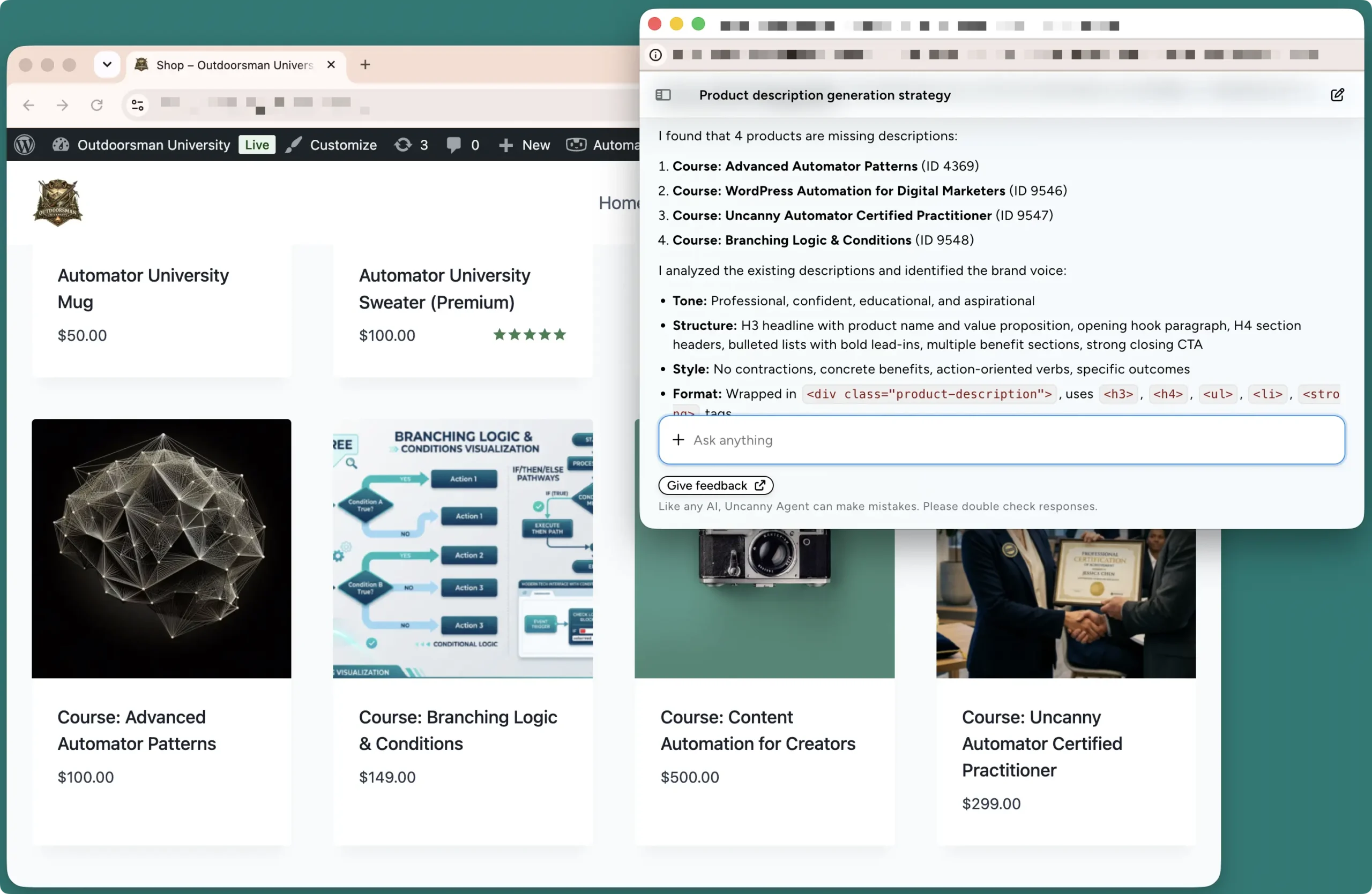
Agent will comb through your catalog, identify the products you specified in your prompt, and start drafting. What used to be a two-workday writing marathon becomes a request you type in seconds and complete in minutes. And since Agent doesn’t bill by the word, a big catalog costs exactly the same as a small one.
Edit and Update Existing Product Descriptions
Generating new copy is only half the job—your existing descriptions need love too. Agent handles rewrites and updates the same way it handles drafts:
“Add the line ‘LIMITED TIME ONLY’ to the beginning of the short description for every product in the ‘Merchandise’ category. Give the line a glowing effect using custom CSS.”
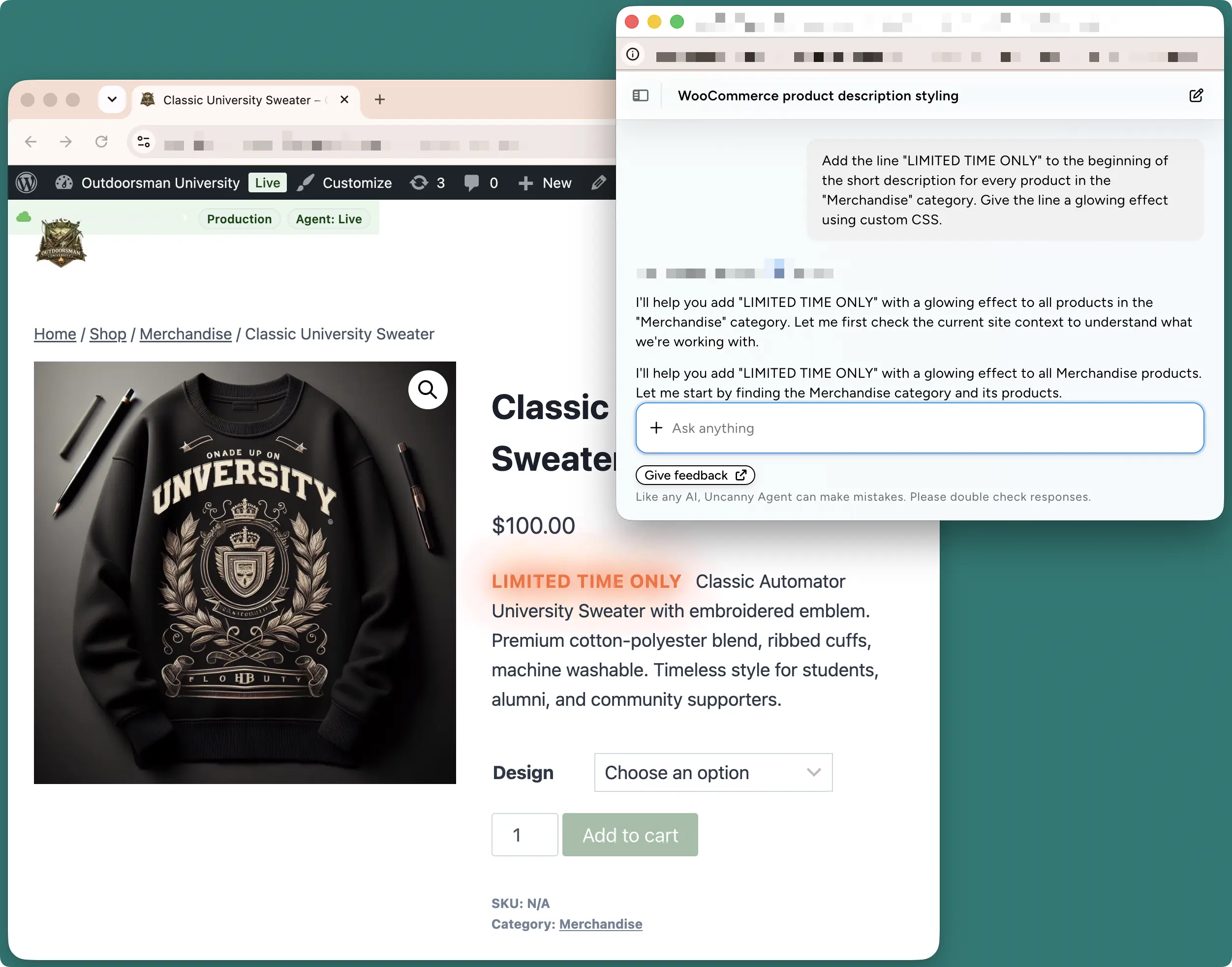
Seasonal promos, policy changes, a brand voice refresh after a rebrand—the edits that used to mean opening products one by one become a single request. Agent finds the right products, makes the changes, and keeps everything consistent while it’s at it.
Agent ships with Automator Pro >>>
Pro Tips for Using an AI Product Description Generator
- Show Agent your best copy. Ask it to follow the writing style, tone, and brand voice of your existing descriptions—it will analyze your current copy first and match it, so your catalog reads like one writer wrote it.
- Put your guardrails in the request. Word count, format, reading level, what to highlight, what to avoid—the more direction you give Agent up front, the less editing you do after. “100–150 words, two short paragraphs, end with a reason to buy” beats “write a description”.
- Start with a small batch. Before you ask Agent to write your entire catalog, have it draft descriptions for a handful of products. Review the output, refine your instructions, and then open the floodgates.
- Cover both description fields. WooCommerce products have a long description and a short description—ask Agent to write both, with the short version tuned to be punchy and scannable.
- Make Agent your editor, too. Once the writing is done, ask Agent to review your descriptions for typos, inconsistent tone, or missing details. It’s just as good at proofreading your catalog as it is at writing it.
More Ways to Generate Content with AI in WordPress
Product descriptions are just the opening act. The same Uncanny Agent requests as well as AI-powered recipes can draft blog posts, generate featured images, write social media captions, and keep your whole content operation moving.
If this tutorial got the gears turning, keep going:
- How to Use AI Writing Tools in WordPress: Generate Blog Posts, Images, and Social Content Automatically — This is how you level up your content game.
- The Complete Guide to WordPress Content Automation — This is how you put your content engine on autopilot.
- The Complete Guide to WooCommerce Automation — Get your WooCommerce store to run more of itself.
Conclusion
How’s that blank description box looking now? A lot less intimidating, I bet.
Whether you ask Agent to describe a single new product or fill in your whole catalog with one request, you can get on top of your product copywriting needs inside WordPress and affordably.
The 16 hours you were going to spend describing candles? Those are yours again. Spend them on new products, new campaigns—or, radical thought, not working.
Get Automator Pro and let your product pages write themselves >>>
What will you do with more time?
Frequently Asked Questions
Is there a free AI product description generator for WordPress?
Uncanny Automator Lite is free, and once you register your account you’ll receive complimentary app credits (credits for using third-party integrations) to try AI-powered automations with providers like OpenAI. Writing and updating WooCommerce product descriptions, though, is Uncanny Agent’s job—and Agent comes with Automator Pro. The upside: Pro’s fixed pricing means unlimited description writing with no usage-based AI bill.
Can I generate product descriptions with AI without a ChatGPT subscription or API key?
Absolutely. That’s exactly what Uncanny Agent is for—it’s Automator’s built-in AI assistant, and it works entirely inside WordPress. No external AI account, no API keys, no configuration, and no usage-based billing. It’s included in Automator Pro’s fixed pricing, so you can generate as much copy as your catalog needs. Find out why a WordPress-native AI assistant is better than an external LLM >>>
Which AI models can I use to write WooCommerce product descriptions?
For product descriptions, the AI is built into Uncanny Agent—nothing to choose, connect, or configure. For other AI content workflows (like drafting blog posts or social media copy in your automations), Automator also integrates with OpenAI (ChatGPT), Anthropic (Claude), Google Gemini, Mistral, Cohere, DeepSeek, xAI (Grok), and Perplexity.
Will AI-generated product descriptions hurt my SEO?
Not if you treat the AI as a writer and yourself as the editor. Uncanny Agent grounds every description in your real product data—titles, categories, attributes—so the copy is accurate and unique to each product, and it can match your existing brand voice so your catalog stays consistent. Review the first batches before publishing at scale. Unique, helpful, accurate product copy serves shoppers—and that’s what search engines reward. It’s the thin, empty, and duplicated descriptions that hold stores back.
Can I generate descriptions for hundreds of products at once?
Yes. Ask Uncanny Agent to “write a description for every product in my catalog that doesn’t already have one” and it will work through your entire catalog in one go. You can scope the request however you like—by category, by tag, or just the products with empty description boxes.
How much does it cost to generate AI product descriptions?
It depends on the tool. Standalone AI developer platforms bill you for usage, so costs grow with your catalog. With Uncanny Agent, the cost is simply your Automator Pro license—a fixed price, no matter how much copy you generate. Describing 500 products costs exactly the same as describing five.

Related Posts
























































Comments (0)