

You don’t need a test site to try Uncanny Page Builder. Open any existing page — even a live, published one — redesign it with Uncanny Agent, and if you ever want the old version back, restore it exactly as it was — same page, same URL.
Your original is saved automatically
The moment Page Builder takes over a page, an exact copy of the original is saved — no manual backups, no duplicating pages. You’ll see this in the confirmation when you click the Uncanny Page Builder button: “We will save an exact copy so you can switch back later.”
Your visitors are covered too: they keep seeing your original page until you publish your first Page Builder version. The swap only happens when you publish, so a live page is never left blank while you work on its redesign.
Because it’s the same page at the same URL throughout, there’s nothing to redirect and nothing for search engines to re-learn.
Redesign an existing page
- From your WordPress admin dashboard Pages > All Pages.
- Click the Uncanny Page Builder button in the editor’s top toolbar and confirm.
- Choose your layout mode, then describe the redesign to Uncanny Agent.
- Save as a draft or publish when you’re happy.
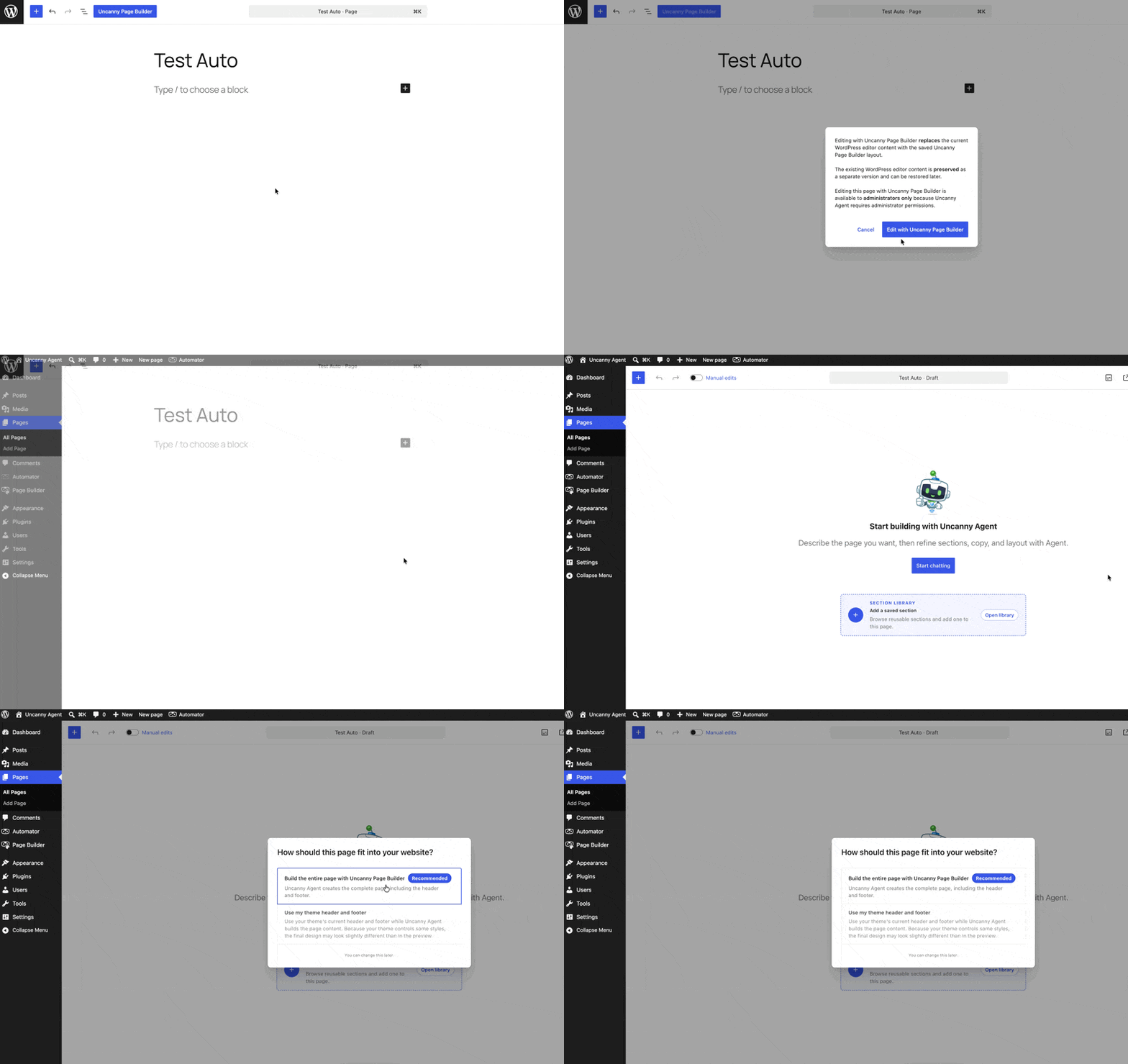
Page Builder also detects other builders (like Elementor) on a page, so two editors never fight over the same content.
Switch back anytime
To restore the original page:
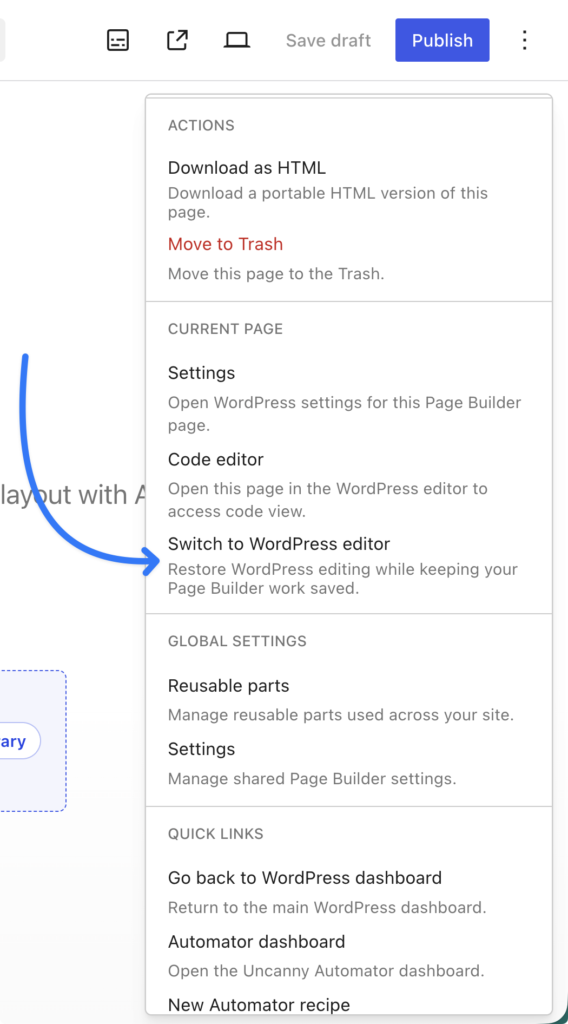
- In the builder, open the More page actions menu.
- Choose Switch to WordPress editor.
WordPress editing is restored — the original returns exactly as it was, at the same address. Your Page Builder redesign isn’t thrown away: it’s kept safe and dormant, so if you switch back to Page Builder later, you resume right where you left off.
A redesign you can completely undo — that’s the point.
Related: Choosing a page layout and Downloading, exporting, and moving your pages.
























































Comments (0)