

Uncanny Agent builds, but you’re in charge. Uncanny Page Builder is designed so nothing important happens to your pages without your knowledge — significant changes need your approval, you can see what Agent intends before it happens, and everything can be undone.
Approvals for significant changes
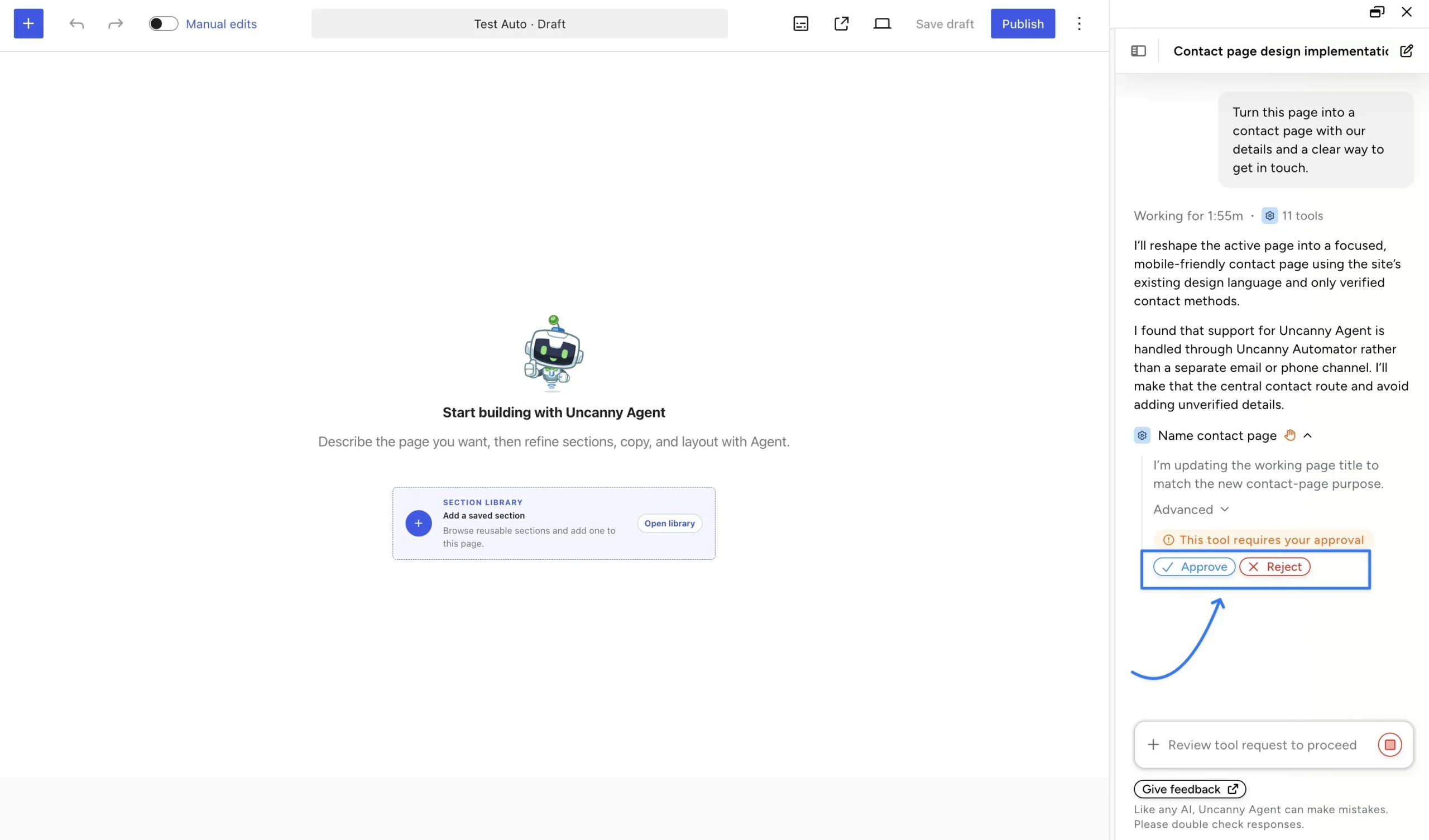
When Uncanny Agent is about to take a significant action — like saving or publishing a page — the chat shows exactly what it’s about to do with an approval prompt: This tool requires your approval, with Approve and Reject buttons. Click the step to expand its details before deciding.
See the work as it happens
Uncanny Agent narrates its progress while it builds (“Working for 2:36m · 12 tools”) and finishes with a summary of what it created, section by section, plus a preview link. Changes are not applied to the live page until you explicitly click Publish changes.
Everything is undoable
Every edit — Uncanny Agent’s or yours — can be undone, with a history of recent changes (up to 30 steps per page). Built-in safeguards also prevent Agent from overwriting an edit you just made. Experiment freely; nothing is irreversible.
Double-check the result
Like any AI, Uncanny Agent can make mistakes. Give new pages a quick read before publishing — the Manual editor makes small corrections fast, or you can just tell Agent what to fix. For broader guidance on working safely with AI on your site, see How to Safely Use AI with WordPress.
























































Comments (0)