

Uncanny Agent is the primary way to build and restructure pages, but sometimes you just want to fix a typo or nudge some spacing yourself. The Manual editor is designed for exactly that kind of fine-tuning.
Turn on Manual edits
In the Page Builder toolbar, flip the Manual edits toggle. The editor panel opens with three tabs: Elements, Page, and Brand styles.
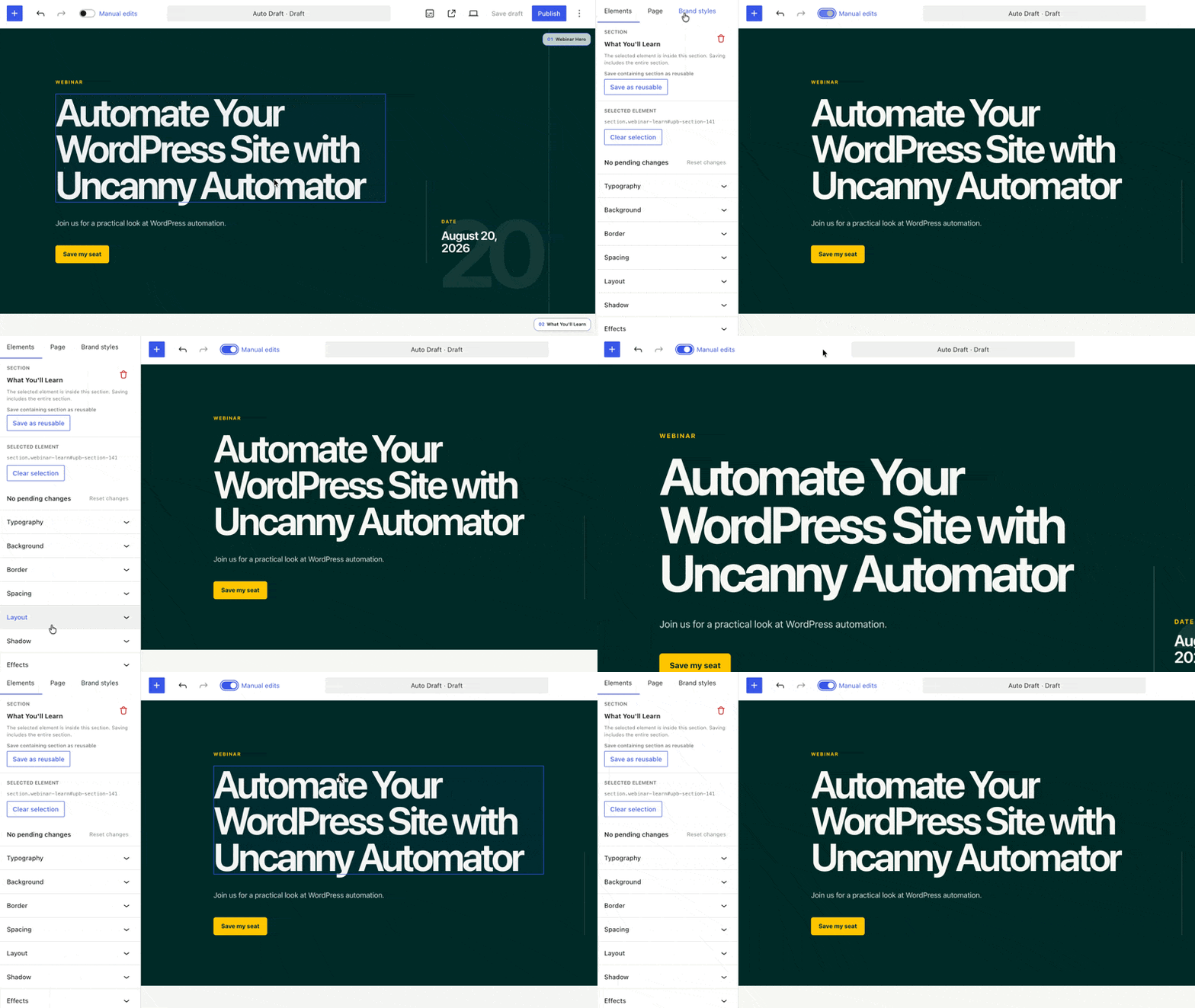
Edit content directly
- Text: click into any text on the canvas and edit it in place.
- Images: select an image and adjust its settings or swap in a different file.
Style any element
Select an element on the canvas and the Elements tab shows exactly what you’ve selected (for example, h1#webinar-title) along with a full style inspector:
- Content — the element’s text and attributes
- Typography — fonts, sizes, weights
- Background, Border, Shadow, Effects
- Spacing and Layout
- Navigator — the element’s place in the page structure
- Where styles come from — see which styles are inherited and from where
- Hover & states — style the hover and focus states separately
The panel also shows the section that contains your selection, with options to delete it or save it as a reusable part.
Preview at any width
Use the device selector to preview and edit at desktop, tablet, and mobile widths — styles can differ per device.
Send it to Uncanny Agent for a polish pass
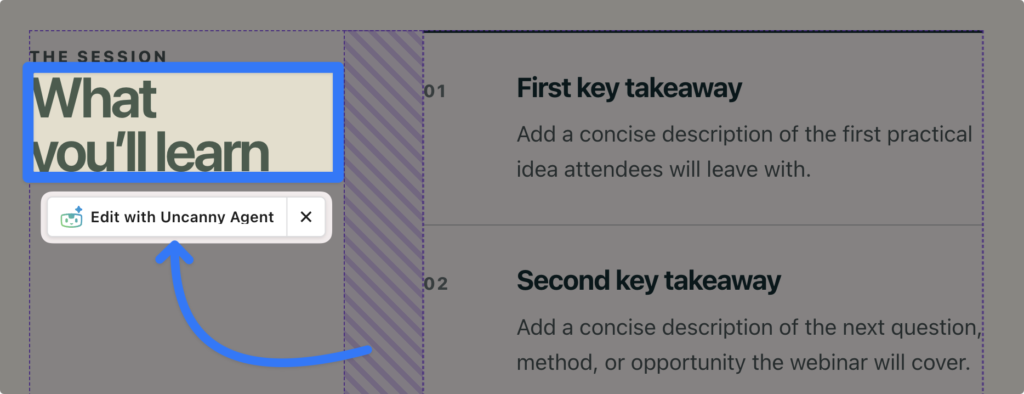
Select any element and click Edit with Uncanny Agent to hand it to Agent — perfect when you can point at what’s wrong but would rather describe the fix: “change the color and font of this text to make it pop visually” or “make this headline more compelling.”
Undo anything
Every edit — yours or Uncanny Agent’s — is undoable. The editor keeps a history of recent changes (up to 30 steps per page), and safeguards prevent Agent from overwriting an edit you just made.
The Manual editor was designed for fine-tuning; for structural changes, redesigns, or new sections, conversation is faster — see Building pages with Uncanny Agent.
























































Comments (0)