

Build a section once and use it everywhere. Uncanny Page Builder supports reusable sections you can insert on any page, and global parts (shared headers and footers managed in one place and used across your site).
Save a section as reusable
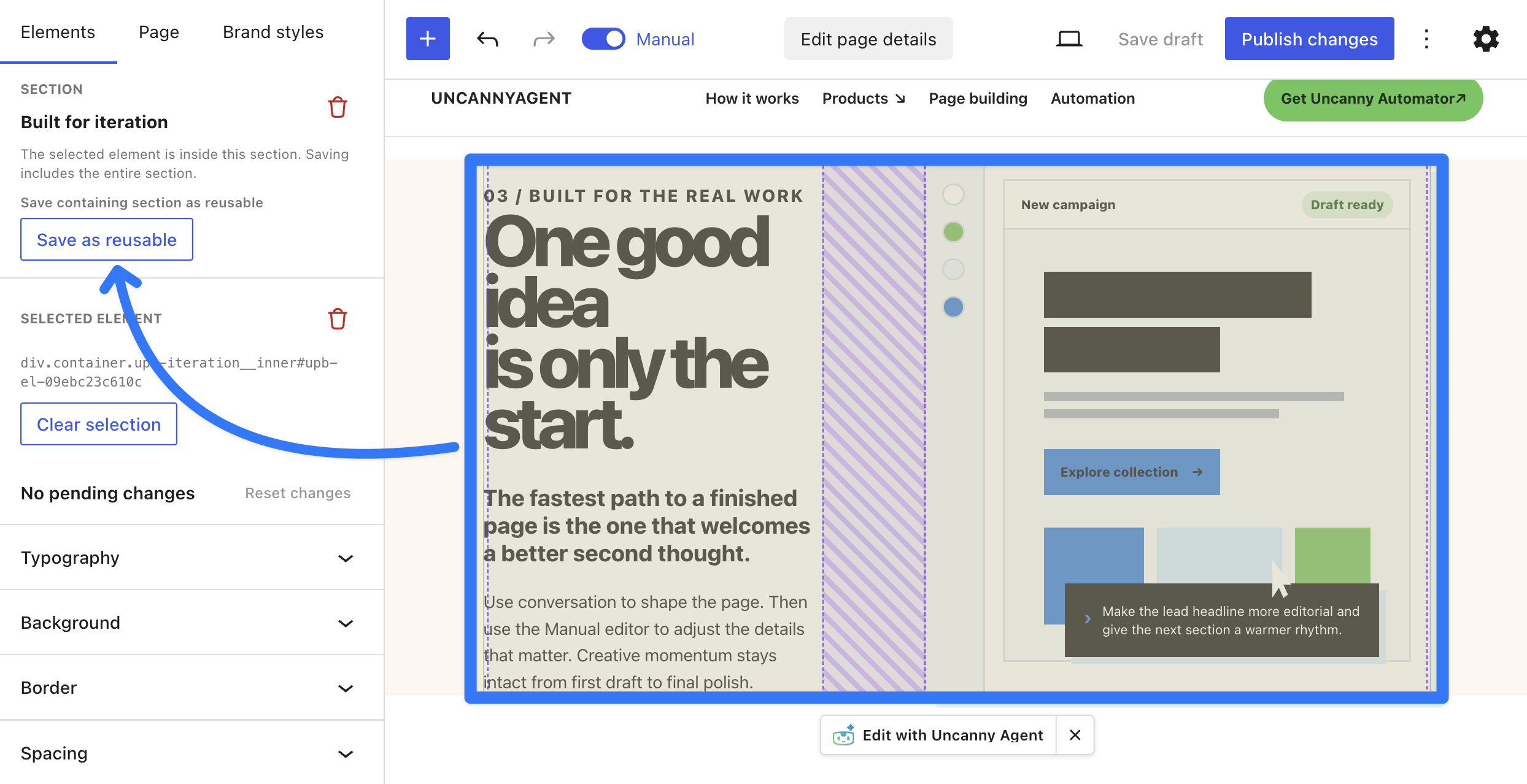
- Turn on the Manual toggle in the toolbar.
- Select any element inside the section you want to reuse.
- In the Elements panel, under the section’s name, click Save as reusable.
The entire containing section is saved as a reusable part. Any section can be converted into a reusable section— a call-to-action banner, a testimonial block, a signup form section.
Insert a saved section
You can ask Uncanny Agent to add a reusable section to any part of your page: “Add my signup section at the bottom of the page,” or, “Add my footer to this page.”
You can also add reusable sections using the Manual editor.
On any page, open the section library:
- On an empty page, click Open library in the Section Library card, or
- Click the Open section library button on the canvas.
Browse your reusable sections and add one to the page.
Shared headers and footers (global parts)
Headers and footers work as global parts: build them once, and every page that uses them stays in sync. When you create a new full-page layout, Page Builder offers your saved header and footer automatically — see Choosing a page layout.
Because navigation can be a live element, a menu in your shared header stays in sync with your site automatically — and Uncanny Agent can update your menus through conversation, too.
Manage your reusable parts
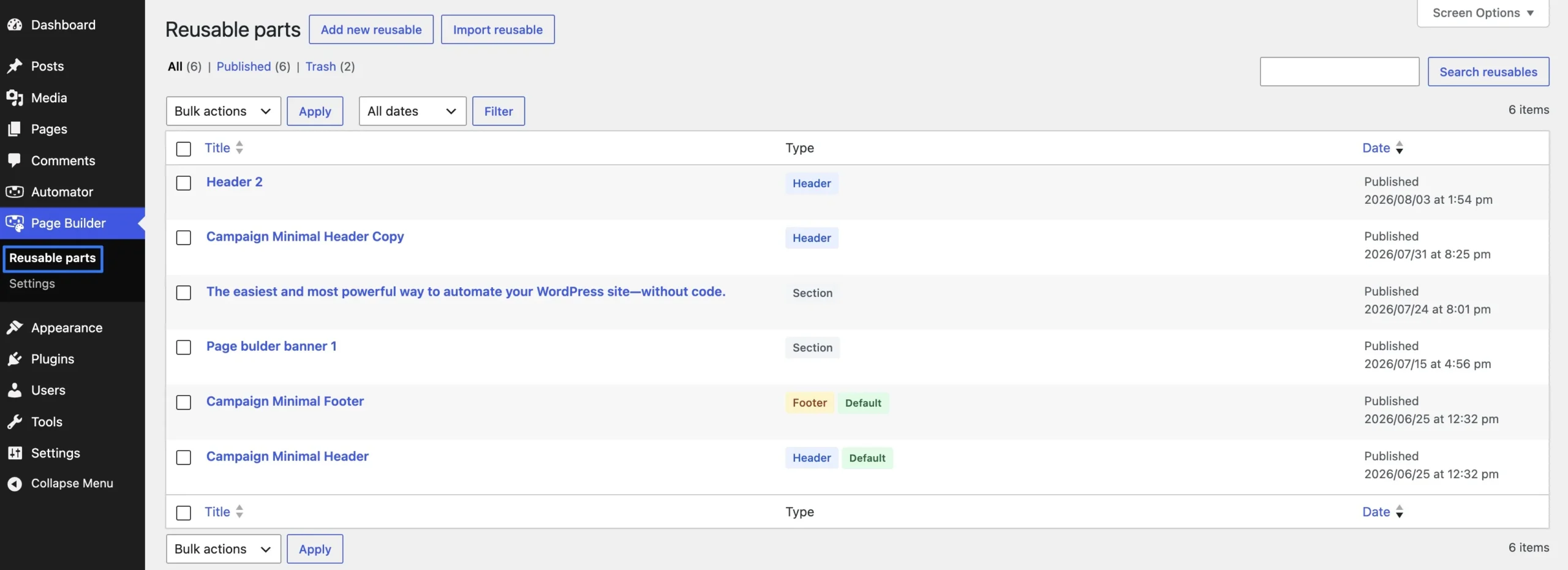
Go to Page Builder > Reusable parts in your WordPress dashboard to see and manage every reusable section and global part on your site. You can also open it from the More page actions menu in the builder.
Related: Adding live content to your pages.
























































Comments (0)