

WordPress webinar and event automation helps you go from planning and promotion to filled seats…
The Complete Guide to WordPress Marketing Automation: Turning Clicks Into Customers
Master WordPress marketing automation. Turn clicks into customers with step-by-step workflows, pro tips, and powerful AI automation for WordPress.
TLDR? Get the highlights:
WordPress marketing automation uses behavior-driven workflows to attract, nurture, and convert site visitors into loyal customers, without manual intervention.
This guide covers what marketing automation actually does and how to set up an automated marketing machine with Uncanny Automator, connecting your CRM, forms, email, and social tools. You’ll get tips and real automations for high-impact workflows.
- Lead generation automations: form-to-CRM sync, discount popups, lead magnets, and more.
- Email campaign automations: drip sequences, win-back flows, birthday and anniversary offers, and post-purchase surveys.
- Segmentation & profiling automations: native WordPress customer segmentation with the User Lists Addon, and progressive profiling with the Custom User Fields Addon.
- Content & social automations: automated social media distribution and AI-powered content creation.
- Webinars & reporting automations: event registration workflows and automated marketing reports.
- Pro tips & frameworks: single source of truth for contact data, purposeful tagging, follow-up sequences, and the R.I.C.H. Framework (FREE download!) for identifying your next automation opportunity.
Introduction: WordPress marketing automations that help you “Work Less. Grow More.”
Your WordPress site was supposed to be a marketing tool that fueled your business’ growth and made your life easier. So… why does it feel like it gave you more work to do?
The short version of the answer: you’re working for your website, instead of the other way around.
Leads come in—and then sit there. Newsletter ideas pile up, and never ship. New content is published without so much as a tweet to promote it. Follow-ups happen (when you have time) and even segmentation sounds great… until you realize you’d have to tag everyone manually.
Those are exactly the kinds of problems that WordPress marketing automation fixes.
Instead of manually pushing every lead through every step, automation helps you build a hands-off path from curiosity to conversion—one where your site responds instantly, your marketing stack stays synced, and your follow-ups run on schedule.
- Forms connected to your CRM capture and segment leads automatically.
- Drip campaigns nurture new subscribers while you sleep.
- Blog posts publish and share across social media channels in one click.
- Customer birthdays and milestones trigger personalized offers that drive repeat purchases.
- Progressive profiling builds richer contact data with every interaction—no extra forms required.
- Re-engagement campaigns that bring back inactive subscribers before they churn.
That’s what an automated marketing stack looks like from the outside. And powering those workflows is Uncanny Automator—a no-code AI and automation plugin for WordPress that connects your CRM, your forms, your project management tools, your team communication hub, your social accounts, and 200+ other tools into workflows that fire without you being in the room.
The rest of this guide shows you how to build it. We’ll cover what marketing automation actually is, what you need to get started, and the specific workflows that deliver the biggest impact—starting today.
What marketing automation actually does (and why it matters more than you think)
If you’ve ever set up a “thank you” email that fires when someone fills out a contact form, you’ve already used marketing automation. That’s the simplest version: one event triggers one response.
WordPress marketing automation scales that logic across your entire funnel.
A subscriber clicks a pricing link → Automator tags them as “high intent” in your CRM and alerts your sales team in Slack. A lead downloads a whitepaper → they’re enrolled in a 5-email nurture sequence. A contact hasn’t made a purchase in 60 days → a win-back campaign launches automatically.
Every workflow follows the same principle: when something happens, do something about it. The difference between a single thank-you email and a full marketing engine is just how many of those “when this → do that” chains you have running simultaneously and how they all work together.
In practice, these workflows fall into two categories.
Audience-facing automations shape what your visitors and subscribers experience—the welcome sequence, the personalized offer, the timely follow-up.
Behind-the-scenes automations shape what you and your team experience—the CRM staying current, the reports landing in your inbox, assets and campaign updates flowing across your team.
Let’s look at both.
Audience-facing: automation across your marketing funnel
Every marketer knows that mantra. Few, however, have the time to actually deliver on it—manually, across every channel, for every contact, every day.
That’s the job automation was built for.
It works at every stage of the marketing funnel, from the first impression to the long-term relationship. In fact, you may already have some audience-facing automations running without thinking of them as “automation”—like a welcome email triggered by a newsletter signup.
Automation tools such as Uncanny Automator, however, integrate your entire marketing stack, expanding the scope of what’s possible far beyond a single email.
Instead of sending the same generic newsletter to everyone, automation can deliver personalized, multi-channel experiences that respond dynamically to what each visitor actually does on your site.
Here’s how automation impacts every stage of the marketing funnel to make it more responsive, more relevant, and far less dependent on you:
- Awareness: Automatically publish new blog content to Facebook, X, LinkedIn, Instagram, Discord, and all your other social media platforms the moment it goes live. Use AI to generate platform-specific content that actually fits each channel. Tag first-time visitors based on their first interaction with your site so you know how best to follow-up with them.
- Interest: When a visitor downloads a lead magnet, signs up for your newsletter, or engages with a popup offer, automation adds them to your CRM, applies the right tags, and kicks off a welcome sequence—immediately. No manual list imports. No 48-hour delay before they hear from you. First impressions happen fast, and automation makes sure yours does too.
- Consideration: Follow up when a subscriber clicks through to a pricing page. Send a “here’s what you missed” email after a webinar. Trigger a case study or comparison guide based on the content they’ve already consumed. Automation keeps your brand helpful and present while prospects are still weighing their options—without your team having to monitor every click.
- Conversion: Deliver a limited-time offer to subscribers who’ve engaged with three or more emails. Send a coupon when someone revisits a product page for the second time. Alert your sales team in Slack the moment a lead hits a scoring threshold. Automation compresses the distance between interest and action—turning warm leads into customers before their attention moves elsewhere.
- Loyalty & advocacy: Send post-purchase thank-yous, birthday coupons, and milestone celebrations on autopilot. Trigger review requests after a successful delivery. Invite your most engaged subscribers into a referral or affiliate program automatically. Automation helps you hold onto the customers you’ve already won and turns them into your most effective marketers.
Behind-the-scenes: the operational work you’ll never do again
Audience-facing automations keep your visitors moving through your marketing funnel. Behind-the-scenes automations do something just as valuable: they keep you moving through your workday.
Because WordPress marketing often spans a half-dozen or more tools—your CRM, your form builder, your analytics tools, your social scheduler, a handful of spreadsheets—it’s easy for leads to slip through the cracks and data to differ.
But automation connects those moving parts so that you get error-free data synchronization, real-time visibility into what’s working, and workflows that run themselves.
Here are some of the most common behind-the-scenes workflows that marketers automate to reduce busywork, eliminate errors, and stay focused on strategy:
- Lead management and CRM sync: Automatically route new form submissions to your CRM, assign lead scores based on behavior, and update contact records as subscribers interact with your emails, content, and offers. No more exporting CSVs, deduplicating contacts, or manually tagging new sign-ups. Your CRM stays current without you touching it.
- Customer segmentation and list hygiene: Use behavioral triggers and custom user fields to automatically segment your audience by engagement level, funnel stage, content interests, lead source, or any attribute that matters to your campaigns. Automation also handles the unglamorous but essential work of keeping lists updated and properly segmented.
- Campaign performance tracking and reporting: With the help of WP Mail SMTP Pro, automatically log campaign events—email sends, opens, clicks, etc.—to Google Sheets, Airtable or your preferred analytics platform. When your CMO or client asks “how did that campaign perform?” you’ll have the answer in seconds, not hours.
- Content scheduling and distribution: Queue up blog posts, social content, and email campaigns in advance—then let automation handle the publishing, the cross-posting, and the internal notifications. Your editorial calendar runs itself, and your team gets a Slack message (or an email, or a Trello card) the moment something goes live.
- Progressive profiling and data enrichment: Every time a subscriber fills out a form, clicks a link, attends a webinar, or visits a specific page, automation can append that data to their contact record. Over time, you build rich, actionable profiles without ever asking someone to fill out a 15-field form. The Custom User Fields Addon makes this natively possible inside WordPress.
- Multi-channel coordination: Running a campaign across email, social, SMS, and your website? Automation ensures every channel fires at the right time, in the right order, with the right message. No more spreadsheets tracking which segment got which email on which day. Build the sequence once, and let it run.
Depending on the automation tool you use and its AI capabilities, you can even generate email subject lines, A/B test variations, and draft campaign briefs—all triggered from within your WordPress dashboard.
Behind-the-scenes automations aren’t just about saving time—they make your marketing more reliable.
When the data entry, the list management, and the campaign coordination are handled automatically, you get fewer mistakes, faster response times, and a clearer picture of what’s actually working so you can double down on the strategies that move the needle.
What you need to automate your WordPress marketing
Here’s a question most marketers don’t ask until it’s too late: how many tools in your stack can actually talk to each other?
You probably have a CRM—HubSpot, ActiveCampaign, Mailchimp, FluentCRM, etc. A form builder—Gravity Forms, WPForms, or Fluent Forms. Social media accounts. Team communication hub. Project management tool. A reporting platform. And your WordPress site sitting in the middle of it all.
Each of those tools is good at its job. The problem is that they operate in silos. Your form captures a lead, but it doesn’t tag them in your CRM. Your CRM segments contacts, but it isn’t integrated with your support plugin or your events management plugin. Your blog publishes a post, but it doesn’t share it on social media.
Uncanny Automator is the layer that connects all of them—the AI and automation plugin for WordPress with 200+ integrations, purpose-built to make your marketing tools work as a single, coordinated system instead of a collection of disconnected dashboards.
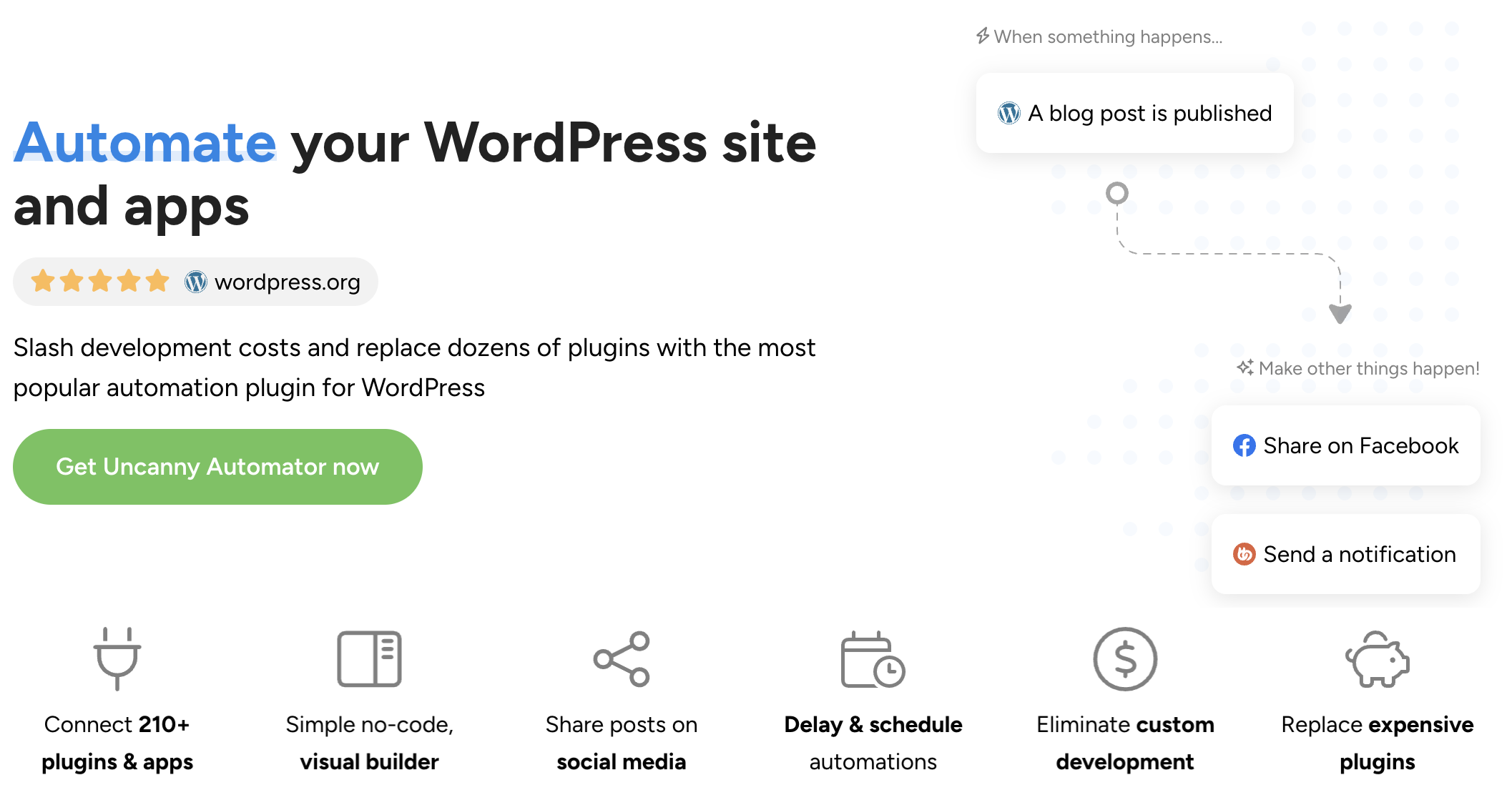
What makes Automator an essential WordPress marketing tool?
WordPress marketers have plenty of automation options. Here’s why Automator earns its place as the center of your marketing stack.
- Deep WordPress integration: Because Automator lives inside WordPress, it sees what third-party tools can’t; which pages a user has visited, which forms they’ve submitted, how often they log in, and what content they engage with. That data feeds directly into your automations—so you can trigger a nurture sequence based on actual behavior, not just list membership.
- Scale your campaigns without scaling your costs. Zapier charges per task. Make charges per operation. Automator offers a low fixed cost—no matter how many workflows you run, how many leads you process, or how many campaigns you launch. For marketing teams running dozens of campaigns simultaneously, or for small, budget-conscious businesses, that pricing model lets you grow without the growing pains.
- Powerful addons: As your marketing matures, Uncanny Automator has an ecosystem of addons to suit your needs. The Custom User Fields Addon lets you collect, store, and manage contact data natively in WordPress and makes it easy to synchronize with your external tools. The User Lists Addon builds audience segmentation into your WordPress dashboard. The Restrict Content Addon lets you gate premium content behind forms, memberships, or other actions—turning your best resources into lead generation tools.
- All of the essential plugin and app integrations: Stop paying inflated costs that cover tools you don’t need and won’t use. Automator has all of the essential integrations for any marketing stack. HubSpot, ActiveCampaign, Mailchimp, Facebook, X, LinkedIn, Instagram, Discord, Zoom, Google Sheets, Slack, ClickUp, Asana, WhatsApp, and many more. For anything else, there’s a simple-to-use webhook integration that brings the web to your website.
- AI integrations to scale with ease: Use OpenAI, Google Gemini, Claude, and other AI platforms to draft email copy, generate social media content, personalize follow-ups, and create landing page copy—all triggered automatically from within your workflows.
The result: a marketing stack where every tool knows what to do when a lead raises their hand—and does it before you even check your dashboard.
Get started with Uncanny Automator
There’s an automated future filled with all of the benefits that we’ve been talking about just a few short clicks away.
But, just before we get into the details, let’s get you set up with Uncanny Automator.
Claim your Pro license. Reclaim your time >>>
- From your WordPress Admin Dashboard /wp-admin/, navigate to Plugins > Add new. In the search bar, enter “uncanny automator” and click Install and Activate. (This installs the free version of Uncanny Automator which must be active to use Automator Pro features.)
- Purchase your Automator Pro license from the Automator pricing page.
- Once purchased, you can download the latest version of Uncanny Automator Pro inside your Automator account.
- After downloading the .zip file, navigate to Plugins > Add New in /wp-admin/. Click the Upload Plugin button, select the Pro .zip file then install and activate the plugin.
- Once activated, be sure to visit Automator > Settings in /wp-admin/ to enter your license key (in your purchase confirmation email).
For a more detailed walkthrough, click here.
Where to start & the marketing automations that convert clicks into customers
Automator is live on your site. Now the question is: where do you start?
Whether you’re a solo marketer, running a small team, or part of an enterprise-level operation, start where the pain is sharpest.
If leads are coming in but nobody’s following up, build the form-to-CRM-to-welcome-email pipeline first. If you’re publishing content that nobody sees, build the publish-to-social automation. If your email list is growing but engagement is flat, build a segmentation and drip workflow.
If you’re a marketing team with defined campaigns, start at the top of the funnel and automate downward—capture, then nurture, then convert, then retain.
Either way, the automations below are the ones marketers build first. They’re organized by function, not by difficulty, so jump to whichever section matches your most pressing need.
Lead Generation & Nurturing
Automations that turn anonymous visitors into identified, qualified leads.
Automating WordPress Lead Generation: A Comprehensive Guide (+ Best Practices)
Manual lead generation is a resource drain—think data entry, follow-up emails, and qualifying prospects one by one. This guide walks you through automating your entire lead capture pipeline, from form submissions and popup opt-ins to CRM synchronization and lead scoring. You’ll also learn best practices for lead qualification and nurturing that scale as your business grows.
How to Generate More Leads with Your WordPress Form Plugin & Automator
Your form builder collects data—but what happens after someone clicks “Submit”? This guide shows you how to connect WordPress form submissions to CRMs like HubSpot and Groundhogg, auto-tag leads based on form responses, and trigger incentive workflows like survey coupons that turn a simple submission into a qualified sales opportunity.
How to Create Discount Popups: Generate Leads & Drive Conversions
Discount popups convert 3–5% of visitors on average—and the best campaigns hit 9–11%. Learn how to design high-converting popups with OptinMonster and use Automator to generate and email unique, single-use coupon codes to each new subscriber automatically. One workflow. Two outcomes: a bigger email list and more first-time buyers.
How to Identify Anonymous Visitors and Recover Lost Opportunities
Anonymous visitors are often your most promising leads—actively browsing, reading your content, maybe even revisiting specific pages. This guide covers proven methods to track, identify, and convert unknown visitors into contacts using IP logging, progressive profiling, and smart lead capture automations that build rich profiles over time.
How to Automate New Customer Onboarding
Don’t leave your newest customers out in the cold. Learn how to create automated onboarding sequences that make your customers feel at home while providing them with crucial information and resources.
Email Campaigns, Drip Sequences, & Segmentation
Automations that nurture leads and keep your audience engaged through targeted, behavior-driven email workflows.
8+ WordPress Marketing Automations That Will Boost Conversions
From welcome sequences and drip campaigns to re-engagement flows and birthday offers, this guide walks you through the highest-impact marketing automations for WordPress. You’ll learn how to set up behavior-triggered emails that send the right message at the right time, personalize content with CRM data, and build workflows that convert—all without writing code or hiring a developer.
Launch Email Campaigns and Drip Sequences Without a CRM
Just because you don’t have a CRM doesn’t mean you can’t market like a pro. Learn how to use Automator’s native Email integration along with features like filters and delays to create fully automated campaigns. Additionally, figure out how to track email opens and clicks, all from your WordPress dashboard.
How to Automate Win-Back Campaigns
Breakups don’t have to be permanent. Nearly half of inactive subscribers can be re-engaged with a well-structured campaign—and re-engagement costs five times less than acquiring a new lead. This guide shows you how to automatically identify lapsed contacts and launch multi-channel win-back campaigns complete with personalized incentives, whether you’re working from WordPress or your CRM.
How to Automate Birthday and Anniversary Offers
Birthday emails average 45–79% open rates and convert at up to 11.6%. Those aren’t vanity metrics—they’re revenue waiting to be captured. Learn how to collect customer milestones, store them in WordPress with the Custom User Fields Addon, and automatically deliver personalized coupons or loyalty points on exactly the right day—without lifting a finger.
How to Automate Post-Purchase Surveys and Campaigns
The post-purchase period is one of the most valuable moments in your customer lifecycle. This guide shows you how to trigger survey invitations via email, SMS, or WhatsApp—and use incentives like coupons or loyalty points to turn customer feedback into progressive profile data and repeat purchases.
Social Media & Content Distribution
Automations that amplify your content reach across social channels without manual posting.
How to Automate Social Media Marketing in WordPress
Publishing a blog post, releasing a new product, or scheduling a new event is just the beginning. This guide shows you how to automatically push new content to Facebook Pages, X, LinkedIn, Instagram, and Discord the moment it goes live—plus how to use AI to tailor captions for each platform. No more logging into five different accounts to share one piece of content.
How to Use AI Writing Tools in WordPress: Generate Blog Posts, Images, and Social Content Automatically
AI-powered content creation is no longer a luxury—it’s a workflow accelerator. Learn how to use OpenAI, Claude, or your preferred AI platform and Uncanny Automator to generate blog posts, SEO meta descriptions, featured images with DALL·E, and platform-specific social media copy without leaving your WordPress dashboard. From ideation to publication, all in one tool.
Generate Eye-Popping AI Images That Enhance Your Marketing Efforts
Your marketing game is strong—but it could be stronger. Learn how to automatically generate AI images in your WordPress dashboard to drive engagement with your marketing campaigns. Whether it’s product images or page backgrounds, get exactly the images you need to make your campaigns pop off the page.
Webinars, Events & Community
Automations that turn events into lead generation engines and community-building tools.
How to Create QR Codes With Automator for Seamless Event Experiences
QR Codes aren’t just functional ways to register users, transfer data, or direct leads to specific pages. Using Automator’s native QR Code integration, you can turn a simple barcode into a marketable asset that boosts engagement—and you’ll never have to even know what “QR” stands for.
How to Create Social Proof Notifications That Build Trust
Social proof is the digital marketing equivalent of word-of-mouth. Show your leads how engaged and active your community is with automated social proof notifications. Every time someone registers for an event, purchases a product, or completes an action on your site, show a little message that encourages others to do the same.
Reporting & Analytics
Automations that help you get data-driven insights without the data-entry doldrums.
How to Track Email Opens and Clicks in Google Sheets
Which emails are getting opened? Which links are getting clicked? And which campaigns are falling flat? This guide shows you how to use Automator’s WP Mail SMTP Pro integration to automatically log opens, clicks, and engagement data to Google Sheets, giving you a real-time campaign performance dashboard without paying for a third-party analytics tool.
How to Log Form Submissions to Google Sheets
Every form submission is a data point—a new lead, a survey response, a support request, an event or webinar registration. This guide walks you through connecting any WordPress form builder to Google Sheets with Automator, so every submission is captured, timestamped, and organized automatically. No CSV exports. No copy-pasting. Just clean, queryable data that’s ready when your next campaign report is due.
The Ultimate Guide to WordPress Email Tracking
Open rates and click-throughs are only useful if you can actually see them—and action them. This comprehensive guide covers everything you need to track email performance in WordPress, logging engagement data for segmentation, and make data-driven decisions.
Everything else
Not sure what to automate next? Here at Uncanny Automator, we developed the R.I.C.H. Framework to help businesses like yours identify opportunities for automation.
The concept is pretty simple. Any task that satisfies one or more these criteria is ready to be automated:
- Repetitive: Tasks, particularly unavoidable ones, that you perform over and over again.
- Iterative: Tasks that you can and/or do perform across any measurable number of records (customers, products, etc.).
- Costly: Tasks that consume significant resources, namely time and money.
- Hard: Tasks that are complex and prone to human error.
Here’s a freebie to help you: Preview and use the R.I.C.H. Framework template.
Pro tips for automating your WordPress marketing
These are the patterns we see again and again in high-performing WordPress marketing stacks. Not gimmicks. Not “growth hacks”. Just the principles that turn automation from a toy into something that actually moves the needle.
1. Start with 1–2 critical automations—not a full funnel (yet)
The marketers who see results fastest don’t build a giant flowchart on day one. They pick the highest-leverage workflows first.
For most WordPress sites, those are:
- A multi-email welcome or onboarding sequence
- A cart abandonment or lead abandonment sequence
That’s it.
Only after those are performing do they layer in post-purchase upsells, win-back campaigns, review requests, campaign-specific funnels, and lifecycle expansions.
This keeps you focused on outcomes—leads, sales, retention—instead of endlessly tinkering with automation logic. Build the workflows that protect revenue first. Then expand.
2. Use real WordPress behavior as your trigger set
Strong WordPress marketing automation doesn’t start with “someone joined a list”. It starts with what actually happened on your site.
High-performing marketers trigger automations based on:
- New user registrations
- Specific form submissions
- Viewing key content
- Adding to cart
- Completing an order
- Visiting pricing pages multiple times
When your automation engine listens to real on-site events, timing and relevance improve dramatically.
Instead of sending everyone the same 7-day email sequence, you send messages based on what people actually do.
That’s the difference between generic automation and behavior-driven marketing automation for lead generation.
3. Tag and segment aggressively from day one
Segmentation isn’t an upgrade you add later. It’s infrastructure.
Marketers who consistently outperform treat tagging as a core asset. From the beginning, they tag based on:
- Source: lead magnet, ad campaign, webinar, organic, referral
- Intent: product viewed, demo requested, pricing page visit
- Lifecycle stage: lead, MQL, customer, repeat buyer
Then they use those tags to change offers. Cold traffic gets low-friction educational content. High-intent visitors get direct trial invites or limited-time discounts.
Over time, this compounds. Every broadcast gets more targeted. Every automation gets smarter. And your revenue per subscriber increases.
4. Keep your stack lean and deeply integrated
Experienced WordPress marketers often under-tool rather than over-tool.
They make a few tools talk to each other extremely well instead of stitching together five overlapping plugins. Here’s what a common winning setup looks like:
- WordPress + WooCommerce + CRM integration + one automation layer
What they avoid:
- Three different popup tools
- Two separate form plugins
- Competing tagging systems
- Disconnected reporting dashboards
Fragmentation kills attribution. It kills reporting. And it makes debugging a nightmare. Depth of integration almost always beats the number of tools in your stack.
5. Design funnels visually and add emails to each stage
The marketers running complex funnels don’t manage them in spreadsheets. They map them visually:
Opt-in → Offer → Checkout → Upsell/Downsell → Thank-you
Then they attach automations directly to each step:
- Abandonment emails
- Post-purchase follow-ups
- Upsell reminders
- Cross-sell campaigns
When you can see the entire journey at once, you immediately spot gaps.
- No follow-up after someone views an upsell? Build that automation.
- No reminder after course enrollment? Add that action.
- No expansion sequence after first purchase? Design the campaign.
Visualizing the funnel makes optimization obvious—and it makes your system understandable to non-technical team members.
6. Build around lifecycle stages, not just campaigns
Campaign thinking is short-term. Lifecycle thinking is sustainable.
High-performing WordPress marketing automation systems are mapped to time and behavior markers:
- First 7 days after signup
- First 30 days after purchase
- 90-day inactivity window
- Subscription renewal date
- Membership expiration
When automation aligns with lifecycle stages, your messaging evolves as your list ages instead of becoming irrelevant noise.
7. Personalize with simple rules before getting fancy with AI
The marketers who see real ROI from personalization usually start simple. High-impact rule-based examples:
- Switch email content based on product category viewed
- Show different lead magnets to logged-in vs logged-out users
- Recommend related products after a purchase
- Change CTAs based on lifecycle stage
These simple rules often deliver the majority of the lift. Only after segments and event data are clean do advanced teams add AI tools for things like cop generation and analysis.
Simple rule-based personalization gets you most of the win with a fraction of the complexity.
8. Monitor deliverability and unsubscribes as your list grows
Automation doesn’t work if your emails don’t land—or if your audience gets annoyed.
Experienced marketers treat “don’t annoy people” as a strategy. That means:
- Reasonable email cadence
- One clear purpose per email
- Easy unsubscribe and preference options
- Consistent “from” names
- Authenticated sending domains
- Clean, mobile-friendly templates
- Regular pruning of inactive subscribers
Good UX reduces spam complaints. Good deliverability protects sender reputation.
9. Optimize for revenue, not just “vanity” metrics
Open rates are interesting. Clicks are exciting. Revenue per contact, however, is actionable.
Marketers who optimize effectively track:
- Revenue per subscriber
- Revenue per automation (e.g., abandoned cart vs. post-purchase flow)
- Average order value by funnel
They favor setups that can attribute revenue to specific campaigns and workflows—using UTM tracking, funnel dashboards, and order-level attribution.
Once you can see which automations actually generate revenue, prioritizing your next optimization becomes obvious.
Automation isn’t about doing more. It’s about building the workflows that produce measurable financial impact, then doubling down on what works.
Final steps: Work less. Convert more.
The gap between a WordPress site that collects leads and a WordPress site that converts them is automation. Not more tools. Not more time. Just the workflows that connect what you already have into a system that responds faster and more consistently than any human team could.
Start with the one workflow that’s costing you the most leads right now. Build it. Let it run. Then build the next one.
That’s how a marketing stack becomes a marketing machine—one automation at a time.
Get started with Uncanny Automator >>>
Until next time, happy automating!
Frequently asked questions about WordPress marketing automation

Related Posts






















































This Post Has 0 Comments