

How do you know when it’s time to start automating your WordPress tasks? And which…
Personal Learning Paths in eLearning
TLDR? Here are the takeaways…
Uncanny Automator lets you create fully automated personal learning paths in WordPress—no code, no hidden fees, no custom development. Just results.
Personal learning paths deliver:
- improved retention rates,
- improved learner engagement,
- higher ROI for training and development, and
- better outcomes for learners.
In this guide, I’ll show you how to create personal learning paths and give you some ideas for creating new learning experiences.
↓ Jump ahead—show me how now! ↓
Everyone learns differently—so why do so many online courses treat every learner the same?
Personalized learning paths allow you to guide each student to the right lesson, the right activity, and the right next step based on what they know, how they perform, and what they need.
But here’s the catch: most WordPress LMS plugins can’t build truly dynamic, automated paths on their own.
That’s where Uncanny Automator comes in. With no-code automations and AI integrations, you can create automated personal learning paths in your WordPress LMS. No expensive custom development or complicated workarounds.
In this guide, I’ll show you how personalization improves engagement, retention, training, and even ROI. You’ll see how to start building personalized learning experiences in WordPress using Automator (plus a few ready-to-steal ideas you can implement in just a few minutes, starting today).
Let’s get personal.
Personalized Learning Paths by the Numbers
Personalized learning paths aren’t just a “nice-to-have” feature—they deliver measurable improvements across education and corporate training.
When learning adapts to the individual, learners stay engaged longer, retain more information, and produce better outcomes, while organizations see stronger returns on their training investments.
Improved Retention
Retention is one of the clearest wins of personal learning paths. Learners in personalized learning programs score up to 30% higher on standardized tests than those in traditional, one-size-fits-all environments.
By tailoring content to a learner’s current knowledge and progress, personalized paths reduce cognitive overload and reinforce concepts at the right time. In other words, personalization = permanence.
Improved Engagement
Engagement rises dramatically when learners feel seen. Studies show that 75% of students in personalized learning environments report feeling engaged, compared to just 30% in traditional settings.
Adaptive paths keep learners moving forward with relevant content, reducing boredom, frustration, and dropout rates while increasing motivation and participation.
Better ROI for Corporate Training
For organizations, personalization translates directly into ROI.
Personalized digital learning initiatives report returns as high as 353%, or $4.53 for every dollar invested. Personalized learning paths minimize wasted training time, accelerate skill acquisition, and ensure learners focus on the content that makes the biggest impact on performance metrics.
Better Outcomes for Learners
Personalized, AI-enhanced learning improves outcomes by up to 30% compared to traditional approaches. By responding dynamically to learner behavior and performance, personalized paths help learners master skills faster, build confidence, and apply knowledge more effectively in real-world scenarios.
How to Create Personalized Learning Paths in WordPress
Creating personalized learning paths in WordPress isn’t something most LMS plugins can do on their own. That’s why we built Uncanny Automator.
Uncanny Automator: eLearning, Unleashed
Uncanny Automator is the #1 automation and integration plugin for WordPress sites.
For WordPress users with an LMS like LearnDash, TutorLMS, or MemberPress Courses, Automator is a game-changer.
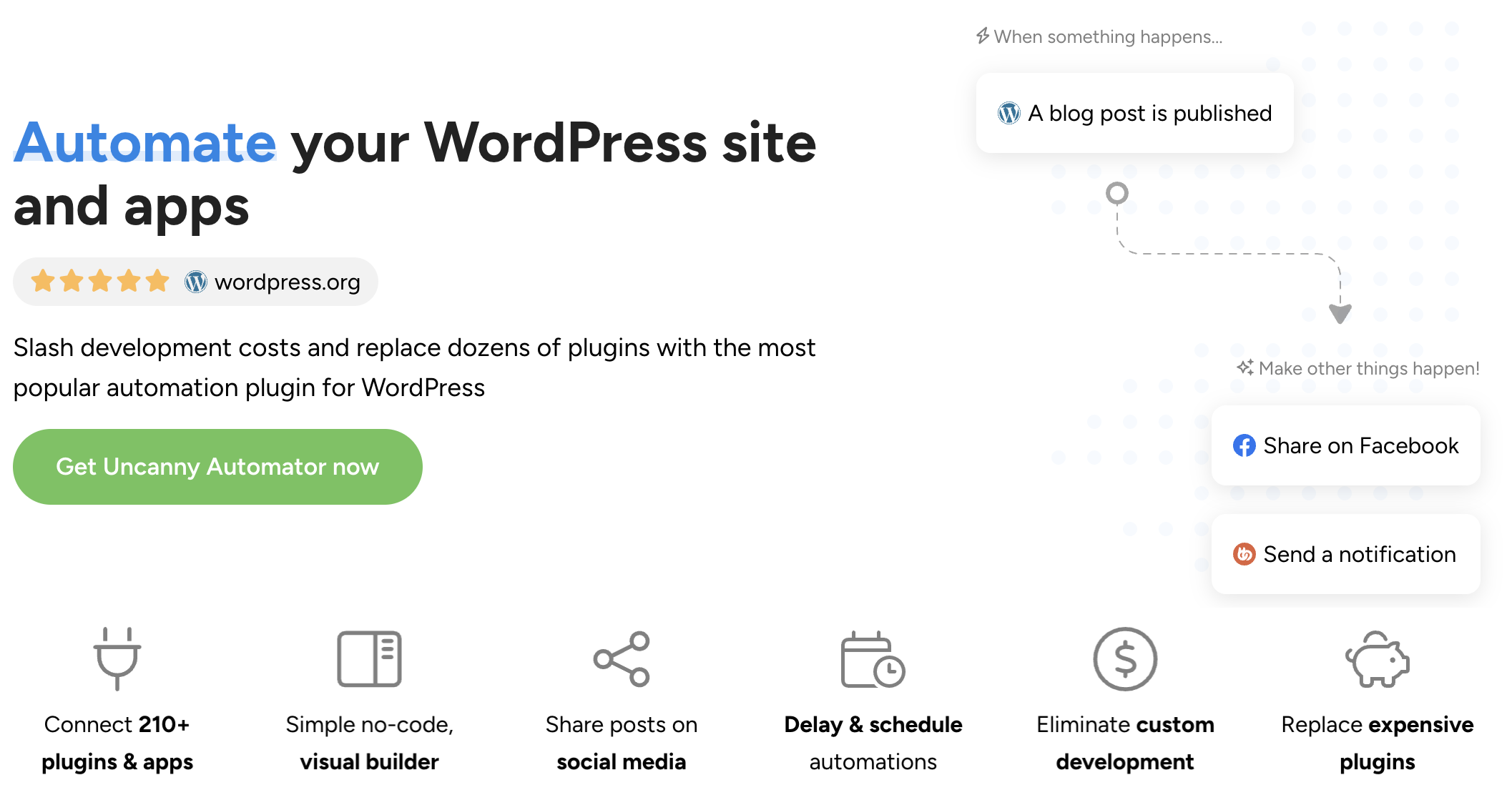
Instead of delivering the same boilerplate experience to every learner—or shelling out thousands of dollars for custom development—Automator brings the power of customization to your fingertips. No code. No hidden costs.
Here’s how Automator unleashes the full potential of your WordPress LMS:
- Filters and Conditions: At its core, personalization in elearning comes down to creating different paths. Using filters with conditions that you define, you can send learners down the path that is best-suited to them without manually sorting them yourself. Whether it’s speeding up course completion for advanced learners or scheduling one-on-one time with an instructor after a poor quiz result, filter your learners automatically.
- AI Integrations: Automator integrates with leading AI tools—including ChatGPT, Claude, and Perplexity—so learning paths don’t just branch; they adapt. You can generate personalized explanations, summaries, feedback, or next-step recommendations based on quiz results, lesson progress, or learner behavior—automatically.
- Dynamic Content Addon: With Automator’s Dynamic Content Addon, you can display personalized content directly inside lessons or on a learner’s account page. Combined with real-time learner data and AI responses, you can even create personal tutors!
- eLearning Ecosystem: Automator works alongside other Uncanny Owl tools like Tin Canny Reporting, Uncanny Redemption Codes, and Toolkit Pro to further enhance the elearning experience. Whether you’re looking for deeper insights or more flexible enrollment options, there’s an Uncanny ecosystem to help you flesh out your LMS.
The result? Personalized learning paths that are automated, scalable, and surprisingly simple to build.
Build personalized learning paths with Automator >>>
Step-by-Step: Personalized Learning Paths in WordPress
In this section, I’ll walk you through setting up your first personal learning paths in your WordPress LMS.
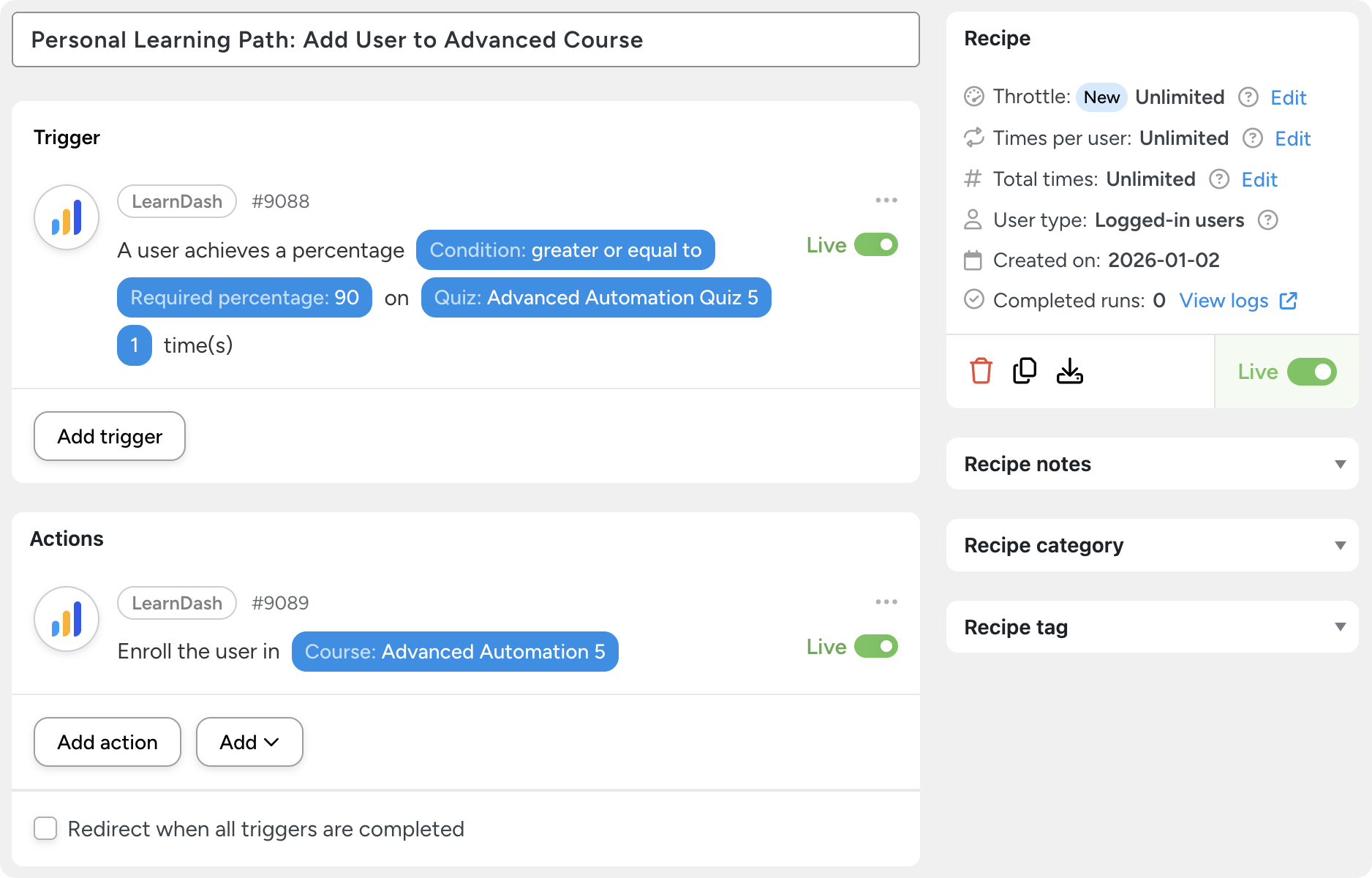
In the Automator recipe pictured above, any learner who completes a quiz with a score of 90% or more will automatically be enrolled in an advanced course.
Before I show you how to create a recipe like that one, you’ll need to install Uncanny Automator.
Installing Uncanny Automator:
- From your WordPress Admin Dashboard /wp-admin/, navigate to Plugins > Add new. In the search bar, enter “uncanny automator” and click Install and Activate. (This installs the free version of Uncanny Automator which must be active to use Automator Pro features.)
- Purchase your Automator Pro – Elite license from the Automator pricing page.
- Once purchased, you can download the latest version of Uncanny Automator Pro inside your Automator account.
- After downloading the .zip file, navigate to Plugins > Add New in /wp-admin/. Click the Upload Plugin button, select the Pro .zip file then install and activate the plugin.
- Once activated, be sure to visit Automator > Settings in /wp-admin/ to enter your license key (in your purchase confirmation email).
For a more detailed walkthrough, click here.
Now that you have Automator installed and activated on your WordPress site, it’s time to create your first personal learning path.
Step 1: Create a New Recipe
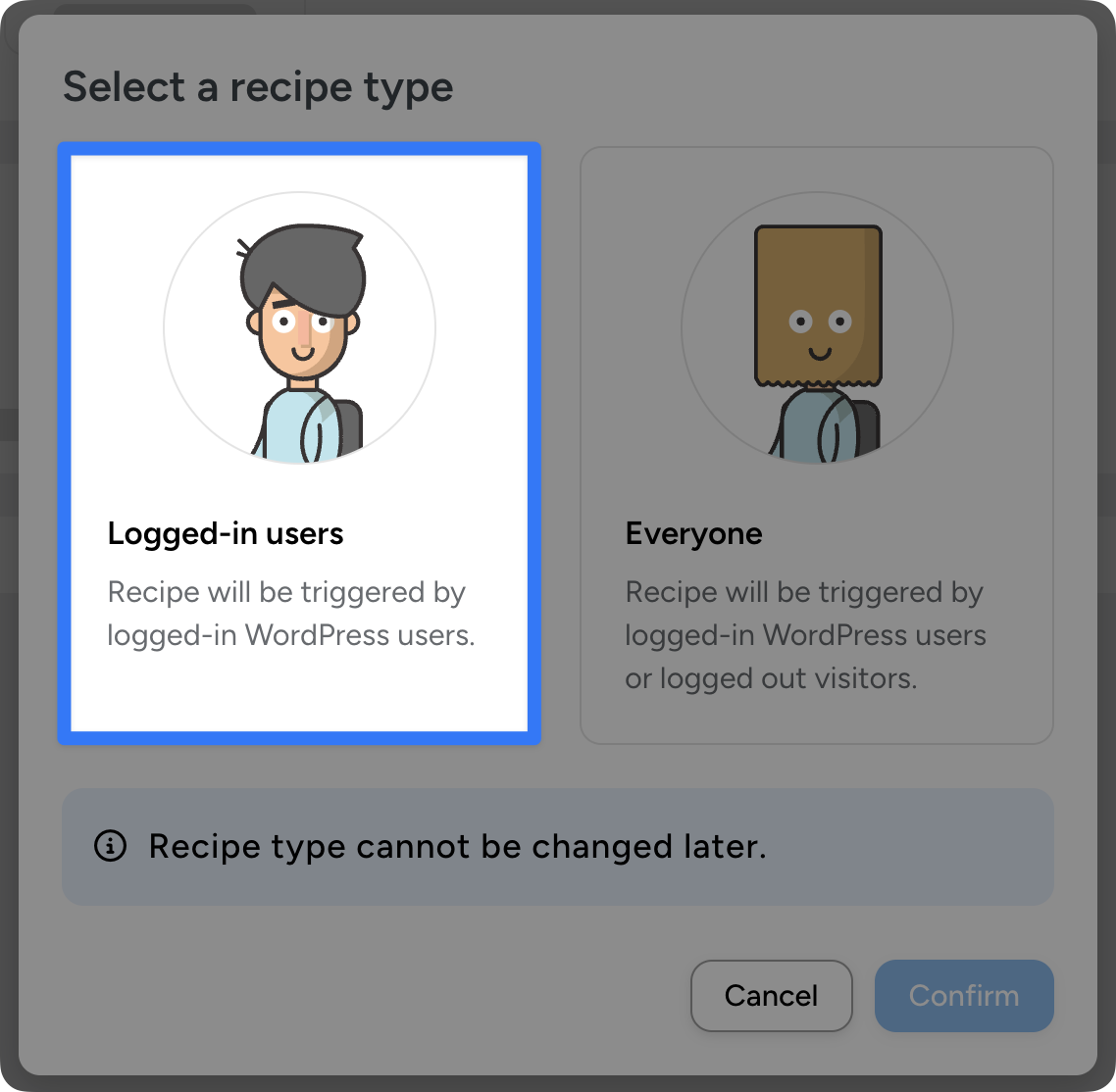
From your WordPress Admin Dashboard, navigate to Automator > Add new recipe. In the modal that appears, select Logged-in users.
Step 2: Name Your Recipe
Give your recipe a name that makes it easy to recognize at a glance. For example, I have named this recipe, “Personal Learning Path: Add User to Advanced Course”.
Step 3: Configure Your Trigger(s)
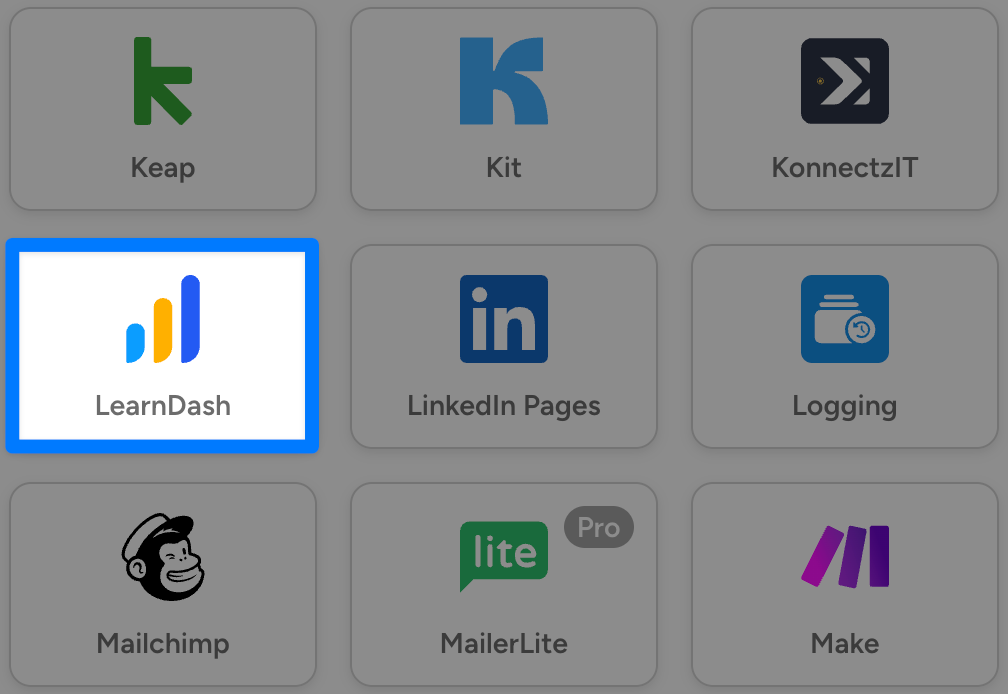
In the Trigger panel, from the menu of available integrations select LearnDash.
From the dropdown list that appears, select A user achieves a percentage that is greater than, less than, or equal to a value on a quiz.
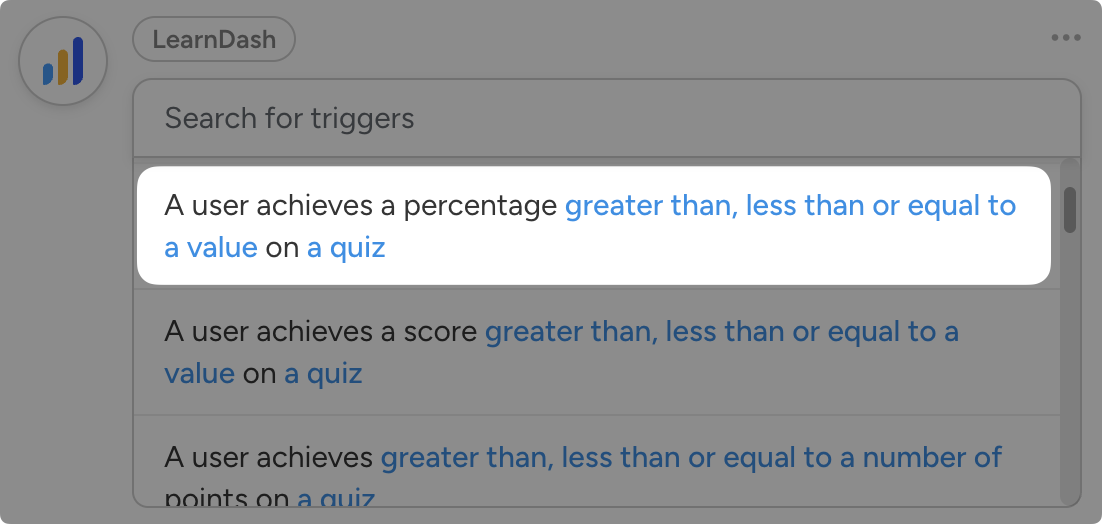
Automator will prompt you to select the Condition, Required percentage, and Quiz. Once you’re done, click Save.
Step 4: Configure Your Action(s)
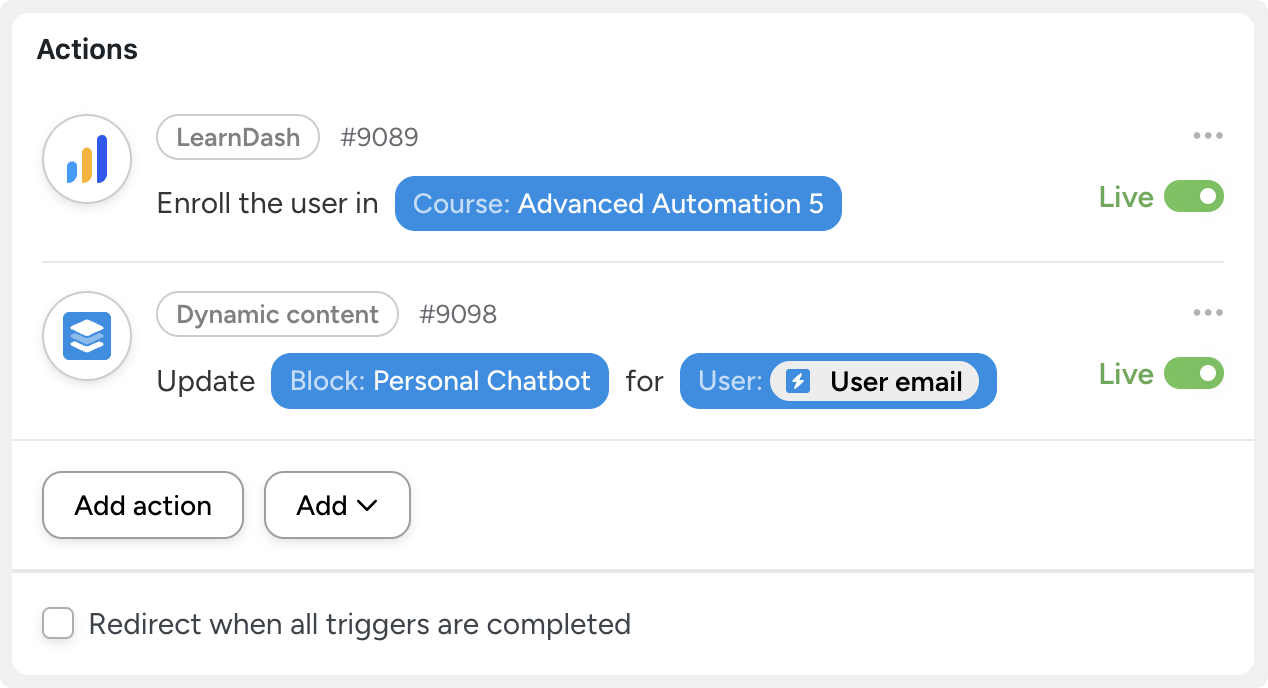
In the Actions panel, click Add action and select LearnDash. From the dropdown list that appears, select Enroll the user in a course.
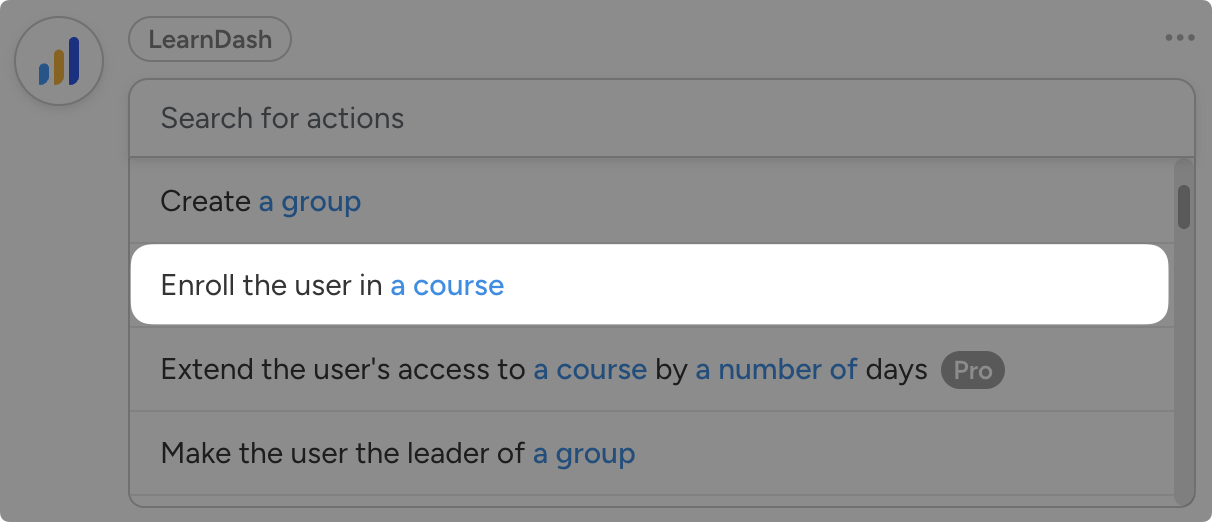
Automator will prompt you to select a course. Once you’re finished, click Save.
Step 5: Go Live!
You’re just about ready to create your first personalized learning pathway. All you have to do is toggle the recipe from Draft to Live.
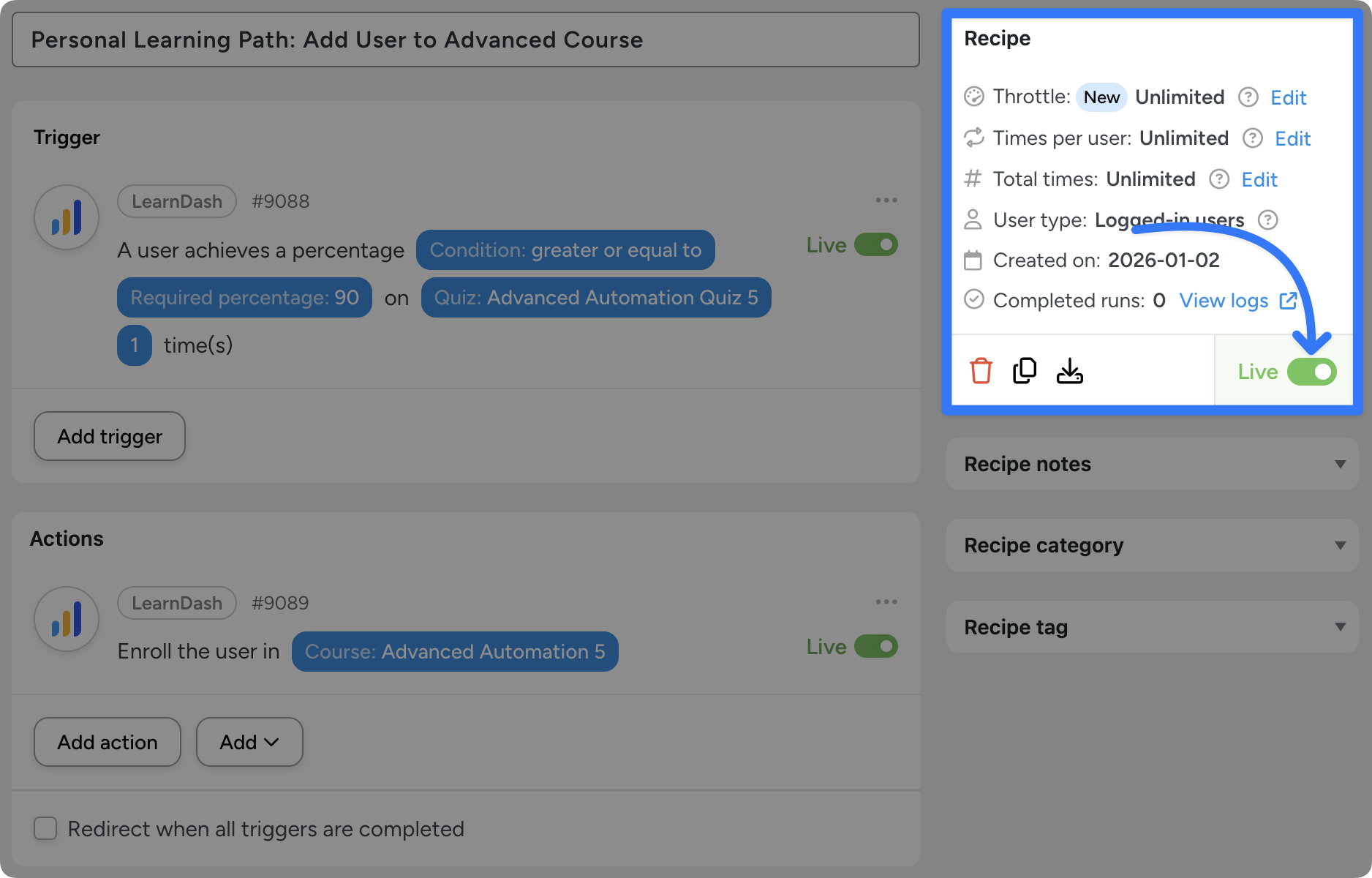
That’s it! You’ve just created your first automated personalized learning path in WordPress. But this really is just the tip of the iceberg.
In addition to enrolling users in more advanced courses, you can mark the less advanced courses as “complete”.
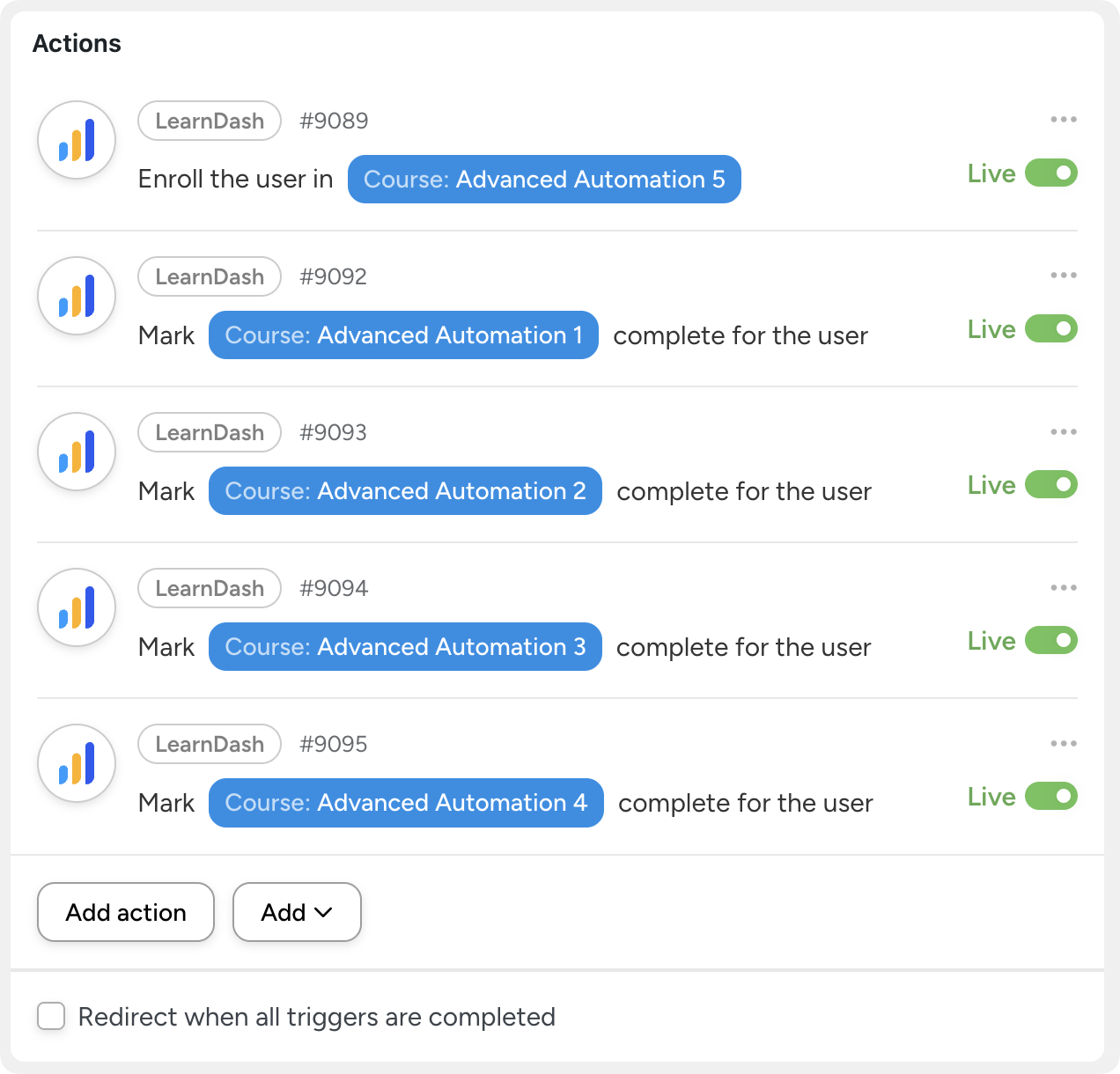
Alternatively, you can update the user’s personal Dynamic Content block, presenting them with a message that they have been enrolled in an advanced course. This way your learners never have to leave the site and can continue their learning journey uninterrupted.
More Personalized eLearning Paths for WordPress
Now that you’ve built your first automated personalized learning path, the real fun begins.
With Uncanny Automator, personalization isn’t limited to a single branching rule—it’s a framework you can extend in dozens of meaningful ways to support how people actually learn.
Below are a few high-impact examples you can start implementing today.
Create Spaced Repetition Learning Paths
Learning doesn’t end when a course is completed. With spaced repetition paths, you can automatically reinforce key concepts days or weeks later—right when learners are most likely to forget them.
Automator lets you trigger follow-up quizzes, lessons, or reminders on a schedule, helping learners retain information long after the initial training ends.

Create Spaced Repetition Learning Paths With Automator >>>
Create AI-Powered Learning Paths and Course Content
With Automator’s AI integration powering your personal learning paths, your learners get their own TA and tutor.
Based on quiz results, lesson completions, or learner behavior, Automator can generate personalized explanations, summaries, or recommendations in real time. This makes learning feel conversational and adaptive—closer to a personal tutor than a static course.

Create Fully Automated, AI-Powered Personal Learning Paths >>>
Create Personalized Content With the Dynamic Content Addon
Sometimes personalization isn’t about where learners go next—it’s about what they see right now.
Using Automator’s Dynamic Content Addon, you can display different messages, resources, or guidance inside lessons or dashboards based on each learner’s data. The result is a single course that feels custom-built for every learner who takes it.
Personalize Course and Site Content With Automator >>>
These approaches all build on the same foundation: automated logic, real learner data, and flexible integrations. Mix and match them, and your WordPress LMS becomes a truly adaptive learning environment—not just a course library.
If you’re still looking for more ways to create better learner experiences, check out these 15 easy ways to automate your LearnDash LMS.
Frequently Asked Questions
Conclusion
Personalized learning paths aren’t just a trend—they’re a proven way to improve engagement, retention, learner outcomes, and even ROI. The challenge has never been why personalization matters, but how to implement it effectively in WordPress.
With Uncanny Automator, you don’t have to choose between flexibility and simplicity. You can automate personalized learning paths that adapt to each learner, scale effortlessly, and integrate seamlessly with your existing LMS and other tools.
If you’re ready to move beyond one-size-fits-all courses and start building learning experiences that truly adapt to your learners, Uncanny Automator gives you everything you need to make it happen.
Start automating eLearning with Automator >>>
Until next time, happy automating!

Related Posts






















































This Post Has 0 Comments