

Upgrade your upsells. Get the only WordPress plugin that can create WooCommerce upsell automations such…
6+ Automated Membership Retention Strategies to Keep Members Coming Back
Struggling with member churn? Get started with these proven, automated membership retention strategies for WordPress right now with Uncanny Automator.
TLDR? Get the highlights…
These 6+ automated membership retention strategies will keep your members engaged and subscribed.
- Automated onboarding sequences get members started on the right foot.
- Keep members engaged with new content and exclusive events.
- Personalize member experiences with behavioral tracking and deep data integration.
- Track progress and reward loyalty with an automated program.
- Prevent churn before it happens with proactive workflows.
- Automatically collect feedback through surveys and adapt to changing demands.
- When all else fails, launch high-converting winback campaigns.
Get started with Uncanny Automator to improve WordPress membership retention.
Here’s the problem that likely brought you here: membership retention is costly and hard. And trying to replace that lost revenue is equally challenging. Every canceled subscription represents lost recurring revenue and an uphill battle to replace it.
So, for WordPress membership sites, churn isn’t just frustrating—it’s expensive.
As a WordPress company ourselves, we know the challenge well; we want to keep engagement high and churn low.
In our experience, we’ve found that the key to membership retention is consistent communication, personalized experiences, and meaningful incentives.
Of course, these are all things that are difficult to deliver manually at scale. That’s where automation comes in.
With Uncanny Automator, you can build powerful, behavior-based retention workflows without custom code or expensive marketing platforms. Automations run quietly in the background, responding to what members actually do (or don’t do) on your site.
In this guide, I’ll break down 6+ automated membership retention strategies you can implement right now to retain your members and reduce churn.
I promise these workflows won’t add more items to your to-do list. So let’s dive in and keep your members engaged.
Why You Should Be Automating Your Retention Strategies
A good WordPress membership strategy consists of multiple well-timed and meaningful touchpoints.
These touchpoints will look pretty familiar to you:
- Welcome emails
- Content reminders
- Renewal nudges
- Check-ins when engagement drops
- Loyalty programs
- Surveys, support follow-ups, and win-backs
Retaining members is an ongoing process—the result of forging real relationships between your brand and your customers.
Automation helps you build those connections efficiently, effectively, and at scale. Specifically, automated retention strategies offer key advantages:
1. Consistency and Timeliness
Consistent communications help your brand remain top-of-mind for your members. Similarly, well-timed communications have the best chance of making an impact.
If you’re handling your communications with your members manually, you’re probably missing key windows of opportunity.
By automating your membership workflows, you’re able to deliver consistent messages when they matter most.
For example:
- Create drip campaigns within WordPress when a new member registers or when their subscription lapses.
- Trigger automated winback campaigns for members whose subscriptions have just lapsed.
- When a member signs in after a long absence, generate a list of useful resources they might have missed or get them excited to return with a limited-time coupon.
You can’t monitor all of your members in real-time, but Automator can.
2. Personalization at Scale
Retention improves when your messaging feels relevant. Automating different aspects of your membership platform lets you take personalization beyond simply calling members by their first name.
With Automator, you can begin to segment your member list in ways that represent what matters most to them.
Create segments by:
- tenure (new vs. long-term members)
- behavior (active vs. inactive)
- purchase history
- course progress, content views, or other on-site activity
With this kind of personalization at scale, you can send targeted campaigns that match your members’ personal experiences with your brand.
3. Early Churn Prevention
The best time to prevent churn is before someone decides to leave.
Automation lets you set “warning sign” triggers, like:
- declining engagement,
- repeated support tickets or subpar reviews,
- an approaching renewal date, or
- missed milestones (first login, first lesson, first download, etc.)
That way, you’re not scrambling to recover a member after they cancel—you’re keeping them from canceling in the first place.
4. Data-Driven Optimization
Automation gives you standardized, repeatable workflows that generate consistent data.
You can see which types of emails get the most engagement, which offers drive renewals, which type of loyalty rewards foster positive brand associations, which segments churn faster, and more.
Monitor your data and optimize your workflows to maximize retention.
5. More Time, More Touchpoints
A lot of retention work is routine. Reminders, progress nudges, post-event follow-ups, etc. If you’re having to manage all of that manually, then you’re not spending time on the trickier touchpoints.
With automated membership retention workflows, you can focus on:
- complex support issues,
- high-value members,
- relationship-building conversations, and
- improving the membership experience itself.
Uncanny Automator: WordPress Membership Automation
Uncanny Automator removes the friction from running a WordPress membership site.
It gives you a no-code, beginner-friendly way to connect your membership platform with your favorite apps and plugins and automate member workflows.
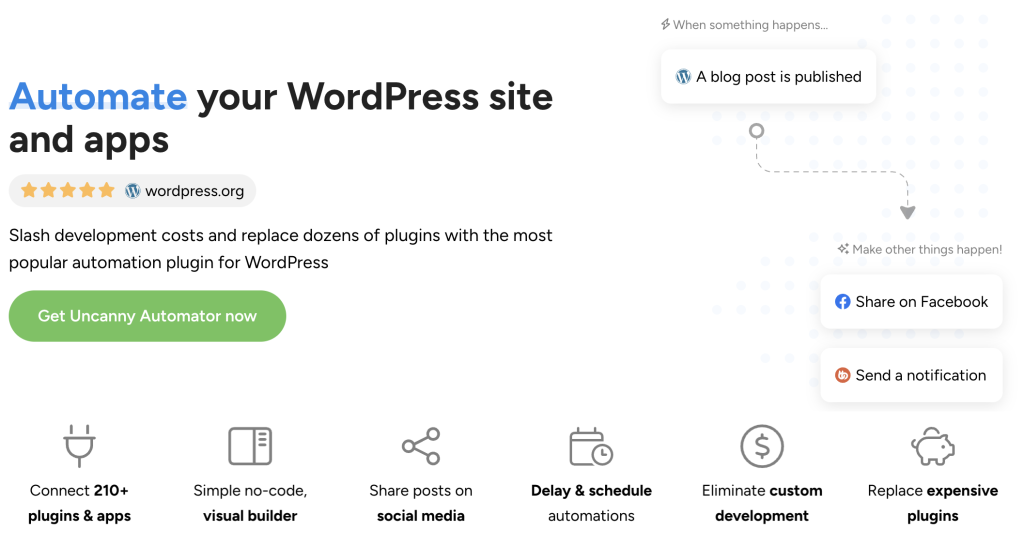
With Automator, you can build membership automations for retention, engagement, content, and more in minutes. These are workflows that would normally require custom code, multiple plugins, or ongoing manual work.
Here are the top features that make Automator the perfect plugin for your WordPress membership automation needs:
- Restrict Content Addon: Automator’s Restrict Content Addon (which is included for free with Automator Pro – Elite) lets you lock or unlock content for users based on their access level.
- User Lists Addon: Manage and segment your WordPress members right from your WordPress dashboard. Update lists automatically and launch campaigns, change access levels, and more to implement retention strategies at scale.
- 229 Integrations: Connect your membership retention strategies to CRMs like Mailchimp, eCommerce platforms like WooCommerce, or even AI platforms like OpenAI or Perplexity. Check out all of Automator’s integrations here.
- User Loops: Update member access levels and records in bulk with the click of a single button. Automator’s User Loops and Post Loops features make it easy to manage memberships at scale.
If you’re ready to simplify member management and put retention on autopilot, Uncanny Automator is the easiest way to get started.
Automate your WordPress membership site with Automator Pro >>>
Not ready to go Pro just yet? Get started for free right now with Automator Lite. Once you’ve installed and activated Automator on your WordPress site, don’t forget to register your account. You’ll receive complimentary app credits so you can set up automations with external apps like ChatGPT, ActiveCampaign, Facebook and Instagram, Google Calendar, and more.
Now, let’s get into the automated WordPress membership retention strategies you can implement right now.
6+ Automated Membership Retention Strategies
In this section, we’ll take a look at practical, automation-first membership retention strategies you can implement directly inside WordPress.
Each one focuses on a specific retention lever—engagement, personalization, loyalty, or churn prevention—and will run quietly in the background.
No fluff. No theory. And no code. Just workflows that keep members active and subscribed.
1. Automated Onboarding Campaigns
First impressions matter. And when it comes to membership sites, the first few days matter most.
If a new member doesn’t quickly experience value—logging in, finding content, completing a first step—the likelihood of churn increases sharply. Research shows that customers who “don’t achieve their first value milestone within 7 days have a 43% higher likelihood of churning within 90 days”.
After one month, those customers have already made their decision. At the 90-day mark, you’re just seeing the results of decisions that members made weeks ago.
Automated onboarding sequences help new members:
- understand where to start,
- discover key content,
- and build early momentum.
In practical terms, that looks like an automated drip campaign with supporting onboarding content and high-engagement.
With Automator you can create an automated member onboarding campaign without a CRM, and enhanced with AI.

Start creating automated member onboarding drip campaigns >>>
2. Automate Member Engagement Workflows
Engagement and retention are directly connected. Members who stay active are far less likely to churn.
The latest statistics from MemberPress indicate that higher engagement amongst members is a direct result of deliberate engagement strategies. And the good news for you is that the data would suggest that quality is better than quantity.
But, consistently engaging with members—reminding members about new content, updates, and events—is difficult to manage manually. Especially as your churn drops and your member list grows.
So what do automated engagement strategies look like?
- Automatically notify members when new content is published.
- Send reminders before live events or workshops.
- Re-engage inactive members with curated content they’ve missed.
- Run raffles and other types of promotions.
- Create sitewide activity streams to foster FOMO.
These workflows keep your membership top-of-mind without overwhelming your audience.

Find out how to re-engage your inactive WordPress members >>>
3. Personalize Membership Experiences
Personalization builds stronger relationships—and stronger relationships improve retention.
The latest statistics also reveal that members simply expect personalized experiences. About 50% of consumers expect promotions and rewards to be personalized. Meanwhile, 84% of businesses say they deliver “good” or “excellent” personalization—while only slightly more than half of consumers agree.
So, what’s the difference? Automated personalization workflows allow you go beyond a first-name basis with your members.
Tailor member experiences based on real behavior: what members view, complete, buy, or ignore.
In practice, with Automator, you can:
- Segment members by activity, tenure, or interests.
- Recommend content based on past behavior.
- Deliver personalized messages and offers to customers in real-time.
Instead of one-size-fits-all messaging, members receive experiences that reflect how they actually use your site.
Learn how to deliver personalized content to your WordPress members >>>
4. Progress Tracking, Loyalty, and Rewards
Marking milestones keeps members motivated and engaged. Rewards give them a reason to stay. Altogether, that’s the foundation of a loyalty program that reduces churn.
Progress milestones such as time spent as a member or lessons completed, helps members feel invested in their journey. It also gives you the opportunity for a meaningful touchpoint.
But loyalty programs aren’t just there to make your members feel good. They actually drive revenue. In the US, 90% of loyalty programs delivered positive ROI to their businesses, with top performers delivering an ROI of nearly 5x.
Some automated loyalty program workflows you might consider:
- Celebrating milestones like 30 days as a member.
- Rewarding renewals with discounts, bonuses, or exclusive content.
- Unlock additional perks for your most engaged members.
When progress and rewards are automated, members feel recognized without adding administrative work.
Kickstart your member loyalty program with automated birthday and anniversary coupons.
Automatically Generate WooCommerce Birthday and Anniversary Coupons >>>
5. Proactive Churn Prevention
The best way to improve your membership retention rate is to keep your members from churning in the first place.
Automation lets you define “warning signs” so you can respond before a member decides to leave. These signals might include declining engagement, long periods of inactivity, or an upcoming renewal date.
Some churn prevention workflows you might consider:
- Detect when a member hasn’t logged in for a set period of time and trigger a check-in email with “what you’ve missed” content.
- Offer an automated discount on an upgraded membership a few weeks before a member’s renewal date.
- Automate support with AI before frustration turns into cancellation.
Reacting to churn after it happens is an uphill battle. Automating churn prevention, on the other hand, is a smooth joy ride.
Learn how to automate your support workflows to prevent churn >>>
6. Automated Member Feedback Workflows
Companies that listen to their customers thrive. Companies that respond to their customers’ feedback soar.
Collecting, analyzing, and then adapting to customer feedback is a crucial aspect of member retention. It’s also an administrative time-drain and a logistical nightmare if you’re trying to do it manually.
By automating your feedback workflows, you not only reduce the overhead on your part, you can optimize engagement. Time requests for feedback to launch at key moments (post-purchase, a few days after an event, or immediately after a milestone).
These insights help you refine content, support, and rewards programs based on real member needs.
Automate your post-purchase surveys and campaigns >>>
7. When All Else Fails…
Even the best membership retention strategies won’t prevent every member from walking away. But churned members aren’t always lost forever.
Well-timed winback campaigns can re-engage former members—especially when paired with a clear improvement or incentive.
And automating your winback campaigns lets you recover some of that lost revenue without a significant investment on your part.
Win your members back with automated campaigns >>>
Conclusion
Membership retention isn’t about a single campaign or clever email. It’s the result of many small, well-timed touchpoints that keep members engaged, supported, and motivated to stay.
In this guide, you’ve seen how automated workflows, from onboarding and engagement to personalization and loyalty, work together to reduce churn and increase lifetime value. All without adding more manual work to your day or costly custom code to your bottom line.
When the right triggers set off the right actions at the right time, WordPress membership retention happens automatically.
If you’re ready to simplify member management and put your retention strategy on autopilot, Uncanny Automator Pro gives you the tools to do it—all inside WordPress.
Up your WordPress membership retention with Automator Pro >>>
Frequently Asked Questions

Related Posts






















































This Post Has 0 Comments