

Struggling with member churn? Get started with these proven, automated membership retention strategies for WordPress…
8+ WordPress Marketing Automations That Will Boost Conversions
With Uncanny Automator, your WordPress marketing automations don’t require technical expertise or expensive development. Get started with these proven marketing automations for free.
TLDR? Key Takeaways…
Uncanny Automator brings the power of automated marketing to small and medium sized businesses for a fraction of the cost.
These are the marketing campaigns and strategies that Automator users have implemented to drive conversions (no custom code, no expensive SaaS, no technical expertise needed):
- Automated Email Drip Campaigns (Without a CRM) ↓
- WooCommerce Abandoned Cart Reminders (Multi-Channel Campaigns) ↓
- Customer Birthday and Anniversary Offers ↓
- Post-Purchase Surveys and Campaigns ↓
- Customer Re-Engagement Campaign and Strategies ↓
- Customer Winback Campaigns ↓
- Social Proof Notifications ↓
- Self-Service Support Automations ↓
- More Ways to Automate WordPress Marketing… ↓
If you’ve ever tried to build marketing automations for your WordPress site, you already know the struggle. Most solutions fall into one of two camps: expensive, single-purpose tools that only solve one problem and create a dozen others, or a Frankenstein monster of custom coding that requires a developer to stitch together and keep alive.
As a WordPress company ourselves, the Uncanny team understands your pain. Getting your plugins to talk to each other, delivering the right message at the right time, avoiding compatibility landmines, keeping customer data consistent across platforms… it’s a lot.
And when you’re already juggling blog posts, customer emails, product updates, support requests, and the bajillion other tasks that come with running a business, “build sophisticated marketing automations” rarely makes it to the top of the to-do list.
That’s exactly why we built Uncanny Automator.
Automator gives you the power to create bespoke, conversion-driving WordPress marketing automations in 5 minutes or less. All without writing code, without duct-taping plugins together, and without adding yet another pricey SaaS to your monthly bill.
So, whether you’re a solopreneur, a small business, or a growing ecommerce store, you can create powerful marketing automations in just a few clicks.
In this guide, I’ll walk you through 8 proven WordPress marketing automations you can start using right away to boost engagement, nurture customer relationships, and drive more conversions. No developers, no hassle, and no technical expertise needed.
Let’s dive in and get you set up with 8 powerful marketing automations.
WordPress Marketing Automation: Challenges + Solution
WordPress marketing automation is the use of WordPress-based tools to attract, nurture, and convert site visitors through personalized, behavior-driven marketing workflows without manual intervention.
You can think of these marketing automations as the vehicle that drives your customers through the various stages of your sales funnel—from awareness to purchase and retention.
Instead of handling every touchpoint yourself or manually updating records, automations keep your marketing workflows running smoothly, so you can focus on strategy and growing your business.
And for small businesses, that’s a game-changer. Automation helps you deliver the kind of timely, personalized marketing that big brands deliver and that audiences expect today.
But as you’ve probably discovered, setting up marketing automations in WordPress isn’t always simple.
Where Uncanny Automator Changes Everything
Uncanny Automator eliminates these roadblocks by giving you a no-code, beginner-friendly way to connect your plugins, pass data between tools, and create automations that actually work—reliably, consistently, and without costly custom development.
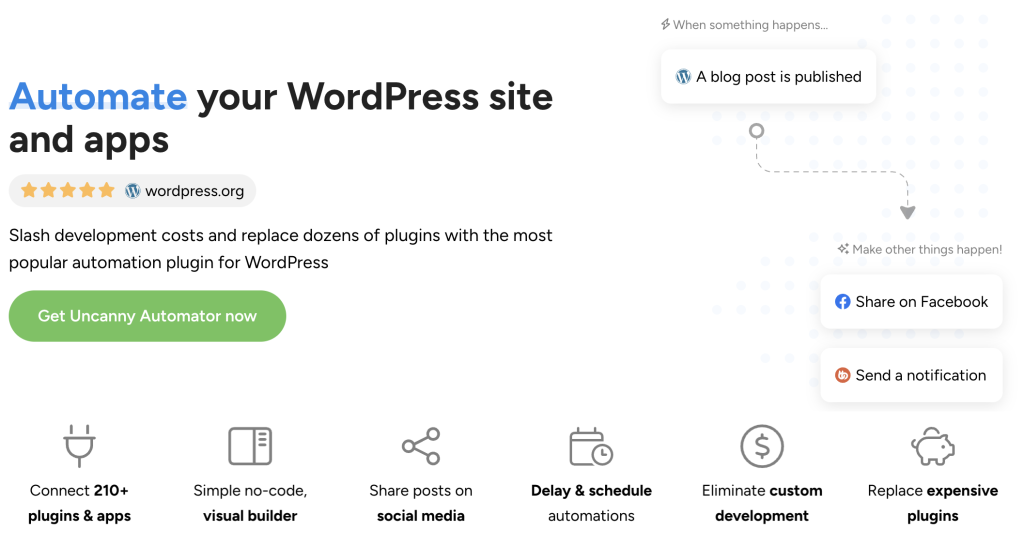
With Automator installed and activated, you can build marketing workflows in minutes that would normally take developers hours or require multiple third-party tools to accomplish.
If you’re ready to integrate your tech stack and finally put your marketing on autopilot, Automator is the easiest, most powerful way to get started.
Automate your WordPress marketing with Automator Pro >>>
Not ready to go Pro just yet? Get started for free right now with Automator Lite. Once you’ve installed and activated Automator on your WordPress site, don’t forget to register your account. You’ll receive complimentary app credits so you can set up automations with external apps like ChatGPT, ActiveCampaign, Facebook and Instagram, Google Calendar, and more.
8 Marketing Automations You Can Use Right Now
These eight marketing automations are some of the highest-impact workflows we’ve tested internally at Uncanny—and the ones our users rely on to build engagement, increase conversions, and grow their customer relationships.
Each one can be built in minutes using Uncanny Automator, no technical experience required.
1. Automated Email Drip Campaigns
Drip campaigns are one of the most reliable ways to nurture leads and guide them toward conversion. With optimized timing and segmentation, automated drip sequences can increase conversions by up to 350% and boost engagement by nearly 28%.
Using Automator, you can trigger a drip campaign from almost any on-site action: form submissions, quiz completions, event registrations, product purchases, membership signups—you name it.
And the best part? You don’t even need a CRM. Automator’s native email integration makes it easy to launch campaigns, personalize messages, schedule delays, and filter contacts right from your WordPress dashboard.
How to Create an Automated Drip Campaign in WordPress (Without a CRM)
2. WooCommerce Abandoned Cart Reminders
Abandoned carts are a constant source of lost revenue for WooCommerce businesses—but automated reminders are highly effective at bringing those shoppers back.
Abandoned cart emails consistently see 40–50% open rates and 5–10% conversion rates when sent with good timing and personalization. With Automator’s deep WooCommerce integration, you push those numbers even higher.
Automatically detect when registered users add items to their carts and trigger customized follow-ups. Filters, delays, and integrations like Twilio or WhatsApp allow you to build multi-channel abandoned cart automations without custom development.
How to Create WooCommerce Abandoned Cart Recovery Automations
3. Customer Birthday and Anniversary Offers
Birthday and anniversary automations are some of the highest-engagement campaigns you can send. Birthday emails average 45–79% open rates and convert at up to 11.6%.
Automator makes it easy to collect and store customer birthdays with the Custom User Fields Addon, CRM integrations, and form builders. Once you have the data, Automator can deliver personalized coupons, store credit, loyalty points, or event registrations—right from your WordPress dashboard and totally without manual intervention.
Automation means no forgotten birthdays—and no missed dates means no missed opportunities.
These automations strengthen customer relationships and encourage repeat purchases with almost no ongoing maintenance.

How to Automate Customer Birthday and Anniversary Offers
4. Post-Purchase Surveys and Campaigns
The post-purchase period is one of the most valuable moments in your customer lifecycle. Post-purchase emails have open rates of around 41% and click-through rates of 16–17%, making them ideal for gathering feedback, upselling, or progressive profiling.
With Automator, you can send tailored post-purchase sequences based on the product purchased, order value, customer segment, or purchase frequency. You can also connect surveys to incentives using tools like RafflePress or Advanced Coupons.
With a single recipe, you can collect insights, reinforce loyalty, and extend your customer lifetime value.
How to Automate Post-Purchase Surveys and Campaigns
5. Re-Engagement Automations
Nearly half of inactive subscribers—about 45%—can be re-engaged with a well-structured campaign. Since re-engagement costs five times less than acquiring new leads, these workflows offer high ROI for small businesses.
Automator supports “we miss you” sequences, inactivity-based reminders, incentive campaigns, and feedback requests triggered by user inactivity, last login date, time since last purchase, or other behavioral markers.
These automations help revive dormant customers and encourage them to take the next action, whether that’s reading new content, purchasing the latest products, or updating preferences.

How to Find and Re-Engage Lost WooCommerce Customers
6. Winback Campaigns
Winback campaigns are similar to re-engagement campaigns, except these customers have fully churned either out of dissatisfaction, forgetfulness, or other reasons. But they don’t have to stay lost—automation can help bring them back from the digital void.
Winback campaigns typically see 15–25% open rates and 2.6–5% click-through rates when combined with good segmentation.
Automator lets you build targeted winback workflows using behavioral triggers, delays, coupons, or personalized recommendations. By combining email, SMS, or CRM-based follow-ups, you can bring lost customers back into your corner of the digital world without relying on third-party services.
How to Automate WordPress Winback Campaigns
7. Social Proof Popups
Real-time social proof is one of the fastest ways to increase conversions, with studies showing a boost of up to 32% and a reduction in bounce rates of 16%.
Using Automator’s Dynamic Content Addon, you can display live notifications anywhere on your site—showing recent purchases, signups, form submissions, product reviews, or other high-intent activity.
These popups help build trust, reduce decision anxiety, and encourage hesitant users to convert. Automator makes it easy to source, format, and display this data without expensive code or single-use plugins.
Automate Dynamic Content for WordPress to Create Social Proof Popups
8. Self-Service Support Automations
Support interactions are often overlooked marketing opportunities. Automated knowledge base workflows can reduce support tickets by up to 30% and improve satisfaction by 12%. They also present you with the perfect opportunity to build brand identity, foster loyalty, and even upsell.
With Automator’s integrations—including ChatGPT, Perplexity, HubSpot, Brevo, and Mailchimp—you can automatically respond to inquiries, tag contacts, update CRM records, and build richer customer profiles based on support behavior.
You can also log support events in Google Sheets to analyze trends and improve future content or automations.

6+ Heroic KB Automations That Will Shave Hours Off Your Week
9. More WordPress Marketing Automations Await…
The 8 marketing automations that we covered in this article are all great places to start. Whether you begin by recovering those abandoned carts or capitalizing on FOMO with social proof notifications, you can’t go wrong.
But these automations are just the beginning. With 229 integrations and more always in the works—not to mention the addons—Automator unlocks all kinds of WordPress marketing automation opportunities.
Understandably, the possibilities can be a little dizzying. To help you identify opportunities for automation, the Uncanny team developed the R.I.C.H. Framework:
- Repetitive: Tasks done over and over (tagging customers in a CRM post-purchase, for example).
- Iterative: Tasks done across multiple records (customers, products, posts, etc.).
- Costly: Tasks that consume significant time/money.
- Hard: Complex or error-prone processes.
If you’re struggling to determine which marketing tasks to automate next, apply the R.I.C.H. Framework to your workflows.
WordPress Marketing Automation: Your New Superpower
With Uncanny Automator operating in the background of your WordPress site, you can stop saying, “Wouldn’t it be nice if…”. The #1 automation and integration tool for WordPress sites turns conversion-boosting marketing automations from “nice-to-haves” into real revenue boosters and actual cash in hand.
The marketing automations that I shared with you in this post are the most impactful ways to increase engagement, nurture customer relationships, and grow revenue on your WordPress site. With the right workflows in place, you can deliver timely, personalized experiences that help your business stand out, even in a crowded digital landscape.
And thanks to Uncanny Automator, you don’t need a developer, a big budget, or a patchwork of a half-dozen third-party tools that don’t get along anyway.
Whether you’re automating follow-ups, recovering abandoned carts, celebrating customer birthdays, or building dynamic content experiences, Automator gives you everything you need to create powerful, reliable marketing workflows in minutes.
If you feel overwhelmed, remember that you can start small. Pick one automation from this list and set it up today. Once you see how effortless it is, you’ll quickly build more—and your marketing will start running itself.
Ready to simplify your marketing and save hours every week?
Get started with Automator Lite for free—then upgrade to Automator Pro when you’re ready to unlock everything your site can do.
Frequently Asked Questions

Related Posts






















































This Post Has 0 Comments