

Uncanny Automator now connects ChatGPT, Claude, Gemini or any AI to your WordPress site. An MCP server with a built-in automation engine, free to start.
Introducing the new recipe builder: Same Recipes, New Kitchen
When we launched the recipe builder in 2018, it broke new ground: you could build automations on WordPress with no code. Nobody else was doing it, and after we launched, copycats sprung up like weeds.
As most plugins were back in 2018, the recipe builder was built on the WordPress edit screen: a title field, a Trigger box, an Actions box, a sidebar. It worked beautifully for a trigger and a couple of actions.
Then we added conditions. Then delays and schedules. Then loops. Each one arrived as another box stacked in the same column, and the recipes you built got more and more ambitious. The builder didn’t keep up, and you let us know.
So after months of work, Uncanny Automator 8.0 has arrived, with a brand new recipe builder.
Every recipe you’ve ever built opens in the new builder with the same triggers, actions, tokens and settings, and it keeps running while you find your way around. Same recipes. New kitchen.
See a recipe the way you think about it
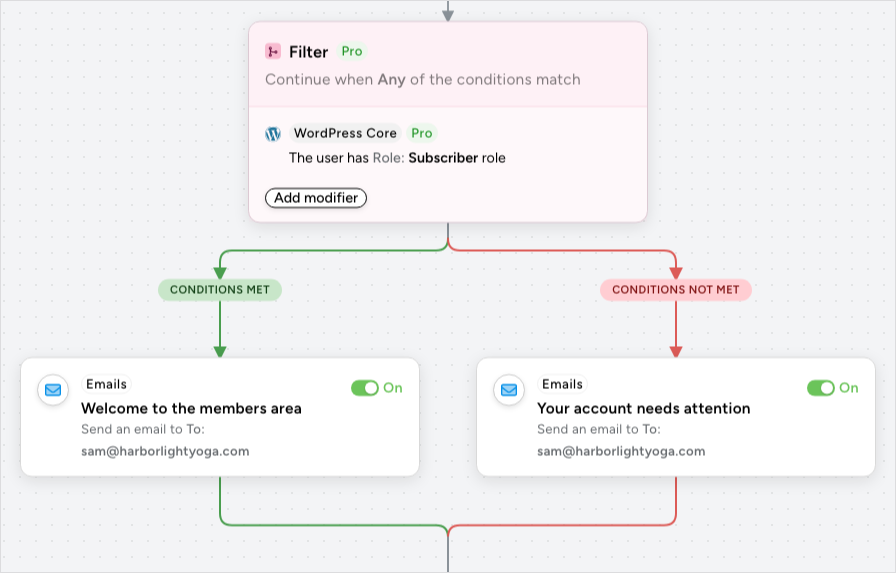
The big change is Diagram view. Your recipe is drawn as a flowchart: triggers at the top, actions below, each on its own node, with lines showing the path a run takes. A Filter block fans out into its two paths side by side. A Loop or Queue block wraps the actions inside it so you can see exactly what’s in and what’s out. Zoom in to read a node, hit Fit to see the whole thing, drag an action to reorder it.
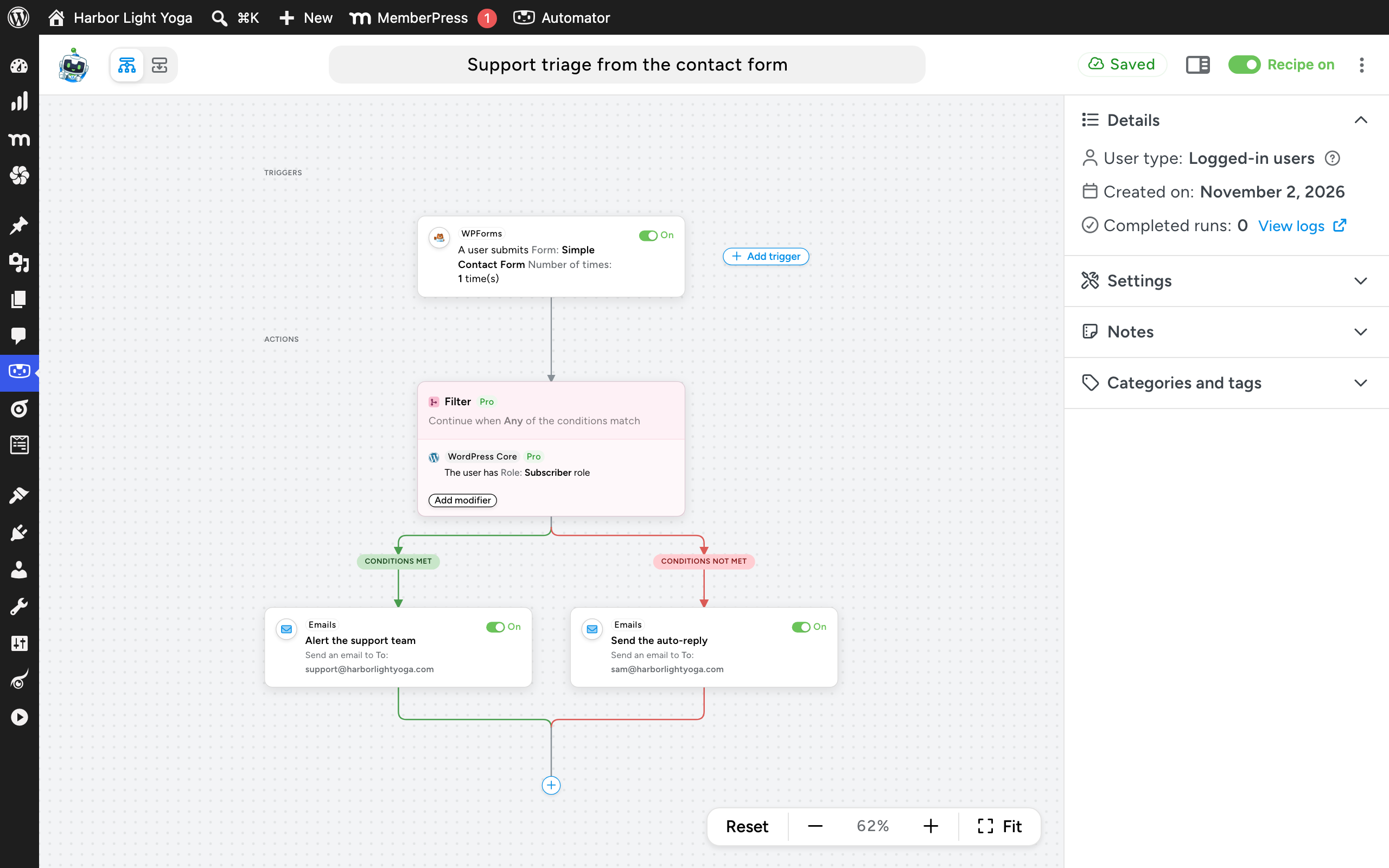
If you’d rather have the column, List view is one click away. It’s the same recipe stacked top to bottom, with no canvas, and it’s the closest thing to the builder you knew. In fact, if you already had recipes on your site before 8.0, the builder opens in List view the first time to help ease the transition. Switch whenever you like; the builder remembers your choice, and it uses the same view when you open a run in the logs.
Conditions, delays and loops are now blocks
In the old builder, a condition belonged to a group of actions, a delay belonged to one action, and a loop was a third kind of group. In 8.0 they’re all the same kind of thing: a recipe block that wraps the actions inside it. There are three:
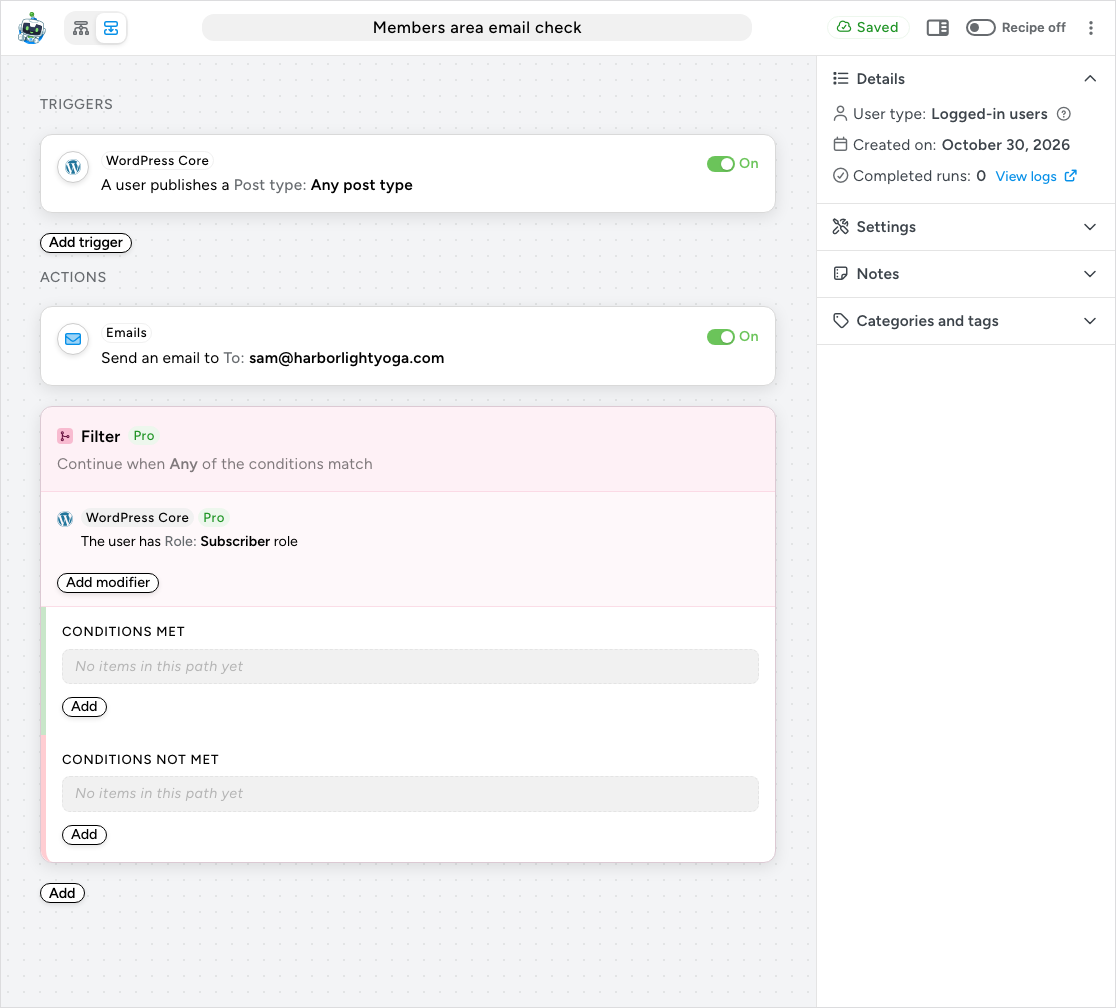
Filter. Add conditions to the block and choose whether any or all of them must match. Here’s the part you’ve asked for most: a Filter block has two paths, Conditions met and Conditions not met. That’s real branching. One recipe can now send the welcome email to subscribers and a different email to everyone else, where before you needed two recipes or two filters.
Queue. This is the old Delay and Schedule, and it behaves exactly the same way: the actions inside are queued to run later, and the rest of the recipe carries on immediately. We renamed it because, drawn on a flowchart, “Delay” looked like the whole recipe paused at that node, which isn’t what actually happened (we are working on a “Wait” step next, which will pause the recipe at that node). What’s new is that one Queue block holds any number of actions, so a reminder email and a follow-up tag can share a single delay instead having to set the same delay on each item.
Loop. One block replaces User loop, Post loop and Token loop. Pick a loop type, add filters to narrow it down, and drop an End loop item inside to bail out early.
Blocks nest. Put a Filter inside a Loop so only some of the looped users get the email. Put a Queue inside a Filter’s “met” path so the follow-up waits a week. Put a Filter inside a Queue if you want the filter to be checked at some point in the future. Recipe blocks need Uncanny Automator Pro, the same as conditions, delays and loops always have.
Fewer clicks, fewer surprises
It saves itself. There is no Save button on an action, no Update button on the recipe, no Publish. Every change saves as you make it, and the top bar tells you so.
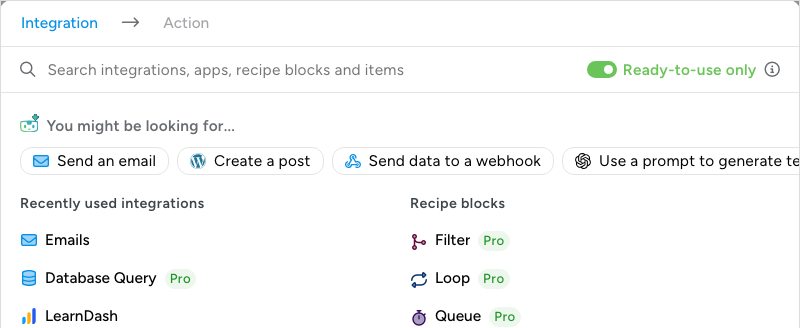
Find things faster. Adding a trigger or action opens a picker that searches integrations, apps, blocks and individual items in one box. It opens with Ready-to-use only switched on, so everything you see can go straight into the recipe, and it learns from your site: the integrations you’ve used recently and most are right at the top.
Everything is draggable. In the old builder, some items couldn’t be dragged into different positions, or in and out of filters or delays or loops, even if there was no reason they shouldn’t. Now you can drag items almost anywhere. We prevent certain types of blocks from being nested (a queue within a queue, for example) simply to prevent the recipe logic from becoming too difficult to understand.
Smaller things you’ll notice
- The sidebar is tidier: Details, Settings (throttle and run limits), Notes, and Categories and tags, each in its own panel.
- Run now, Duplicate recipe, Download recipe JSON and Move to trash live in one More actions menu in the top bar.
- The Automator menu is shorter. Integrations are browsed inside the builder now, categories and tags moved under Settings, and the Status page is a click from the Dashboard.
- Logs gained an AI activity tab, next to the Recipe, Trigger and Action tabs you know.
- A short guided tour walks you through your first recipe in the new builder.
- Uncanny Agent is in the builder too: ask it about a trigger, have it fix a validation error, or let it suggest a title.
And your AI can build recipes in it as well
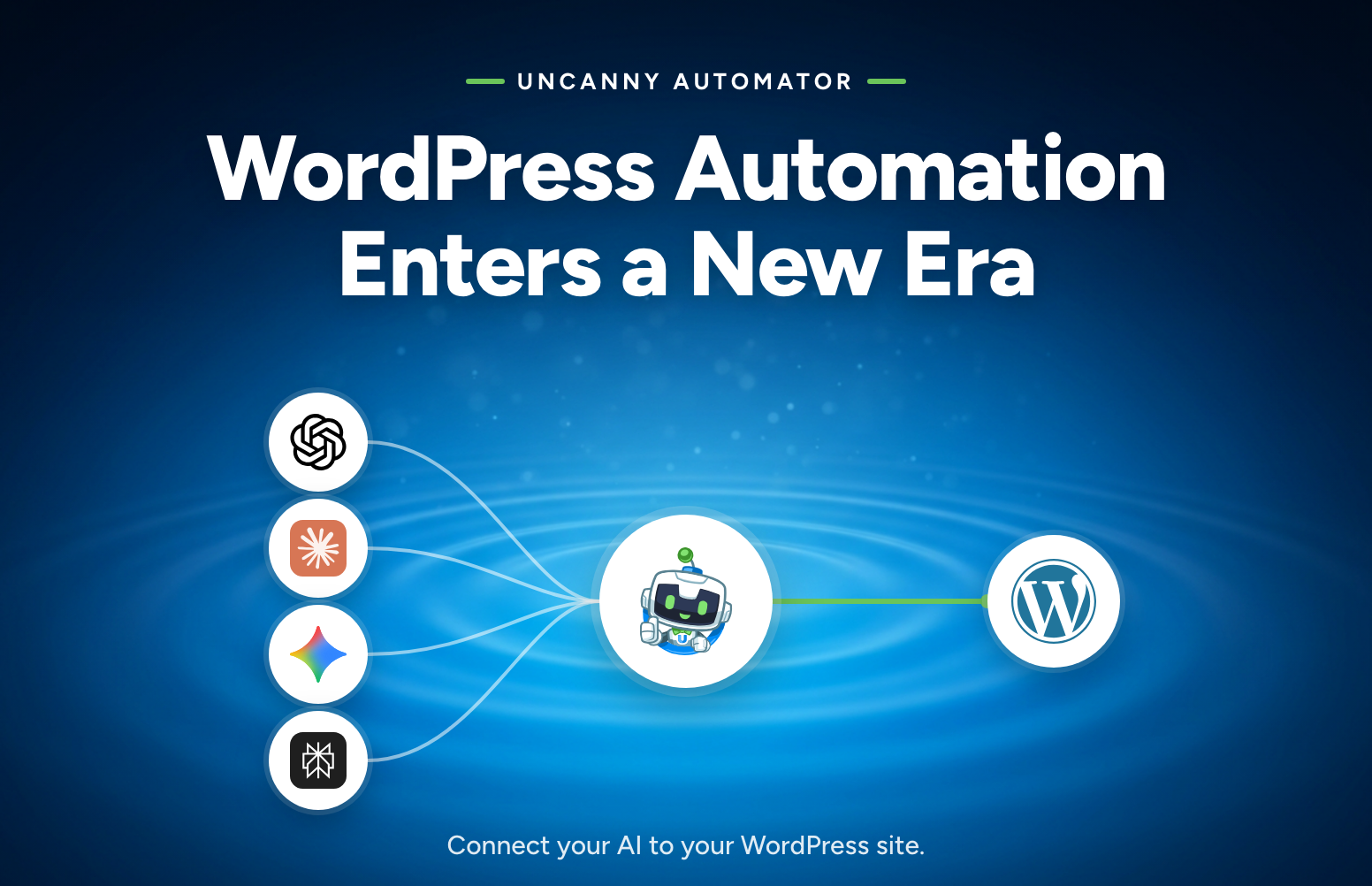
In addition to the new kitchen, Automator 8.0 also got a new chef – your AI. With version 8.0, Uncanny Automator can now connect your AI to your WordPress site. So you can describe a workflow to ChatGPT, Claude, Gemini or any AI and it builds the recipe for you. Open it in the new builder and you’ll see every trigger, block and action laid out on the canvas, ready to tweak. The flowchart is as much for reading a recipe your AI wrote as for building one yourself. If you missed the announcement, it’s worth a read: WordPress Automation Enters a New Era. After using Automator to connect our AI to our own sites, we’re convinced this is the future of site management on WordPress.
What didn’t change
- Your recipes, their type and their settings. Everything carries over.
- The recipes list, with the same Edit, Trash, Duplicate, Export and Import you use today.
- Triggers and actions: the same sentences, the same fields, the same integrations. Only where you edit them moved.
- Tokens: the same ∗ button, the same picker, the same {{token}} syntax.
- App connections: Slack, Google Sheets, Mailchimp and the rest connect the same way, under Settings > App integrations.
Where to go from here
Update to 8.0, open a recipe and click Diagram view. If something isn’t where you left it, the transition guide maps every old control to its new home, and there are new articles on Diagram view and List view, recipe blocks and testing triggers and actions.
Then tell us what you think. This builder exists because you told us what the old one could do better, and we’d like to keep that going. Leave a comment below or send us an email. Thank you, from the Uncanny Team.
FAQ
Do I need to rebuild my recipes for 8.0? No. Every recipe opens in the new builder with its triggers, actions, tokens and settings intact, and keeps running through the update.
Where did Delay and Schedule go? They’re the Queue block. The behaviour is identical: the actions inside run later, and the rest of the recipe continues immediately. One block can now hold several actions.
Can I keep the old layout? The WordPress edit screen is gone in 8.0, but List view shows your recipe as a single column, which is the closest to it. The builder opens in List view the first time if you already had recipes on the site.
Do recipe blocks need Uncanny Automator Pro? Yes. Filter, Queue and Loop blocks require Pro, exactly as conditions, delays and loops did before 8.0. Everything else in the new builder is in the free plugin.
Can my AI use the new builder? Your AI builds and edits recipes through Uncanny Automator’s MCP server, and the recipes it creates open in the new builder like any other. See the launch post.

Related Posts



Comments (0)