

If you are using a plugin on one website and want to move it to a different site, your plugin license will need to activated on the new site’s domain. This also applies if you are moving a site that was under development on a staging URL to a live URL. There are two ways to deactivate your plugin license: From your WordPress site’s admin menu, or from the Licenses page in your Account area.
Deactivating your license from your WordPress site
- To deactivate your license on your WordPress site, log in to your WordPress site with an Administrator-level account.
- Go to Automator > Settings > General > License
- Click Deactivate License at the bottom of the page.
Your license is now deactivated and can be reactivated on another site.
Deactivating your license from the Plugin licenses page
- Log in to your account.
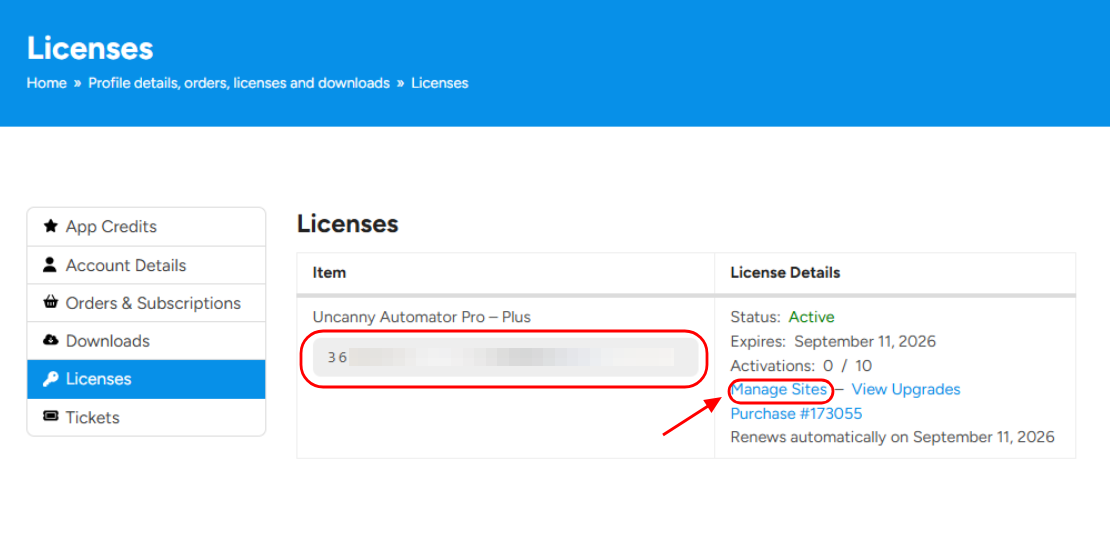
- Go to the Licenses page.
- Find the license you would like to deactivate and click Manage Sites.
- Find the URL of the site you wish to deactivate and click Deactivate Site.
Your license is now deactivated and can be reactivated on another site.
























































Comments (0)