

A license key is activated on a site’s domain. To move it to a different site, or from a staging address to a live one, deactivate it on the old domain and then activate it on the new one. You can deactivate it from the old site’s WordPress dashboard or from the Licenses page in your account.
Deactivate your license from your WordPress site
- Log in to the old site with an administrator account.
- Go to Automator > Settings > General > License.
- Click Deactivate license at the bottom of the panel.
The license is now free to activate on another site.
Deactivate your license from your account
- Log in to your account.
- Go to the Licenses page.
- Find the license you want to move and click Manage Sites.
- Find the URL of the old site and click Deactivate Site.
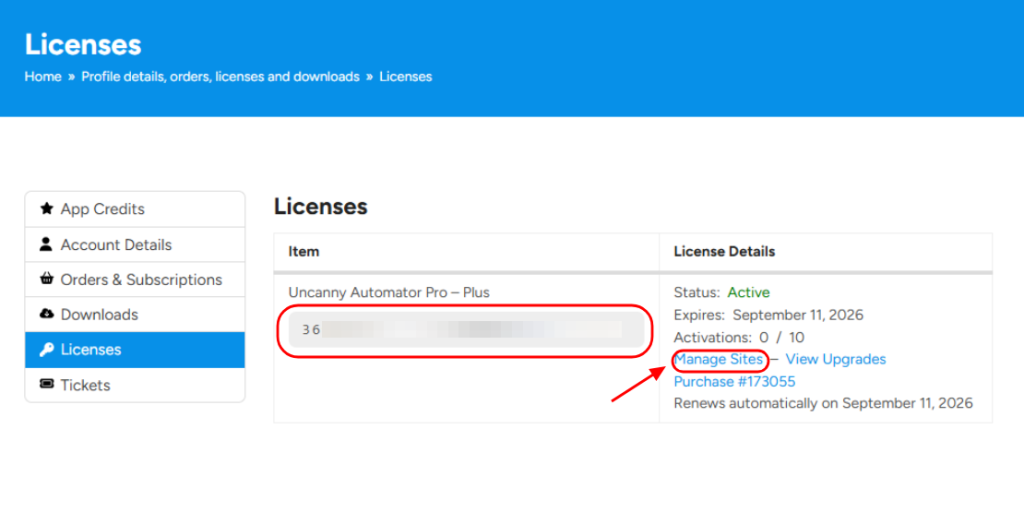
The license is now free to activate on another site.
Activate the license on the new site
On the new site, enter the key at Automator > Settings > General > License and click Activate license. See Download your plugins and get license keys for the full steps.
Related: Download your plugins and get license keys, Manage your subscription

Comments (0)