

Every purchase creates an annual subscription that renews your license automatically, so updates and support continue while you use the product. If you cancelled the subscription and the license has since expired, renewing it reactivates the license.
Renew an expired license
- Log in to your account.
- Go to the Licenses page.
- Find the license you want to renew and click Renew license.
- Complete the checkout. Your license key is reactivated.
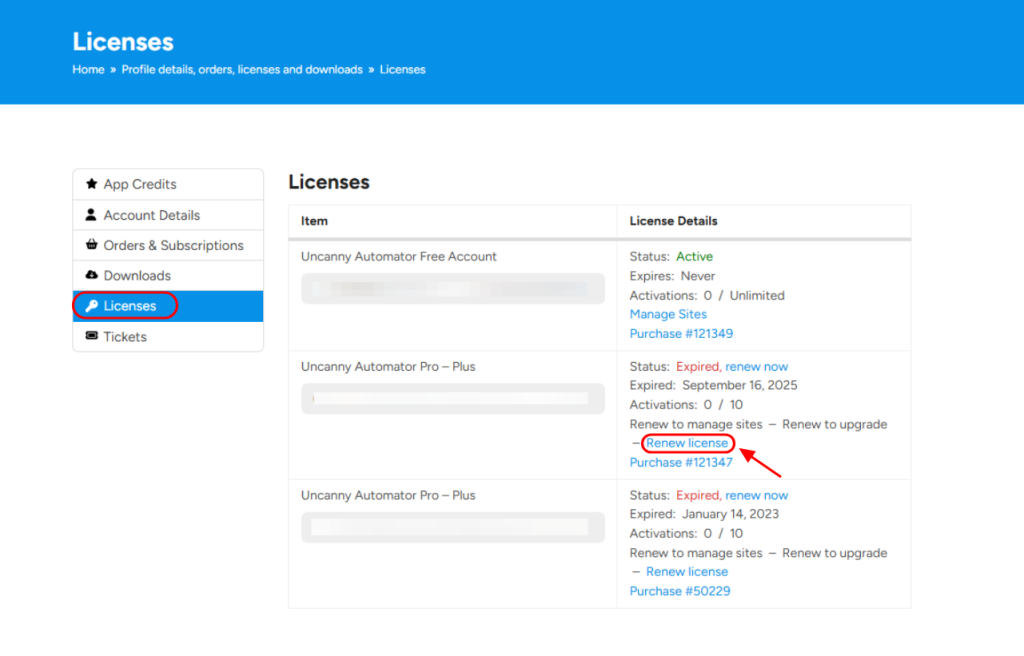
The renewal starts a new subscription for the license, which you manage from the Orders & Subscriptions page. For a license that has not expired, see Manage your subscription.
Related: Manage your subscription, Update your credit card or change your payment method

Comments (0)