

User Lists addon
Bring the power of email marketing to WordPress
Today, WordPress runs online stores, membership sites, eLearning sites and much more. But because WordPress’ native email capabilities are almost non-existent, companies have had to resort to external solutions for basic email capabilities such as list and subscription management.
★★★★★ 4.9/5 on WordPress.org40,000+ active sitesAutomating WordPress since 2018
Works with

ChatGPT

Claude

Gemini

Copilot

Perplexity
and any AI app that supports remote MCP servers
The User Lists Addon changes that. Now, WordPress admins can leverage Uncanny Automator’s powerful integration capabilities along with the Restrict Content, Custom User Fields and User Lists addons to build a tightly integrated, fully automated business and marketing system on WordPress.

Personalized messaging
A solution for automated, personalized messaging
With the User Lists Addon, business owners can segment their audiences to provide high-value, fully automated personalized communications that respond to user behaviour.
Segment users based on their interests, purchases, memberships, groups, course enrollments and more. Then create one time emails or drip campaigns tailored to each group. Or go beyond email and send SMS (via Twilio) and WhatsApp messages to your lists.
What you get
Get started with the Uncanny Automator User Lists Addon
The User Lists Addon makes it easy to segment your users for various communication channels including email, SMS and WhatsApp or to simplify bulk operations.
Create unlimited user lists
Create new lists to segment your users based on their purchases, memberships, groups, courses and more.

Seamless integration with WordPress
View and manage user lists easily in all of the places you would expect, like WordPress’ default edit user page.

Seamless integration with Uncanny Automator
Run bulk actions on segments of your users with the included loop filters. Bulk enroll segments in groups or courses, or send individual coupon codes to reward specific user segments.


Send personalized communications
Use lists to send personalized communications to your lists across multiple channels, including email, SMS (via Twilio) and WhatsApp.

Built-in list management
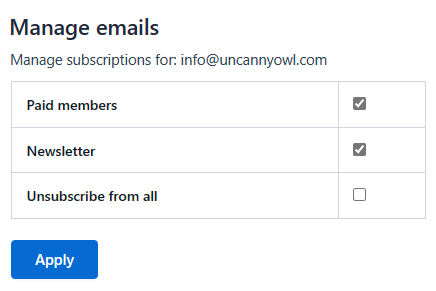
Users can easily manage their list subscriptions from a WordPress page. Deep integration with Uncanny Automator enables subscription management links to work for users even if they’re logged out.
Plans
How do I get the User Lists Addon?
The User Lists Addon is included free with every Uncanny Automator Plus or Elite license.
Connect your AI
Connect your AI to your user lists
ChatGPT, Claude, Gemini, Copilot, Perplexity or any AI app that supports remote MCP servers. Ask in plain English and it gets done.
Create a list called Paid members.
When someone buys the Pro course, add them to the Paid members list.
Email everyone on the Paid members list about the spring sale.
Connect your AI to ask anything…


No AI subscription? Uncanny Agent is built in.
Is there a free version or demo?
While Uncanny Automator is a free plugin available on WordPress.org, there is no free version or demo of the User Lists Addon. Upgrade to a Plus or Elite license for the User Lists Addon as well as all Pro features like queues, scheduling, conditions, user creation and more. All paid licenses also add hundreds of additional triggers, actions and tokens.
Who should use the User Lists Addon?
Anyone looking for a simple segmentation tool for their WordPress users would benefit from the User Lists Addon. Segment users for communications, bulk operations, or simply a way to organize users.
Who should not use the User Lists Addon?
If you’re looking to manage lists of contacts, that is, people who do not have user accounts on your WordPress site, this plugin probably isn’t the right solution for you. The User Lists Addon does not currently have any contact management capabilities.
Do I need coding skills to create user lists?
With the User Lists Addon, anyone can add user lists in seconds, no coding skills needed! Use a simple GUI to add, remove or edit user lists. Lists are automatically made available in the most useful locations and screens.
Are there limits to the number of user lists?
No! Once you’ve installed the User Lists addon, you can create as many user lists as you need.
Where can I find out more about the User Lists Addon?
Check out the Knowledge Base articles for additional info on the User Lists Addon.
What’s your refund policy?
If you’re not happy, ask within 14 days of your first purchase and we’ll refund you, as long as you’ve barely used it. Refund policy in the terms
Get started
Install free. Connect your AI.
Install the free plugin, connect your AI, and ask for the first thing on your list.
Every recipe you build keeps running without the chat.