

The Advanced Custom Fields (ACF) integration lets recipes react to changes in your ACF fields and update those fields, so the custom data on your posts, users, and options pages can drive automations. This article lists what the integration offers and covers the most-used trigger, A field is updated on a post of a post type.
The integration requires Uncanny Automator Pro and the Advanced Custom Fields plugin, installed and active. Until ACF is installed and active, the picker hides the integration while Ready-to-use only is on; with the switch off, it lists Advanced Custom Fields with a Not installed badge, or Not active when the plugin is installed but switched off, and selecting it names the plugin you need to install or activate.
What ACF can do in a recipe
Triggers:
- A field is updated on a post of a post type
- A field is deleted on a post
- A row is added to a repeater/flex field on a post
- An options page is saved
- A user’s field is updated
- A user updates a field on a post
- A sub field in a group field is updated
- A sub field in a group field is updated to a specific value
The first four run for everyone, whether or not a user is logged in, so they work only in recipes of the Everyone type. See Recipe types: logged-in users and everyone.
Actions:
- Update a field on a post to a specific value
- Update a field on the user to a specific value
- Update a field on an options page to a specific value
- Add a row to a repeater/flex field on a post
Trigger: A field is updated on a post of a post type
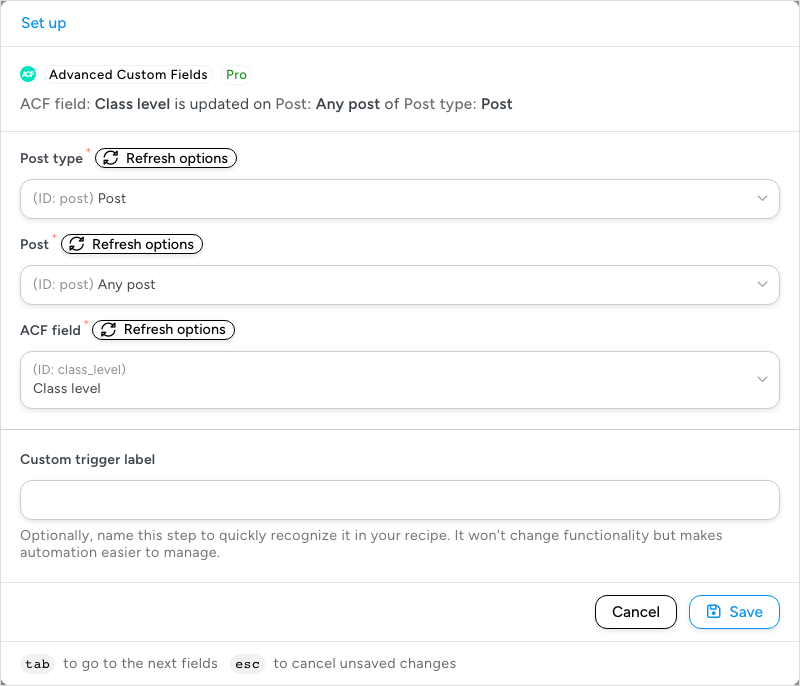
This trigger fires when an ACF field is updated on a specific post, or on any post of a specific type.
- In an Everyone recipe, click Add trigger, search for Advanced Custom Fields, select it, and select A field is updated on a post of a post type.
- In the Set up step, choose the Post type, then the Post: a specific post, or Any post to watch every post of that type.
- Choose the ACF field to watch. With Any post, the list holds all the ACF fields defined for that post type; with a specific post, it narrows to the fields available on that post.
- Click Save.
Note: The trigger fires only when an existing value changes. When a value is saved into an empty field for the first time, ACF does not call the same hook, so the trigger does not fire.
Related: Managing triggers, Post meta tokens, Recipes for Everyone

Comments (0)