

Looking for the best WordPress page builder in 2026? We compare Elementor, Divi, Bricks, Gutenberg,…
The 8 Best WordPress MCP Plugins in 2026 (Compared Honestly)
You have ChatGPT or Claude open in one tab and your WordPress site in another, and you are the courier between them. Copy the draft across. Paste the meta description in. Check the plugin updates yourself. So you went looking for a plugin that lets the AI do that work, and found a dozen that all promise to “connect AI to WordPress.” They sound identical. They are not.
AI can do so much now that picking an MCP plugin to connect your AI to your WordPress is not unlike hiring a new employee — and the decision needs just as much careful consideration.
Consider these eight WordPress MCP plugins like candidates who have applied for a job opening. Which one you choose depends on what the job description is. But the job interview is still the same:
- which AI apps it works with (what are its qualifications),
- what it can actually do on a real site (what are its skills),
- how you connect it (what the onboarding process looks like),
- what you can switch off (how much supervision does it need),
- what it logs (how accountable is it)
- what it costs (salary, salary, salary),
- and how much can it really automate (what working with it actually looks like).
Full disclosure, we’ve submitted our own application: Uncanny Automator. It’s our plugin, but every claim we make is tested and proven against the same standards for every other WordPress MCP plugin.
Without further ado, let’s jump into the interview.
What a WordPress MCP Plugin Is and What It Does
Job titles matter, and so do definitions.
Because you’re looking for the best WordPress plugin, we assume that you know what an MCP server is. In case not, it’s very simple:
Model Context Protocol (MCP) is the open standard AI apps such as ChatGPT or Claude use to connect to other software. An MCP server is a program (or service) that exposes the tools and resources that those apps actually need to use the software.
A WordPress MCP plugin runs an MCP server on your site, so the AI you already use can read your site and act on it.
There are three parts to getting a WordPress MCP server automating your site:
- The AI app you talk to. ChatGPT, Claude, Gemini, Copilot, Perplexity or any AI app that supports remote MCP servers.
- The WordPress MCP plugin on your site. This is the part the eight candidates compete for, and what this post compares.
- What the plugin lets the AI reach. Your posts, pages and settings, the other plugins you run, and sometimes the apps outside WordPress your business runs on.
In your search, you may have heard a lot about tool counts. But tool counts are not a full resume. Every plugin gives the AI a set of “tools,” and most listings lead with how many, giving the impression that more is better. That’s not entirely accurate.
You can think of tools kind of like a door; what matters is what is behind it. Some plugins expose a handful of tools that each open a whole library. Others expose a few hundred narrow tools, one per job. Neither approach is wrong, what really tells you what your AI can do is integrations and actions. (See table below.)
A small housekeeping note before we continue: the official WordPress MCP Adapter is the plumbing. It lets an AI app find and run the “abilities” that WordPress and your plugins register, and several plugins here build on it or bundle it.
On a plain site it gives an AI a handful of read-only basics and nothing else until a plugin registers more. It has its own entry below, and our explainer on the WordPress Abilities API covers how the plumbing works.
The 8 Best WordPress MCP Plugins at a Glance
Here is the whole interview on one page. If control is your worry, start with the Setup, Safeguards and Undo rows. If the question is what your AI will actually be able to do, start with Integrations, Actions and Workflow automations. Every figure is dated in the footer, and the rows we lose are in there. Scroll the table sideways to see every plugin.
1. Uncanny Automator
Uncanny Automator connects your AI to your WordPress site. It is an MCP server for WordPress with a built-in automation engine, and the server is part of the free plugin, which has been automating WordPress since 2018 and runs on 40,000+ active sites with a 4.9 rating on WordPress.org.
Who it’s for
Anyone who wants one plugin that does the most from day one, across the plugins and apps the site already runs, and who does not want a second job keeping it working. Every integration in the library is built and maintained by the Uncanny Owl team, so there is nothing to patch when a plugin updates and nothing to teach your AI about your plugins. Of the eight, it is the all-rounder.
What it can do
- Act across the plugins and apps you already run. Your AI reaches the action library: 440+ actions across 138 plugins and apps in Lite, 800+ across 240 with Pro, including Slack, Google Sheets, Mailchimp and your CRM.
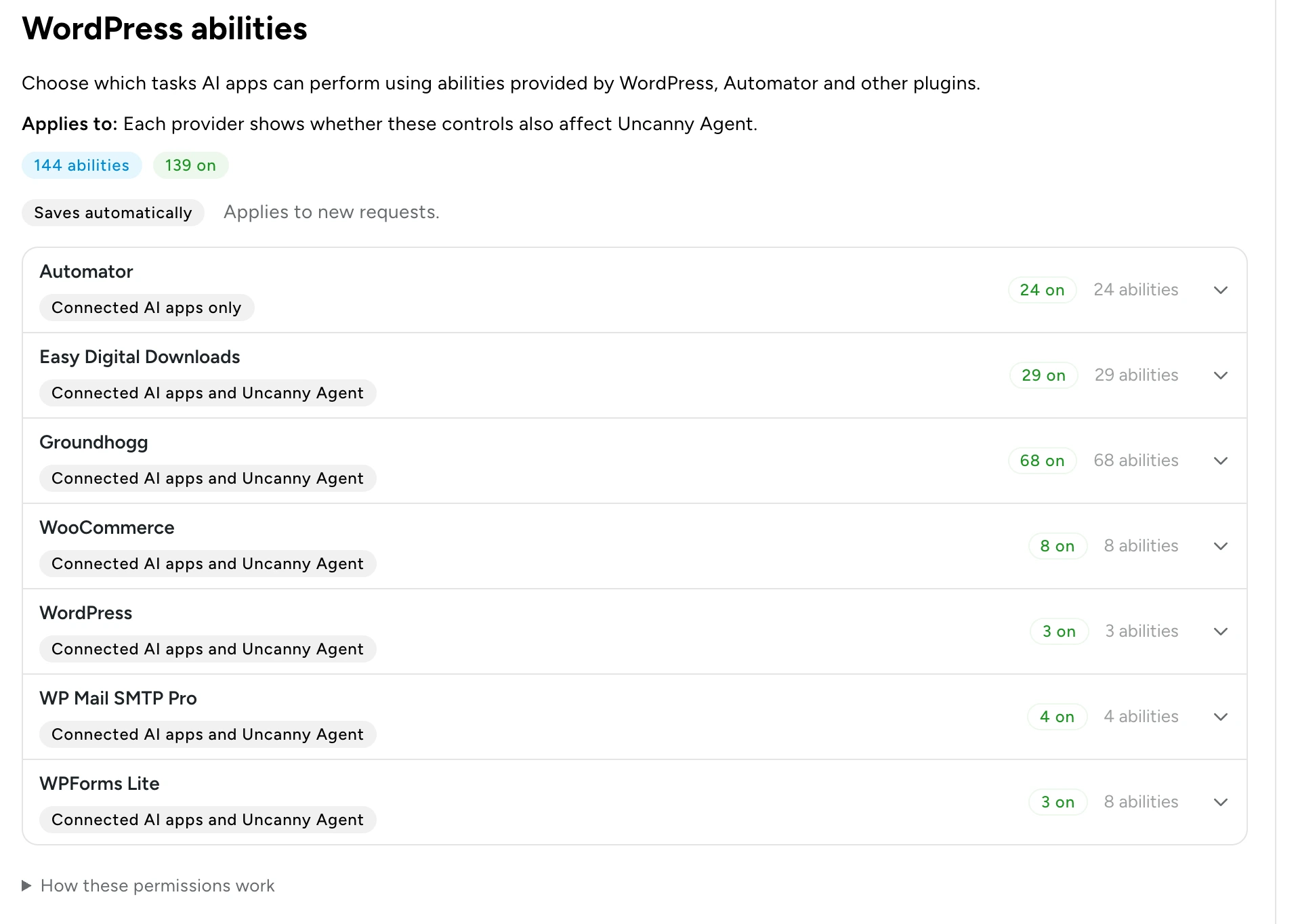
- Run your other plugins’ abilities. Every ability your plugins register is reachable, each with its own switch. The list by plugin is on the WordPress Abilities page.
- Look after the site. Update, install, activate and deactivate plugins and themes, moderate comments, flush caches and switch maintenance mode, from chat. Nothing is ever deleted and WordPress core is never touched.
- Diagnose problems. It reads your site’s code and files to work out what is wrong, and checks WordPress core against the official checksums.
- Load skills. Step-by-step guidance your AI loads for a specific plugin or task, from a library of 200+: WooCommerce, LearnDash, WPForms, FluentCRM, BuddyBoss and more.
- Build recipes. A recipe is a deterministic automation: one or more triggers, optional conditions, and the actions that run when they fire, running the same way every time. Built with your AI or by hand; runs without it. Ask for a Monday-morning report once, and the recipe sends it every Monday whether or not you open a chat again. No other plugin in this post has anything in the Workflow automations row.
Features
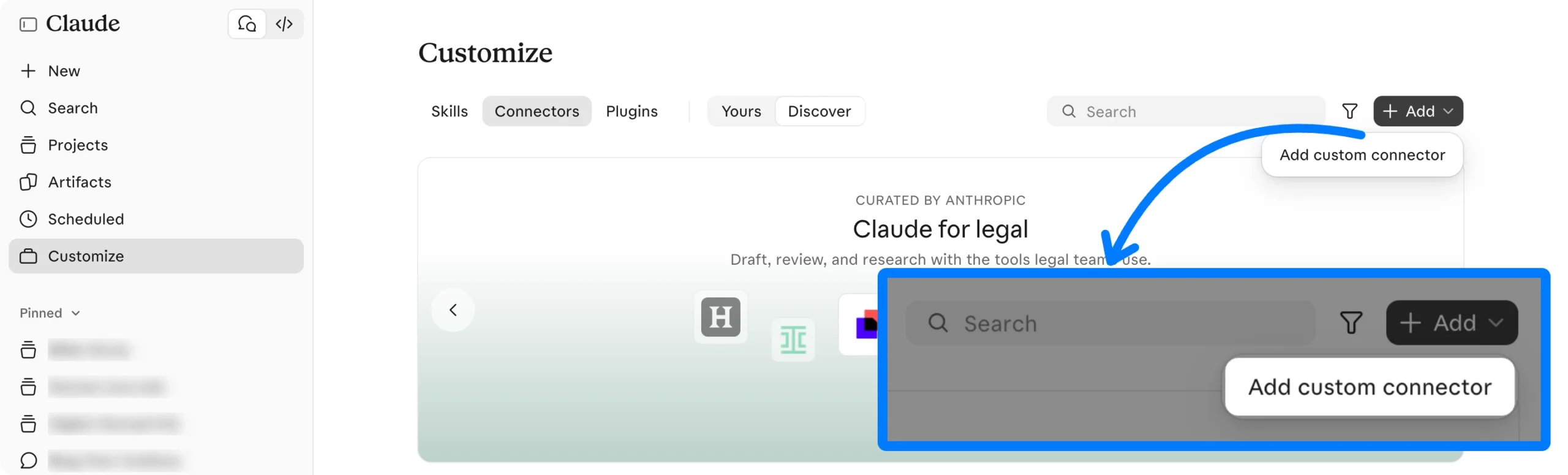
- Connect in 60 seconds. Paste one address from mcp.automatorplugin.com into your AI app, sign in through your browser and approve. Connect every site once; each AI app sees the sites you allow.
- Works with the AI you already pay for. ChatGPT, Claude, Gemini, Copilot, Perplexity or any AI app that supports remote MCP servers. The browser sign-in is what lets Claude and ChatGPT in the browser connect at all.
- A switch for everything. A connection is approved by a signed-in administrator and is read-only or read-and-write. Then every tool, integration, action and ability has its own switch, plus one each for database reading, site management and code and file reading. The switches apply to every connected AI app at once, and no AI app can change them.
- Hard limits. No shell. No file edits. No direct database writes. No AI app you connect can delete users.
- An activity log. See every call your AI made: which app, which site, what it did and the outcome.
- No undo. This is the row Royal MCP and Easy MCP AI win, and it stays in the table. The activity log tells you what happened; you put it right by hand.
- No approval prompt on the site. Well-behaved AI apps ask before using a tool that changes things, but that is the app’s manners, not a gate on the site.
Prices and Limits
- Automator Lite: $0 forever. Free to use on unlimited sites with 150 tool uses per day (300/day for the first 7 days).
- Automator Pro – Basic: $199 per year or $20 per month. 1 site, unlimited tool usage, and every Pro trigger and action.
- Automator Pro – Plus: $349 per year or $35 per month. 10 sites, everything in Basic, plus the User Lists, Custom User Fields and Restrict Content addons.
- Automator Pro – Elite: $599 per year or $60 per month. 50 sites, everything in Plus, plus the Dynamic Content addon and the Salesforce and QuickBooks Online integrations.
Best for: one plugin that does the most from day one and turns the repeat jobs into recipes. Everything your AI can do is on the MCP server page, and the controls are on the security page.
Start free and connect your AI >>>
2. WordPress MCP Adapter (official)
The WordPress MCP Adapter is the WordPress project’s own plugin, maintained by its Core AI team and on WordPress.org since October 2, 2026. It is the one every reader has heard of, so it belongs near the top. It is also the one most readers should not install on its own.
Who it’s for
Developers. If you are building a plugin and want its features reachable by AI, this is the official base to build on. For everyone else, it has no settings screen, no browser sign-in, and nothing to do until a plugin registers abilities for it.
What it can do
- Find and run abilities. Three tools (find abilities, read one, run one) over whatever abilities WordPress and your plugins register.
- On a plain site, very little. Three read-only basics (site info, user info, environment info) and nothing else.
- When we tried it: our staging site listed 124 abilities, three from WordPress itself and the rest from plugins (All in One SEO, Uncanny Automator, WooCommerce and three others). Through those it updated a post’s SEO fields and created and repriced a product. It could not draft a post, build a page or approve a comment, because nothing on the site had registered an ability for those. As capable as the abilities your plugins hand it, and no more.
Features
- Sign-in by WordPress application password only (a password WordPress creates for apps). Claude in the browser and ChatGPT cannot connect to it on their own today, and the desktop apps need a helper program on your computer.
- No approval step, no undo, no activity log.
- Experimental. No 1.0 date; needs WordPress 6.9 or later. The Core AI team’s own benchmark, published October 21, 2026, reports a 0% task completion rate with the adapter alone; that is their figure, not ours.
- Works alongside Uncanny Automator, never instead. Automator registers 24 of its operations as WordPress abilities, so an adapter already on the site can list and run them. A site with the adapter loses nothing by adding Automator, and a site without it does not need it.
Prices and Limits
- WordPress MCP Adapter: $0. Free, with no paid tier, no usage limits and no site limit.
Best for: developers exposing their own plugin’s abilities, and as the official base under whichever plugin below gives your AI something to do.
3. WPVibe
WPVibe is the biggest WordPress.org listing in this set and the only one built as a hosted service: a free plugin on your site plus a relay at mcp.wpvibe.ai that every call passes through. It is made by SeedProd, part of the same group of companies as Uncanny Owl, and it got the same interview as everyone else.
Who it’s for
Agencies that want an approval step before risky operations and the same job run across client sites, and are comfortable with a metered relay.
What it can do
- The same job across up to 50 sites, run after a chat request.
- Command-line style commands and theme edits that go to a draft theme with a preview before you publish.
- When we tried it: connected to Claude in the browser, it drafted a post and a page in 21 seconds, created and repriced a product, updated All in One SEO fields one post at a time, approved a comment and ran a health check.
Features
- An approval gate for risky operations. Ask for something risky, such as permanently deleting a page, and the chat stops with a link to review and approve it before anything happens. We saw it: a permanent delete paused for sign-off, while the comment approval and the product edits went straight through, which is how WPVibe documents it.
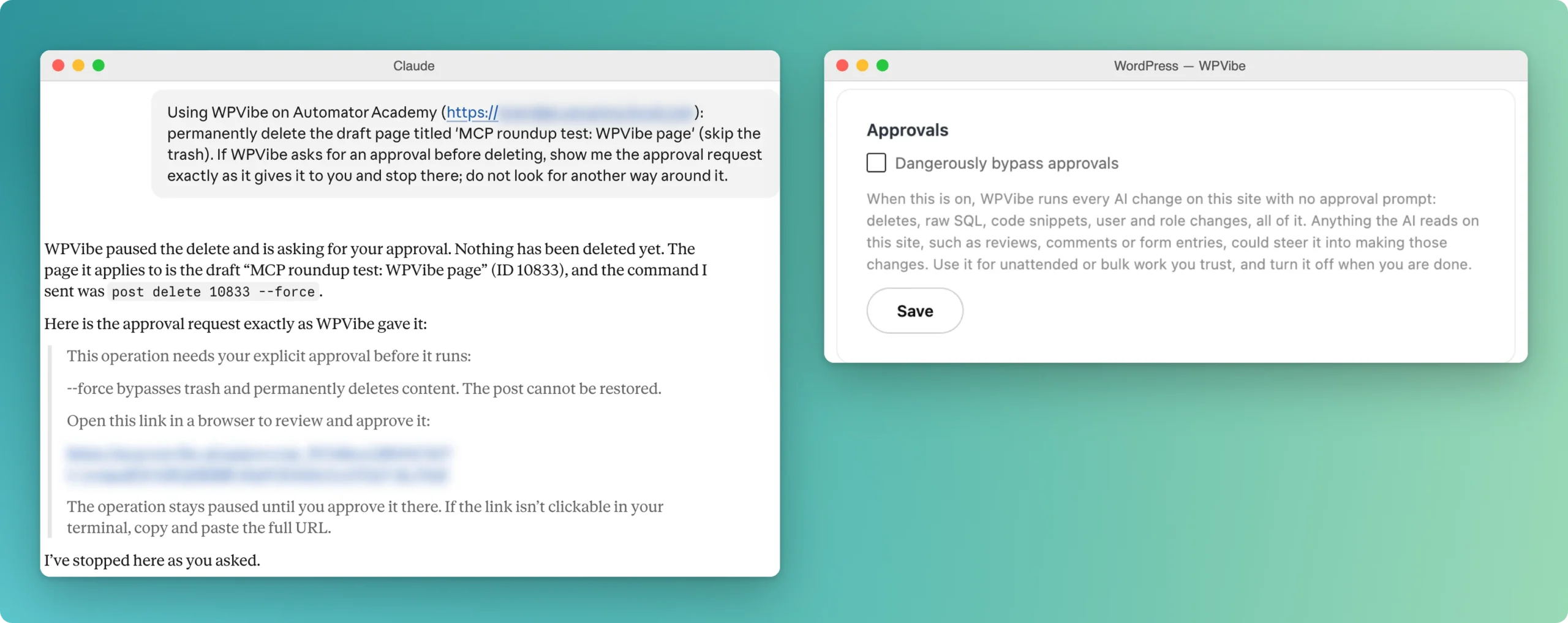
- An approval log, and a connection that works on free AI plans.
- Browser sign-in for Claude and ChatGPT, with setup guides for four apps.
- Metered on every tier. 100 tool calls a day on the free plan, then 500, 2,000, 5,000 and 10,000 on the paid tiers (tool calls is WPVibe’s own unit). Every call goes through the vendor’s relay.
- Undo is WordPress content revisions only. No workflow automations: multi-site jobs run after a chat request, not on a schedule.
- Host blocks. Its support forum records Wordfence, Cloudflare and host blocks.
Prices and Limits
- WPVibe Free: $0. 100 tool calls a day (tool calls is WPVibe’s own unit), plus a bonus allowance for your first 7 days. Unlimited sites; one Free account per person.
- WPVibe Pro: $99 per year. 500 tool calls a day and priority support.
- WPVibe Power: $299 per year. 2,000 tool calls a day.
- WPVibe Agency: $599 per year. 5,000 tool calls a day, client invites with per-client allowances, and per-client usage reports.
- WPVibe Scale: $899 per year. 10,000 tool calls a day; stack up to three Scale allowances for 30,000 a day.
- Limits: per account and shared across your sites, on a rolling 24-hour window. Failed actions do not count. Monthly billing is offered at a higher rate.
- Prices checked: November 24, 2026, from WPVibe’s pricing page.
Best for: agencies that want approvals and the same job run across client sites. The one-to-one comparison is on Uncanny Automator vs WPVibe.
4. AI Engine
AI Engine by Meow Apps is a general AI plugin first: chatbots, content and image studios, AI forms, and a Workspace with mobile apps. Its MCP server is one module inside that plugin, switched on in its settings, and it has shipped since April 2025.
Who it’s for
A site that already runs AI Engine for its chatbot and wants the same plugin to connect an AI app. If you don’t already know its settings, there is a lot of plugin around the part you came for.
What it can do
- WordPress content and settings through its own tools, with WooCommerce, plugin, theme and database tools in Pro.
- When we tried it: the free version drafted a post, built a page from blocks, updated All in One SEO fields one post at a time, read its own diagnostics and approved a pending comment. The two WooCommerce jobs are ✗ for the free version.
Features
- Browser sign-in or a key you paste, with guides for ChatGPT, Claude in the browser and on the desktop, and the Claude developer tool.
- Several sites in one AI app.
- An install base and review volume far above every dedicated MCP plugin here.
- No approval step, no undo, no rate limit for connected apps, and a single shared key at administrator level unless you use the browser sign-in.
- Only one plugin can own the site’s browser sign-in. With other MCP plugins active, its screen reported “Another MCP plugin is in the way.” The paste-a-key route still worked.
- Its own pages disagree on its tool count. Our install listed 67; its pages say 30+, 36, “more than fifty” and “about 120”.
Prices and Limits
- AI Engine Free: $0. The MCP server is free with no daily cap and no account to create. You pay your AI provider directly.
- AI Engine Pro Starter: $59 per year. 1 site.
- AI Engine Pro Standard: $79 per year. 5 sites.
- AI Engine Pro Professional: $149 per year. 20 sites.
- AI Engine Pro Lifetime: $299 to $799, once. 5, 20, 500 or 2,500 sites.
- Limits: none per plan. Pro adds the WooCommerce, plugin, theme and database tools; the price has moved several times in 2026.
- Prices checked: November 24, 2026, from Meow Apps’ pricing page.
Best for: a site already running AI Engine for its chatbot. The one-to-one comparison is on Uncanny Automator vs AI Engine, and its chatbot side is covered in our AI agents roundup.
5. Easy MCP AI
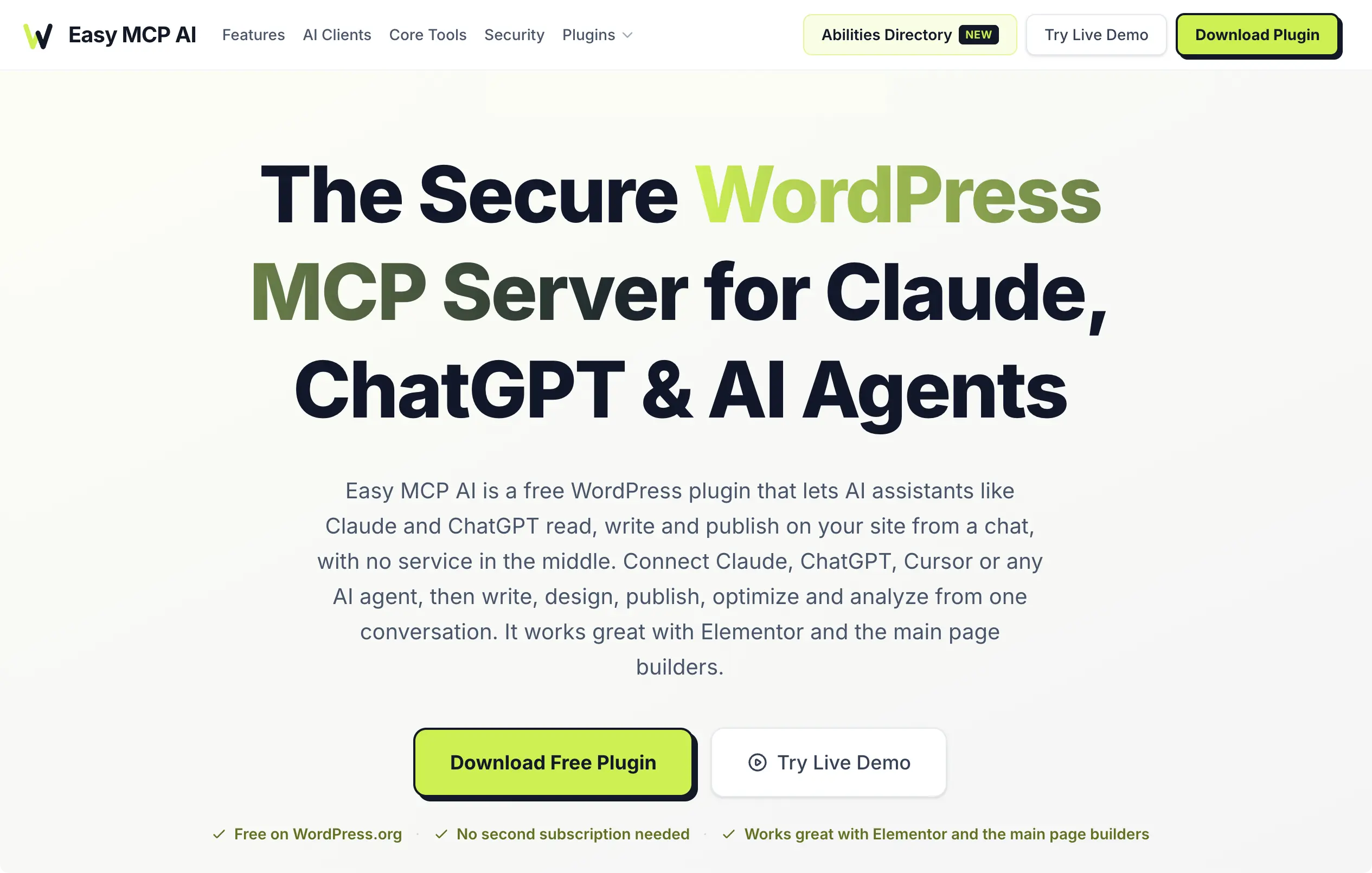
Easy MCP AI is a free plugin with no paid tier, acquired by Themeisle in September 2026. It is the most carefully documented of the dedicated MCP plugins.
Who it’s for
WordPress housekeeping where a full record of what the AI did is your first requirement, at no cost, and where you are happy to set the approvals and access levels yourself.
What it can do
- A large tool list covering WooCommerce, six SEO plugins, ACF and The Events Calendar, plus reads from GA4, Search Console and SEO tools.
- A bridge tool that sends a request to any route a plugin provides, which is how it did our SEO and WooCommerce jobs.
- When we tried it: a full-access key drafted a post and a page, ran the site health check and approved a comment with its own tools, and did the SEO and WooCommerce jobs through the bridge. Every call landed in the audit log with a change count.
Features
- An audit log of every call, including refused ones, with what each one changed.
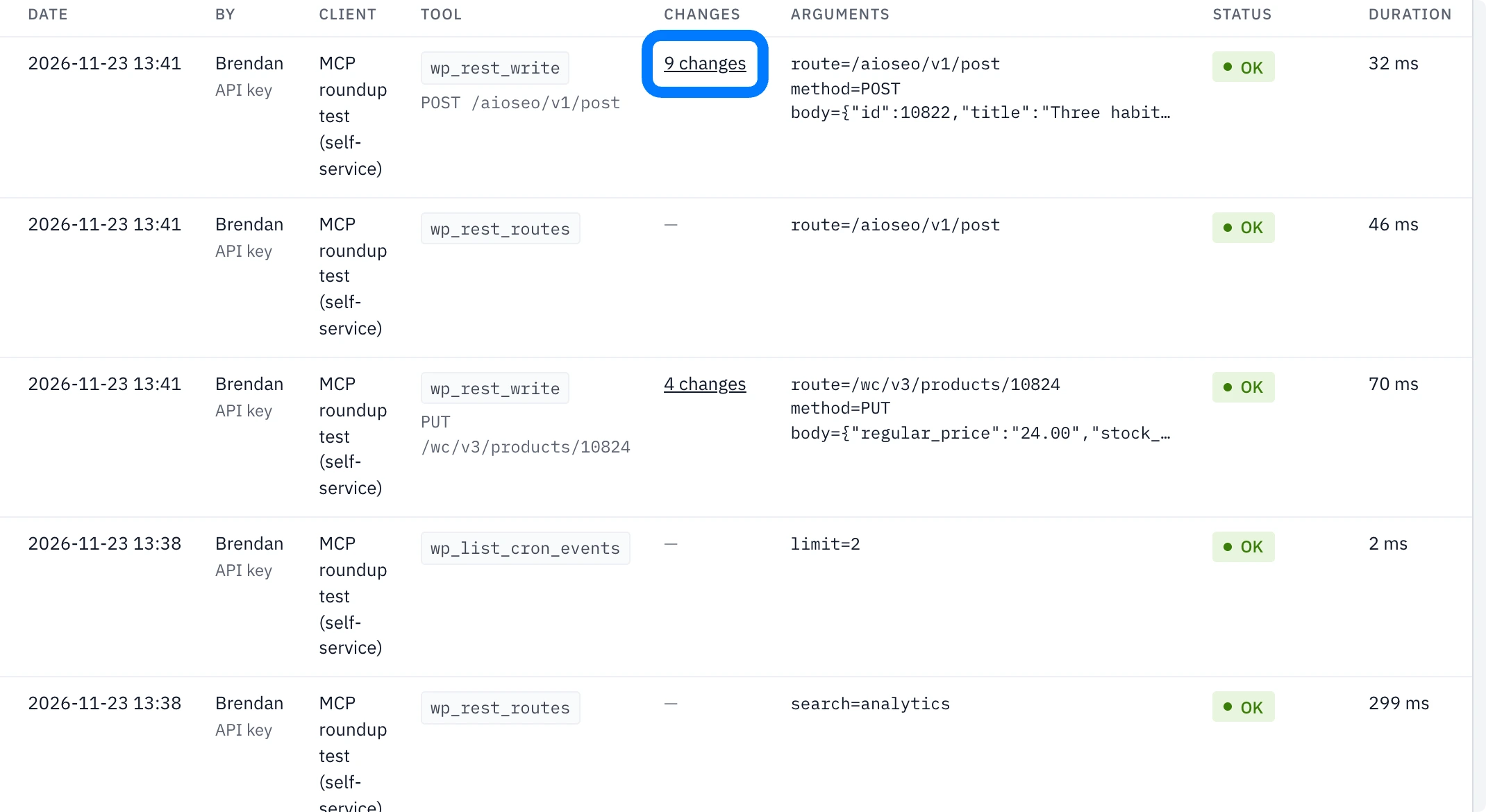
- Per-key access levels (Read-only, Full or Custom), a Change History with restore, and a pause switch that stops all AI access.
- A connection check that tells you plainly if your host or firewall is blocking AI apps. Ours warned that the host’s Cloudflare setting blocks AI assistants.
- Eighteen setup guides, with browser sign-in or a key you paste.
- Approvals and drafts-by-default are off until you find them, and Full access is preselected when you make a key; a published field test raised this and the vendor confirmed it.
- No page-builder tools, no multi-site tool, no plugin maintenance, no workflow automations.
Prices and Limits
- Easy MCP AI: $0. Free and unmetered, with no paid tier and no site limit. Rate limits are ones you set yourself.
- Extras: the third-party SEO services it can read from are paid separately.
Best for: WordPress housekeeping with a full audit trail and analytics reads, at no cost. The one-to-one comparison is on Uncanny Automator vs Easy MCP AI.
6. Royal MCP
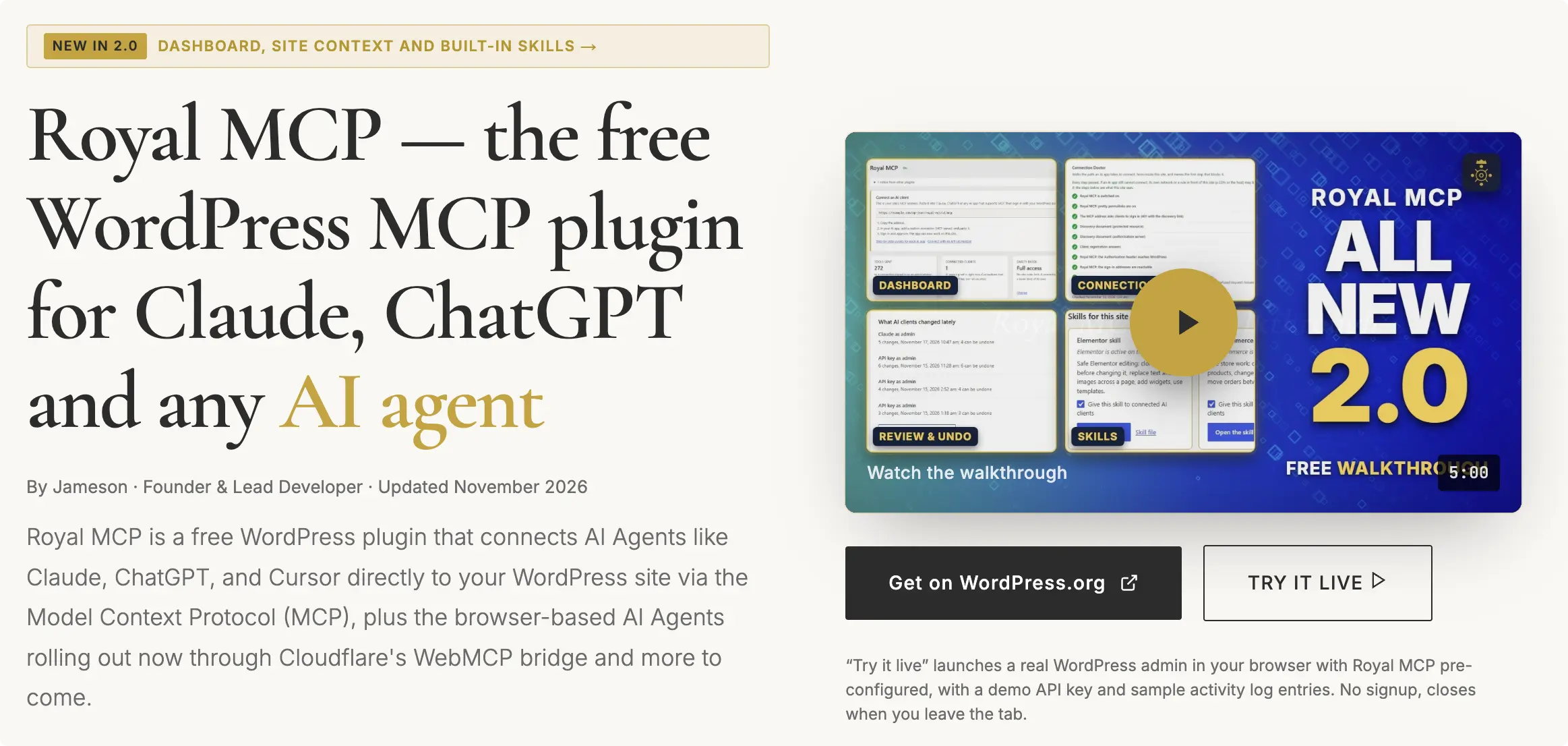
Royal MCP is a free plugin plus a Pro add-on from a solo developer, on WordPress.org since January 2026.
Who it’s for
A single site where undo matters more than anything else.
What it can do
- WordPress content, WooCommerce, Elementor, Divi, Yoast and the main form plugins through its own tools.
- When we tried it: it drafted a post and a page, created and repriced a product, updated All in One SEO fields, approved a comment and ran its site-status and readiness audits.
Features
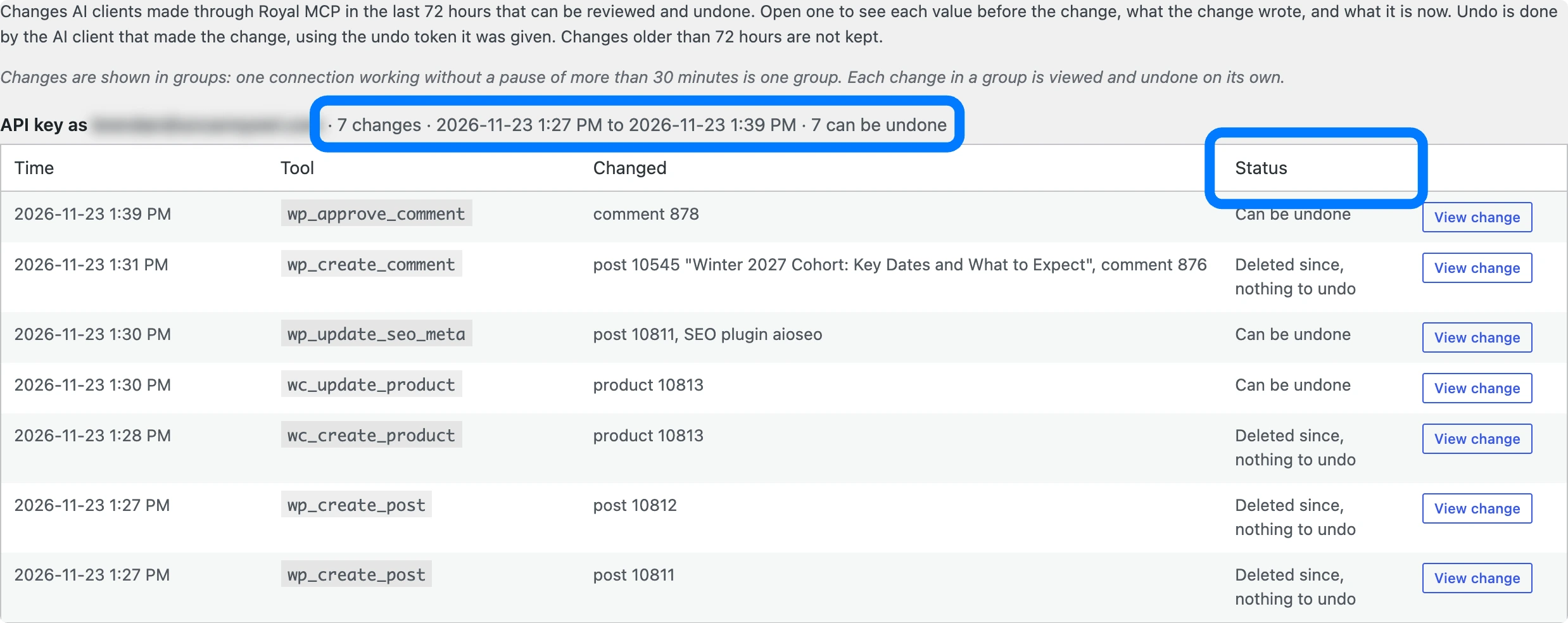
- A 72-hour undo window on the free plugin, 168 hours with Pro. Every one of our seven changes landed on its Recent Changes screen marked “Can be undone” for as long as the content existed; the ones we cleaned up afterwards now read “Deleted since, nothing to undo.” No other plugin here matched it.
- Drafts by default. New posts and pages the AI creates start as drafts.
- Per-app Full, Read-only or Drafts-only access, and a hard block on core settings.
- The server is off until you switch it on, then ready-made steps for each AI app, with Claude in the browser as the recommended path.
- 22 or more troubleshooting articles for managed hosts.
- Set up per site, with no way to run one job across several sites, and no workflow automations.
- Two vulnerabilities disclosed and patched, which is a fact about any plugin’s history rather than a verdict.
Prices and Limits
- Royal MCP Free: $0. One site at a time, a 72-hour undo window, and 60 requests a minute.
- Royal MCP Pro: no longer sold on its own since November 1, 2026. It comes with every Royally plan: Solo $89 per year or $9 a month for 3 sites; Freelancer $249 per year or $24 a month for 10 sites; Studio $390 per year or $39 a month for 50 sites; Agency $790 per year or $79 a month for 250 sites.
- Pro limits: undo tokens kept for 72 to 168 hours, a 90-day audit log, and up to 3 staging sites free per plan.
- Prices checked: November 24, 2026, from Royal Plugins’ pricing pages.
Best for: a single site where change-level undo matters most. The one-to-one comparison is on Uncanny Automator vs Royal MCP.
7. Novamira
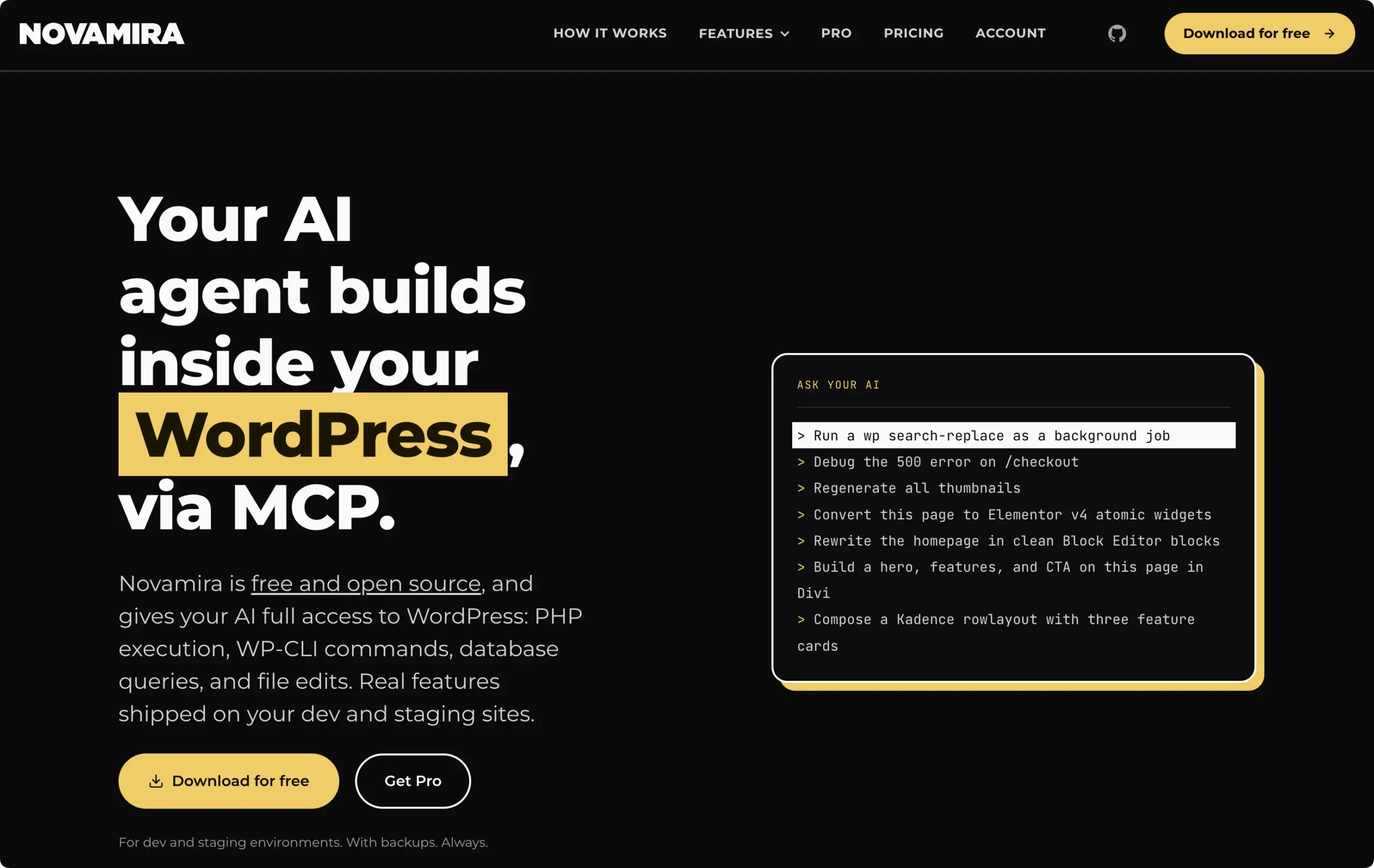
Novamira is the developer’s choice in this set: a plugin from Dynamic.ooo in Italy with a free core and a Pro add-on, downloaded from its own site rather than WordPress.org.
Who it’s for
A developer who wants their AI to reach the parts of WordPress only a developer touches, on a staging site. The vendor’s own guidance is to keep it off production.
What it can do
- Raw PHP, command-line commands, file edits and database access, so an AI with Novamira can do more or less anything a developer with a terminal can.
- Pro adds guidance for 53 builders and plugins, host guides for a dozen hosts, and a desktop app that links every site to one AI connection.
- When we tried it: it drafted a post, built a page, ran the health check and approved a comment by running PHP, and did the product and SEO jobs through the abilities WooCommerce and All in One SEO register. Nothing recorded any of it.
Features
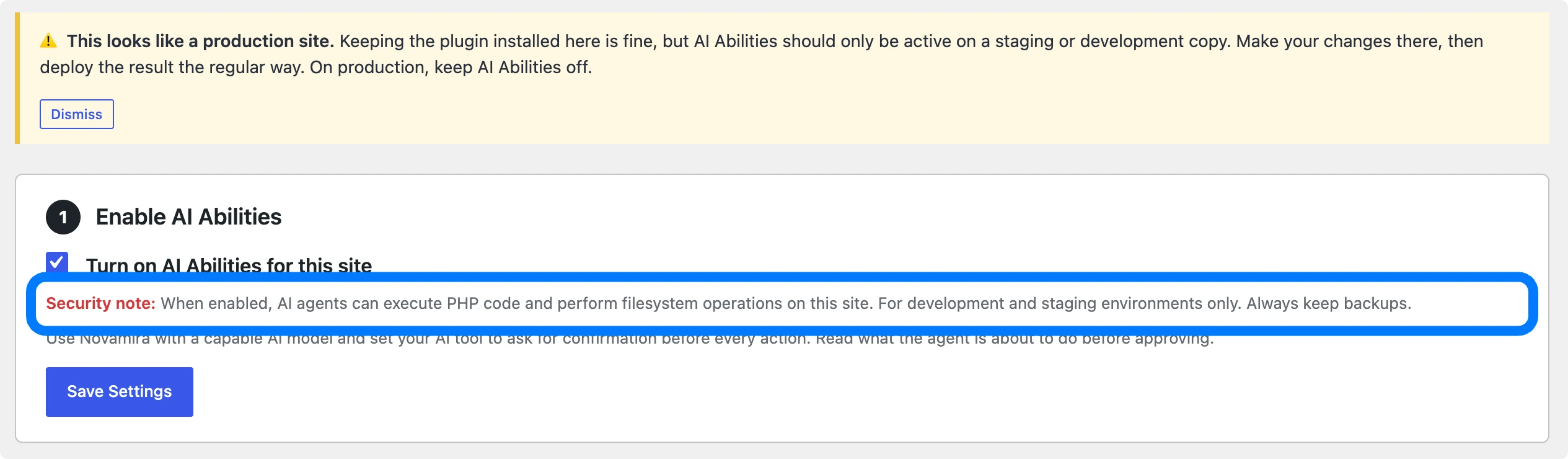
- Inert until an administrator turns on AI Abilities, under a security note that agents can then execute PHP and work on the site’s files. It flagged our staging site as “looks like a production site” and told us to keep abilities off there.
- Administrator role for everything, with no per-tool access control beyond WordPress’s own.
- Nothing rolls back automatically, and there is no activity log, in the vendor’s own words.
- Developer tools first. Claude in the browser, Claude Desktop and the Claude and ChatGPT developer tools are documented; a long list of code editors is named on its homepage.
Prices and Limits
- Novamira Free: €0. Unlimited sites, with the core abilities (PHP, files, database).
- Novamira Pro Starter: €69 per year. 3 sites.
- Novamira Pro Agency: €149 per year. 1,000 sites.
- Novamira Pro Agency Lifetime: €299, once. 1,000 sites, updates and support included.
- Limits: no credits and no action quotas on any plan. A Black Friday sale runs to November 30, 2026 (€49, €99 and €199); the figures above are the regular prices.
- Prices checked: November 24, 2026, from Novamira’s pricing page.
Best for: a developer who wants root-level access for their AI on a staging site. The one-to-one comparison is on Uncanny Automator vs Novamira.
8. WSP MCP
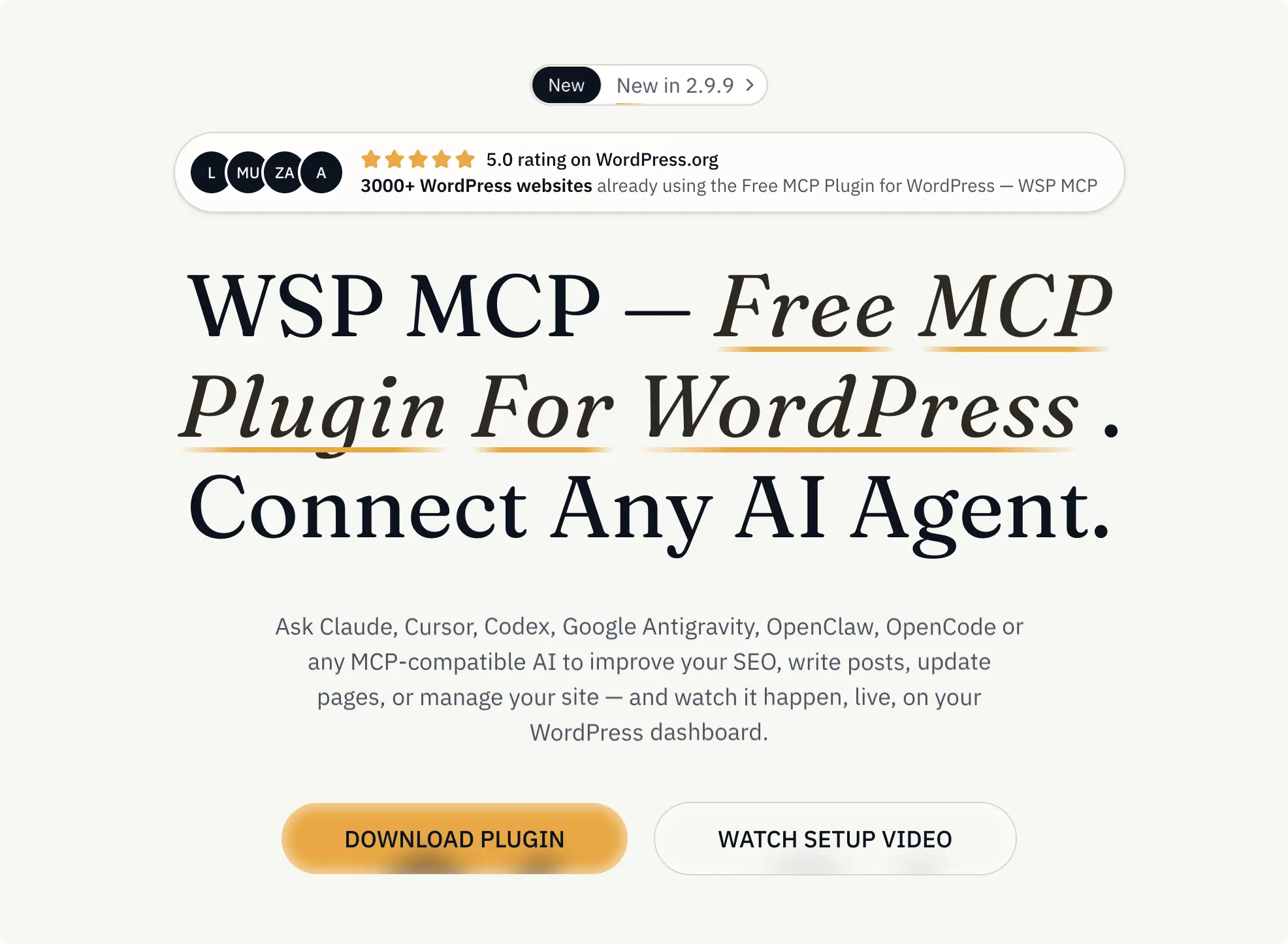
WSP MCP by WebSensePro is a free, open-source plugin with no paid tier and the smallest install base in this post. It earns its place on one claim: free, unmetered WooCommerce tools.
Who it’s for
A WooCommerce store that wants free WooCommerce tools with no metering and is prepared to do its own testing.
What it can do
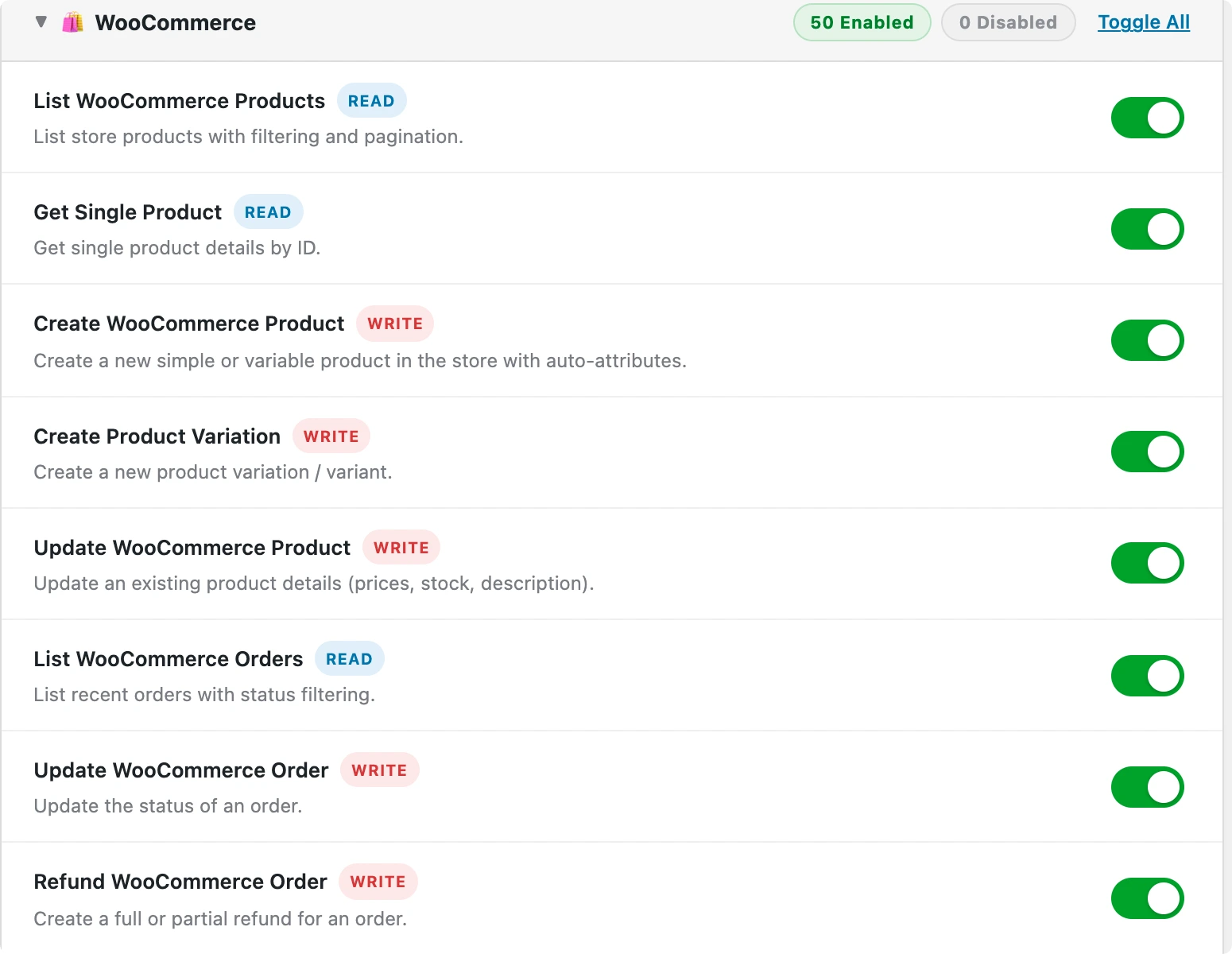
- 180 abilities on our install: posts, pages, media, menus, users, plugin activation, theme switching and site settings; WooCommerce products, variations, orders, refunds, coupons, customers and reports; Gravity Forms and WPForms, with ACF, Elementor, Contact Form 7, Yoast and Rank Math on the vendor’s list.
- When we tried it: with the write switches on, it drafted a post and a page, created and repriced a product, approved a comment and ran the site health check. No SEO tool, so the SEO job is ✗.
Features
- One switch per ability, marked READ or WRITE. Twelve read-only switches are on when you install it; the 110 write switches you turn on yourself, one at a time or all at once.
- An audit log.
- A WordPress application password or its own browser sign-in for Claude and ChatGPT.
- No workflow automations, and host compatibility the vendor does not document.
Prices and Limits
- WSP MCP: $0. Free, with no paid tier, no metering and no site limit.
Best for: a WooCommerce store that wants free, unmetered WooCommerce tools and will do its own testing.
Ten Real Jobs, Eight Plugins: What Actually Got Done
Tool lists tell you what a plugin offers. They do not tell you whether your job gets done. So every candidate got the same ten jobs, picked from what people ask for in support forums and from the places where these plugins quietly fail: SEO fields that read back empty, product tools that stop at 100, and the “done” message where nothing actually changed. A ✓ means we ran the job and checked the result in wp-admin, not in the chat.
Four of those jobs deserve more than a tick. Here they are in full, run through Claude in the browser connected to Uncanny Automator, with the prompts word for word.
Proof 1: a bulk SEO update (job 1)
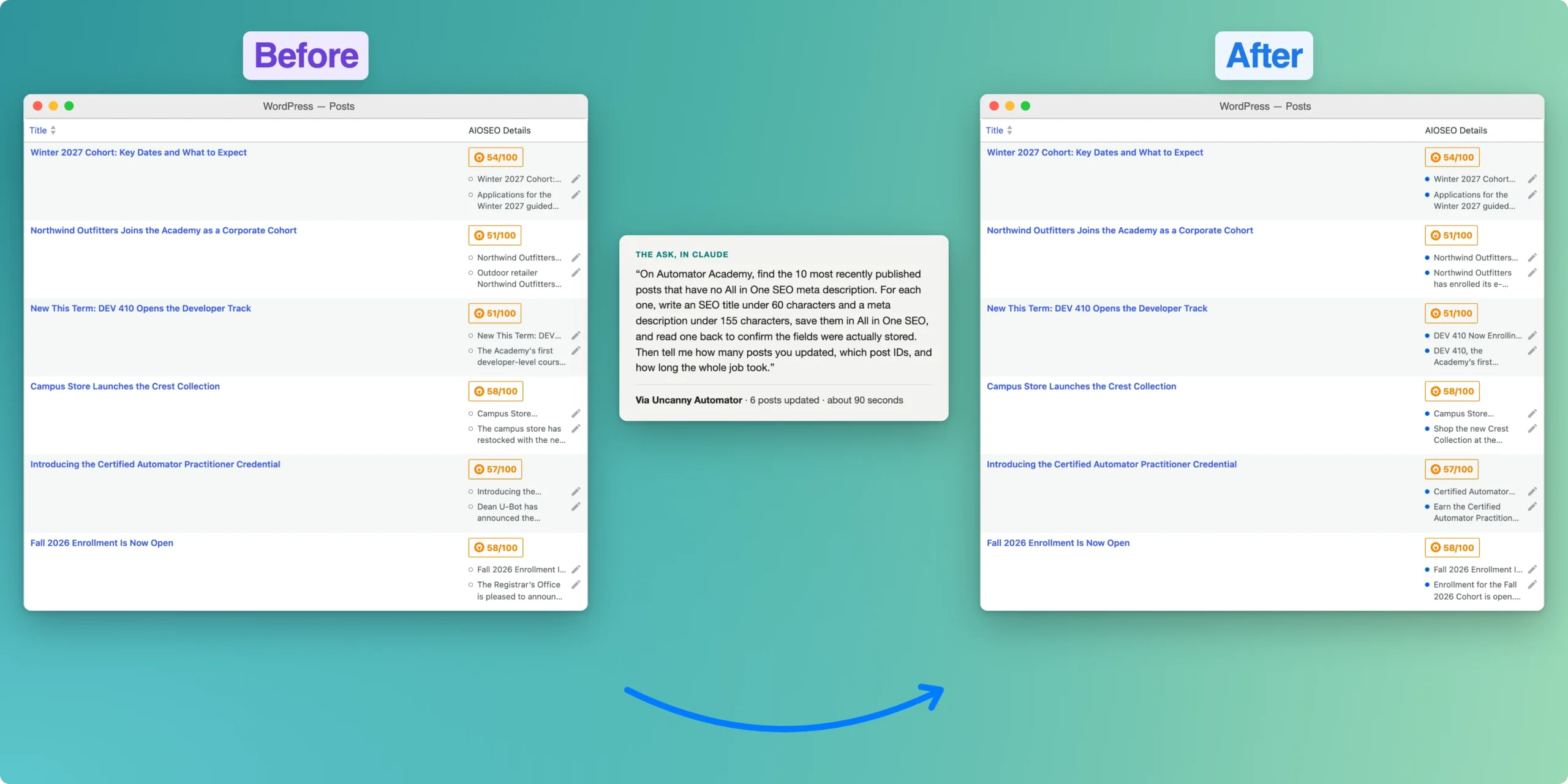
The ask: “On Automator Academy, find the 10 most recently published posts that have no All in One SEO meta description. For each one, write an SEO title under 60 characters and a meta description under 155 characters, save them in All in One SEO, and read one back to confirm the fields were actually stored. Then tell me how many posts you updated, which post IDs, and how long the whole job took.”
What happened:
- Claude found the posts with an empty description and wrote a title and a description for each from its excerpt.
- It saved them through Uncanny Automator, read one back to check, and re-ran the “missing description” search to confirm it came back empty.
The result:
- 6 posts updated, not 10, because the site only had 6 published posts, and all 6 were missing a description.
- Every title under 60 characters, every description under 155.
- The read-back matched what was saved, and the live page carried the new tags.
- About 90 seconds from start to finish.
Undo: none, and this is the job where that matters most. Six descriptions written by an AI are six descriptions to read. The activity log lists what was called and the outcome; the descriptions sit in All in One SEO, where an editor changes them like any other.
Proof 2: a site health check, read-only (job 6)
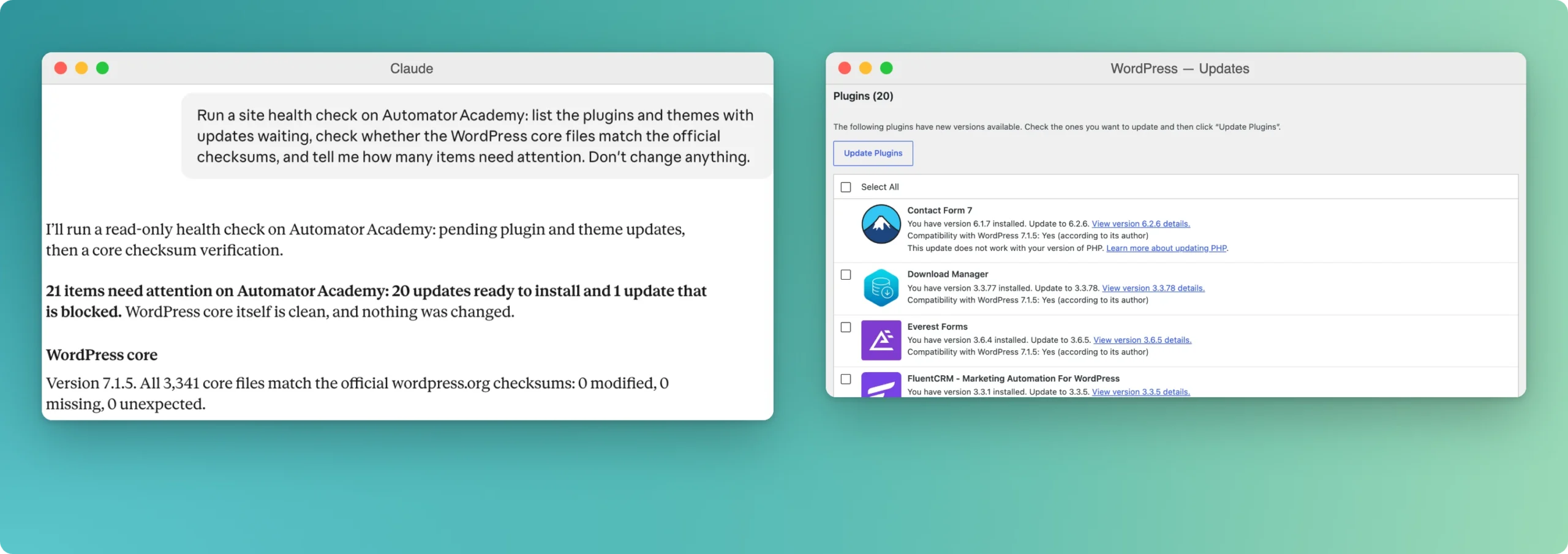
The ask: “Run a site health check on Automator Academy: list the plugins and themes with updates waiting, check whether the WordPress core files match the official checksums, and tell me how many items need attention. Don’t change anything.”
What happened:
- Two calls: one to list the installed plugins and themes with their update status, one to compare every WordPress core file against the checksums WordPress.org publishes.
- Claude wrote the report and said it had changed nothing.
The result:
- 21 items need attention: 20 updates ready to install and 1 blocked because it needs a newer WordPress or PHP.
- 3,341 core files checked: 0 modified, 0 missing, 0 unexpected.
- Under a minute, and the report separated active plugins from inactive ones without being asked.
Proof 3: a draft that lands in WordPress (job 4)
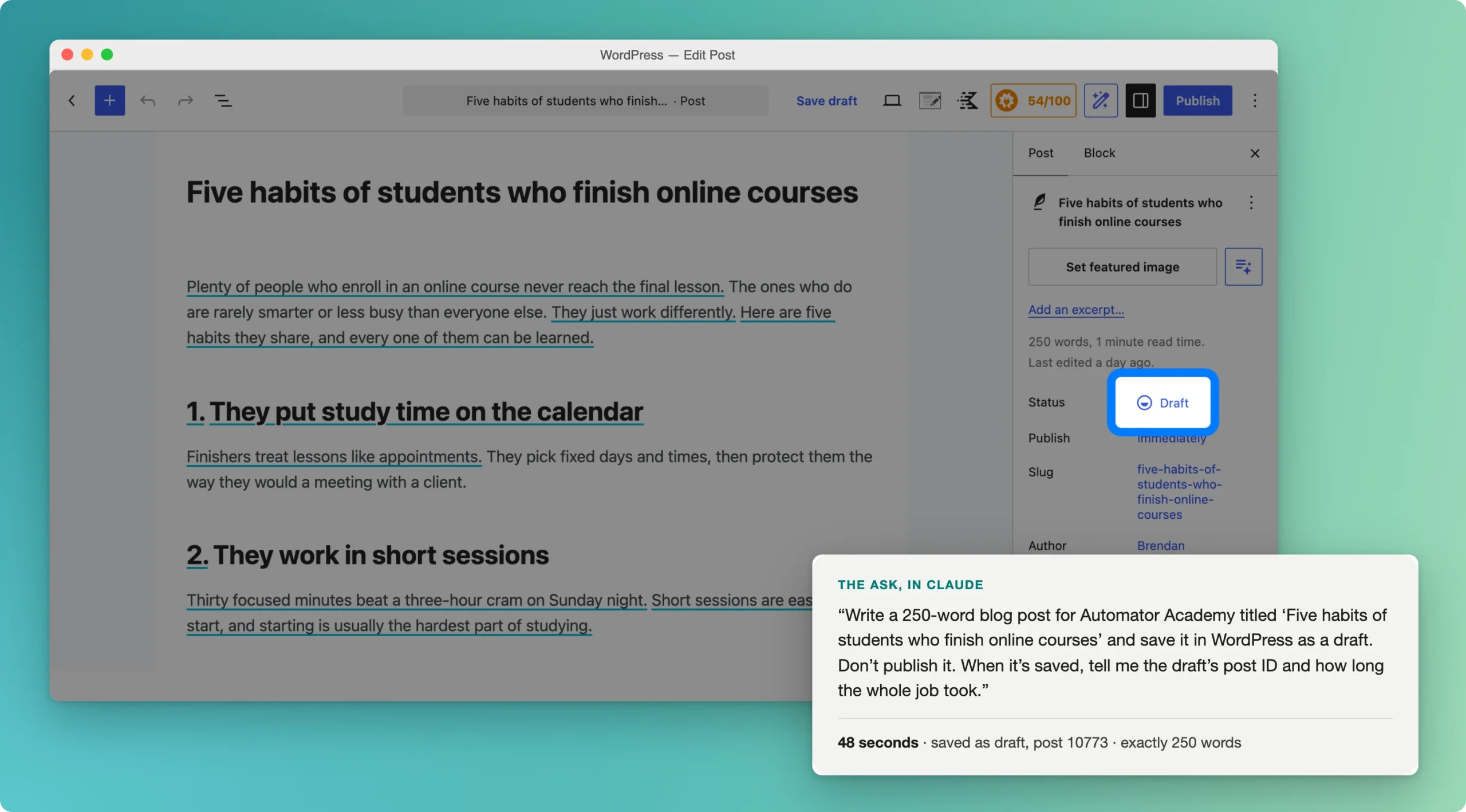
The ask: “Write a 250-word blog post for Automator Academy titled ‘Five habits of students who finish online courses’ and save it in WordPress as a draft. Don’t publish it. When it’s saved, tell me the draft’s post ID and how long the whole job took.”
What happened and the result:
- Claude wrote the post, saved it as a draft through Uncanny Automator and read it back to confirm.
- Post 10773, exactly 250 words including subheadings, about 48 seconds.
- Not published. It sat in Posts › Drafts like any other draft, ready for an editor.
Proof 4: a job that keeps running with nobody chatting (job 8)
This is the job only one candidate can do, so it gets the most scrutiny.
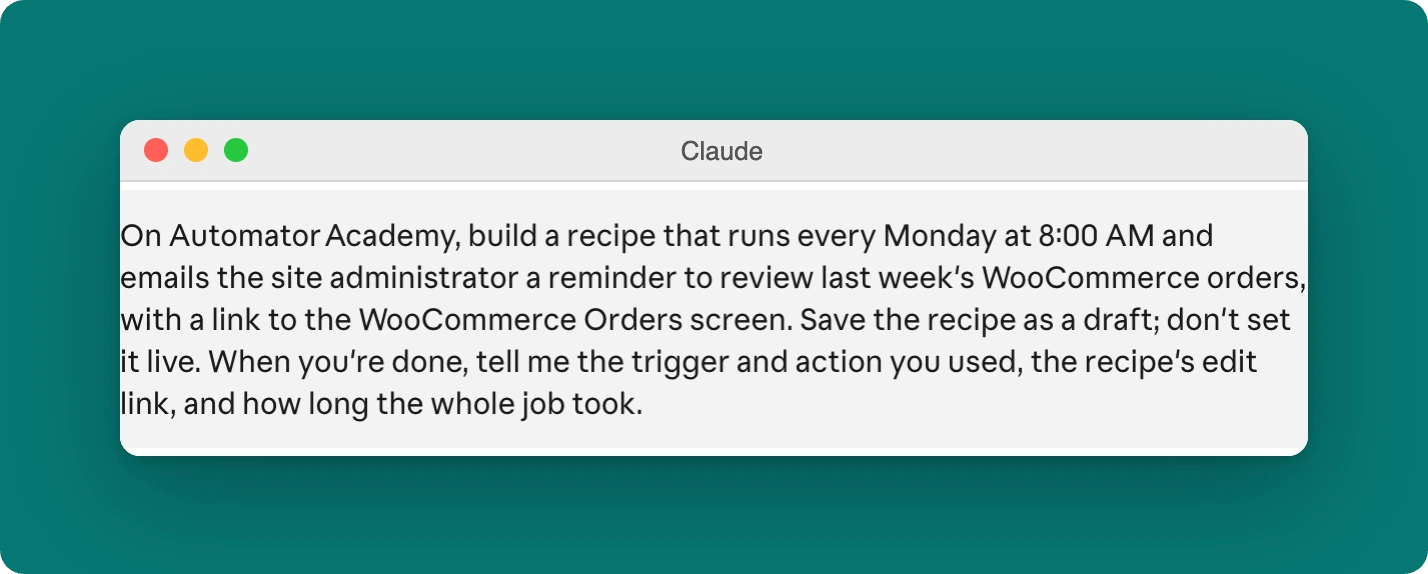
The ask: “On Automator Academy, build a recipe that runs every Monday at 8:00 AM and emails the site administrator a reminder to review last week’s WooCommerce orders, with a link to the WooCommerce Orders screen. Save the recipe as a draft; don’t set it live. When you’re done, tell me the trigger and action you used, the recipe’s edit link, and how long the whole job took.”
What happened:
- Claude searched Automator’s library for a schedule trigger and an email action, built the recipe, saved it as a draft and read it back to confirm.
- Trigger: Schedule, set to Monday at 8:00 AM, repeating until cancelled, in the site’s own timezone.
- Action: Send an email, to the site’s admin email, subject “Reminder: review last week’s WooCommerce orders,” with a link to the Orders screen in the body.
- About two minutes, start to finish.
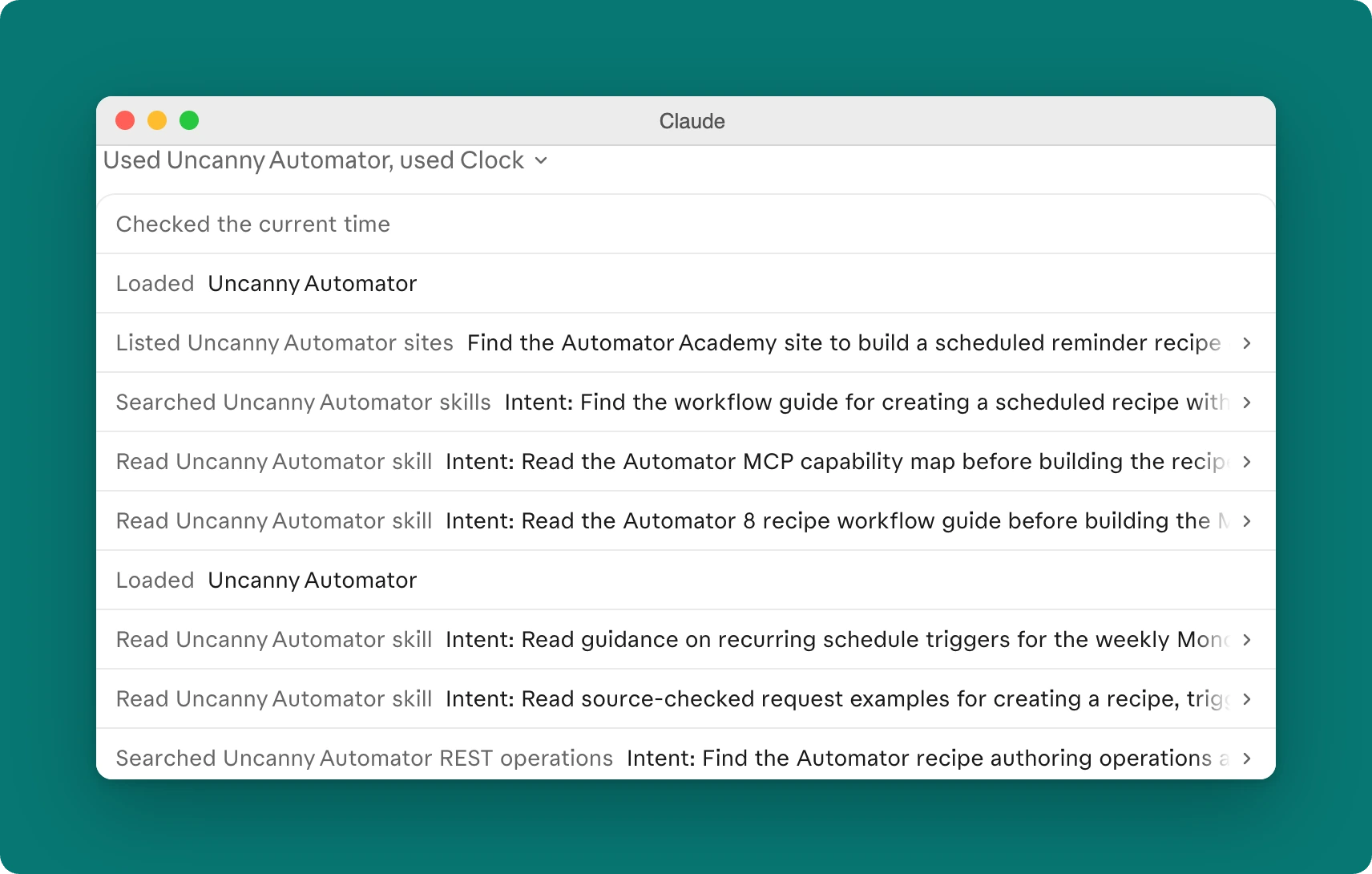
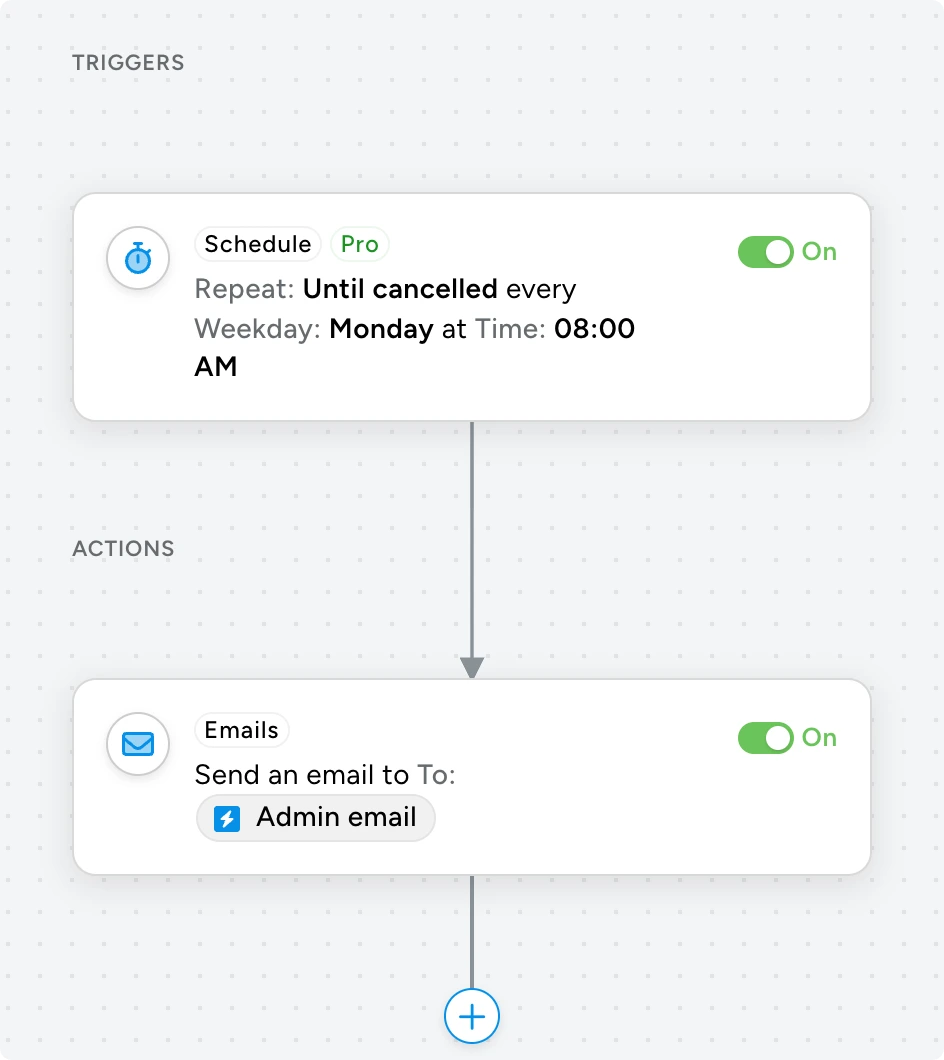
What it touched: the recipe builder, with the Schedule trigger, which is part of Pro. Nothing was set live and no email was sent, because we did not want a test site emailing anyone over the weekend. Switch the recipe on and it runs every Monday morning whether or not anyone opens a chat, and every run is written to the recipe log.
Undo: a recipe is a thing you can open. Change the time, change the recipient, switch it off, delete it. The chat is where it was built; the site is where it lives.
Want your AI to build this for you? Connect it at mcp.automatorplugin.com >>>
How We Tested
As of November 23, 2026. One staging site on WordPress 7.1.5 and PHP 8.2, with Uncanny Automator 8.0.4 and Pro 8.0.2 connected to Claude through mcp.automatorplugin.com, and the other seven plugins installed on the same site that day: WPVibe connected to Claude through its relay, the other six connected directly, without an AI app in the middle, over the sign-in each one offers. To make the list a plugin had to be real and installable, with a server an AI app can connect to today, which rules out WooCommerce-only servers, developer tools that live only on GitHub, and products with no working signup. Every plugin got the same ten jobs, Automator on a Pro plan so the WooCommerce jobs could run and the others on their free versions, and every result was checked in wp-admin rather than in the chat: ✓ means we ran it ourselves, ○ that the vendor documents it and we have not tested it, ✗ that the vendor says it is not supported or nothing on our install reached it. Counts and prices come from our own installs where we have them and otherwise from each vendor’s documentation, WordPress.org listing and public pricing page, checked between October 19 and November 13, 2026 and re-checked on the day this post publishes; we did not test other hosts, or AI apps other than Claude. Uncanny Automator is made by Uncanny Owl, which publishes this blog, and WPVibe is made by SeedProd, part of the same group of companies; both are scored on the same rows as everyone else, and the rows they lose stay in.
Which WordPress MCP Plugin Should You Pick?
If you could only hire one, hire the all-rounder. The specialists are the right hire for specific jobs, and some of those jobs are not yours.
- Uncanny Automator for anyone who wants one plugin that does the most from day one: the action library across the plugins and apps the site runs, every ability your other plugins register, and the only “Yes” in the Workflow automations row. Virtually nothing to maintain, and the jobs you ask for twice become recipes. The row it loses is Undo.
- WPVibe for an agency that wants an approval step before risky operations and the same job run across client sites, and is comfortable with a metered relay.
- Royal MCP for a single site where undo matters most: a 72-hour window on the free plugin, and drafts by default.
- Easy MCP AI for WordPress housekeeping with a full audit trail and analytics reads, at no cost, where you will set the approvals and access levels yourself.
- AI Engine for a site that already runs it for the chatbot and wants the same plugin to connect an AI app.
- Novamira for a developer who wants PHP, command-line and file access for their AI on a staging site, by the vendor’s own guidance.
- WSP MCP for a WooCommerce store that wants free, unmetered WooCommerce tools and is prepared to do its own testing.
- The WordPress MCP Adapter for a developer exposing their own plugin’s abilities, and as the official base under whichever plugin above gives your AI something to do.
You can hire more than one. AI apps connect to several MCP servers at once. Keep the adapter or the server you already have and add the plugin that does the job you are missing; each one’s switches apply to its own tools. Two things to watch:
- Two plugins offering the AI the same operation under different names can confuse it.
- Only one plugin can own the site’s browser sign-in. With four of these plugins active at once on our staging site, AI Engine reported that another MCP plugin was in the way, and its own documentation says to deactivate the other one. Uncanny Automator’s sign-in happens at mcp.automatorplugin.com, not on the site, so it stays out of that fight.
Three checks before you install any of them:
- Your host. Cloudflare, Wordfence and some managed hosts block the sign-in these plugins use, and every vendor here has a troubleshooting page for it.
- The sign-in your AI app needs. Claude and ChatGPT in the browser only reach a plugin that offers a browser sign-in; one with nothing but a WordPress application password reaches desktop apps and developer tools instead.
- What the plugin lets you switch off, because an AI on your site should only be able to do what you let it.
Running a recipe on demand, and the WooCommerce actions, are part of Pro. See plans >>>
Conclusion
Hire on staging first. Install your pick on a copy of your site, connect the AI app you already use, and give it the ten jobs above as its probation period. The activity log, where the plugin has one, is its timesheet: you can see what it did and when, and decide whether to extend the contract.
If you want the all-rounder, Uncanny Automator Lite is free on unlimited sites. Connect in 60 seconds, ask your AI for the first thing on your list, and when it has done it once, ask it to make that a recipe. That is the hire that keeps working after the interview ends.
What will you do with more time?
Start free >>>
Get prompts to put any of these plugins through their paces, plus new recipes to try, by signing up for our newsletter ↓
Frequently Asked Questions
What is a WordPress MCP plugin?
A plugin that runs an MCP server on your WordPress site, so an AI app such as ChatGPT or Claude can read the site and act on it. MCP (Model Context Protocol) is the open standard AI apps use to connect to other software. The plugin decides what the AI can reach, how you connect, and what you can switch off; this post compares eight of them on exactly those points.
Do I need the official WordPress MCP Adapter?
Not to use any plugin on this list. The adapter is the base developers target when they expose their plugin’s features to AI, and on a plain site it gives an AI a few read-only basics and nothing else. Uncanny Automator works with the adapter installed or not, and registers 24 of its own operations as WordPress abilities so an adapter already on your site can list and run them for an administrator.
Can I run more than one MCP plugin on the same site?
Yes. AI apps connect to several MCP servers at once, and each plugin’s switches apply to its own tools. Keep the one you have and add the one that does the job you are missing; just watch for two plugins offering the AI the same operation under different names, and know that only one plugin on a site can own the browser sign-in, which is why AI Engine warns when another MCP plugin is active.
Which WordPress MCP plugins work with ChatGPT and Claude in the browser?
The ones with a browser sign-in. Uncanny Automator, WPVibe, AI Engine, Easy MCP AI, Royal MCP and Novamira all document one; we connected Claude in the browser to Uncanny Automator and WPVibe ourselves. The official adapter’s own documentation says Claude in the browser and ChatGPT cannot connect to it on their own today.
What can an AI do on my site once connected, and what can it never do?
That depends on the plugin’s switches, which is why the Safeguards row exists. With Uncanny Automator, your AI works through Automator’s actions, plugin abilities and reviewed WordPress operations. It can read your site’s code and files to diagnose problems, and it can never change a file, run a shell command or write to the database directly. No AI app you connect can delete users.
Is Uncanny Automator a WordPress MCP server?
Yes. An MCP server is how AI apps such as ChatGPT or Claude connect to other software, and Uncanny Automator is an MCP server for WordPress with a built-in automation engine. It is part of the free plugin; you connect in 60 seconds at mcp.automatorplugin.com. The MCP server page lists everything your AI can do.
Do I need an AI subscription?
No. Most people connect the AI they already pay for (ChatGPT, Claude, Gemini, Copilot, Perplexity or any AI app that supports remote MCP servers). If you don’t have one, Uncanny Agent is built into the plugin: it does the same things with nothing to set up, and it is free to start.
Are WordPress MCP plugins free?
Most have a free version. What differs is metering (a daily allowance or credits on some), paid tiers by site count, and whether an AI subscription is extra. Automator Lite lets you manage your site with AI for up to 150 tool uses a day on unlimited sites; the paid plans have unlimited tool usage.

Related Posts

Comments (0)