

Dynamic Content addon
Create content that responds to your users and your business
Static content is a thing of the past. Today’s users expect personalized experiences that adapt to their behaviors and preferences.
★★★★★ 4.9/5 on WordPress.org40,000+ active sitesAutomating WordPress since 2018
Works with

ChatGPT

Claude

Gemini

Copilot

Perplexity
and any AI app that supports remote MCP servers
With the Dynamic Content Addon for Uncanny Automator, you can:

Dynamic content
Turn static pages into dynamic, personalized experiences
The Dynamic Content Addon empowers you to create content areas that update automatically based on user activity, AI responses, RSS feeds, webhooks, the choice is yours.
Display personalized content to individual users by adding dynamic content areas anywhere on your site with the included blocks / shortcodes. Define update triggers from any of Automator’s hundreds of integration points like course or quiz completions, purchases, forum participation and more. Then sit back as your recipes update content automatically.
What you get
Build responsive apps with the Uncanny Automator Dynamic Content Addon
The Dynamic Content Addon makes it easy to create apps like:
AI-Powered Response Systems
Build intelligent response systems that leverage AI to answer user queries directly on your site. Perfect for support pages, knowledge bases, and customer service areas.
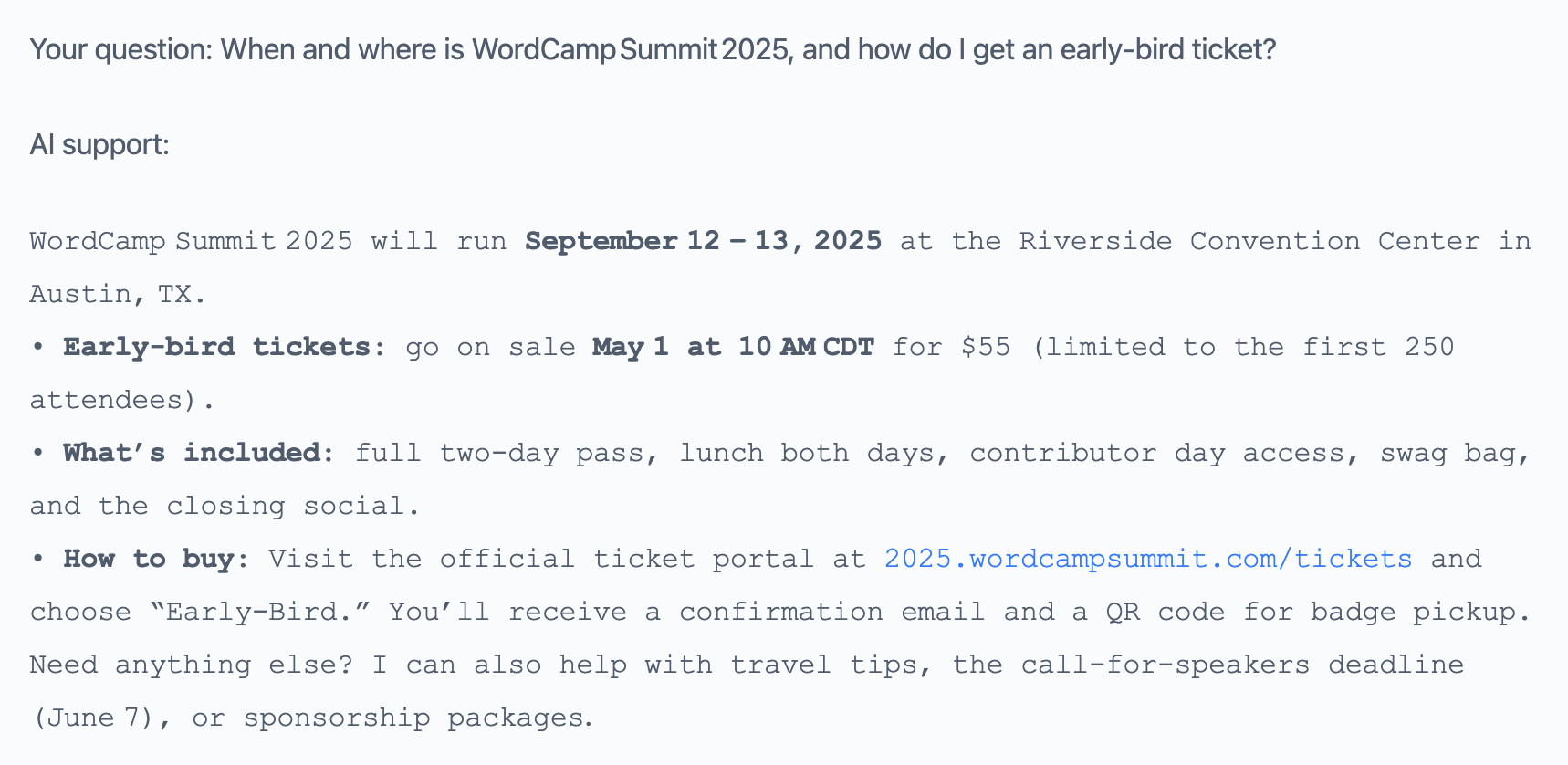
Dynamic Event Notifications
Create notification areas that update automatically when important events occur: new blog posts, product launches, registrations, or any other trigger supported by Automator.
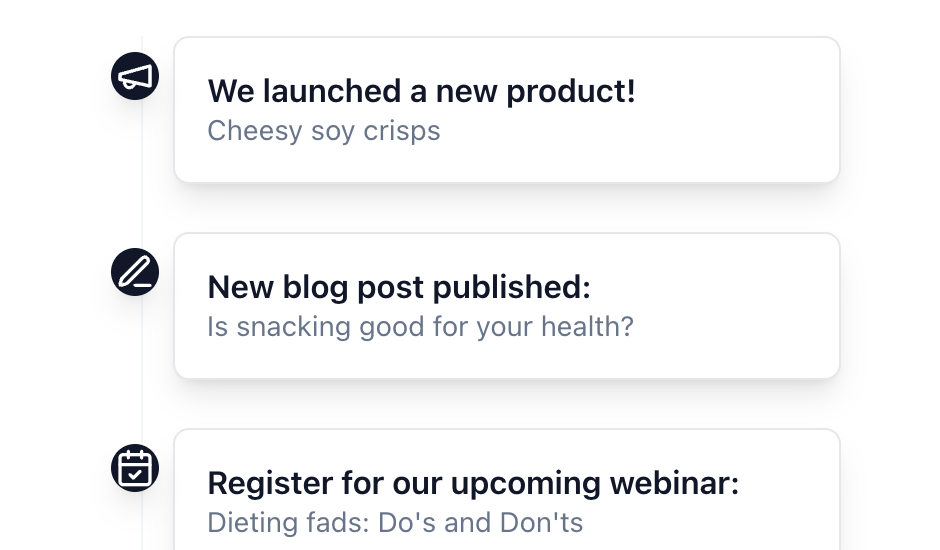
User Achievement Tracking
Show users their journey with your site through automatically updated event logs: “On April 11, 2025 you purchased the Sales course”, “On April 11, 2025 you completed lesson 5”, and more.
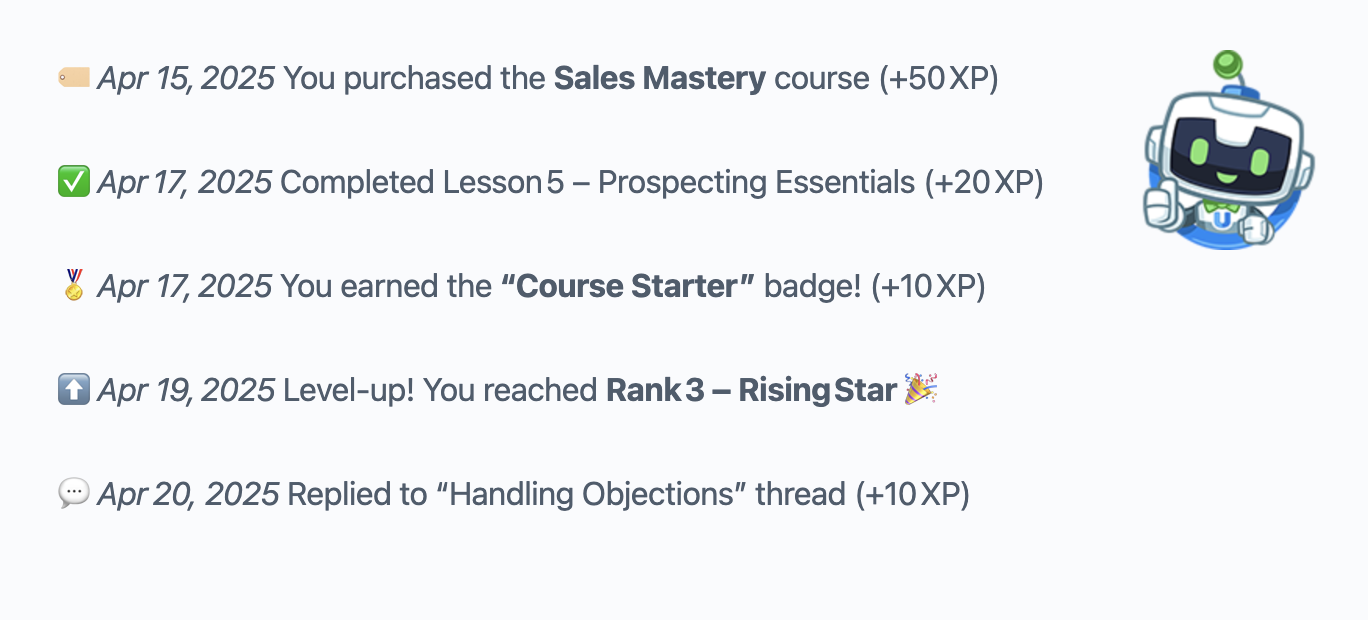
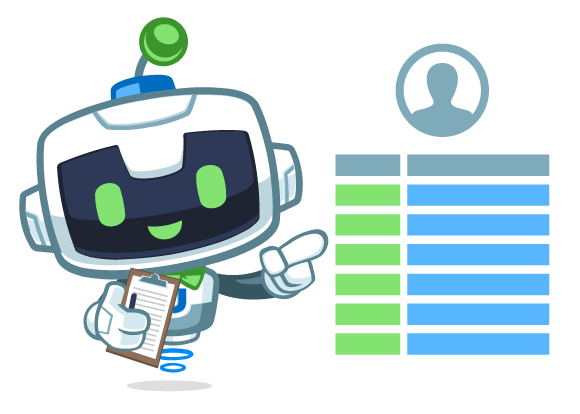
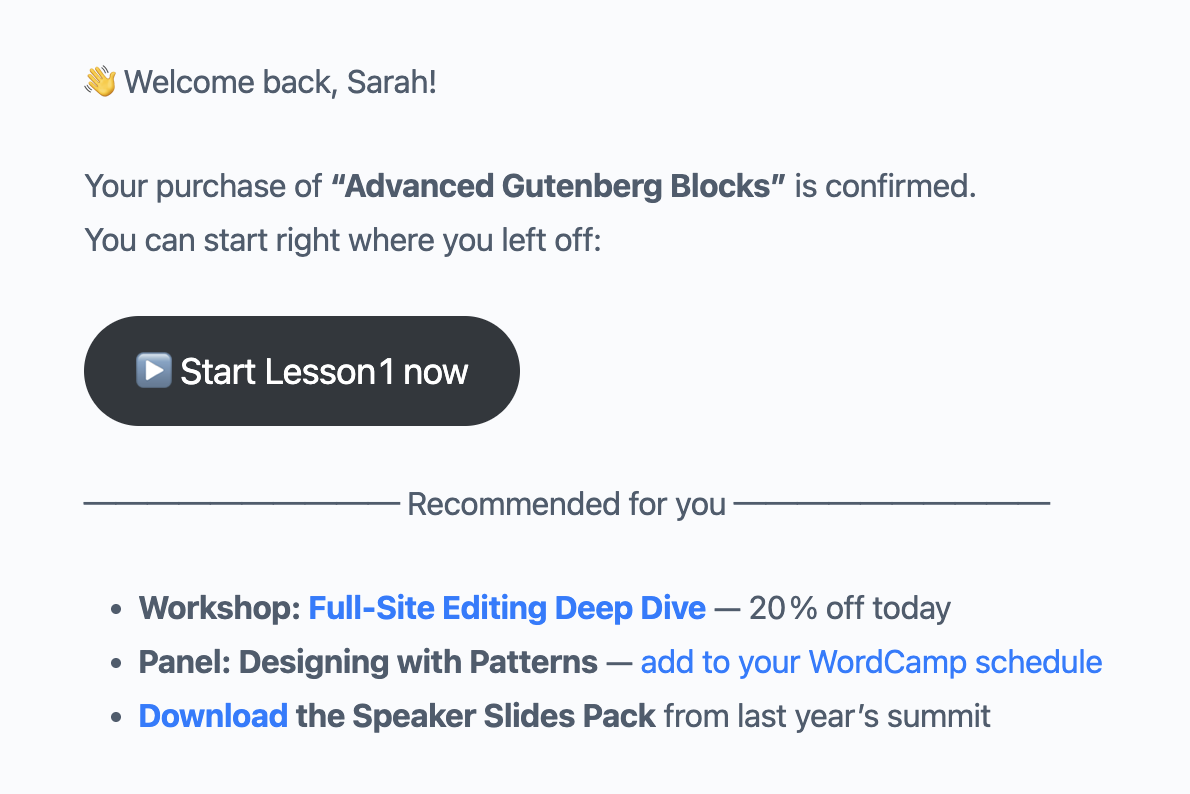
Personalized User Experiences
Display custom welcome messages, tailored recommendations, or personalized offers to specific users based on their profile, behavior, or purchase history.
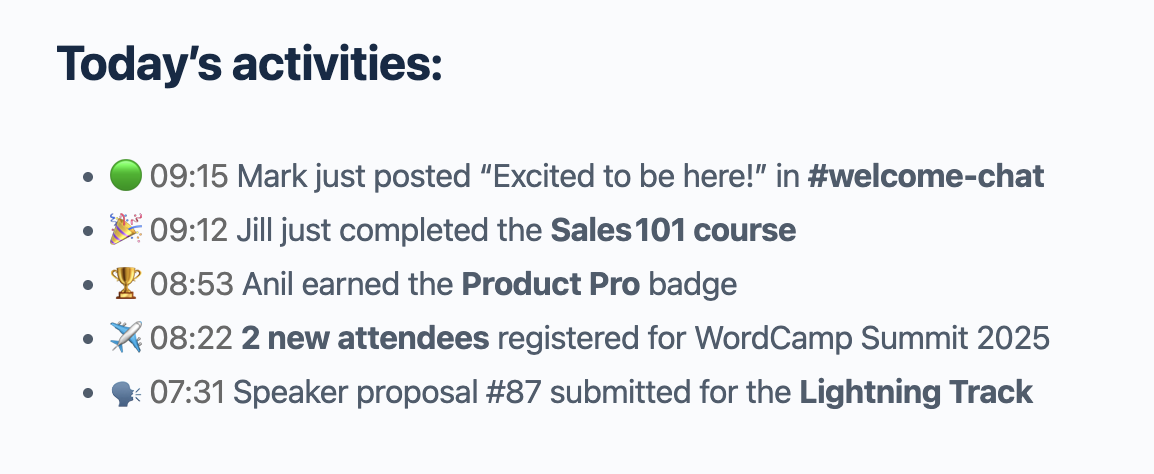
Real-Time Content Tickers
Implement “ticker” style containers that continuously update with the latest information without requiring users to refresh the page.
Integrations
Works with everything Automator supports
The Dynamic Content Addon inherits all of Automator’s integration capabilities.
Create dynamic content that responds to triggers from:
Plans
How do I get the Dynamic Content Addon?
The Dynamic Content Addon is included free with every Uncanny Automator Elite license.
Connect your AI
Connect your AI to your dynamic content
ChatGPT, Claude, Gemini, Copilot, Perplexity or any AI app that supports remote MCP servers. Ask in plain English and it gets done.
When someone completes the Sales course, update their dashboard block with a congratulations message.
When a new post is published, update the Latest news block.
When someone buys the Pro plan, clear the Upgrade offer block for that user.
Connect your AI to ask anything…


No AI subscription? Uncanny Agent is built in.
Is there a free version or demo?
While Uncanny Automator is a free plugin available on WordPress.org, there is no free version or demo of the Dynamic Content Addon. Upgrade to an Elite license for all Uncanny Automator Addons, as well as all Pro features like queues, scheduling, conditions, user creation and more. All paid licenses also add hundreds of additional triggers, actions and tokens.
How many dynamic content areas can I create?
There is no limit to the number of dynamic content areas you can create and manage.
Can I use this for non-logged-in users?
Yes! You can define dynamic content that’s displayed to non-logged in users. However, it’s not possible to personalize the content displayed to non-logged in users.
Do I need coding skills to create dynamic content areas?
With the Dynamic Content Addon, anyone can add dynamic content areas in seconds, no coding skills needed! Use a simple GUI to add, remove or edit dynamic content areas. Then add content areas to pages and posts using the included block or shortcode.
Is the content update instant?
Yes, when a trigger occurs, the associated dynamic content areas update in real-time without requiring a page refresh.
Where can I find out more about the Dynamic Content Addon?
Check out the KB articles for additional info on the Dynamic Content Addon.
What’s your refund policy?
If you’re not happy, ask within 14 days of your first purchase and we’ll refund you, as long as you’ve barely used it. Refund policy in the terms
Get started
Install free. Connect your AI.
Install the free plugin, connect your AI, and ask for the first thing on your list.
Every recipe you build keeps running without the chat.